Advanced Protection, the one-switch security mode Google introduced with Android 16, is getting six defenses on Android 17 devices like the Pixel 11 Pro. Only two of them are new, though, since the rest have been trickling out over the past year, so here's what's actually changing for owners of the best Pixel phones and other Android 17 devices.
Google's Advanced Protection update kicks off Cybersecurity Awareness Month
Google announced the update in a post on its blog, timed to the start of Cybersecurity Awareness Month.
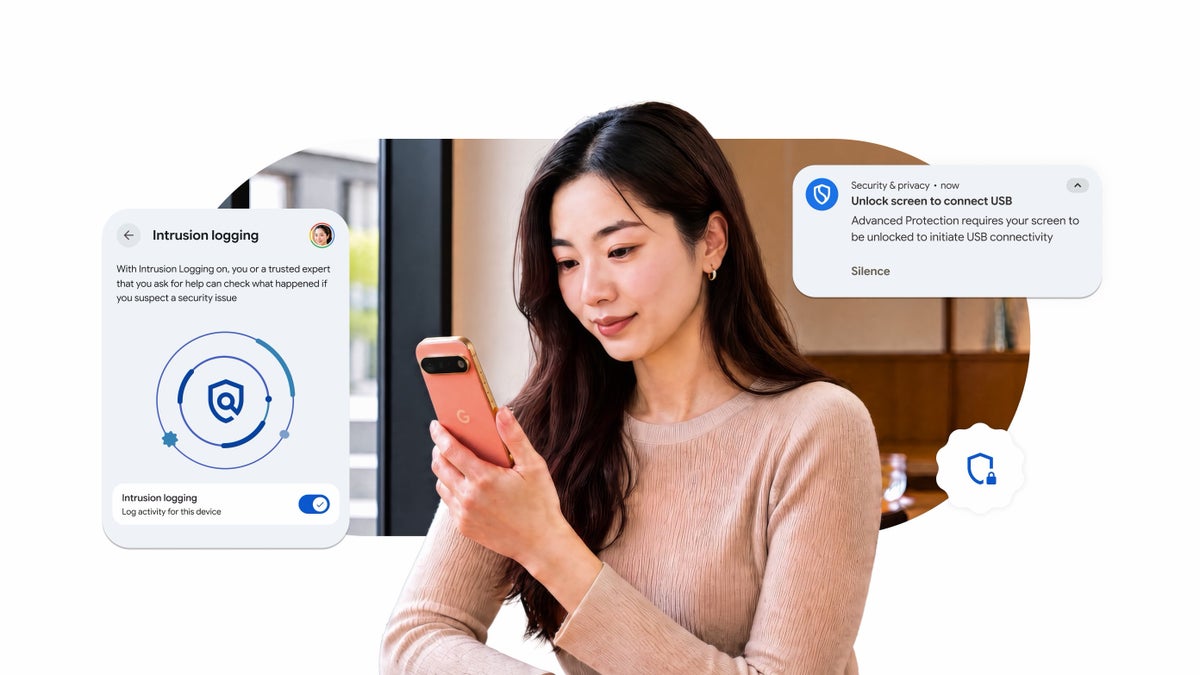
The headline feature Google wants to talk about is Intrusion Logging, which it calls an industry first for consumer phones. It was built with input from Amnesty International and Reporters Without Borders (RSF), and here's how RSF described it:
By securely logging network events and app installs to a remote server—beyond the reach of an attacker’s local 'delete' command—this feature creates a tamper-proof digital ledger. It ensures that even if a device is compromised, the evidence of that intrusion is preserved, allowing RSF to identify sophisticated and low-cost spyware and hold those who target the press accountable.
Antoine Bernard, Director of Advocacy and Assistance at Reporters Without Borders (RSF), Google Security Blog, October 1, 2026
In plain terms, Intrusion Logging keeps a private, encrypted record of what happens on your phone (app installs, device connections, when the screen was unlocked and some browsing history) and stores it in your Google account for 12 months. Even if spyware wipes its tracks on the phone itself, that record survives, so you or a security expert you trust can go back and check what happened.
Recommended For You
Which Android 17 Advanced Protection perk matters most to you?
0 Votes
Why Accessibility Protection is the Android 17 change to know about
Accessibility services exist for a good reason. They let apps like screen readers see what's on your display and tap buttons for you, which is exactly what someone with low vision or limited mobility might need.
The catch is that scam apps can use those same powers too. Once a malicious app talks you into granting accessibility access, it can read sensitive information on your screen, install more malware or even block you from uninstalling it, according to Google.
Google Play already makes developers declare whether their app is a true accessibility tool, and apps that aren't have to clearly disclose why they want that access, per Google Play's developer policy. With Advanced Protection on, Android 17 goes a step further and only lets apps verified as Accessibility Tools use these powers at all.
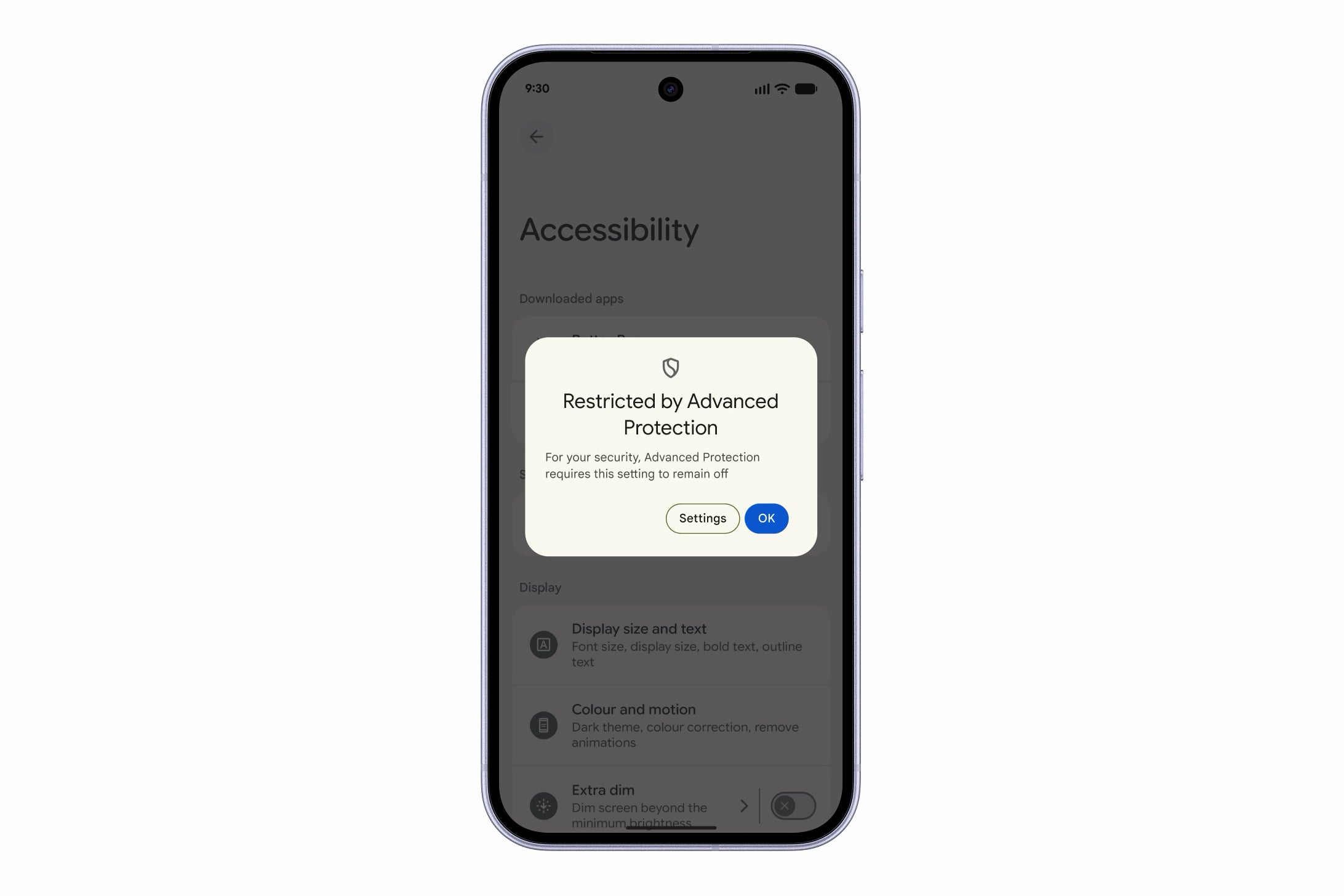
For you, that means a genuine accessibility app like a screen reader should keep working as usual, while an app that's only borrowing those powers gets a "Restricted by Advanced Protection" message instead.
Apps that aren't verified Accessibility Tools get blocked under Advanced Protection. | Image by Google
Which phones get these Advanced Protection features
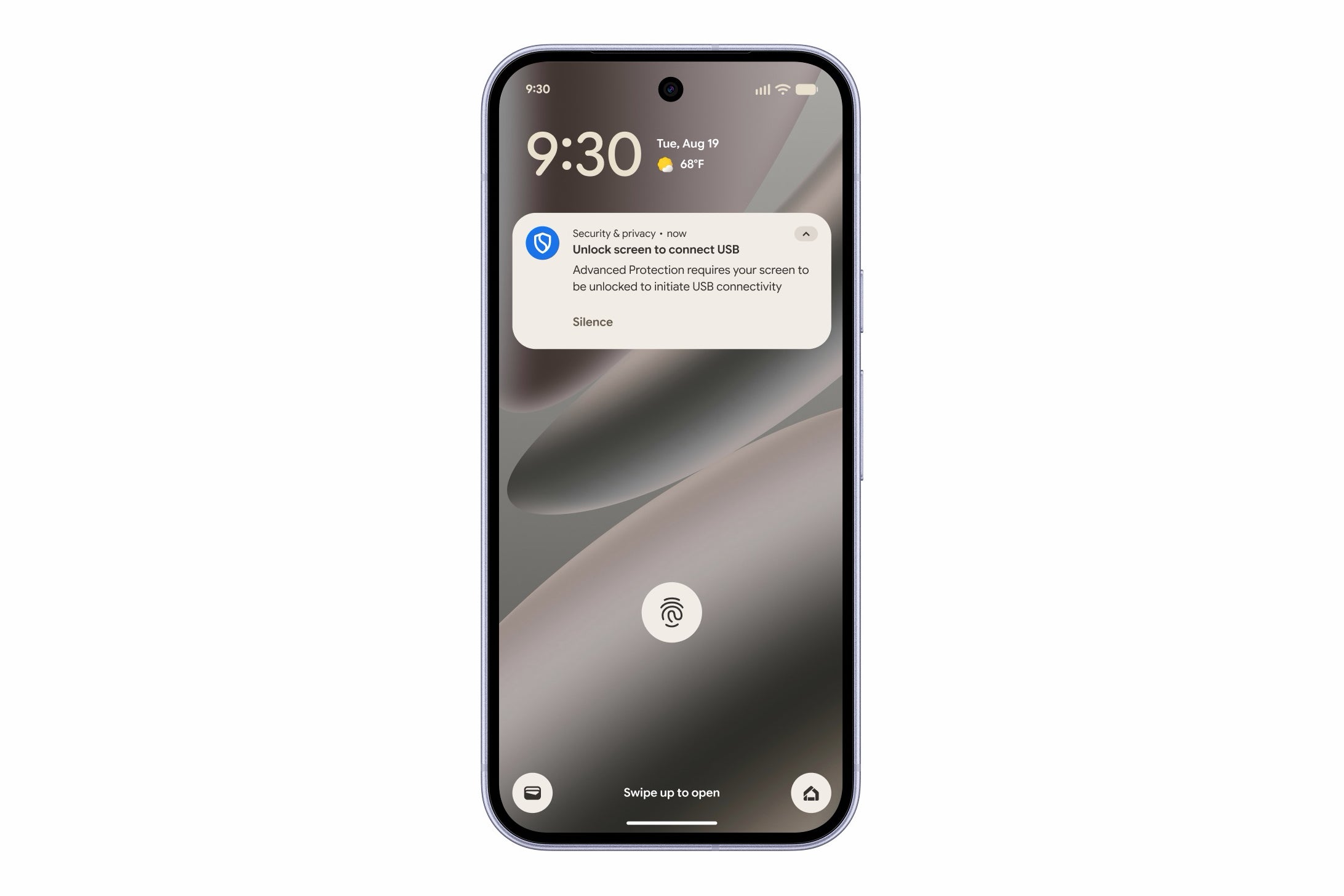
Google says every feature here is available on Android 17 devices, with two exceptions: USB Protection and Failed Authentication Lock only come to select Android 17 phones. USB Protection specifically works on the Pixel 6 and newer, and if you already use Advanced Protection, you'll get a notification once the new features land on your phone.
A locked phone needs to be unlocked before a new USB data connection works. | Image by Google
Android 17 makes Advanced Protection easier to recommend
This isn't the most exciting Android 17 news, and calling it "six ways" feels a little generous when four of them were already out in the wild. Still, Accessibility Protection is the kind of change that helps far more people than the journalists and activists Advanced Protection was first pitched to, since Google itself calls accessibility abuse a primary route for fraud and scams.
I'd personally love to see Accessibility Protection break out of the Advanced Protection bundle one day and become something every Android user gets, since scam apps don't only go after journalists.
Johanna Romero is a Senior News Writer at PhoneArena, covering mobile technology news across Android, iOS, wearables, and the Google ecosystem she knows best. Drawing on 15 years in IT and tech support from 2007 to 2022, she brings a user-friendly eye for the practical features and lesser-known tricks readers care about. Google named her an official #TeamPixel member in 2022, and she also reviews the latest devices on her YouTube channel, JoJo the Techie.
A discussion is a place, where people can voice their opinion, no matter if it
is positive, neutral or negative. However, when posting, one must stay true to the topic, and not just share some
random thoughts, which are not directly related to the matter.
Things that are NOT allowed:
Off-topic talk - you must stick to the subject of discussion
Offensive, hate speech - if you want to say something, say it politely
Spam/Advertisements - these posts are deleted
Multiple accounts - one person can have only one account
Impersonations and offensive nicknames - these accounts get banned
To help keep our community safe and free from spam, we apply temporary limits to newly created accounts:
New accounts created within the last 24 hours may experience restrictions on how frequently they can
post or comment.
These limits are in place as a precaution and will automatically lift.
Moderation is done by humans. We try to be as objective as possible and moderate with zero bias. If you think a
post should be moderated - please, report it.
Have a question about the rules or why you have been moderated/limited/banned? Please,
contact us.







![Another batch of Galaxy S26 series users in the US are getting a nice surprise today [UPDATED]](https://m-cdn.phonearena.com/images/article/183643-wide-two_350/Another-batch-of-Galaxy-S26-series-users-in-the-US-are-getting-a-nice-surprise-today-UPDATED.webp)
Things that are NOT allowed:
To help keep our community safe and free from spam, we apply temporary limits to newly created accounts: