Google is asking for your help so it can improve a Pixel-exclusive app
You can now help Google improve the accuracy of the Pixel Weather app.

You can now alert Google when the Pixel Weather app is incorrect. | Image by Google
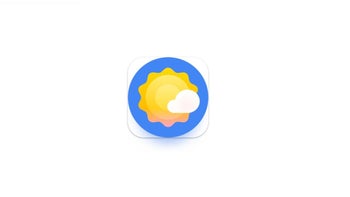
The Pixel Weather app is-hold on to your chair-an exclusive to Pixel devices. As such, it is available for Pixel 6 and later models from the Google Play Store. It is a colorful weather app that shows you all of the weather metrics that you'd expect to see from such an app.
Open the Pixel Weather app and you'll see the current temperature and the "feels like" number
Tap the icon of the sun and immediately you'll see at the top of the page the current conditions in your area (Clear, Rain, Partly Cloudy, etc.) followed with the current temperature below in large numerals. Underneath that is the all-important "feels like" temperature reading. Lastly, the day's forecasted high and low temperatures are shown.
The Pixel Weather app shows you hourly forecasts including the temperature, the precipitation percentage and the current and expected weather conditions for now and each hour left in the day. Near the bottom of the page is the forecast for the next 10 days with the expected high and low temperatures, weather conditions and precipitation percentage for each of the upcoming 10 days.
While the Pixel Weather app doesn't have a Doppler radar feature, it does have a weather map that shows a six-hour precipitation forecast powered by Google's nowcasting AI model. It shows users where rain or snow is projected to move over the next six hours.
Sometimes the front page will deliver some extra insight ("Warming expected over the next five days"). Scrolling up will deliver more metrics including sunrise and sunset times, wind speed, barometric pressure, humidity, air quality, and more. To top it off, the app's appearance is colorful with an almost cartoonish quality to it. Pixel users are not thrilled with the app` as over 16,000 reviews have been left on the Play Store with an average score of only 2.3 stars out of a possible five.
You can help Google improve the accuracy of the Pixel Weather app
To improve the app's ratings, in version 1.1.20261012 of the Pixel Weather app, a "Report Current Weather" card can be foiund at the very bottom of the current weather details page in the app. Users will be asked whether the current temperature posted in the app seems accurate, or whether the actual temperature is warmer or cooler.
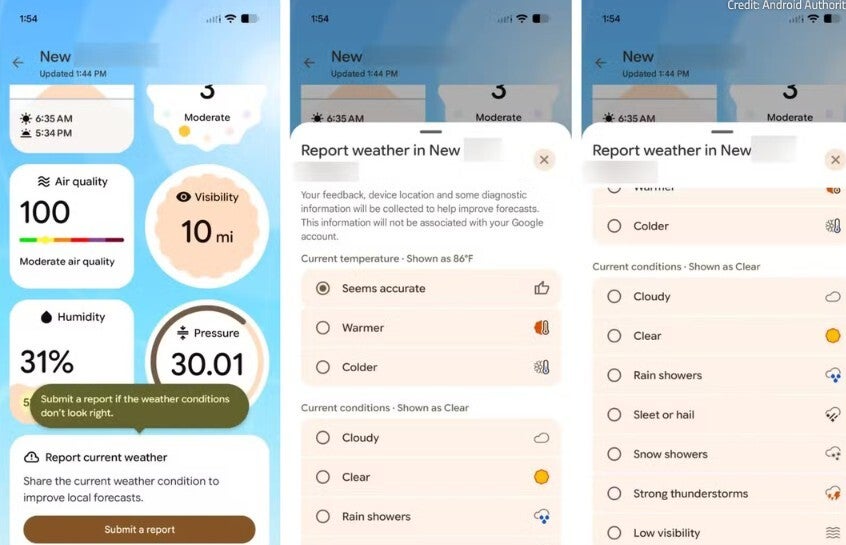
Google will collect data about the Pixel Weather app in a bid to make it more accurate. | Image by Android Authority
Google says that it will collect device location, some diagnostic data, and your feedback. While the information collected will not be associated with users' Google accounts, it will be used by the Alphabet subsidiary to improve forecasts.
Just about everyone needs an accurate weather forecast, and some even rely on a forecast from a weather app for their jobs. Even rideshare drivers and Instacart shoppers need to know whether the roads are going to be slick and slippery from rain and snow. As a result, you might want to have multiple weather apps installed on your phone.
Many of you prefer the hyper-local weather apps that give you forecasts for different streets on the block where you live. Frankly, I prefer the national apps that include radar. Here are the weather apps that I have on my iPhone and Pixel handsets:

Popular stories

Latest News

Things that are NOT allowed:
To help keep our community safe and free from spam, we apply temporary limits to newly created accounts: