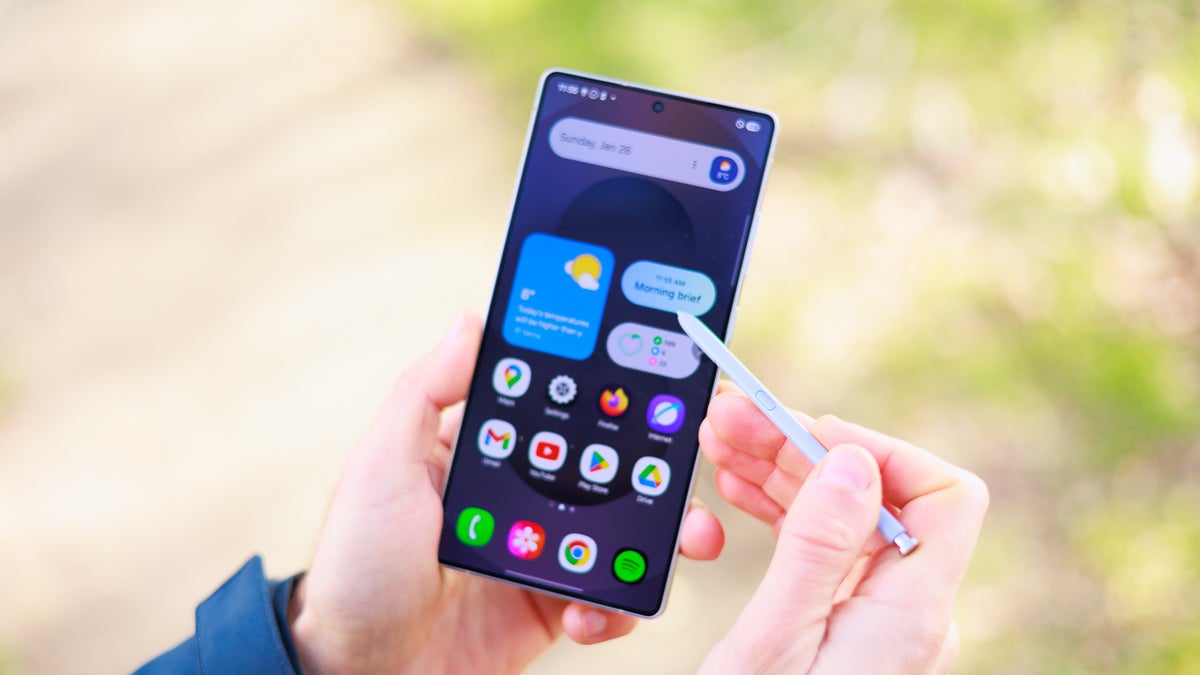
If you are rocking a Galaxy S25, S25+, or S25 Ultra, you might want to check your Samsung Members app. Samsung just announced that the One UI 8.5 beta is rolling out starting today, December 8, 2025. The update is hitting select markets first, including the U.S., UK, Germany, India, Korea, and Poland.
According to the official announcement, this update is heavily focused on productivity and connecting the "Galaxy ecosystem," which is marketing speak for making sure your phone talks to your tablet and TV better than it used to.
What is new in One UI 8.5
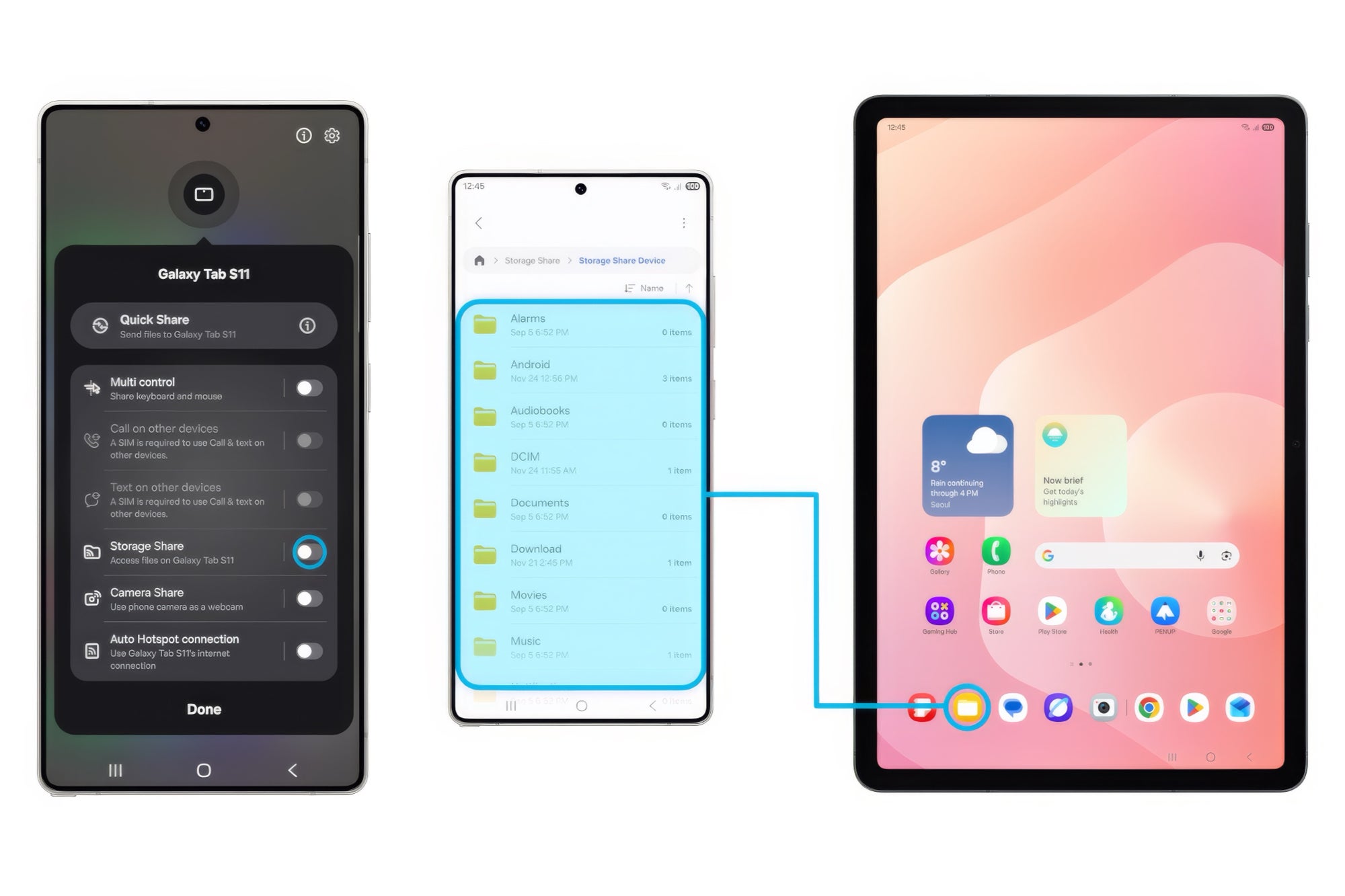
Storage Share: This is the big ecosystem play. It lets you view files from your phone directly on other Samsung devices like your tablet, PC, or even your TV, provided they are logged into the same account.
Image credit — Samsung
Audio Broadcast: Leveraging Auracast, you can now use your phone’s microphone to broadcast your voice to nearby Bluetooth LE Audio devices. Think of it as using your phone as a PA system for a tour group.
Image credit — Samsung
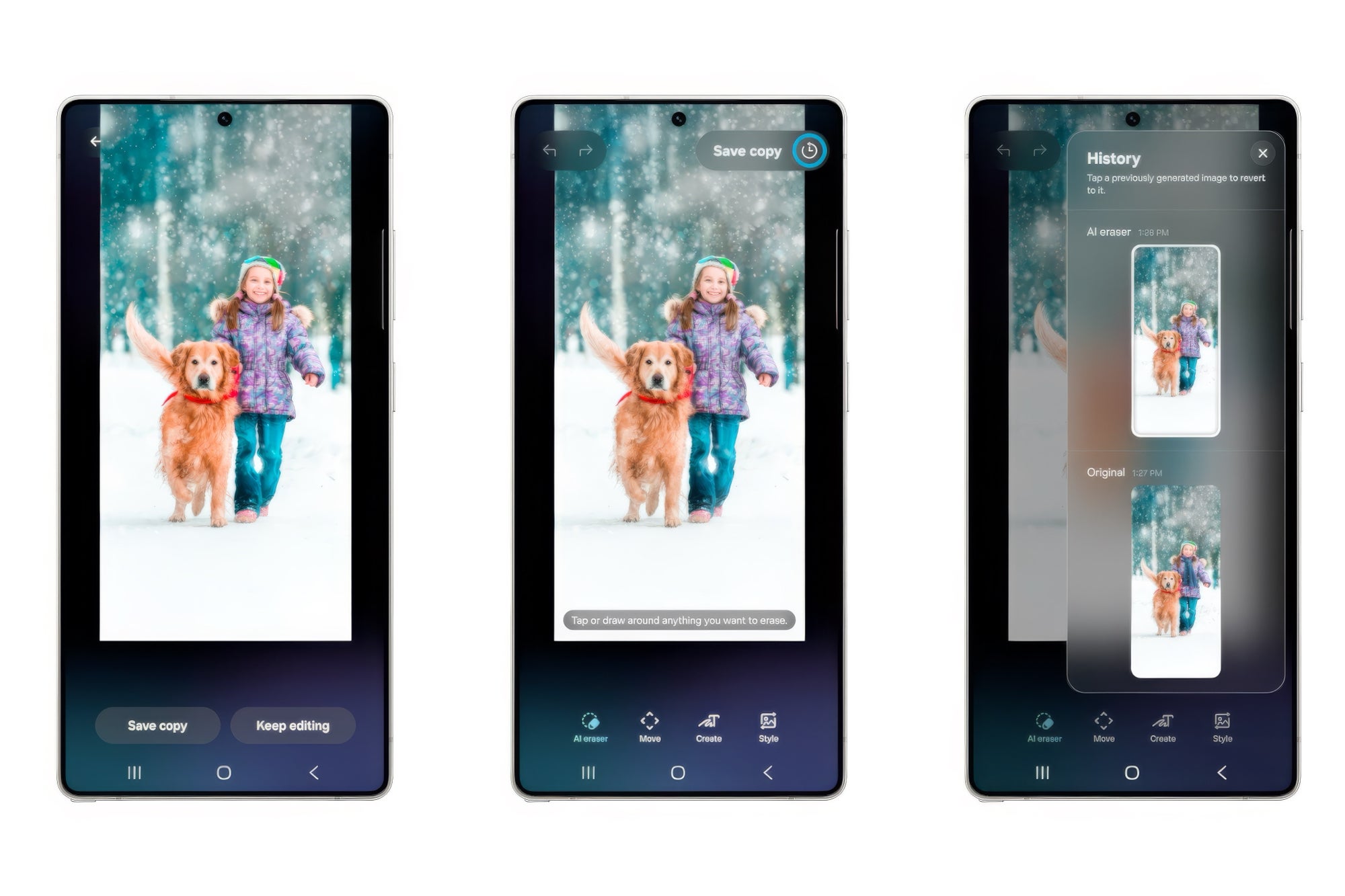
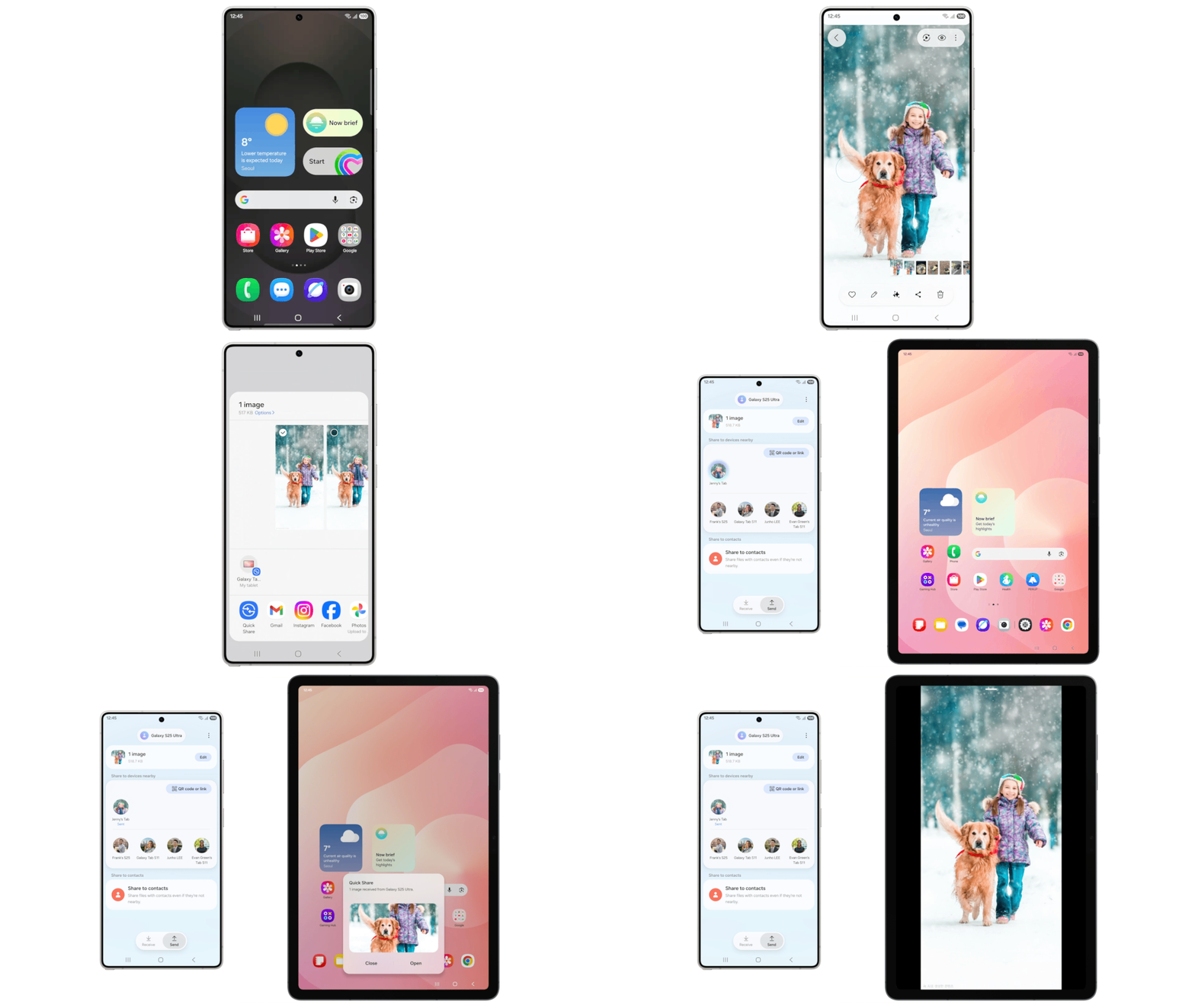
Photo Assist & Quick Share: You can now edit photos continuously without saving every single draft, which is a massive time saver. Plus, Quick Share is getting smarter; it will recognize faces in your photos and suggest sending the files to those specific contacts.
Image credit — Samsung
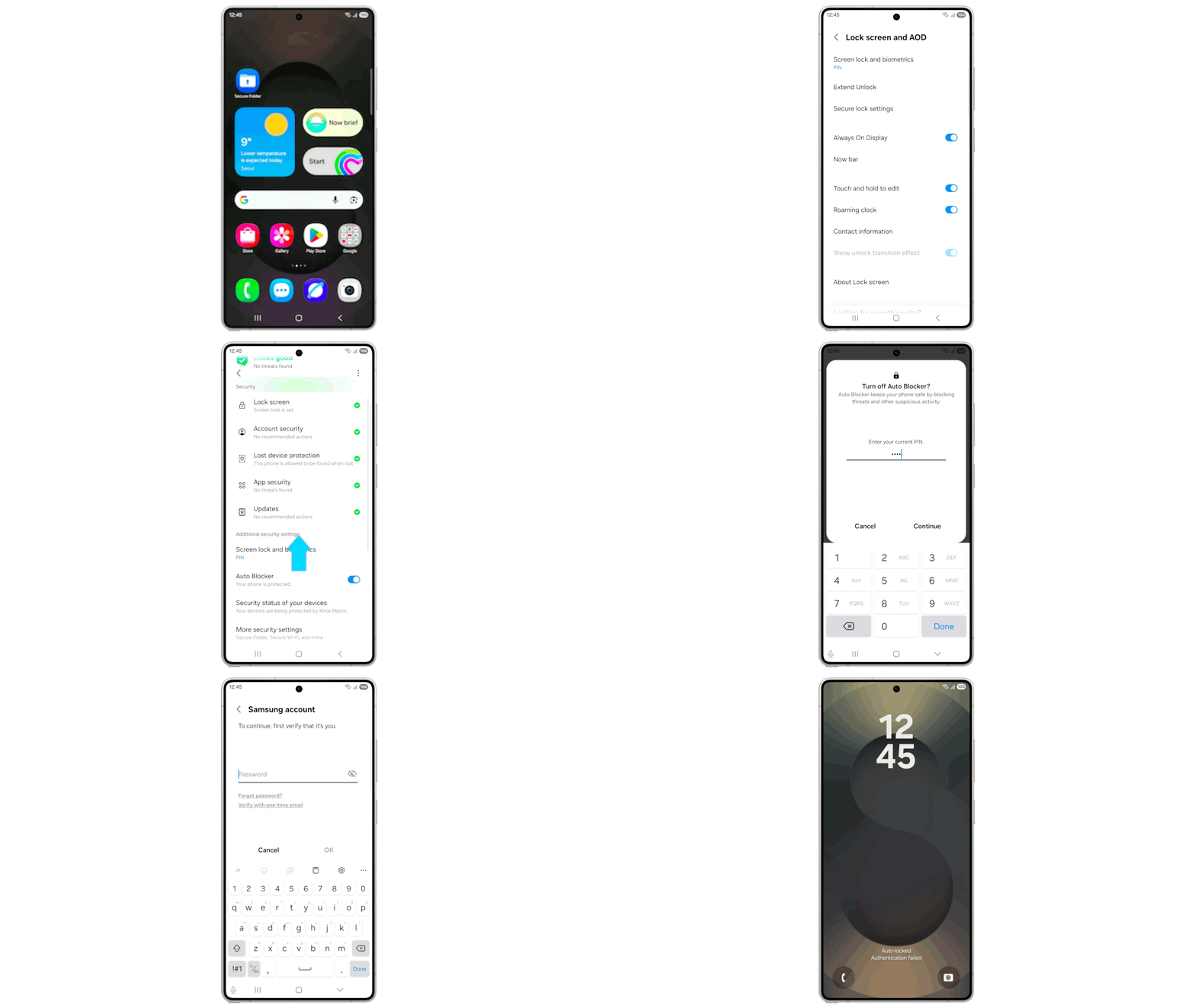
Theft Protection: A new "Failed Authentication Lock" will secure the device if it detects too many failed biometric or password attempts.
Image credit — Samsung
Why this update actually matters
Quick Share is getting smarter. | Image credit — Samsung
Continuity features, you say? Now, where have I heard that particular term before? For years, Apple’s "Continuity" features have made moving files between an iPhone, iPad, and Mac seamless. Samsung’s new Storage Share looks like a direct answer to that dominance. If you have a house full of Samsung gear, this removes a major friction point.
However, Samsung isn't just playing catch-up. The Audio Broadcast feature is something Apple doesn't really have a direct equivalent for yet. While Apple creates a walled garden for file sharing, Samsung is leveraging the open Auracast standard to turn your phone into a broadcasting tool. This is great for people who work in events or education, though your average user might not touch it often.
Which One UI 8.5 features seems more interesting to you?
148 Votes
Storage share
18.24%
Audio broadcast
5.41%
Photo assist
21.62%
Smarter quick share
14.19%
Theft protection
40.54%
Recommended For You
A step in the right direction
This update feels like Samsung is finally focusing on the "invisible" features that make using a phone enjoyable day-to-day. I have always found the gallery clutter annoying when editing photos, so the new Photo Assist flow is a genuine quality-of-life win. It is a small change, but it saves you from having to delete ten bad edits later just to keep your storage clean.
Looking at the bigger picture, the ecosystem push is smart. If you have a Galaxy Book or a Samsung TV, this update makes those purchases feel significantly more valuable. It is less about flashy new gimmicks and more about making your tech work together without you having to think about it. If this is the direction One UI is heading—where everything just connects fluidly—the future looks pretty smooth for Galaxy users.
Johanna Romero is a Senior News Writer at PhoneArena, covering mobile technology news across Android, iOS, wearables, and the Google ecosystem she knows best. Drawing on 15 years in IT and tech support from 2007 to 2022, she brings a user-friendly eye for the practical features and lesser-known tricks readers care about. Google named her an official #TeamPixel member in 2022, and she also reviews the latest devices on her YouTube channel, JoJo the Techie.
A discussion is a place, where people can voice their opinion, no matter if it
is positive, neutral or negative. However, when posting, one must stay true to the topic, and not just share some
random thoughts, which are not directly related to the matter.
Things that are NOT allowed:
Off-topic talk - you must stick to the subject of discussion
Offensive, hate speech - if you want to say something, say it politely
Spam/Advertisements - these posts are deleted
Multiple accounts - one person can have only one account
Impersonations and offensive nicknames - these accounts get banned
To help keep our community safe and free from spam, we apply temporary limits to newly created accounts:
New accounts created within the last 24 hours may experience restrictions on how frequently they can
post or comment.
These limits are in place as a precaution and will automatically lift.
Moderation is done by humans. We try to be as objective as possible and moderate with zero bias. If you think a
post should be moderated - please, report it.
Have a question about the rules or why you have been moderated/limited/banned? Please,
contact us.












Things that are NOT allowed:
To help keep our community safe and free from spam, we apply temporary limits to newly created accounts: