Google Meet is trimming down its meeting notes with Quick notes, a one-page summary of a call's action items, outcomes and talking points. It's now the first thing you see in the Take notes for me Doc and the recap email, which should make catching up on a Pixel 11 Pro or iPhone 18 Pro Max a lot quicker.
Quick notes becomes the new default in Google Meet
Google announced Quick notes in a post on its Workspace Updates blog on September 22. The company describes it as a high-level overview of your meeting's main takeaways that fits on a single page, and it's strictly limited to the most important action items, outcomes and talking points.
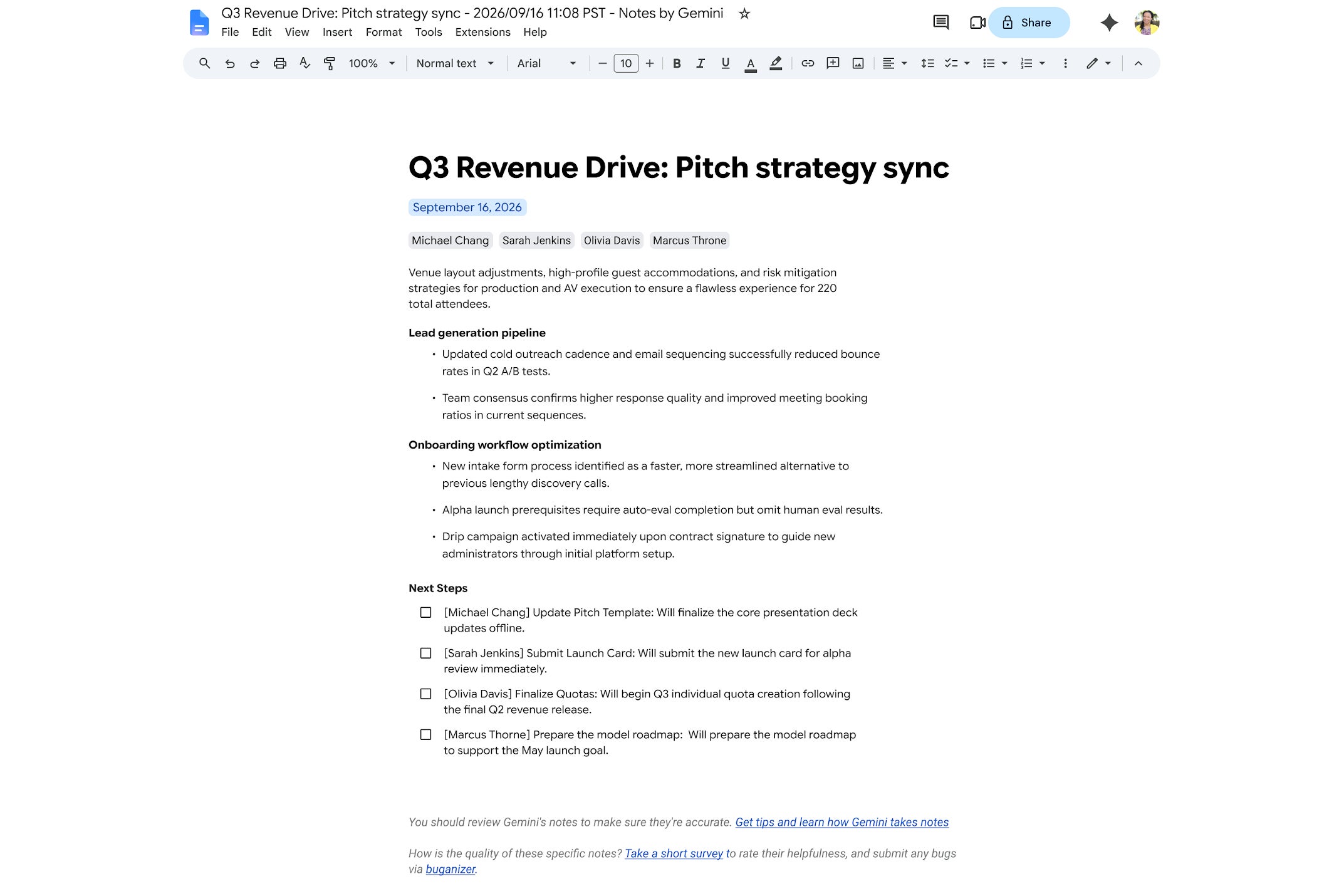
Quick notes is now the first tab in the Take notes for me Doc. | Image by Google
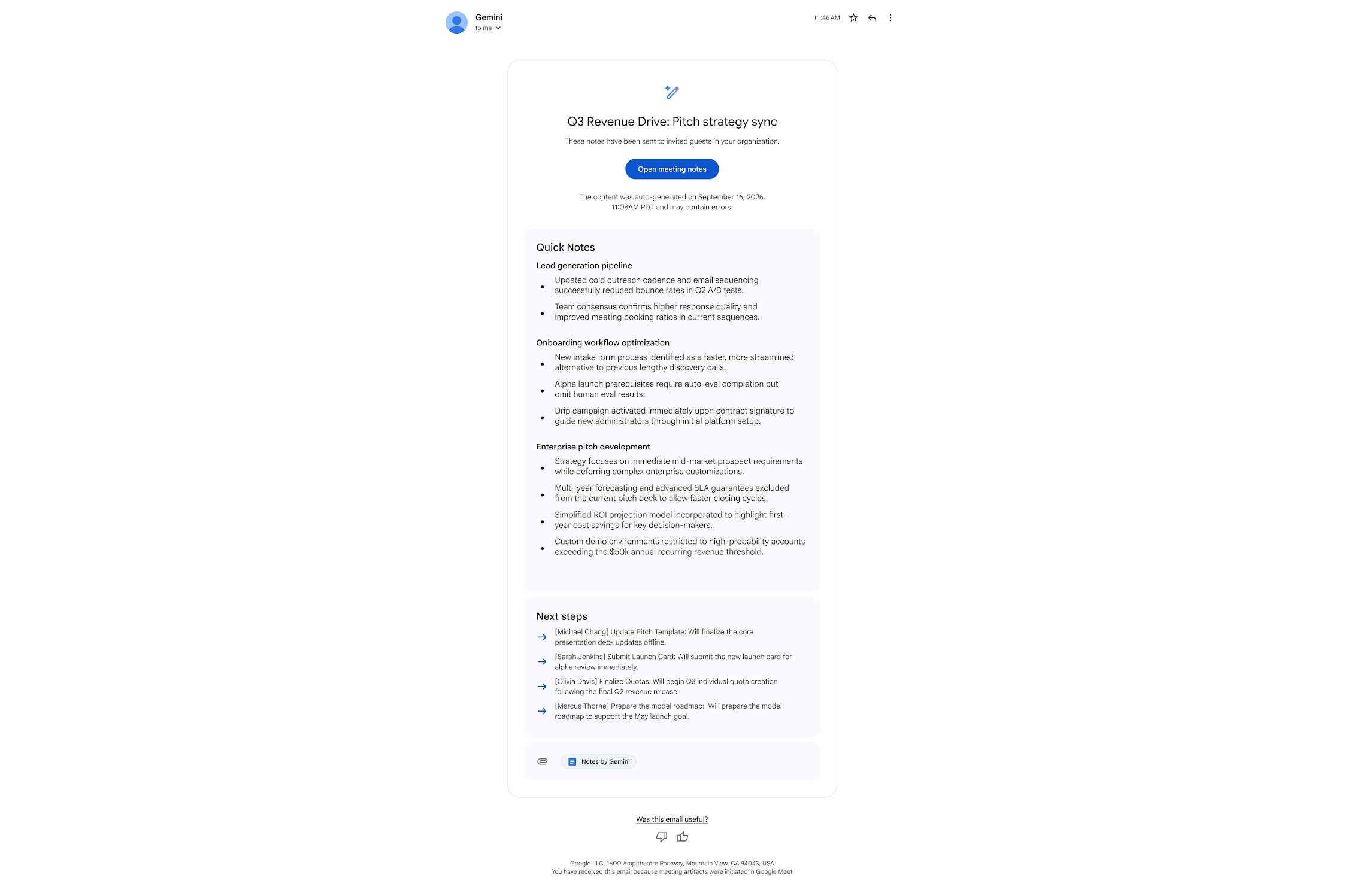
Quick notes is now the default tab in the Take notes for me Doc, and it also becomes the summary featured in the Take notes for me email, so you get the gist before you even open the full document.
The previous layout hasn't gone anywhere, though. It now sits in a second Full notes tab, which keeps all the in-depth context from the discussion for whenever you want the complete record.
How do you want to read your notes after a Google Meet call?
0 Votes
How Quick notes compares to Zoom and Microsoft Teams recaps
Zoom's AI Companion already emails hosts a summary that opens with a Quick Recap section, followed by a fuller summary and next steps. Microsoft handles it differently, since intelligent recap in Teams, with its AI-generated notes and follow-up tasks, requires a Teams Premium or Microsoft 365 Copilot license.
So if you use Zoom, Quick notes simply brings Google Meet level with what you already get, and there's nothing here that should make you switch. Teams users are in a slightly different spot, because Google includes Quick notes in the same plans that already carry Take notes for me rather than asking for an extra add-on.
Who gets Quick notes in Take notes for me
Quick notes is available now for both Rapid Release and Scheduled Release domains, so there's no staggered rollout to wait on. It covers the following plans:
Business Standard and Business Plus.
Enterprise Standard and Enterprise Plus.
Frontline Plus and Google AI Pro for Education.
Google AI Pro and Google AI Ultra on personal accounts.
If you're one of the Google AI Pro or Ultra subscribers who only gained Take notes for me in June, the next recap email from a meeting you host should open on Quick notes.
The Take notes for me email now leads with Quick notes too. | Image by Google
Shorter meeting notes are the ones people will read
I think this is the right call, because meeting notes are only useful if someone reads them, and a single page is far more likely to get read than a full document. My only worry is that a summary this strict will occasionally leave out the one detail someone needed, so I'm glad Full notes is sitting right next to it.
Personally, I'd love to see Quick notes show up as a widget on my phone next, so I can check what I owe from a meeting without digging through my inbox at all.
On the Visible+ Pro plan, you get access to 5G Ultra Wideband data on Verizon's fastest network. Along with unlimited roaming across Mexico and Canada, 2 days of Global Pass per month, 3x hotspot speeds, 4K streaming, and Smartwatch service.
Johanna Romero is a Senior News Writer at PhoneArena, covering mobile technology news across Android, iOS, wearables, and the Google ecosystem she knows best. Drawing on 15 years in IT and tech support from 2007 to 2022, she brings a user-friendly eye for the practical features and lesser-known tricks readers care about. Google named her an official #TeamPixel member in 2022, and she also reviews the latest devices on her YouTube channel, JoJo the Techie.
A discussion is a place, where people can voice their opinion, no matter if it
is positive, neutral or negative. However, when posting, one must stay true to the topic, and not just share some
random thoughts, which are not directly related to the matter.
Things that are NOT allowed:
Off-topic talk - you must stick to the subject of discussion
Offensive, hate speech - if you want to say something, say it politely
Spam/Advertisements - these posts are deleted
Multiple accounts - one person can have only one account
Impersonations and offensive nicknames - these accounts get banned
To help keep our community safe and free from spam, we apply temporary limits to newly created accounts:
New accounts created within the last 24 hours may experience restrictions on how frequently they can
post or comment.
These limits are in place as a precaution and will automatically lift.
Moderation is done by humans. We try to be as objective as possible and moderate with zero bias. If you think a
post should be moderated - please, report it.
Have a question about the rules or why you have been moderated/limited/banned? Please,
contact us.








Things that are NOT allowed:
To help keep our community safe and free from spam, we apply temporary limits to newly created accounts: