Google Photos app gets Quick Edit for Video, a great feature for making last-second changes
If you're about to share a video and need to make a quick edit, this is the feature you need.
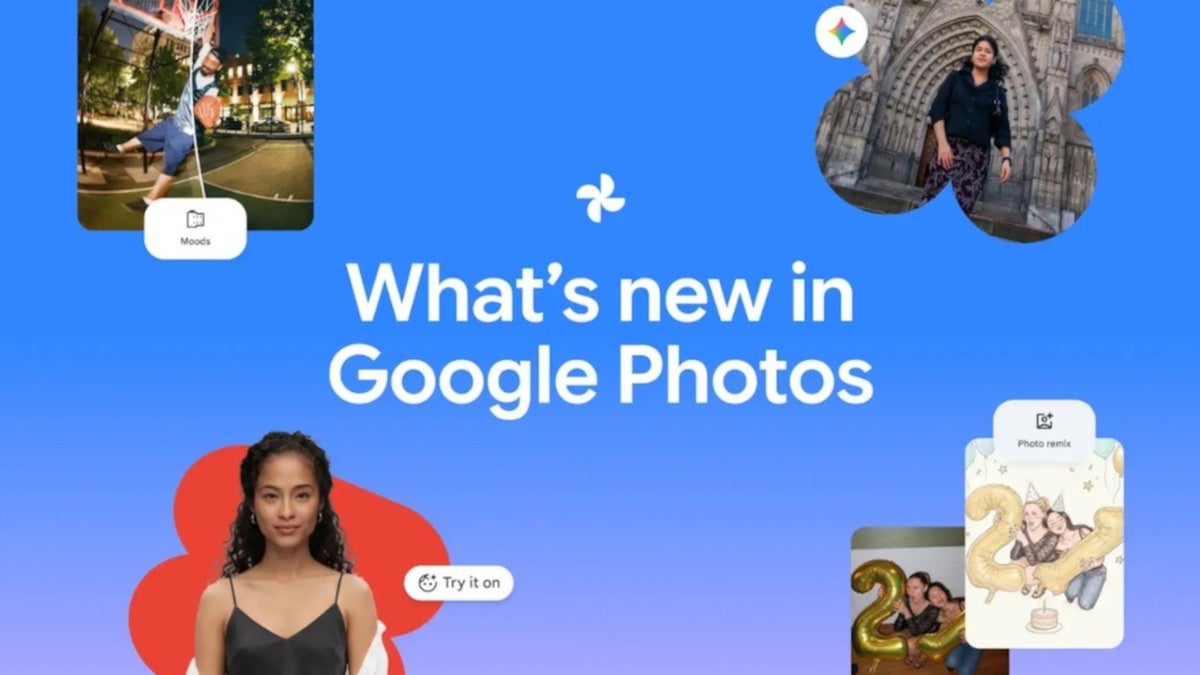
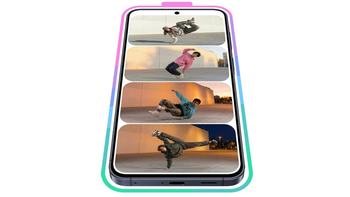
Google adds Quick Edit for videos to the Google Photos app | Image by Google
During the early days of what we now fondly call the modern smartphone era, you were lucky if you could edit video shot on your phone. Basic editing could be done on-device such as trimming. When you trim a video, you are removing frames from the beginning or the ending of a video to shorten its length.
Unlike other editing techniques like cutting or splitting, trimming specifically refers to the removal of frames from the beginning or end of the video, and also refers to a small reduction in the length of the footage.
These days, with AI, you can practically edit a video limited only by the depths of your imagination. Sometimes, when you’re trying to edit a video clip before you send it to someone, you have to press quite a few buttons to get to the edit functions that you want.
Quick Edit for videos on the Google Photos app is rolling out now
An update is now rolling out to all Google Photos users running version 7.95.0.989626323 of the app. Let’s turn this into a real-world scenario to make it easier to understand. Let’s say that you have recorded a video that you want to share.
The feature allows you to make a last-second edit before you share a video clip
You’re already in the Share menu when you realize that there are some small edits you want to make. You can back out of the Share process and make the edits, then send it. Or you can share the video just the way it is without making the small edits you wanted.
In July 2025, Google disclosed a Quick Edit feature for photographs that allows small changes to be made to a photo just before the user presses the Send button to share the image. Now, this feature will be available for both photographs and videos.
Quick Edit gives you the option to edit a video before you share it
Quick Edit for videos won’t allow you to run the gamut of video editing options. Instead, you’ll be able to crop videos, add music, filters, text, and more.
Without knowing what edits you want to make to a video, certain edit options deemed important, such as cropping and one-tap color adjustments, can now be handled on video with the Quick Edit feature.
To use Quick Edit for video, your Android phone must be powered by this version of Android or higher
Some might be upset that not all editing tools are available, but the idea with Quick Edit is to enable creators to quickly make adjustments to match current trends. It is important to note that the Quick Edit for video feature requires your phone to be powered by Android 14 or higher.
This is typical Google. The Alphabet subsidiary is always looking to improve its apps by adding new features or by improving the UI. Apps that Google updates often include:
- YouTube
- Google Maps
- Google Messages
- Google App
To use the Quick Edit feature, you’ll find the button when you share a video. It will be in the bottom right corner of the video preview when the share sheet is open. Check out the embedded images that accompany this article.
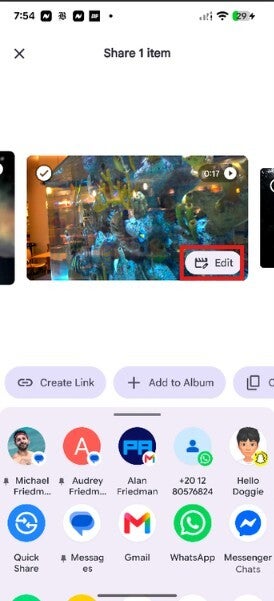
The Quick Edit button is inside the red box, which is the lower right corner of the video preview in the share sheet. | Image by PhoneArena
The button says “Edit,” and when you press it, you’ll see a scrubbing bar allowing you to have control over every frame of your video. On the bottom toolbar you’ll find editing options such as Quick fix, which automatically cuts excess footage from the start and end of your clip to focus on key moments.
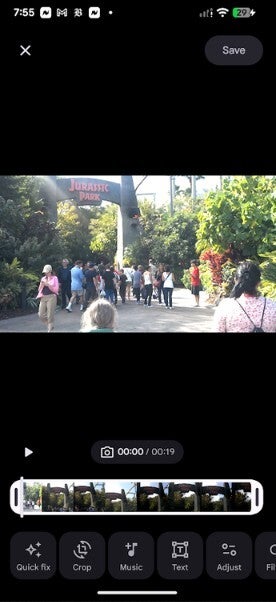
The Quick Edit feature after it is enabled by the user. | Image by PhoneArena
Some of the options are self-explanatory such as Crop, Music, Filters, Audio, Speed and Text. Once you finish your edits and hit “save,” you are returned to the share sheet with a preview of the edited app.
Unlike Quick Edit for photos, the version for videos keeps edited videos in your storage. The Quick Edit button for photos only appears when viewing a photo that has yet to be edited. With videos, the button will appear regardless of whether a video had been previously edited.
By the way, the Quick Edit for videos feature is coming to both Android and iOS. It is already on my Pixel 6 Pro running Android 17, but has not arrived on my iPhone 15 Pro Max powered by the latest iOS 27.2 Beta.
Check out these articles right now"


Popular stories



Latest News

Things that are NOT allowed:
To help keep our community safe and free from spam, we apply temporary limits to newly created accounts: