Pixel phones come with plenty of advanced security capabilities like theft detection, scam detection, and more. However, there is one small yet very important security feature that I really can't believe isn't available on Google devices.
Restrict quick settings access when the device is locked
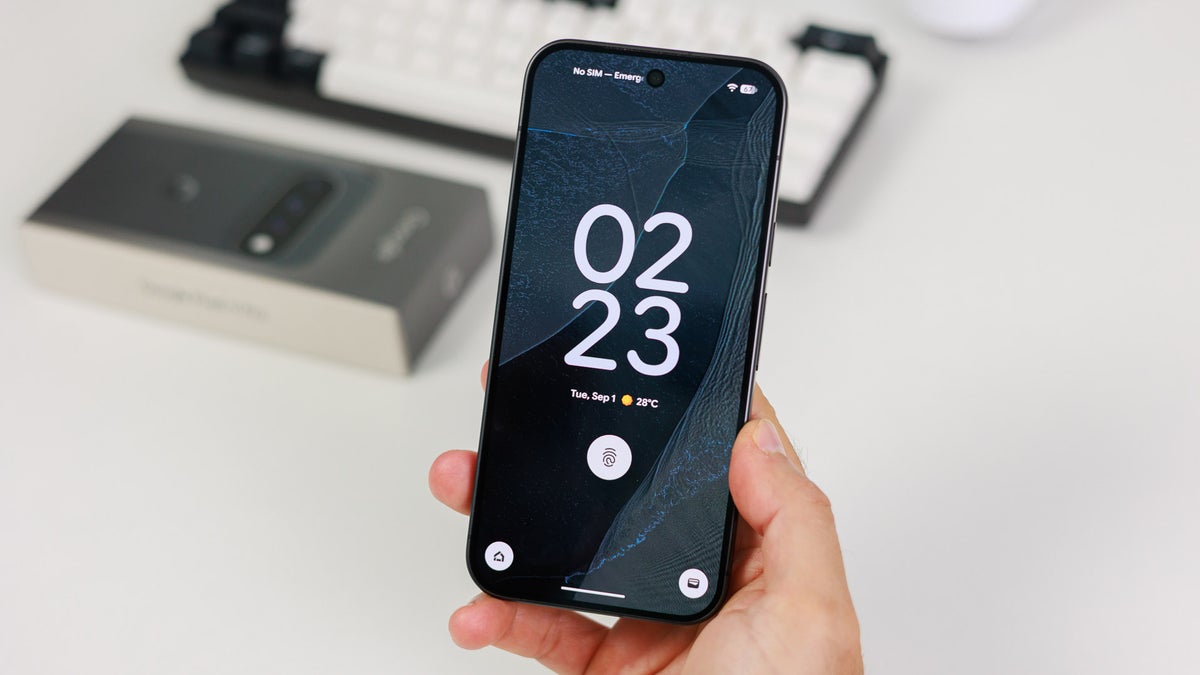
On Pixel phones, you can access the quick settings window by simply swiping down from the top. But interestingly, it is even accessible when your mobile is locked, and that actually poses a very big security threat.
Imagine your Pixel phone gets stolen. Well, you wouldn't be able to do much to protect your data if the device wasn't locked. But if it was, you would hope that you would be able to easily track its location since the internet is enabled on it. But guess what? The thief will be able to cut the connection by turning off the mobile data toggle present in the lock screen window, all without needing to unlock your phone.
Hey @Google @GoogleIndia @GooglePixel_US please bring a feature to Pixel phones that blocks access to the notification panel when the phone is locked.This is useful for privacy and security in some cases Many other Android UIs already offer this. Pixel needs it too!
I know the Google Find Hub has received some really impressive updates recently, which allow it to track the lost device even if it isn't connected to the internet, but let's be practical: how many of us have it set up on our devices? That's why I believe having this important security feature is a must in Pixel phones.
Recommended For You
Which UI do you think is best when it comes to security?
8 Votes
Almost every other UI has this feature
What makes the situation even more frustrating is that this capability is available on almost all the Android smartphones other than Pixel by default. It's reportedly present in the Hello UI that powers the Motorola smartphones. Xiaomi, Vivo, and Oppo also reportedly have this capability.
@GyanTherapy I dont know about the Google but Xiaomi and others like Vivo and Oppo have this. But I think Google should also have it. https://t.co/0F2kqIOTwI
I also checked on my secondary device, the Poco X6 Pro, which is running on HyperOS, and it also has the option to manually decide whether you want the control center and the notification shade to be accessible when the device is locked. Galaxy phones also have this power, but it only works for mobile data and Wi-Fi. Basically, there is a toggle labelled "Lock network and security" under the Settings app, which you can enable to prevent turning off Wi-Fi and mobile data from the quick settings menu when the device is locked.
Well, the One UI approach is not exactly what other Android skins are offering, but it is still better than having nothing, which is the case with the Pixel UI. An official from the Samsung team has already confirmed on the Samsung community forum that they might bring the option to completely block access to the quick panel when the device is locked.
Pixel users really want this security feature
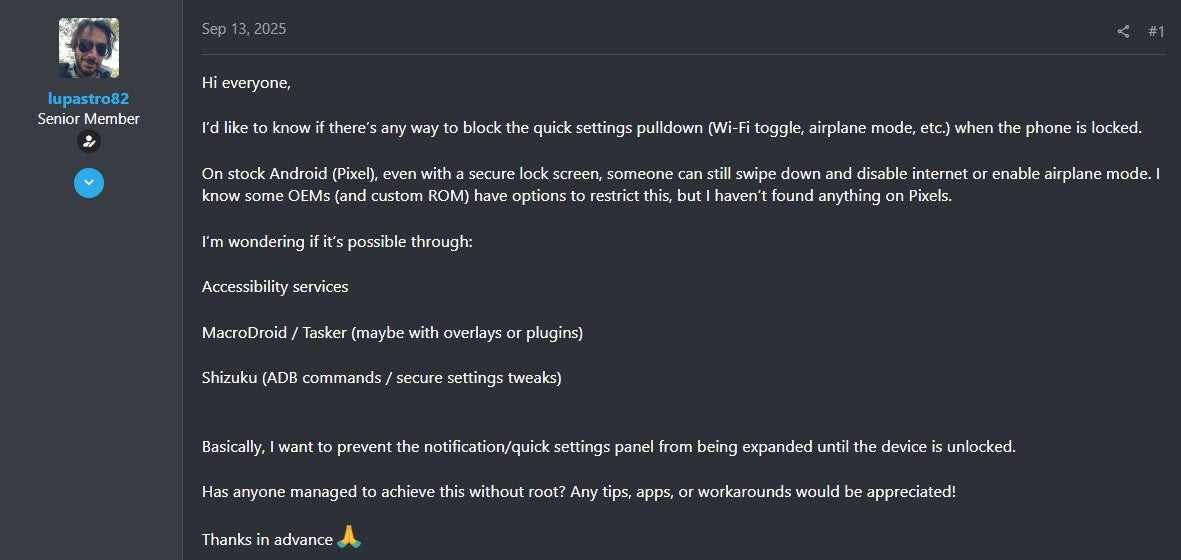
It's not only me, but many Pixel users have been demanding this important security feature for a really long time. There are plenty of posts on community forums like Reddit, Google Support, XDA forums, and more with users requesting the Big G to add this capability. One user commented that they are surprised that this option is not available on Pixel phones.
Comment about Lock screen settings on Pixel phones. | Image by XDA Forums
Another security feature that users are requesting is the ability to block access to power menu options when the device is locked. For reference, you can tap and hold the power and volume up buttons together to access the power menu on Pixel phones even if your device is locked.
The feature is apparently in the making
The good news is that Google seems to be working on a similar security feature. Mishaal Rahman, the community engagement guy for Android at Google, recently shared a video showcasing a new option labelled "Require unlock for quick settings." Although you will still be able to access the quick settings from the lock screen, making any changes through it, like turning on or off mobile data, would require you to first unlock your device.
Mishaal mentions that it is one of the highly requested security features on Pixel phones. It was available in the Android Canary 2609, which was released in September. As of now, there is no clarity on when it will become available in this stable Android build, but I really hope that it comes soon.
Don't miss out on reading these interesting Pixel stories:
Mint Mobile is celebrating its 10-year anniversary with a special offer on its six-month subscription plans. For a limited time, you can get your preferred tier (6GB, 17GB, 23GB or unlimited) for just $10/mo. That saves you between 50% and 71% on the carrier's mobile plans, making it way easier to recommend.
Aman Kumar is a news writer at PhoneArena covering Google Pixel phones, Android features, AI-powered smartphone tools, and mobile tech news. Before joining PhoneArena, he spent over five years writing about consumer technology for publications like MakeUseOf, How-To Geek, and Guiding Tech. His current daily drivers are the Pixel 10 and Samsung Galaxy S26 Plus, while his red iPhone SE (2nd gen) remains a personal favorite. Aman also appreciates bold smartphone experiments and still considers the Nokia N-Gage one of the industry’s most iconic designs.
A discussion is a place, where people can voice their opinion, no matter if it
is positive, neutral or negative. However, when posting, one must stay true to the topic, and not just share some
random thoughts, which are not directly related to the matter.
Things that are NOT allowed:
Off-topic talk - you must stick to the subject of discussion
Offensive, hate speech - if you want to say something, say it politely
Spam/Advertisements - these posts are deleted
Multiple accounts - one person can have only one account
Impersonations and offensive nicknames - these accounts get banned
To help keep our community safe and free from spam, we apply temporary limits to newly created accounts:
New accounts created within the last 24 hours may experience restrictions on how frequently they can
post or comment.
These limits are in place as a precaution and will automatically lift.
Moderation is done by humans. We try to be as objective as possible and moderate with zero bias. If you think a
post should be moderated - please, report it.
Have a question about the rules or why you have been moderated/limited/banned? Please,
contact us.


Things that are NOT allowed:
To help keep our community safe and free from spam, we apply temporary limits to newly created accounts: