Apple needs to give Safari more space on the iPhone Duo's external display
Apple admits that the Safari browser needs to be given more space on the Duo's external display.
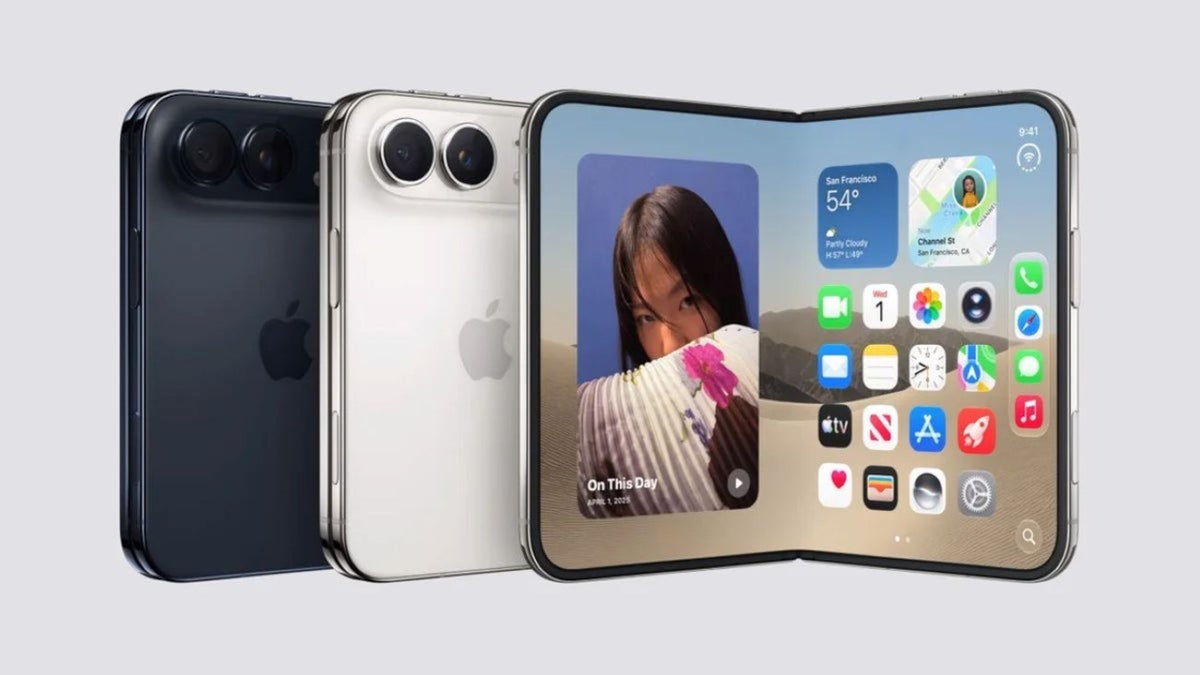
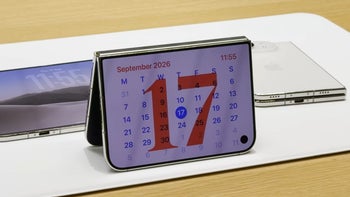
Apple needs to improve the Safari experience on the iPhone Duo. | Image by Apple
Ever since Apple released the iPhone Duo last Friday, we've passed along story after story about the internal 7.6-inch display cracking on quite a few iPhone Duo units. In the belief that you might be getting tired of hearing from unhappy Duo buyers, I'm here to tell you about something else aggravating iPhone Duo buyers, and it isn't hardware either.
Don't underestimate the importance of the iPhone Duo's external display
For many iPhone Duo users, that larger internal display might not be the one used most often. Apple itself estimates a 50-50 split to determine its official battery ratings. It is important to remember that the iPhone Duo is more than just a large-screened iPhone. It is a multitasking productivity tool, and that means the smaller 5.4-inch external screen is just as important to users as the internal 7.6-inch display is.
Apple is working to improve how Duo users access websites on Safari
This is why it is important that we look at some possible changes that Apple needs to make to the Safari browser to improve the browsing experience on the Duo's external display. Keep in mind that the controls for the browser are aligned along the right side of the outer display and take up plenty of the limited space available in that area.
The Safari restriction that reduces Duo users' experiences using Safari
Apple placed Safari's controls along the side to maximize the vertical space available on the Duo's narrow cover screen. Websites cannot extend underneath these side controls, resulting in a cramped look for the browser.
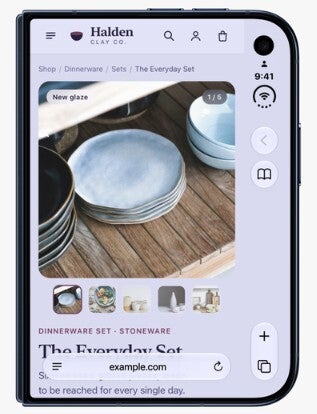
Safari runs Safari 27.1 on the Apple iPhone Duo. | Image by Apple
Apple is hoping to eliminate this restriction, which results in Safari users feeling closed in when they are looking to make their way around a website. Simmons is asking web developers to come up with any solution that might allow users not to feel so closed in when using Safari on the Apple Duo cover screen.
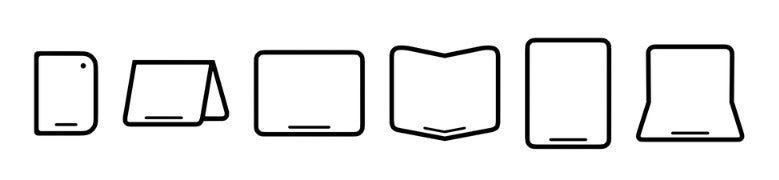
The Apple iPhone Duo can show websites in various shapes and sizes | Image by Apple
Simmons writes in the WebKit blog that developers should "Create layouts for your websites and web apps that simply work on every sized screen from the extremely large to the very tiny." She goes on to say, "We are investigating if there’s a better way to accomplish the same result — something more foolproof and perhaps easier for you to use. If you have ideas, we’d love to hear them. And stay tuned. "
Giving some examples, Simmons suggested, "Perhaps you want to extend your header background across the full width of the display, for example. It might seem like there’s just one obvious way to make this possible, but really there are many possibilities."
The one change made in Safari 27.1
Finally, there is one change being made in Safari 27.1. When someone is looking at the iPhone Duo with the device partially opened like a book, viewing a PDF on a website, the PDF will automatically be viewed in two pages side-by-side. Once the screen is opened flat, or fully closed, Safari will switche back to one page. Again, this is a brand new feature for Safari.


Popular stories





Latest News





Things that are NOT allowed:
To help keep our community safe and free from spam, we apply temporary limits to newly created accounts: