Android now moves your passwords and passkeys straight from one password manager to another, with no file download in between. Google announced the new transfer experience today, and it already works across Google Password Manager, 1Password, Bitwarden and Dashlane, whether you carry a Pixel 11 Pro XL or one of the other best Android phones.
Passkeys can finally leave Google Password Manager
The announcement came from Google's own Android blog today, making the feature official.
We believe you should have control over your digital life, including the freedom to choose the security tools that work best for you.
Jean-Pierre Pralle, Product Manager for Android, and Chirag Desai, Senior Product Manager for Google Password Manager, Android blog post, September 10, 2026
The catch, for now, is the partner list. Both apps have to support the new standard, so a manager that has not implemented it yet will not turn up as an option when you go looking.
Now that passkeys can move, what will you do with yours?
109 Votes
Nothing, Google Password Manager already works for me
38.53%
Move everything over to 1Password, Bitwarden or Dashlane
23.85%
Finally pull all my logins into one manager
9.17%
I still don't trust passkeys enough to commit
28.44%
Why this quietly ends password manager lock-in
What kept most of us on a password manager was rarely the app itself, it was the cost of leaving. Passwords could at least be dragged out through an export file, while passkeys could not move at all, so switching meant deleting them and building new ones site by site.
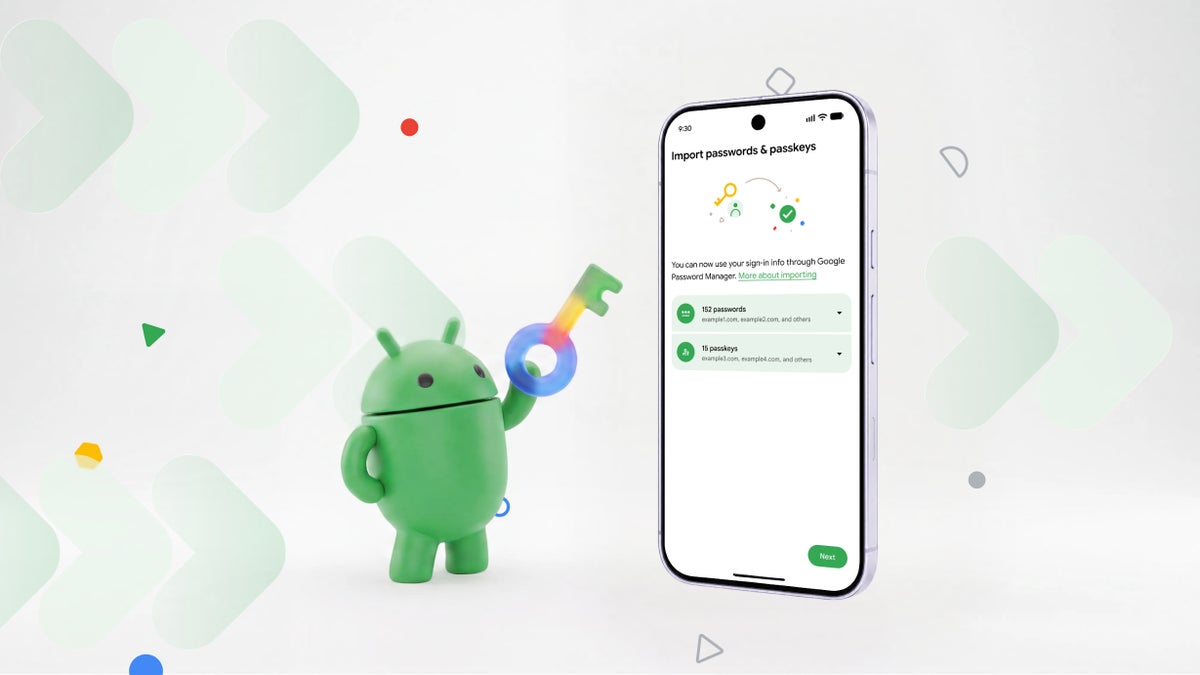
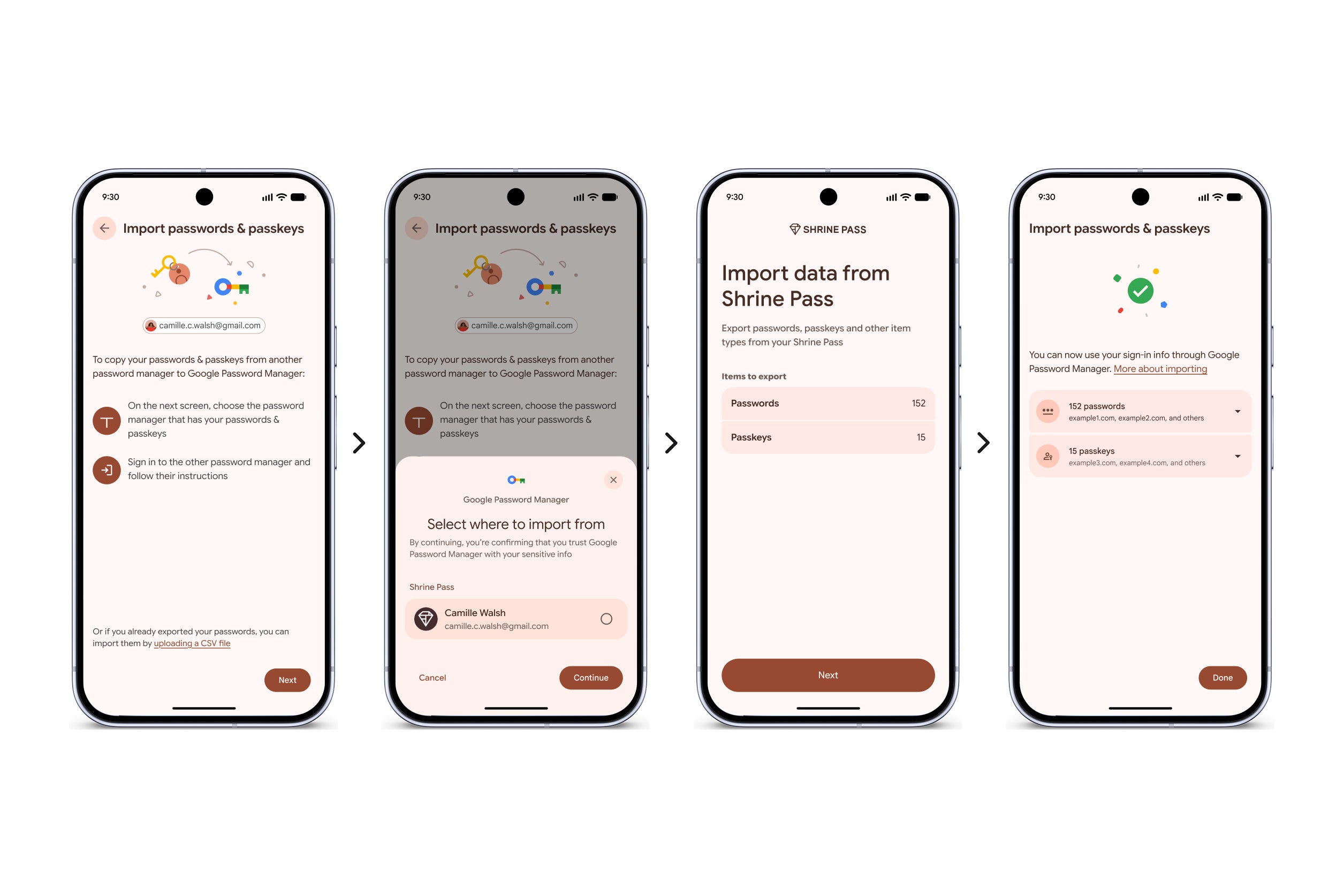
Import your passwords and passkeys in a few taps, and exporting works the same way. | Image by Google
Here is what happens underneath: your new manager asks for the import, then hands the job to Android, which detects the managers installed on your phone and brokers the exchange between them. Nothing gets written to an unencrypted text file sitting in your storage, which is how the old CSV route worked and why security folks disliked it.
Recommended For You
The format and the handover are defined by the FIDO Alliance's Credential Exchange Protocol and Format, a pair of specifications written by the same companies that make these apps, so your credentials stay encrypted the whole way and you approve the move inside the app that currently holds them.
iPhone owners have had this for a while, since Apple shipped the same credential transfer in iOS 26 and macOS 26, and we found the groundwork for the Android version back in May. So today changes nothing for you directly if you are on iPhone, though it does make hopping between the two platforms less painful.
If you pay for 1Password, Bitwarden or Dashlane, your subscription now has to earn its renewal on features instead of on the hassle of leaving, and all three helped write the standard, which suggests they are comfortable competing on the merits.
Who should move their logins, and how
This matters most to anyone sitting on a pile of passkeys created inside one app, and Google's Help Center walkthrough covers the three steps if you want them on screen while you go.
Here's how to move your passwords and passkeys
Open the manager you want to switch to and choose the import option.
Let Android detect the managers on your phone, then pick the one holding your data.
Tap Continue, then review and authorize the transfer in your old manager.
Portability is the part I want everyone else to copy
I'm glad this exists and a little annoyed it took this long, because passkeys were sold to us as the safer replacement for passwords while quietly being the harder thing to take with you. However, four supported managers is only the start, and the ones still missing know who they are.
Hopefully the same standard turns up on desktop next, so none of this depends on which phone you happen to be holding.
Johanna Romero is a Senior News Writer at PhoneArena, covering mobile technology news across Android, iOS, wearables, and the Google ecosystem she knows best. Drawing on 15 years in IT and tech support from 2007 to 2022, she brings a user-friendly eye for the practical features and lesser-known tricks readers care about. Google named her an official #TeamPixel member in 2022, and she also reviews the latest devices on her YouTube channel, JoJo the Techie.
A discussion is a place, where people can voice their opinion, no matter if it
is positive, neutral or negative. However, when posting, one must stay true to the topic, and not just share some
random thoughts, which are not directly related to the matter.
Things that are NOT allowed:
Off-topic talk - you must stick to the subject of discussion
Offensive, hate speech - if you want to say something, say it politely
Spam/Advertisements - these posts are deleted
Multiple accounts - one person can have only one account
Impersonations and offensive nicknames - these accounts get banned
To help keep our community safe and free from spam, we apply temporary limits to newly created accounts:
New accounts created within the last 24 hours may experience restrictions on how frequently they can
post or comment.
These limits are in place as a precaution and will automatically lift.
Moderation is done by humans. We try to be as objective as possible and moderate with zero bias. If you think a
post should be moderated - please, report it.
Have a question about the rules or why you have been moderated/limited/banned? Please,
contact us.








Things that are NOT allowed:
To help keep our community safe and free from spam, we apply temporary limits to newly created accounts: