Some Pixel units updated to Android 17 have trouble with bizarre bug
Android 17 has delivered a bug to some Pixel users preventing them from using certain apps while Wi-Fi is enabled.
Some Pixels running Android 17 suffer strange bug | Image by PhoneArena
This past Tuesday, June 17, Google released the stable version of Android 17. Just a few days later, after the update was disseminated to eligible Pixel devices (the Pixel 6 series and later), some Pixel users find themselves unable to use certain Google apps while on Wi-Fi. Mind you, these apps are working when the phone is using mobile data, but as soon as connectivity is switched to Wi-Fi, these apps stop responding.
Google and third-party apps not working on some Pixel models running Android 17 with Wi-Fi enabled
The apps that are affected by this bug and won't work on Wi-Fi include:
- YouTube
- Gmail
- Google Play Store
- Google Keep
- Google Photos
- Google Messages (website) Wi-Fi is running on the Pixel phones
Others are reporting issues with some third-party apps such as Instagram and ChatGPT.
The Google Messages app works, but the website doesn't when running Android 17 on Wi-Fi
Keep in mind that the Google Messages app works in Android 17 when using Wi-Fi, but the Google Messages website does not work on Wi-Fi with Android 17 installed. Most non-Google apps are working fine in Android 17 regardless of whether you're using Wi-Fi or mobile data.
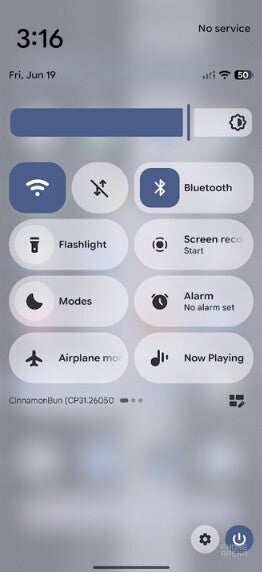
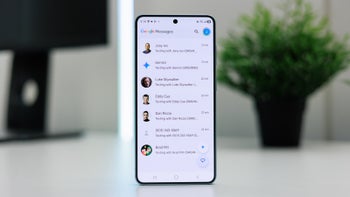
Android 17 installed, Wi-Fi on and mobile data off causes some apps not to work.| Image by PhoneArena
In case you are curious, even when the aforementioned Google apps won't run with Wi-Fi enabled on a Pixel powered by Android 17, the phone's Wi-Fi indicator will show that it is on. A Redditor with the username "harland3" tried several fixes to no avail such as:
- Clearing data on all the impacted apps, and Google Play Services.
- "Forgetting" the Wi-Fi network and re-adding the network.
- Resetting Wi-Fi and Bluetooth connectivity.
- Factory resetting the phone and starting over from scratch.
This is the only thing that you can try that worked for some Pixel users
Some Pixel users discovered that removing the latest IPv6 protocol on their router fixed the issue. But doing this forces the network you use to rely on the older IPv4 standard. This will allow older devices and software that struggle with IPv6 to run better. However, you will lose access to IPv6-only websites and any benefits that IPv6 offered to users.
Those impacted by this bug will have to wait for Google to send a software update
On the other hand, others turned off IPv6 on their router and continued to have the same connectivity issues with the same apps. The new IPv6 protocol is the leader when it comes to the possible reason why this is happening. Having said this, some have tried to test this theory by turning IPv6 on and mobile data off and found that they had no issue with the previously mentioned apps.
Which Android 17 feature do you like the best?
21 Votes
App Bubbles
42.86%
Screen Reactions
4.76%
Mark as Lost lockdown feature
19.05%
Something else
33.33%
Hopefully Google is already aware of this issue and its crack team of engineers (as opposed to its team of engineers on crack) solves this issue. I can report having no such issue with my Pixel 6 Pro, which will lose Google support this October.


Popular stories



Latest News





Things that are NOT allowed:
To help keep our community safe and free from spam, we apply temporary limits to newly created accounts: