Your camera app most probably has an “Audio Zoom” feature that is on by default and always messes with the sound in your videos. You should turn it off or at the very least be aware of it.
I know I am, yet I recently forgot to turn it off and it ruined some clips whose main focus… was the audio.
On modern phones, when you zoom in while recording video, your phone tries to “focus” or beam-form its audio recording to that point as well. In most cases, this is actually hurting your memorabilia. You probably have noticed it and have no idea why it’s happening — so, let’s talk about it.
The irony that keeps repeating: making it popular made it worse
This feature is not new — it’s actually more than a decade old. First seen on the Nokia 808 PureView (2012), but poorly marketed as Rich Recording, whatever that means, it was buried beneath talk about lossless digital zoom and microphones capable of handling high-amplitude recording.
Then we have LG. Ironically, the company was ahead of its time in many things, like ultra-wide cameras and secondary displays, yet its smartphone arm sadly fell under. Anyway, the LG G2 in 2013 finally came out with proper branding for the feature — Audio Zoom.
Unfortunately, at the time, the raw power of phones was just… bad. And the zoomed recordings sounded bad.
Recommended For You
The HTC U11 had a very good implementation, called Acoustic Focus, in 2017 (later called Sonic Zoom). It visually showed you sound bars on the viewfinder, so you actually knew that it was on and doing something. Again, sadly, we all know that HTC phones are not around anymore (the good news is that most of its resources were sold to Google and the team now designs Pixel phones).
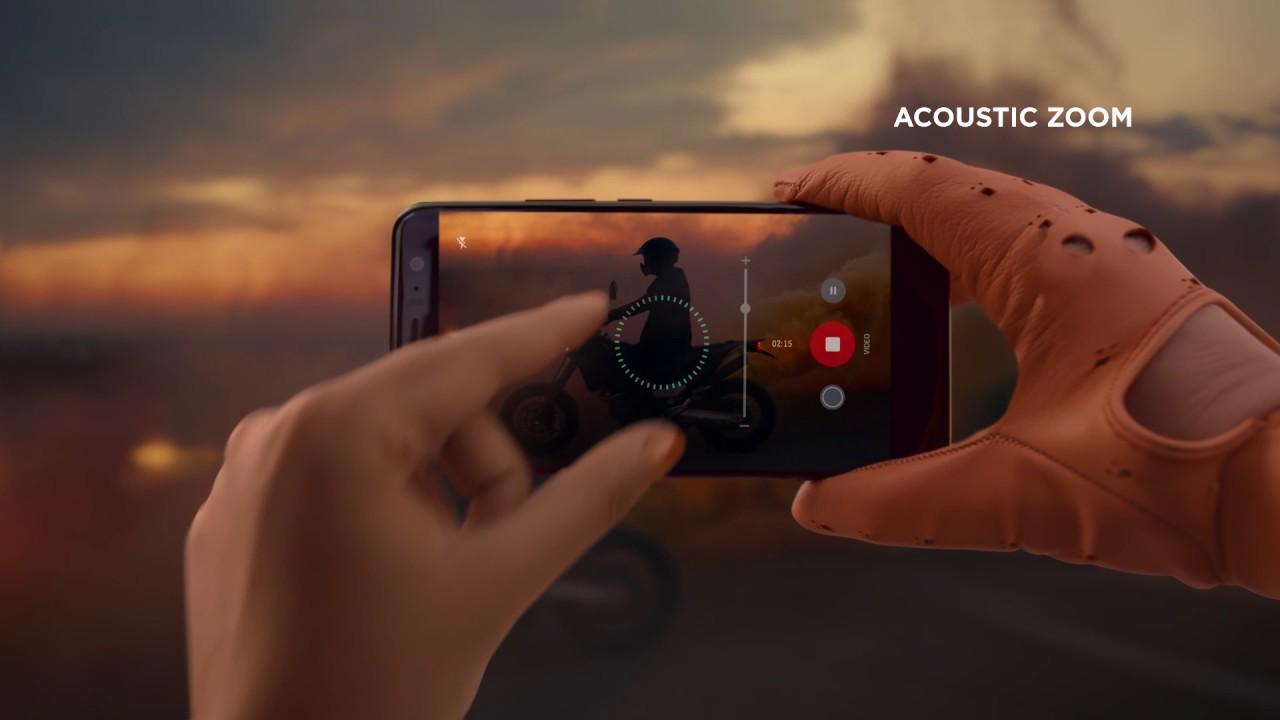
Yes, that's more or less all the marketing said about it | Video by HTC
And now we come to the irony of the ages. In 2019, both Samsung and Apple decided to adopt the feature. Of course, these brands are much more consumer-oriented and want the tech to “simply work”. What that means to us power users is that it’s either going to be a feature that’s hard-baked in the software, or the toggle to turn it off will be buried deep in the settings.
Is it really “bad”?
OK, I want to be clear on this — Audio Zoom (or whatever it’s called on your phone) is very clever engineering, and is incredible in execution most of the time.
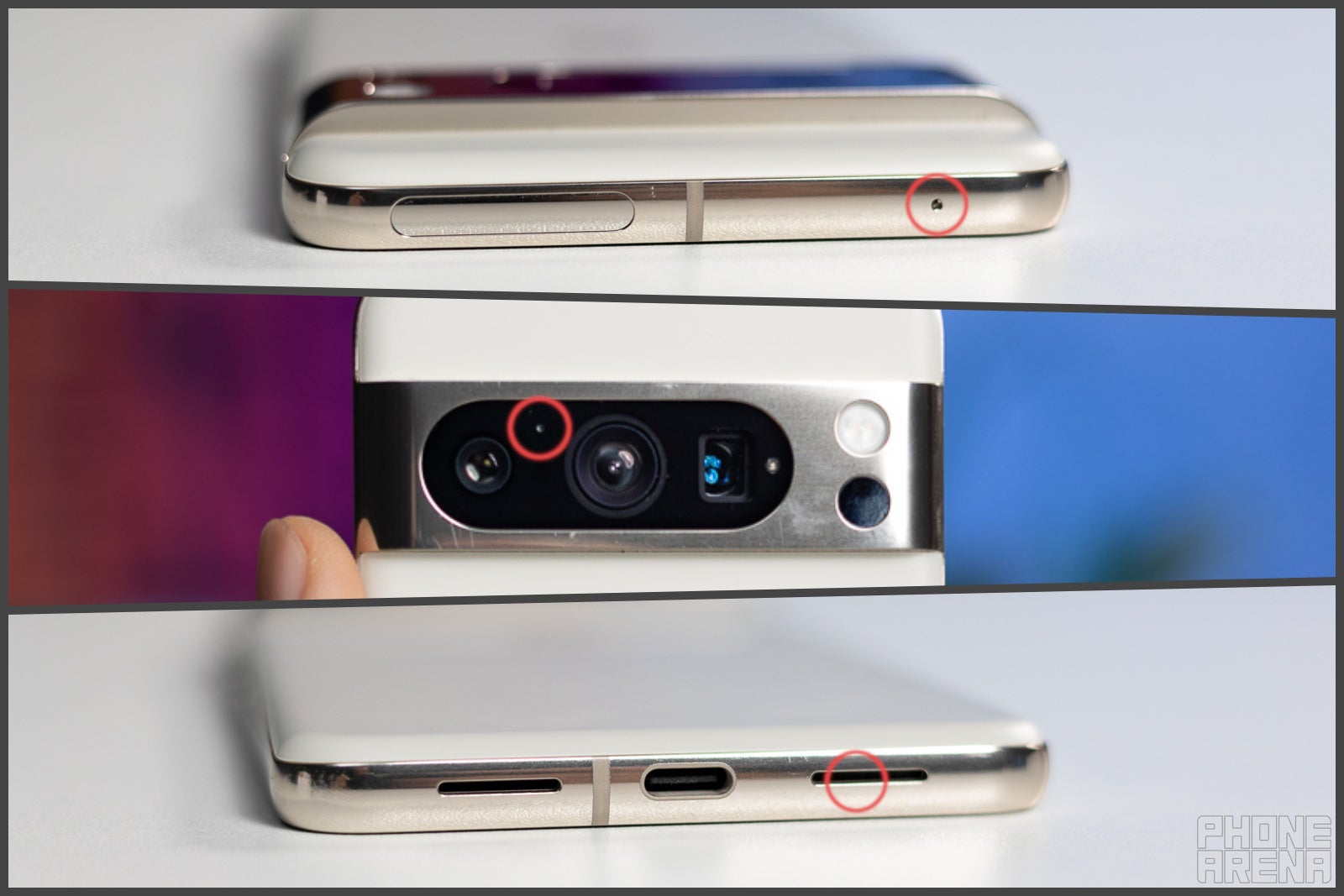
Modern smartphones don’t have just the one microphone — they have at least three. One is typically near the camera lenses, one on the top, and one on the bottom. When you are in a voice call, the two extra microphones are used to pick up external noises, invert their phases, and cancel them out. That’s why voice calls have been sounding great over the past decade.
The microphone array on a Pixel phone | Image by PhoneArena
The same tech is applied to Audio Zoom. When you pinch-in (or use a slider), the phone “fakes” an “audio focus” by amplifying the gain of the microphones. Then, it uses the audio information from the side microphones to know which frequencies to phase-invert and cancel in the final product.
For an added cherry on top, some phones use AI to identify what exactly you are zooming in on. If it’s a person, the phone will automatically try to amp the mid frequencies to enhance speech. If it’s an animal — it will look for the best way to enhance its chirps or roars.
This is why it potentially ruins your clips
Using a single microphone as a source, with mixed-in phase inversions, you are basically getting a glorified mono audio track with weird phasing issues. The jump in sound quality is extremely evident if you choose to zoom in and out while recording a concert performance, for example.
Yes, it does work, but its application is very limited.
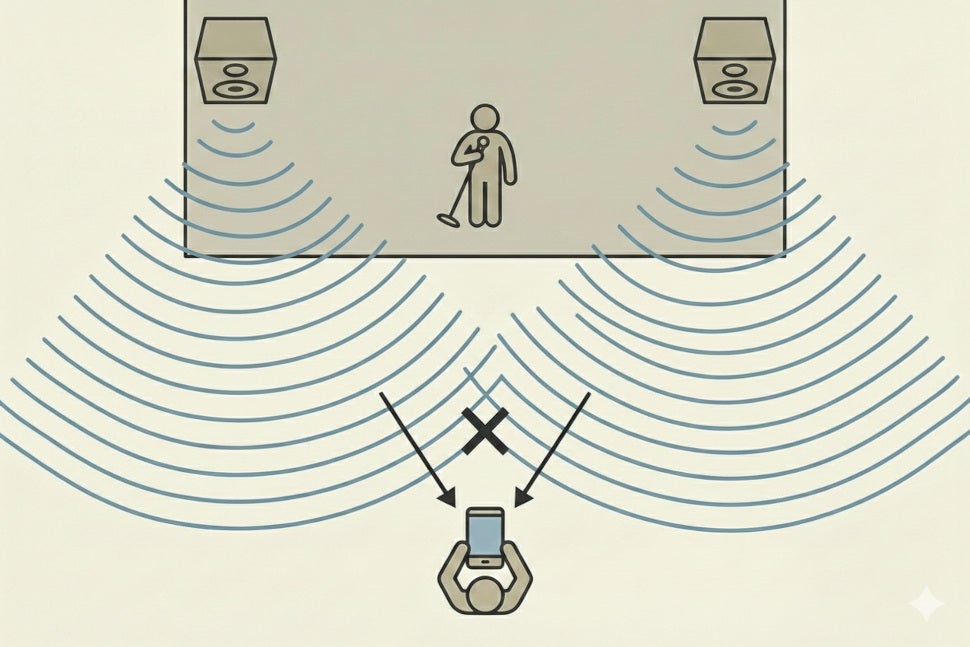
When zooming on a stage, the phone thinks it has to cancel out the sound from the speakers | Image by PhoneArena via Nano Banana
If you are trying to record an on-stage performance, when you zoom in on the artist (or your kid) keep in mind that their voice is going through a PA system that has speakers off to the side. This essentially means that you are telling your phone to cancel the audio that’s coming from the speakers — deleting massive chunks of frequencies that you actually want to record.
If you are trying to record a sports event, the whole excitement, the crowd roaring, cheering, and booing, that massive ambiance of exhilaration and passion will get narrowed down and canceled when you zoom in on your favorite athlete running across the field. And what audio is the phone supposed to be amplifying here? Their shoes digging through the grass?
If you are trying to zoom in on something and simultaneously speak or react so your voice is recorded in the clip. Like — “Wow look at this amazing dog…” *zooms in* “...I’ve never seen this breed!”. The second part of your reaction will sound warbled and distorted. Still audible, probably, but definitely as if you were just dunked underwater before completing your sentence.
Yes, the tech can have positive applications.
If you are at your kid’s recital for example, and it’s a small event and there’s no microphone or PA system — of course, you want to amplify their speech and cancel out the murmurings of bored parents in the audience.
If you are recording a bird chirping in the tree — sure, that’s a good implementation. I distinctly remember enjoying this feature when I got to see and record a cicada for the first time.
If you are trying to record a fun Insta story in front of the club — zoom in on your friends and let them tell their joke while the crowd noises around are canceled. Sure.
Why is a "niche" feature on by default?
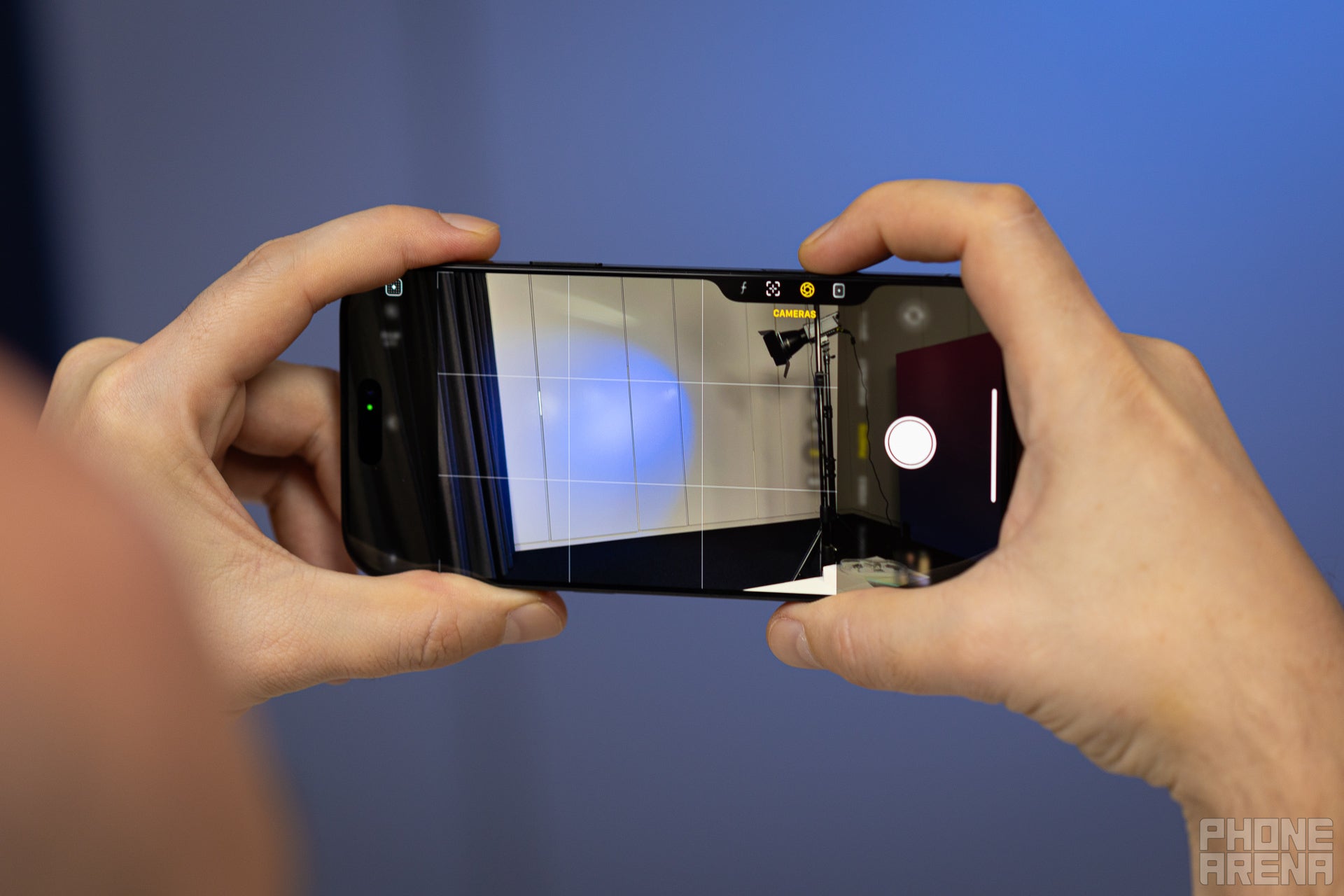
Even the iPhone Camera Control menu doesn't show it | Image by PhoneArena
I go through phones a lot. It’s a part of the job. And I don’t always go through all the tiny settings and set my things up ready to go every time. It’s a hassle.
So, when I last picked up the Pixel 10 with a fresh reset, I just put my SIM in it and went off to live my life.
Ended up at a live show where a friend of mine got on stage to perform a few songs. I figured, “Let me record this!”. As soon as I zoomed in, the back of my brain rang the alarms — “Did you turn off Audio Zoom? This will ruin the guitar sounds! I wonder if his voice will be audible in the clip…”
I didn’t want to stop recording at that moment, so I kept zooming action to a minimum, harming the memorabilia, as I couldn’t keep said friend front-and-center in the video. But at least the music was recorded with good quality (kudos to those Pixel microphones!).
Next thing I did was go and find the toggle to turn Audio Zoom off. It happened to be all the way on the bottom of Camera Settings.
But I have the privilege of knowing about this feature and to go look for it. It’s been years since it was released and marketed. It’s now yesterday’s news and nobody is talking about it. And plenty of people out there just don’t know how or why their audio gets warbly when they zoom in.
My plea is simple — yes, keep Audio Zoom. It can work great when you need it. It just so happens that user intent and expectation is that a video will not suddenly jump from one sound quality to the next when one zooms in. Make it a clearly visible button in the viewfinder that is off by default, and very clearly shows you what it’s doing when it’s on.
Preslav, a member of the PhoneArena team since 2014, is a mobile technology enthusiast with a penchant for integrating tech into his hobbies and work. Whether it's writing articles on an iPad Pro, recording band rehearsals with multiple phones, or exploring the potential of mobile gaming through services like GeForce Now and Steam Link, Preslav's approach is hands-on and innovative. His balanced perspective allows him to appreciate both Android and iOS ecosystems, focusing on performance, camera quality, and user experience over brand loyalty.
A discussion is a place, where people can voice their opinion, no matter if it
is positive, neutral or negative. However, when posting, one must stay true to the topic, and not just share some
random thoughts, which are not directly related to the matter.
Things that are NOT allowed:
Off-topic talk - you must stick to the subject of discussion
Offensive, hate speech - if you want to say something, say it politely
Spam/Advertisements - these posts are deleted
Multiple accounts - one person can have only one account
Impersonations and offensive nicknames - these accounts get banned
To help keep our community safe and free from spam, we apply temporary limits to newly created accounts:
New accounts created within the last 24 hours may experience restrictions on how frequently they can
post or comment.
These limits are in place as a precaution and will automatically lift.
Moderation is done by humans. We try to be as objective as possible and moderate with zero bias. If you think a
post should be moderated - please, report it.
Have a question about the rules or why you have been moderated/limited/banned? Please,
contact us.














![Another batch of Galaxy S26 series users in the US are getting a nice surprise today [UPDATED]](https://m-cdn.phonearena.com/images/article/183643-wide-two_350/Another-batch-of-Galaxy-S26-series-users-in-the-US-are-getting-a-nice-surprise-today-UPDATED.webp)
Things that are NOT allowed:
To help keep our community safe and free from spam, we apply temporary limits to newly created accounts: