Update to the Google Clock app greatly improves the timer UI
Google makes useful changes to the Google Clock app.
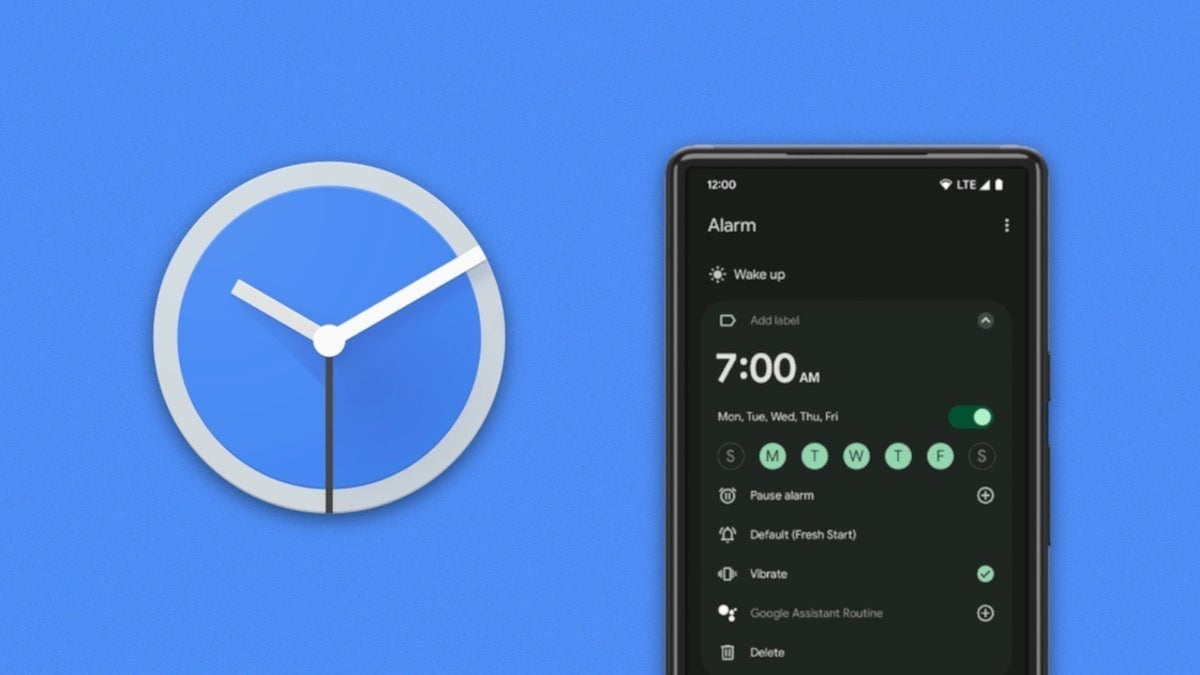
Google releases a new timer UI for the Google Clock app. | Image by PhoneArena
One of the differences between Google and Apple is that the former is always looking to make its apps better and easier to use. One of its latest targets is the Google Clock app. This is the multi-functional Android app that includes a world clock, an alarm clock, a timer, and a stopwatch. The app also allows users to set a daily bedtime and wake-up routine.
Google is rolling out changes to the timer UI on the Google Clock app
Changes have been made to the UI for the Google Clock app's timer. The Alphabet subsidiary has removed the circular background that backs each numeral on the number pad that is used to enter the length of a timer you are manually setting. In addition, when you're in a rush to start a new timer, the app now carries preset options for 1-minute, 5-minute, 10-minute, and 15-minute timers.
Which part of the Google Clock app do you use the most?
143 Votes
World Clock
6.29%
Alarm
64.34%
Timer
23.08%
Stopwatch
2.1%
Bedtime
4.2%
Preset timer options from 1 minute to 15 minutes are extremely helpful
The new UI replaces the rounder-looking numbers with a sharper set of numerals. Instead of swiping on an existing timer to view additional timers that you have set, the new version of the app lets you see them all at once by swiping down using the handle at the top of the timer that is the closest to going off.
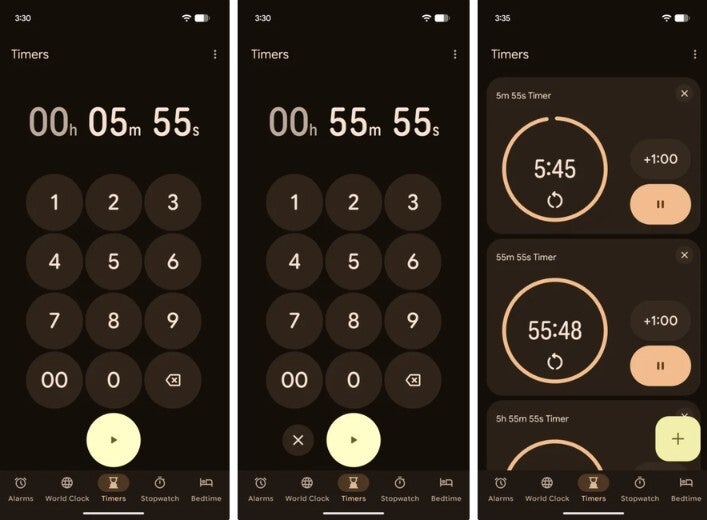
UI of the Google Clock app timer function before the new changes. | Image by Android Authority
Swiping down on that handle will show you a grid view of all of your timers side-by-side as they count down toward 0:00. This change will certainly make it easier for an Android user to view multiple timers that they set all at the same time.
In addition, the round "start" button with the arrow inside has been replaced by a long green "pill" with the word "Start" inside. It is much easier to find and the purpose of the button is more obvious to see.
If you enjoyed this article, you wilkl enjoy reading these:
The update to the Google Clock app will come to this version of the app
The new UI is rolling out with version 9.1 of the Google Clock app. It seems to be a server-side update, which means you could have version 9.1 of the clock app running on your Android device and not yet see the new UI. For example, my Pixel 6 Pro running the latest Android 17 QPR1 Beta does have Google Clock app version 9.1, but does not have the new timer UI yet.
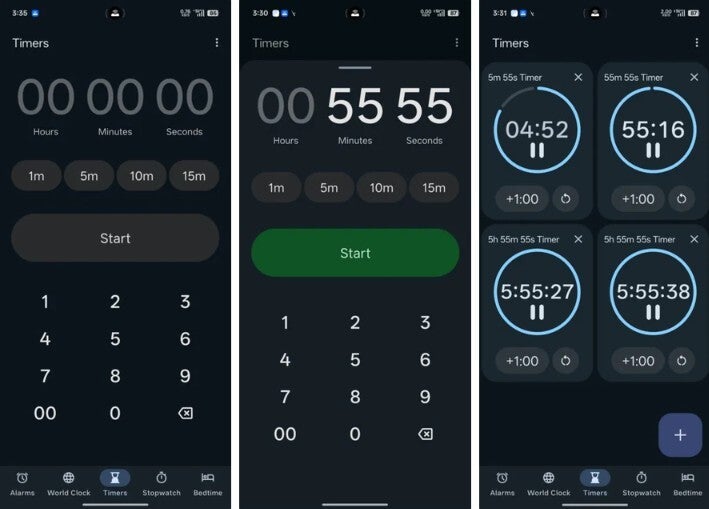
Google Clock app timer UI after the update. | Image by Android Authority
If you need to install the app, here is where you can find it
If you're like me and have the right version of the Google Clock app but the timer UI has yet to update, all you can do is wait for Google to press the button and put through the change. If you don't have the Google Clock app on your Android phone, you can install it from the Google Play Store by tapping on this link.


Popular stories

Latest News


Things that are NOT allowed:
To help keep our community safe and free from spam, we apply temporary limits to newly created accounts: