Android 17 does it again as some Tensor-powered Pixels have Wi-Fi problems
There are some things that you can try in an attempt to exterminate this Android 17 Pixel Wi-Fi bug.
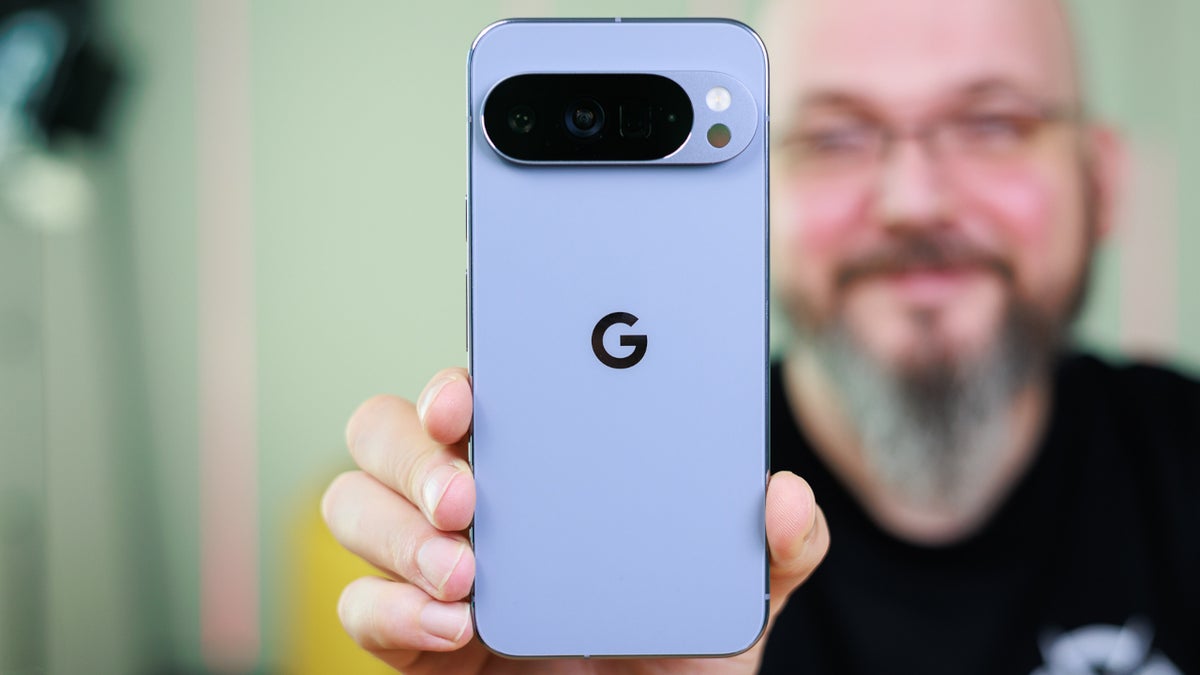
Wi-Fi issue affects some Pixel units after Android 17 installation | Image by PhoneArena
The latest issue affecting the Pixel community is another one dealing with connectivity. Just yesterday, we told you about a problem some Pixel users have been dealing with since they updated to Android 17. That bug has prevented incoming calls from going through, and now there is another connectivity problem brewing.
If you're experiencing Wi-Fi issues on your Pixel after installing Android 17, Google has a suggestion
He was able to find a solution. After resetting Wi-Fi and Bluetooth, the issue was solved. Google suggests that those with Wi-Fi issues do the same thing. Simply go to Settings >
System > Reset options > Reset Bluetooth & Wi-Fi.
But this doesn't seem to be a "one-size-fits-all" solution as Redditor "guitarsdontdance" can attest to. He has the same problem on his Pixel, and has tried everything to no avail. This is an issue that Reddit subscriber "a_single_beat2" calls a "common problem" for Pixel phones and believes that this bug will never get exterminated.
Here is an unorthodox long-shot suggestion
Now, I'm going to give you an unorthodox option to consider. Let me preface this by telling you that I have not had any Wi-Fi issues on my Pixel 6 Pro, and I run this device nearly all day through a Wi-Fi connection. However, I have Android 17 QPR1 Beta 6 installed on my phone. If absolutely nothing is working for you, and resetting Bluetooth and Wi-Fi as detailed a couple of paragraphs ago doesn't work (try it one more time just to be sure), you might want to install the Android 17 QPR Beta to see if this cures your Pixel's Wi-Fi woes.
Google releases Android 17 QPR1 Beta 6
In fact, Google just released Android 17 QPR1 Beta 6, and while it exterminates several bugs, it doesn't do anything for the aforementioned Wi-Fi problem. If you're not a member of the Android Beta Program and you own a Tensor-powered Pixel (Pixel 6 and later), tap on this link. When you get to the Android Beta Program website, click on the box that says, "View your eligible devices" and you will be sent to another box with a picture of your Android phone.
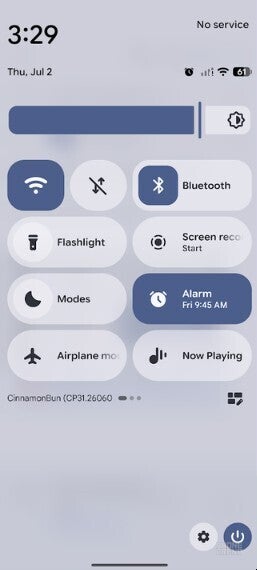
Screenshot of Quick Settings panel with Wi-Fi enabled on a Pixel running Android 17 QPR1 Beta 5.| Image by PhoneArena
Before you tap on the button to opt in to the Android 17 Beta Program, keep in mind that this is not a definite fix for your Wi-Fi issue. Also, it is not a stable release and some features that you need every day might not work from time to time.
How to join the Android 17 Beta Program
If you go ahead and join the program and install Android 17 QPR1 Beta 6, which is actually the Beta release of the September Pixel Drop, you will not be allowed to exit the Android 17 Beta Program until September. That's when the stable Android 17 QPR1 update is released. If you exit the program too early, you will be forced to wipe your phone.
Again, this is no guarantee and the list of bug fixes that the update includes does not mention this specific Wi-Fi issue. But if you're at your wit's end with the intermittent Wi-Fi connection, you've tried all of the fixes we've mentioned, and you can't wait for Google to come up with a fix, you might consider this. Remember to back up your Pixel first before you start on this road.
My Pixel 6 Pro has not experienced this issue and has been running both the Android 17 Beta and Android 17 QPR1 Beta for months. Does that mean that the latter Beta release will fix your Wi-Fi problem? It's a long shot to be sure, but if you are desperate, it might be worth a try.


Popular stories





Latest News





![Another batch of Galaxy S26 series users in the US are getting a nice surprise today [UPDATED]](https://m-cdn.phonearena.com/images/article/183643-wide-two_350/Another-batch-of-Galaxy-S26-series-users-in-the-US-are-getting-a-nice-surprise-today-UPDATED.webp)
Things that are NOT allowed:
To help keep our community safe and free from spam, we apply temporary limits to newly created accounts: