Apple first teased a smarter and more capable Siri way back in 2024. This AI-powered next-level smart assistant was supposed to ship with iOS 18, but Apple was struggling with the underlying technology, and fans were getting more and more frustrated.
Well, the wait is finally over, and the new and revamped Siri is finally here - and it's called Siri AI!
Which Siri AI feature is the most useful?
14 Votes
Personal Context
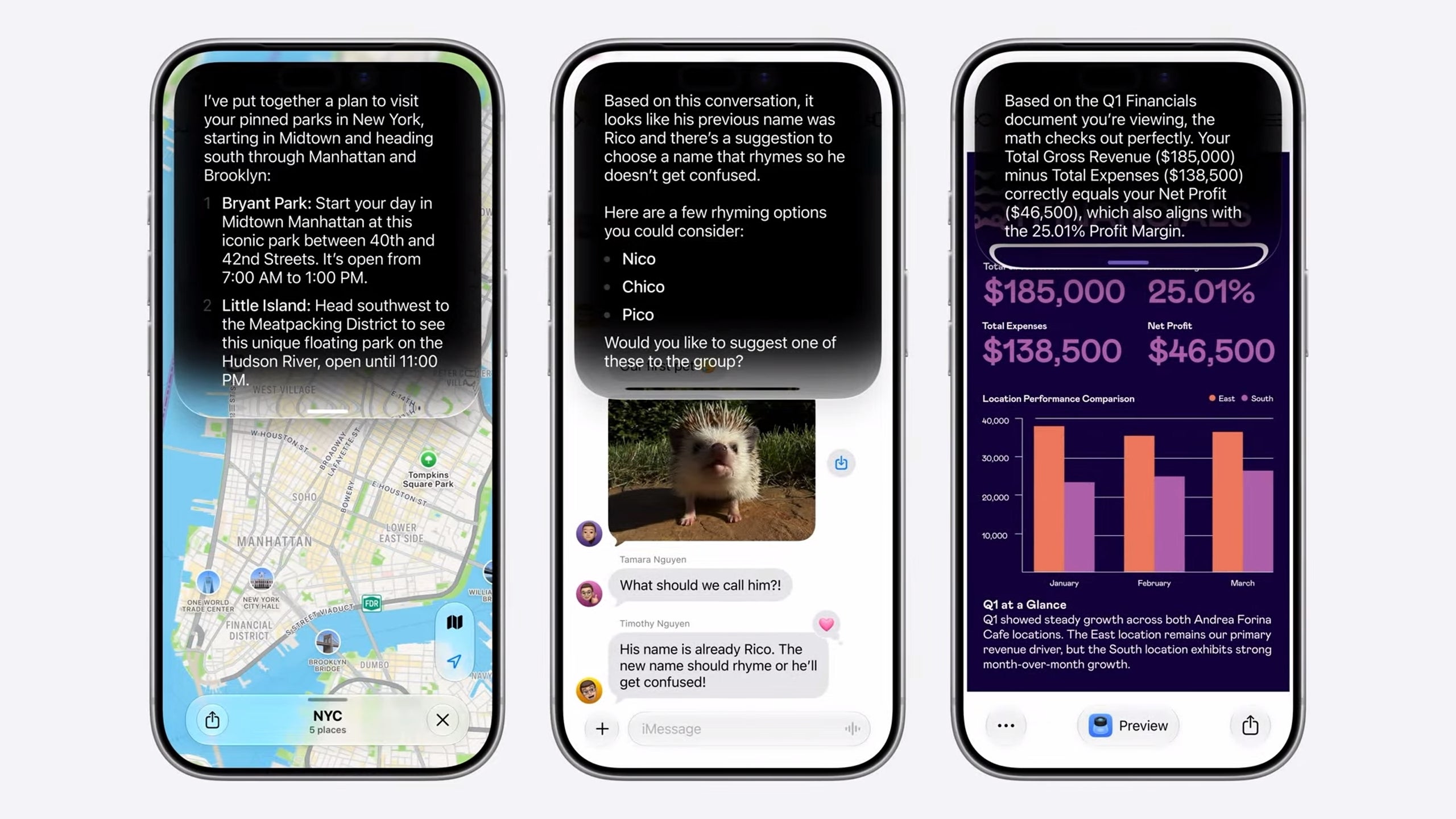
Siri AI knows you and can contextually help you across different apps. | Image by Apple
Siri AI wants to get to know you. The new, smarter Siri is now able to get a lot of personal context from the data on your device. The smart assistant can now read your files, messages, emails, photos, and more in order to learn about your habits.
Based on this data, Siri AI can now do many useful things, such as show you files someone sent you in a previous mail, find specific info about appointments or recommendations, find recipes, or even search for your passport number inside your phone data.
On-screen awareness
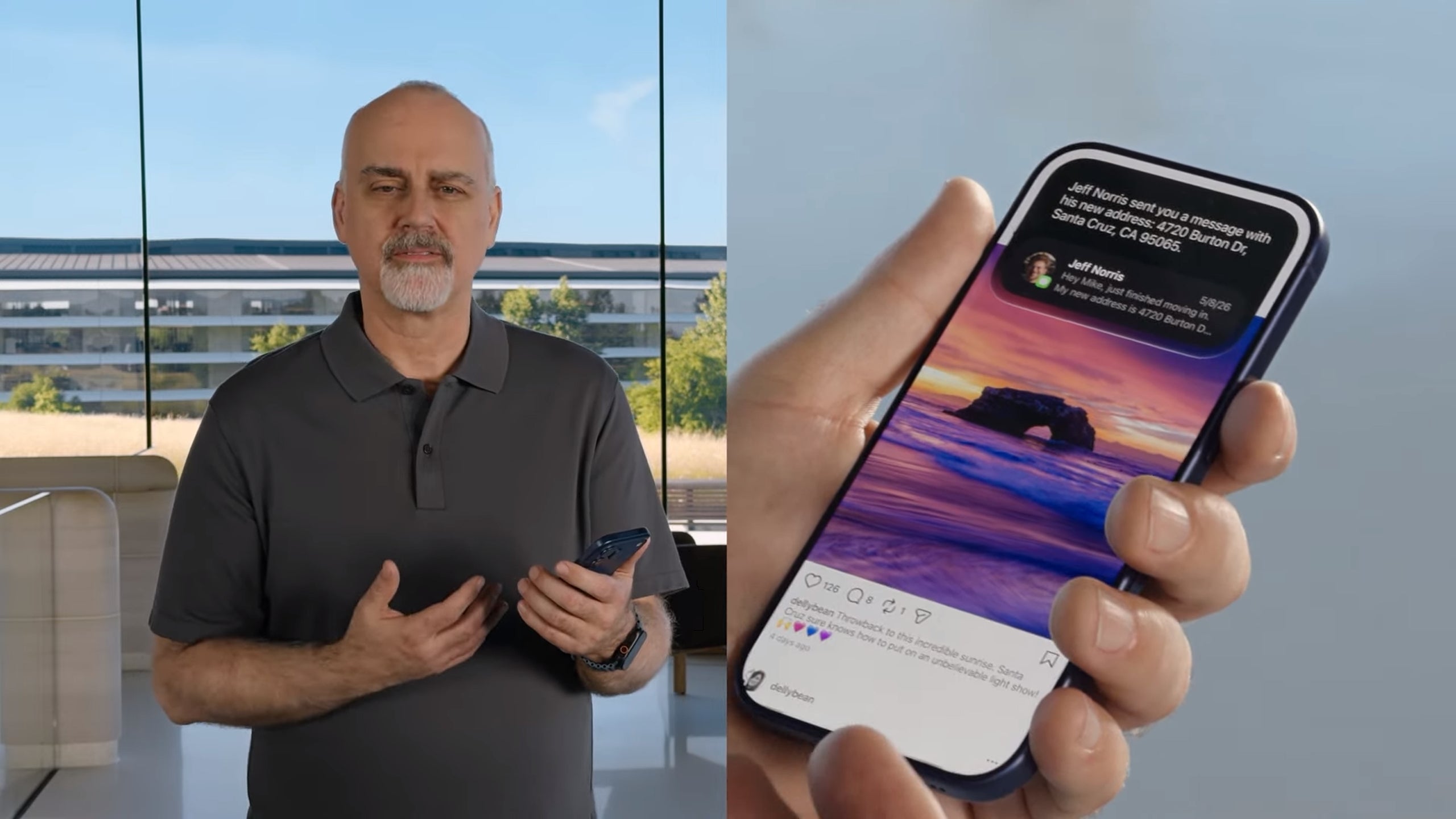
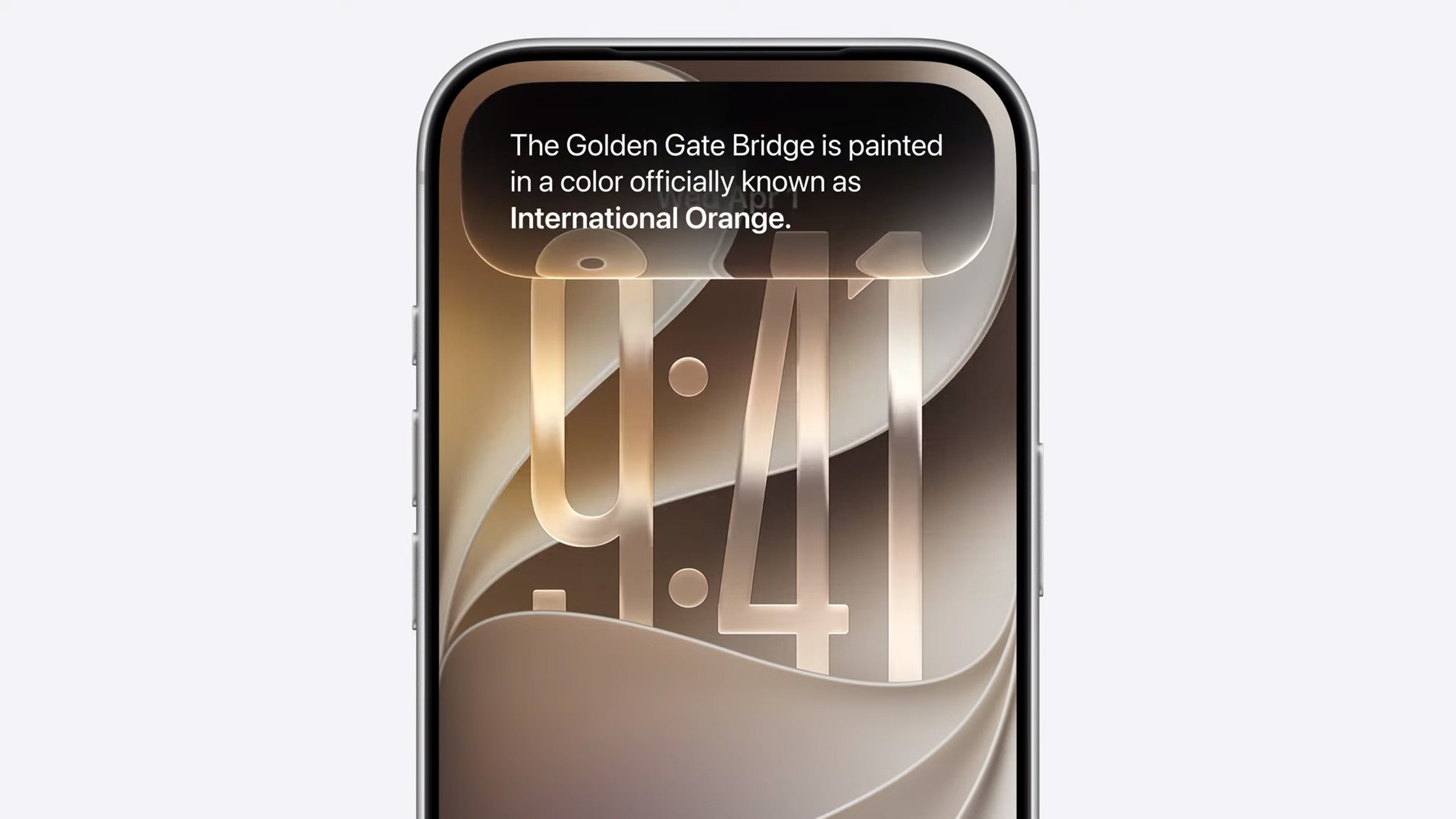
Siri AI understands what's on your screen. | Image by Apple
Siri now lives inside your iPhone's dynamic island and can see everything you see on your phone's screen. It's a way to keep the AI assistant always on and aware of everything that's going on inside your phone.
For example, if you receive an address from someone, you can just tell Siri AI to add it to the person's contact card, or if you're browsing your photos, you can easily tell Siri to find a specific photo and send it to a contact of your choice without all the necessary manual steps this action normally requires.
Recommended For You
Furthermore, Siri AI now can do much more across all your apps. For instance, you can tell Siri to edit a photo and then share it; give you directions to the place you're going and at the same time send your ETA to someone waiting for you, or draft an email, attach some photos or documents, and send it to your boss.
Multi-step things you weren't able to do with Siri previously now open a plethora of new possibilities.
The best part is that third-party apps can open their databases to Siri and make use of her new abilities.
Siri AI gets its own app and is much more talkative now
Siri AI has its own app now. | Image by Apple
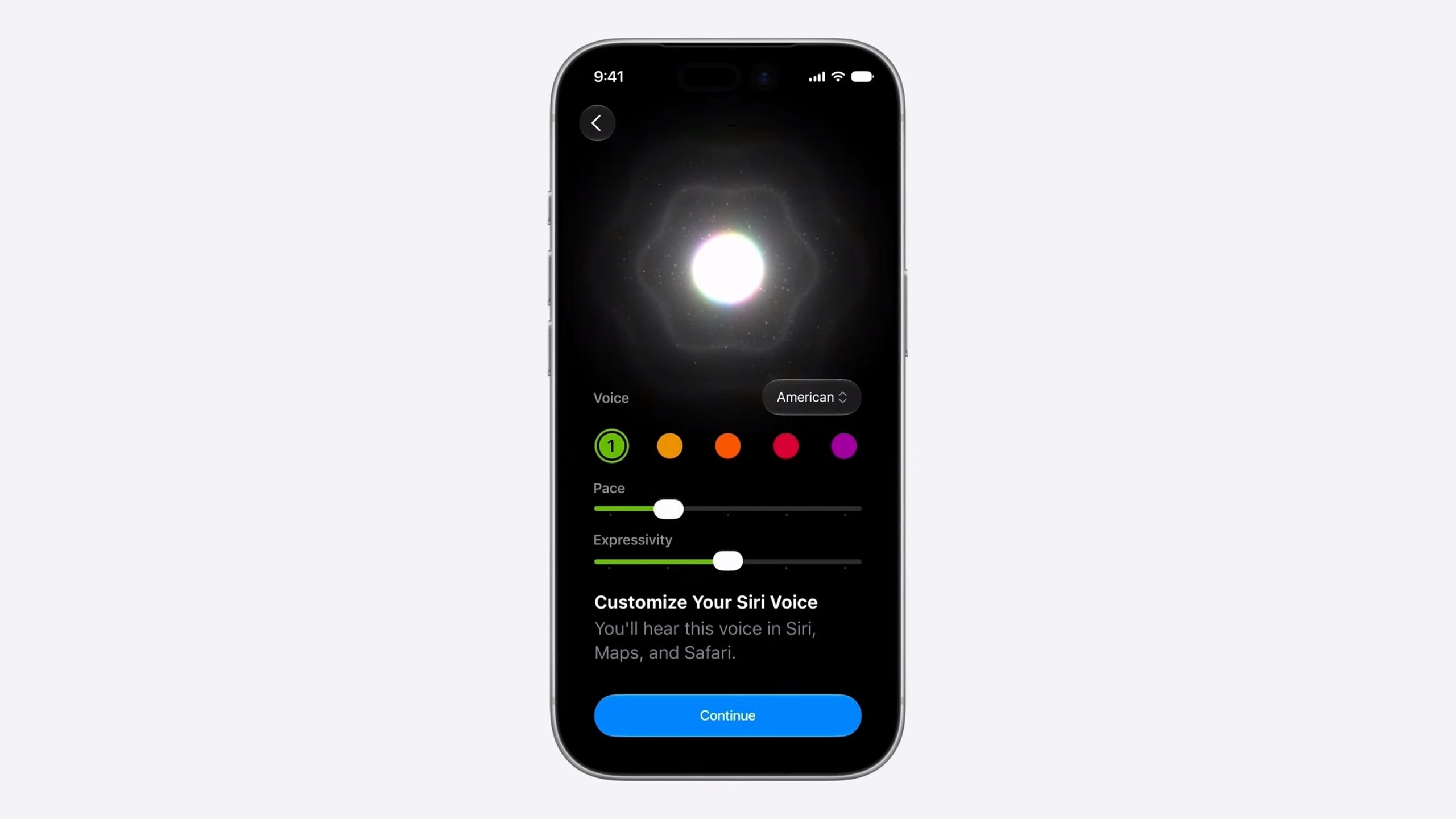
Apple has turned Siri into a full-fledged chatbot, just like ChatGPT, Claude, and all other LLMs that have been one step ahead in the past couple of years. There's a new voice model for Siri AI, one which you can heavily customize - including the tone, tempo, and more.
The new Siri AI has a dedicated app inside iOS 27, but you will be able to call the AI agent in several different ways, as it's also baked in at a system level.
Siri AI is not only more talkative, but you can also customize her voice. | Image by Apple
Siri can now do most of the things modern chatbots do and things that we're all familiar with, such as searching the web, summarizing texts and emails, helping you write documents, and even generating images. Siri AI can check for events, set reminders, and more.
The big potential advantage here is the personal data Siri can access. Other LLMs and chatbots don't know who you really are, can't read your mail and messages learn about your habits, and can't give you the personal touch the new Siri now promises to offer.
Search and Ask replaces Siri Suggestions
Siri AI now lives inside Dynamic Island and you can summon it by holding the power button or swiping down. | Image by Apple
The design is changing too. As we already mentioned, Siri now lives mostly inside the Dynamic Island, and there are two main ways to summon Apple's new assistant. The first one involves swiping down from the center of your iPhone's screen, and it works basically everywhere — on the home screen or inside any app.
Swiping down brings up a new feature called Search or Ask right into the Dynamic Island. When prompted with a search or a question, the pill-shaped area starts to glow, showing you that Siri is doing its magic in the background. When the answer is ready, the Dynamic Island expands to show you a card with the result.
This new Search and Ask feature is effectively replacing Siri Suggestions. What's even more interesting is that Apple gives you the option to use another chatbot, like ChatGPT, for example, if you don't feel like Siri is your cup of tea.
Apple is also adding an "Ask Siri" button into the menu of the app so you can send data and queries manually to the AI assistant. You can also hold the side button to activate this "Ask" mode and talk to the AI agent directly.
Write with Siri
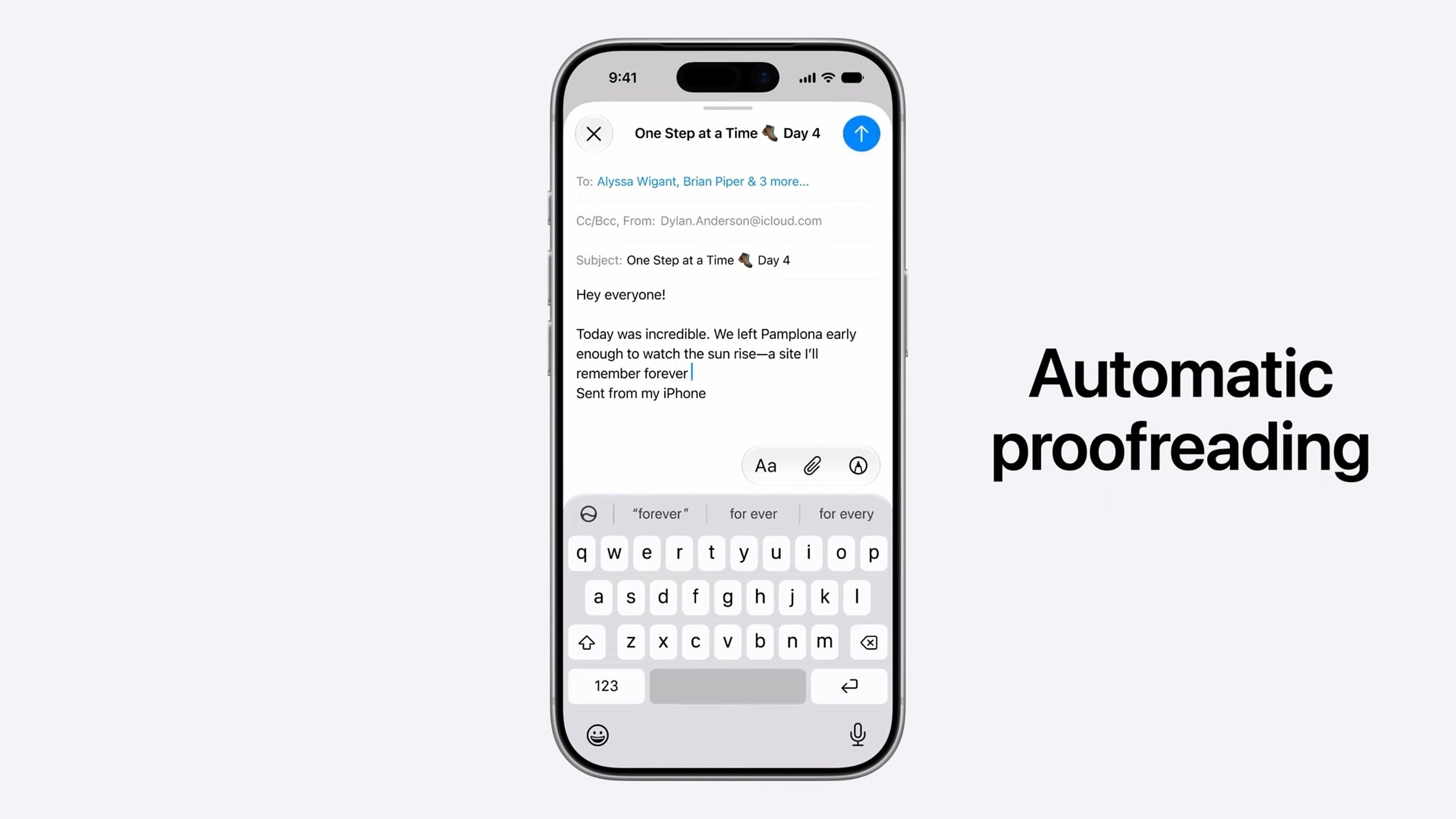
Siri AI can tap into Writing Tools and polish your drafts. Or create them from scratch, tailored to the specific person you're writing to. | Image by Apple
Another useful new feature is the Writing Tools integration. You can write with Siri's help in basically every text box on every device. You can create drafts, polish emails, check grammar and all the stuff other LLMs can do.
But since the new Siri AI is integrated inside the system and accumulates knowledge with use, it can do much cooler things, such as recognize the different ways you communicate with your friends, your boss, kids, etc., and tailor the message or mail using a specific tone of voice and punctuation. Pretty awesome.
Heavy focus on privacy
Apple is trying to separate itself from other similar AI agents by doing most of the Siri magic on-device and using Private Cloud Compute for everything else. Apple also lets you delete your Siri chats after a certain amount of time, like 30 days or a year, or choose to keep them forever if you feel like doing so.
Friendly Siri doesn’t hate other chatbots
Using Google AI models makes Siri AI capable of working with third-party apps and even other chatbots. | Image by Apple
Apple is also opening Siri to other chatbots such as Claude and Gemini. Siri stays the default AI agent for the Search and Ask feature, but you will be able to choose other engines for Apple Intelligence features such as Writing Tools and Image Playground.
This includes using third-party voices for these alternative chatbots and services, so there will be an audible difference to help you differentiate and tell which service you're using and for what feature exactly.
Speaking of Gemini, Apple has chosen to use Google's AI models as a base for the new and improved Apple Intelligence and Siri. That's one of the reasons for Siri to play well with other chatbots and third-party apps.
Siri mode in the iPhone camera and Visual Intelligence across devices
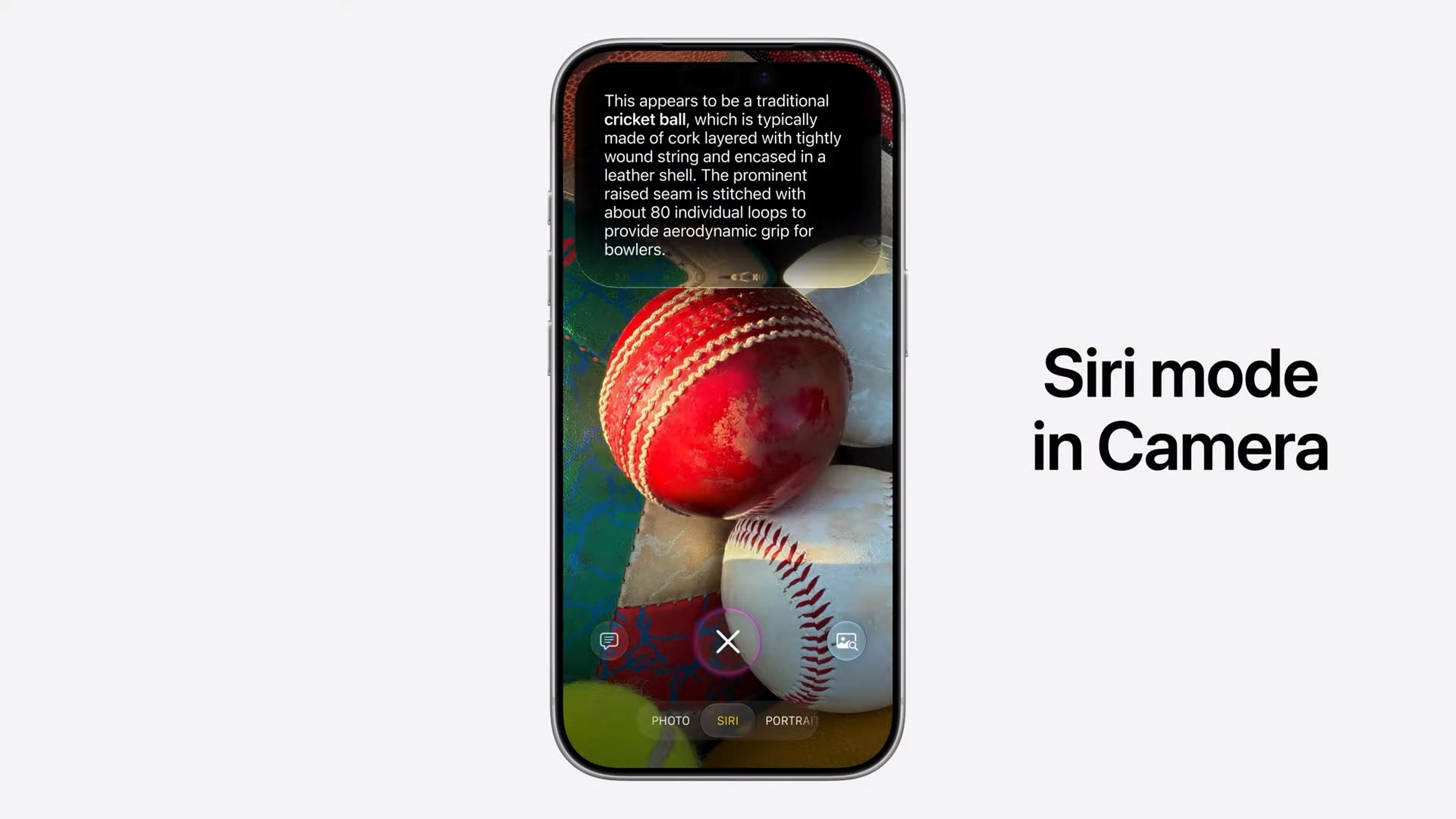
Siri AI leverages Visual Intelligence and makes you iPhone Camera app much smarter and capable. | Image by Apple
Siri AI is now integrated inside the iPhone's Camera app. You can take advantage of Visual Intelligence right from the app, and let Siri AI recognize things you point your iPhone at, including complex meals which the AI assistant can give you nutritional facts about.
That's not all, you can also point the camera at the bill in the restaurant and Siri AI will allow you to split the bill and pay your share directly from Apple Cash if you were out eating with friends.
You can use Siri AI and all new Visual Intelligence bells and whistles across the Apple ecosystem, on Mac and iPad for example, by using a shortcut or just selecting the area on the screen. Speaking of Siri AI across the ecosystem...
Siri AI is everywhere!
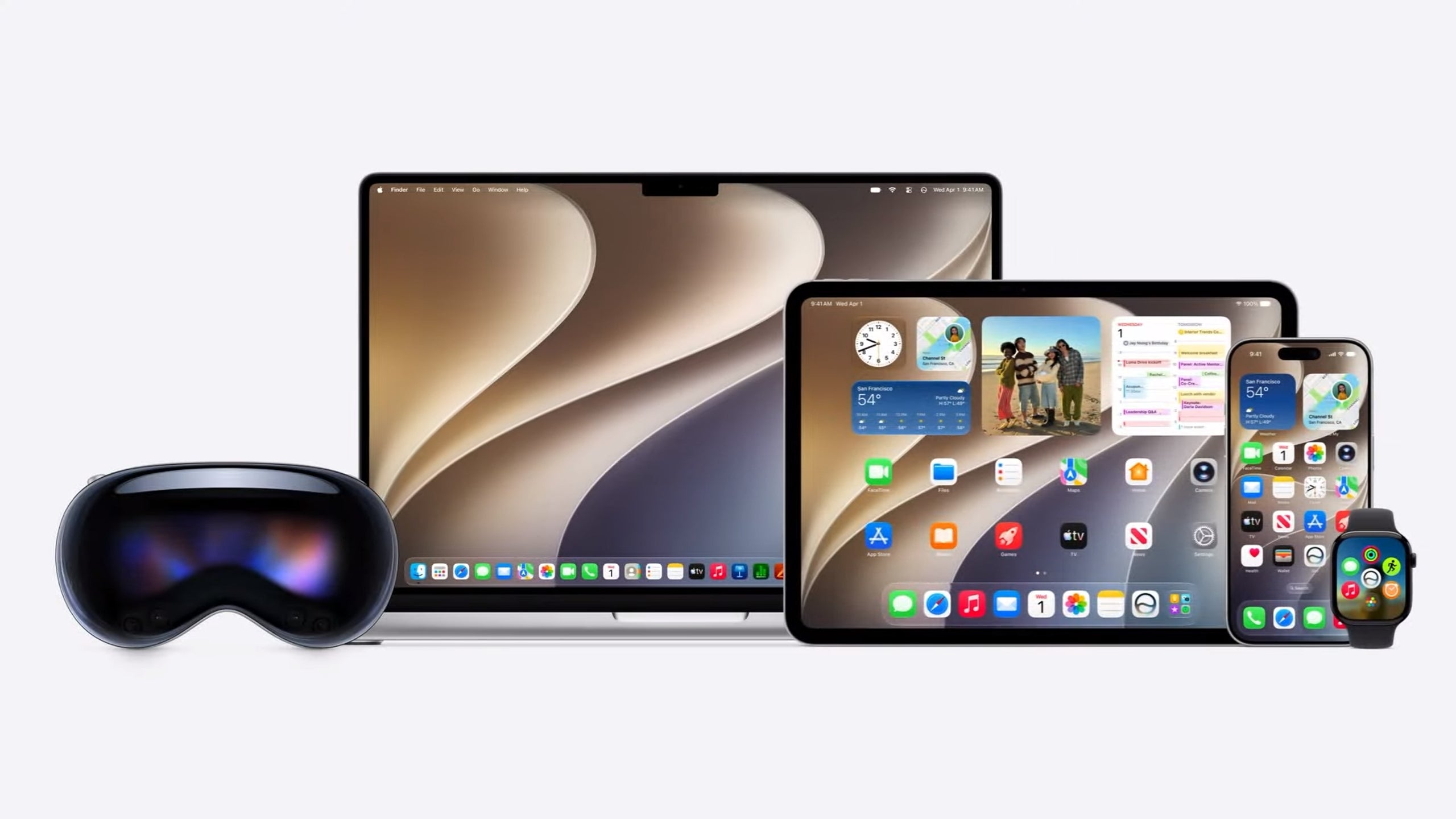
Apple is making Siri AI and Visual Intelligence available across all devices in its ecosystem. | Image by Apple.
The new Siri AI is available on all platforms as well! On iPhone you can use the usual "Hey Siri" prompt to activate the AI agent or hold the side button. You can also swipe down from the Dynamic Island. On Macs and iPads Siri AI is integrated into Spotlight, and on Apple Vision Pro, this new AI assistant has its own 3D visualization.
The new Siri AI - Gemini for iPhone done the right way?
The big question - is Siri AI just a Gemini done right? | Image by Google
It was quite clear that Apple has been lagging behind when it comes to AI agents, ever since the company failed to deliver on all the promises from 2024. Now, the new and revamped Siri AI is here, but two questions remain.
The first one is, "Is it too late for Siri AI?" Most chatbots and LLMs are quite advance now and Apple delivering on the 2-year old promise might be a bit too late. On the other hand, and tied to the second big question, Apple openly admitted that it decided to use Google's AI models (Gemini) as a base for all the features of the new Siri AI, and it shows.
This leads us to the second big one - Siri AI kind of looks like Gemini but prettier. Most of the things this new AI can now do (well, not now but soon, when iOS 27 arrives) have been around and available to Android users for some time.
We can make the case that Apple is quite good at making things work in its ecosystem, even when those "things" are borrowed tech. We need to take Siri AI for a spin to see how useful it actually is and whether or not it will be the latest AI people won't bother using. What do you think about it? Which Siri AI feature is the best one in your opinion?
Mint Mobile's 6-month plans now cost $10/mo
$10
/mo
$35
$25 off (71%)
Mint Mobile is celebrating its 10-year anniversary with a special offer on its six-month subscription plans. For a limited time, you can get your preferred tier (6GB, 17GB, 23GB or unlimited) for just $10/mo. That saves you between 50% and 71% on the carrier's mobile plans, making it way easier to recommend.
Mariyan, a tech enthusiast with a background in Nuclear Physics and Journalism, brings a unique perspective to PhoneArena. His childhood curiosity for gadgets evolved into a professional passion for technology, leading him to the role of Editor-in-Chief at PCWorld Bulgaria before joining PhoneArena. Mariyan's interests range from mainstream Android and iPhone debates to fringe technologies like graphene batteries and nanotechnology. Off-duty, he enjoys playing his electric guitar, practicing Japanese, and revisiting his love for video games and Haruki Murakami's works.
A discussion is a place, where people can voice their opinion, no matter if it
is positive, neutral or negative. However, when posting, one must stay true to the topic, and not just share some
random thoughts, which are not directly related to the matter.
Things that are NOT allowed:
Off-topic talk - you must stick to the subject of discussion
Offensive, hate speech - if you want to say something, say it politely
Spam/Advertisements - these posts are deleted
Multiple accounts - one person can have only one account
Impersonations and offensive nicknames - these accounts get banned
To help keep our community safe and free from spam, we apply temporary limits to newly created accounts:
New accounts created within the last 24 hours may experience restrictions on how frequently they can
post or comment.
These limits are in place as a precaution and will automatically lift.
Moderation is done by humans. We try to be as objective as possible and moderate with zero bias. If you think a
post should be moderated - please, report it.
Have a question about the rules or why you have been moderated/limited/banned? Please,
contact us.















Things that are NOT allowed:
To help keep our community safe and free from spam, we apply temporary limits to newly created accounts: