
Apple super-sizes a feature in iOS 27 finally matching Android
Apple finally catches up to Android by increasing the maximum size of a home-screen feature.
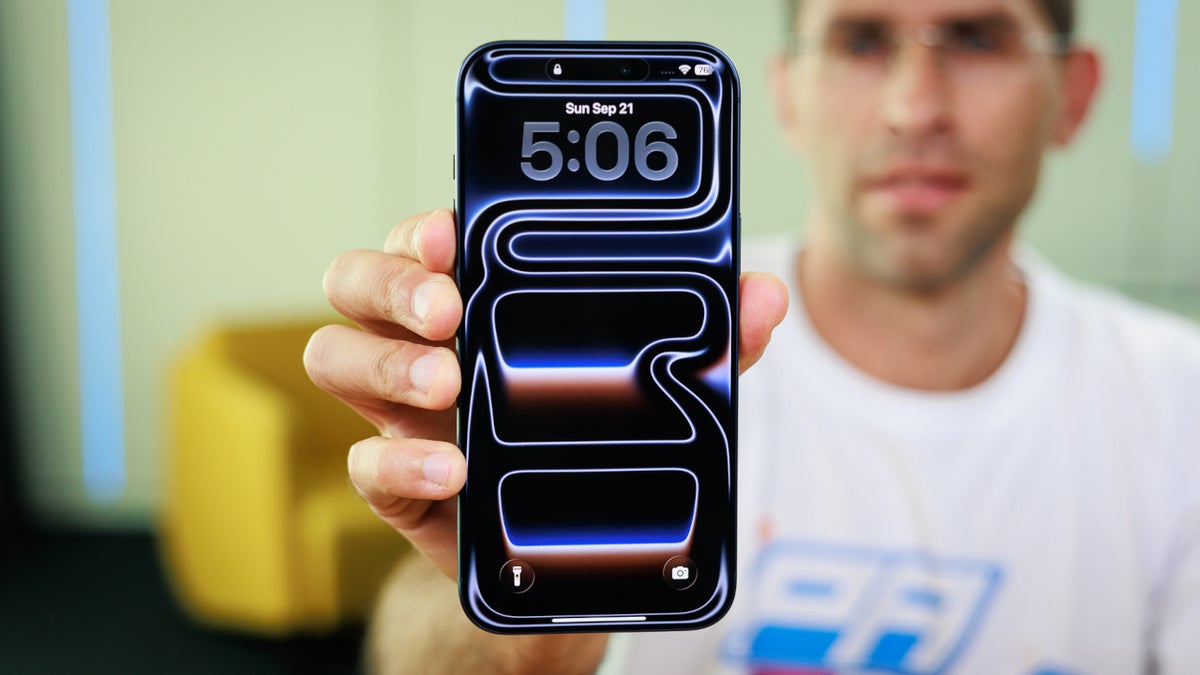
Apple increases the size of a popular iPhone feature | Image by PhoneArena
It was the release of iOS 14 in 2020 that brought home screen widgets to the iPhone. Before then, the only widgets seen on the iPhone were a dedicated column found in "Today's View" when swiping right from the home screen. Those widgets are still there today.
Android 4.1 Jelly Bean introduced Android users to more flexible home screen widgets
The home screen widgets offered by Apple back in 2020 included rigid widgets with aspect ratios of 2x2, 4x2, and 4x4 that could not be changed. While Android used this layout for its home screen widgets pre-Motorola DROID with Android 1.5 (the DROID was the first Android phone out of the box with Android 2.0), things changed with Android 4.1. That is when users could customize a widget by stretching it out across the screen to the size they wanted, and Android did the rest.
Now that Apple has disseminated the first developer beta of iOS 27, we can tell you that when the stable version of the update is dropped in September, it will support giant 4x6 widgets. This will allow information-heavy widgets to use a larger surface to help users read and understand the data they glance at quickly. An extra large 4x6 widget would take up half the internal, tablet-sized foldable screen.
Using rigid widgets could lead to text and UI clipping
If there is a downside to rigid widgets, it is that they are not flexible. If a phone user changes the system font size on their phone, or has a phone with a narrower aspect ratio, using a rigid widget could cause the layout on the screen to break or result in text or UI clipping.
Name something that you'd like to see Apple copy from Android
27 Votes
Notification system
18.52%
Better "back" gesture
44.44%
Android's free-form app icon placement
7.41%
Allow users to open more home pages
7.41%
Something else
22.22%
Text clipping happens when a string of text is too long for the container it is in, resulting in letters or words getting cut off. UI clipping occurs when some elements of the UI (like buttons, images, or cards) extend past the boundaries of the widget's container.
Only a few first-party Apple widgets in the first developer iOS 27 beta offer the 4x6 layout
With iOS 27 available only with the developer beta 1 release, only a few of Apple's first-party apps offer a 4x6 layout for their widget. As we move closer to the September release of the stable version of iOS 27, we should see third-party app developers working hard to have the larger widgets available for iPhone users to use once they receive the update.
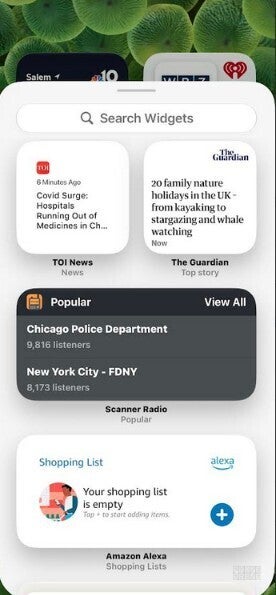
Finding and placing widgets for your iPhone is easy to do. | Image by PhoneArena
Apple's large 4x6 widgets will be placed directly on their phone screen at that size. Or, a smaller widget can be long-pressed and stretched to the 4x6 size. Apple iPhone users won't be able to copy the option that Android users have to expand a widget to the precise aspect ratio they want for a specific widget.
Perhaps a future iOS update will add that option. But for now, iPhone users will have to remain happy with the new 4x6 widgets without being able to customize their sizes.
How you can place a home screen widget on your iPhone display
To check out the widgets available for your iPhone, find an empty space on your screen and long-press on it. The display will go into "jiggle mode" and an icon that looks like a paintbrush will show up in the upper left corner of the display. Tap on it and press the "add widgets" option to see the latest widgets.
If you see a widget you want to add, tap on it and press the blue "Add Widget" button. Even if you think that you have no room to add a widget, try this anyway because the iPhone will move icons and other widgets around to make the widget fit, if possible.


Popular stories




Latest News



Things that are NOT allowed:
To help keep our community safe and free from spam, we apply temporary limits to newly created accounts: