The latest change coming to Google Messages revolves around the app's Settings pages. This seems less exciting compared to a recent article that mentioned a possible RCS Video Chat feature for the app that is supposedly on the way.
Google Messages Settings pages get a new, cleaner look after an update
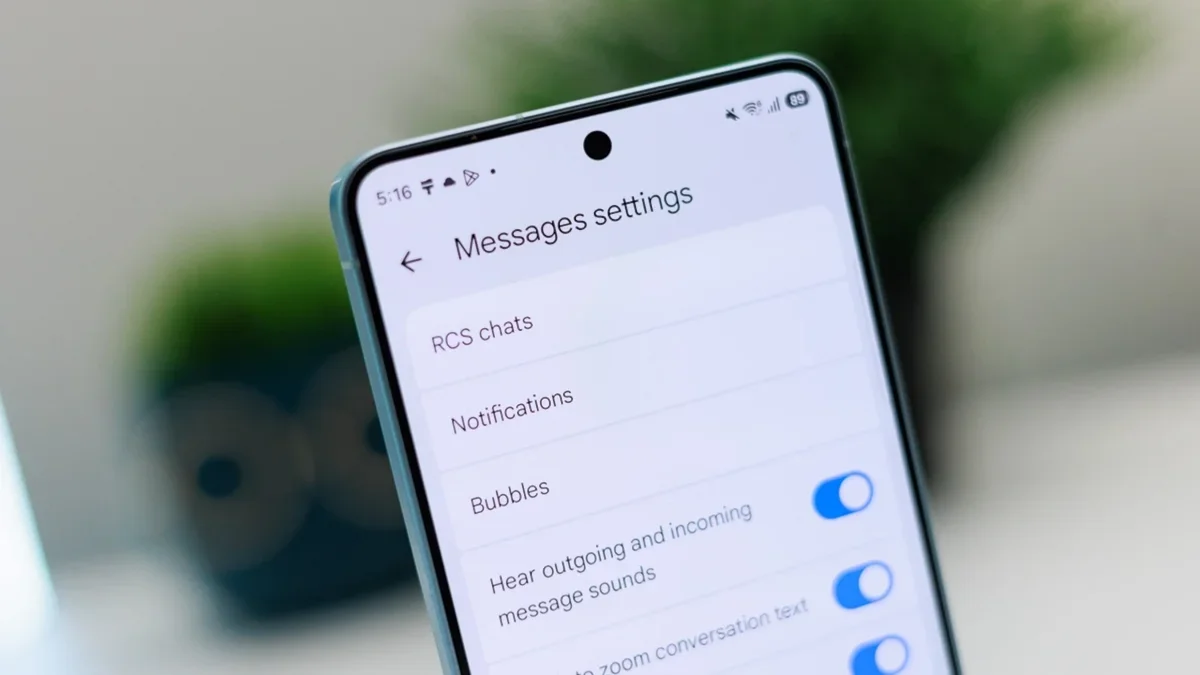
So what is wrong with Google Messages' current Settings pages? Truthfully, it is a bit much. There are too many sections and listings for each section. It takes a beta update to the following beta version: version messages.android_20261020_00_RC00.phone.openbeta_dynamic update to see the new-look Settings menu.
Unfortunately, the version of Google Messages installed on my Pixel 6 Pro does not have the correct version number, but it is very close, and the updated Google Messages app should reach my Pixel soon.
Recommended For You
The new look Settings page for the Google Messages app. | Image by PhoneArena
How to find out which version number of Google Messages is installed on your phone
To see the version number of the Messages app currently running on your Pixel, go to Settings > Apps > See all apps and scroll to Messages. You are now viewing Google Messages' App info page. Scroll to the very bottom of the page to see the Version number.
UPDATE: Looking at my Pixel 6 Pro, I found an update for the Google Messages app and sure enough, it included the new beta version of the app. If your version of Google Messages isn't the one you need to check out the new Settings listings, do this:
Open the Play Store app and tap the profile icon in the upper-right corner.
Tap on Manage apps & devices.
Tap on Available updates and scroll down to see if Messages is listed among them.
If Messages is listed, scroll to that listing and tap on Update.
Once the update is done, go back and check the version number as explained above. If it matches the one we mentioned, congrats. You have the new Settings page.
At the last second, my Pixel 6 Pro receives the Google Messages update with the new Settings page
You shouldn't think that you'll never find the update at the last second. As I started writing this article, my Pixel 6 Pro did not have the latest beta update for Google Messages. Using the exact directions I've typed above, I found an update for Google Messages that includes the new version of the app and the new Settings page.
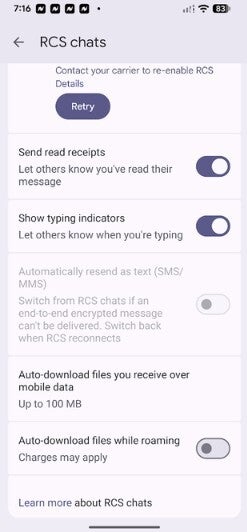
Things like this do not happen all the time, but I'm glad that it worked today. I can tell you that the new Google Messages Settings page is less busy-looking and feels and looks cleaner.
Alan, an ardent smartphone enthusiast and a veteran writer at PhoneArena since 2009, has witnessed and chronicled the transformative years of mobile technology. Owning iconic phones from the original iPhone to the iPhone 15 Pro Max, he has seen smartphones evolve into a global phenomenon. Beyond smartphones, Alan has covered the emergence of tablets, smartwatches, and smart speakers.
A discussion is a place, where people can voice their opinion, no matter if it
is positive, neutral or negative. However, when posting, one must stay true to the topic, and not just share some
random thoughts, which are not directly related to the matter.
Things that are NOT allowed:
Off-topic talk - you must stick to the subject of discussion
Offensive, hate speech - if you want to say something, say it politely
Spam/Advertisements - these posts are deleted
Multiple accounts - one person can have only one account
Impersonations and offensive nicknames - these accounts get banned
To help keep our community safe and free from spam, we apply temporary limits to newly created accounts:
New accounts created within the last 24 hours may experience restrictions on how frequently they can
post or comment.
These limits are in place as a precaution and will automatically lift.
Moderation is done by humans. We try to be as objective as possible and moderate with zero bias. If you think a
post should be moderated - please, report it.
Have a question about the rules or why you have been moderated/limited/banned? Please,
contact us.










Things that are NOT allowed:
To help keep our community safe and free from spam, we apply temporary limits to newly created accounts: