Mini tablets have a problem. They are cute and capable, that’s for sure, but their advantages are also a hindrance – you can’t quite place them.
Compact and light, but barely bigger than a smartphone. Powerful, but their capabilities beg for a bigger screen. Convenient to be used as an ebook reader or Internet browser, but a bit too glossy and vibrant to suit the role.
Naturally, when I heard there’s a Huawei MatePad Mini, my first thought was “yet another one I won’t use”. But now that I’ve had my hands on it… I can see this thing working where others didn’t so far.
It’s all about the bezel and weight
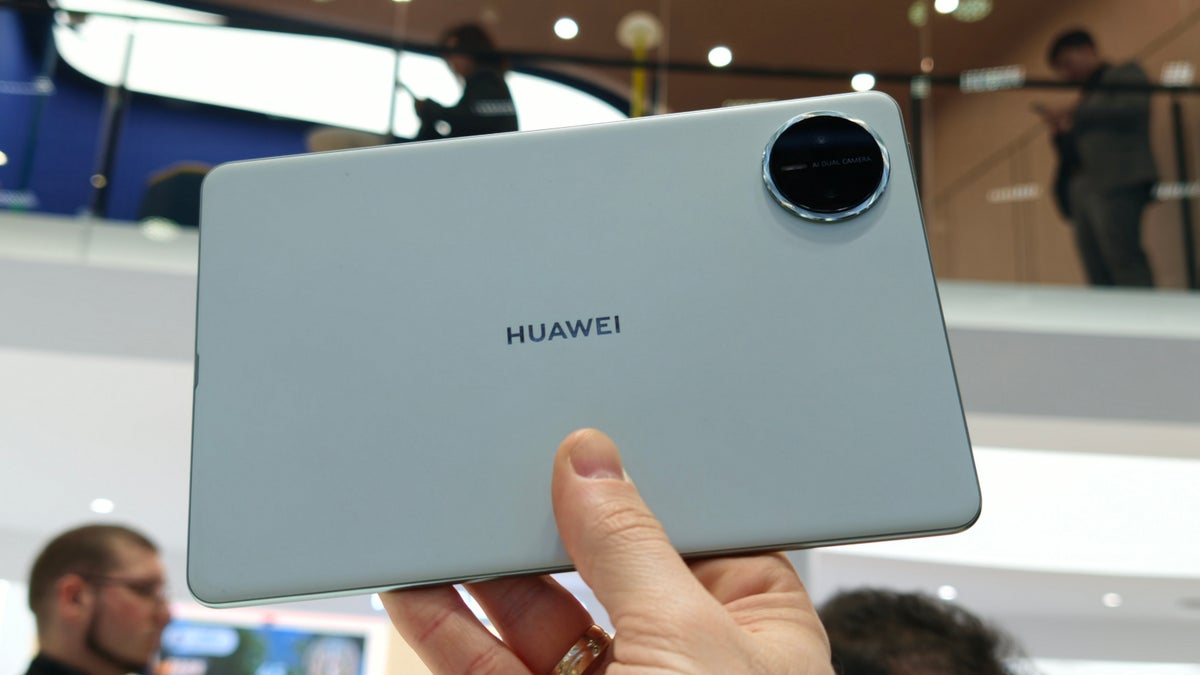
8.8 in screen, tiny body | Image by PhoneArena
The Huawei MatePad Mini has an extremely thin bezel and fits an 8.8-inch display in a body that measures 7.82 x 5.01 x 0.20 in (198.59 x 127.27 x 5.1 mm).
For comparison, the current iPad mini is 7.69 x 5.31 x 0.25 in (195.4 x 134.8 x 6.3 mm) big and houses an 8.2-inch screen.
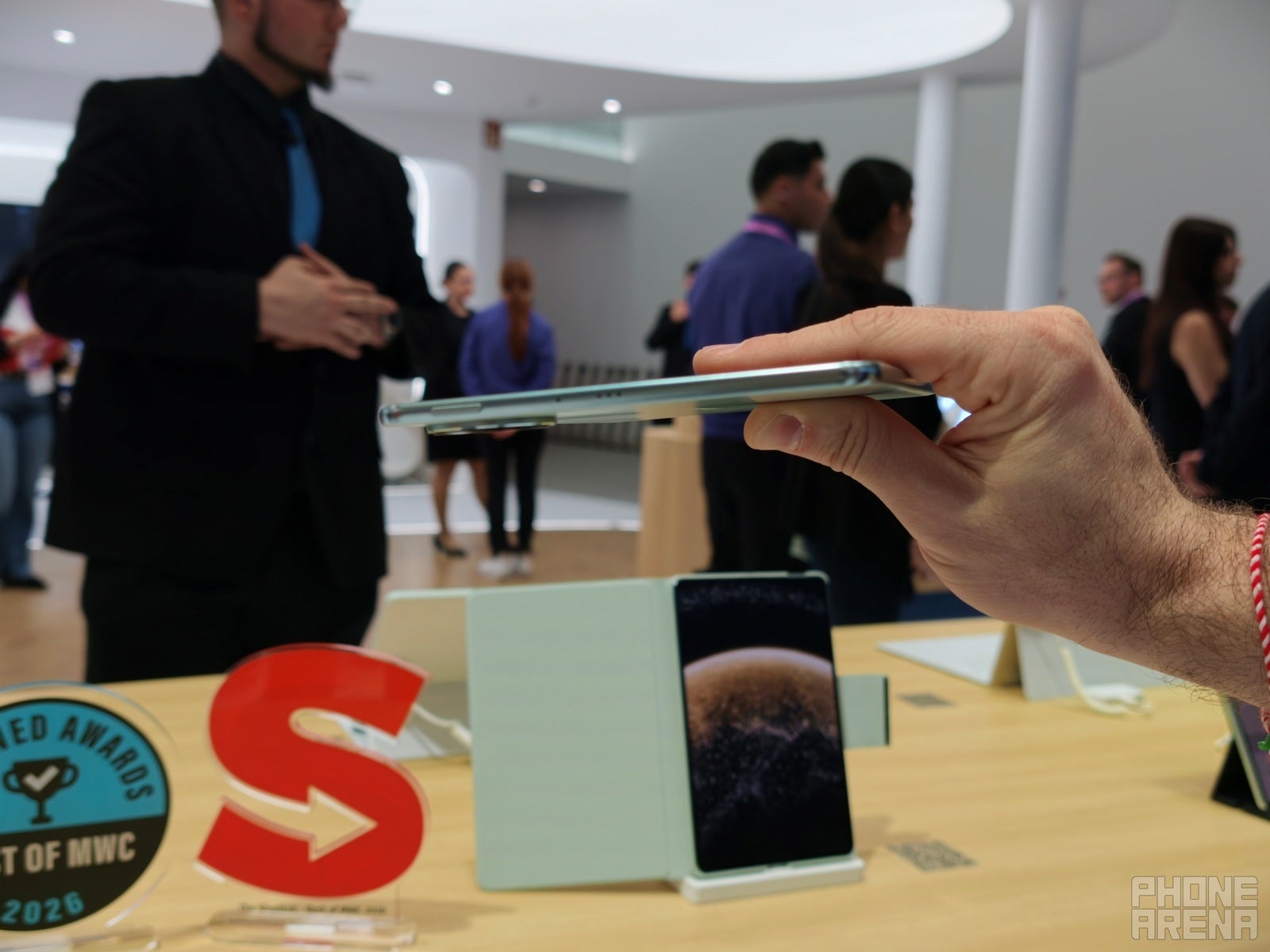
Slim profile | Image by PhoneArena
Furthermore, the MatePad Mini weighs a mere 9 Oz (255 g), which is closer to the weight of a big smartphone than a mini tablet. The iPad mini is 297 g.
So, as I picked the MatePad Mini from its display stand, I thought “OK, there’s something here”. It’s still a compact, pocketable tablet, but that 0.6-inch difference does bring it up to a more “usable tablet” level. But there was also another detail:
Recommended For You
Built-in matte screen
Personally, I enjoy paper-like matte screen protectors. They feel better to touch and swipe on, they don’t show finger smudges as much, they are miles better for stylus use than just swiping across a gloss screen, they reduce glare, and they are great for reading.
Their downside is huge, though — they soften the image from your tablet, they could distort colors or fine details, and it’s generally always a tradeoff.
Now, Huawei had a few products with matte displays this year, so I guess the company is really exploring ways to make it a built-in feature that doesn’t distort the screen image as much.
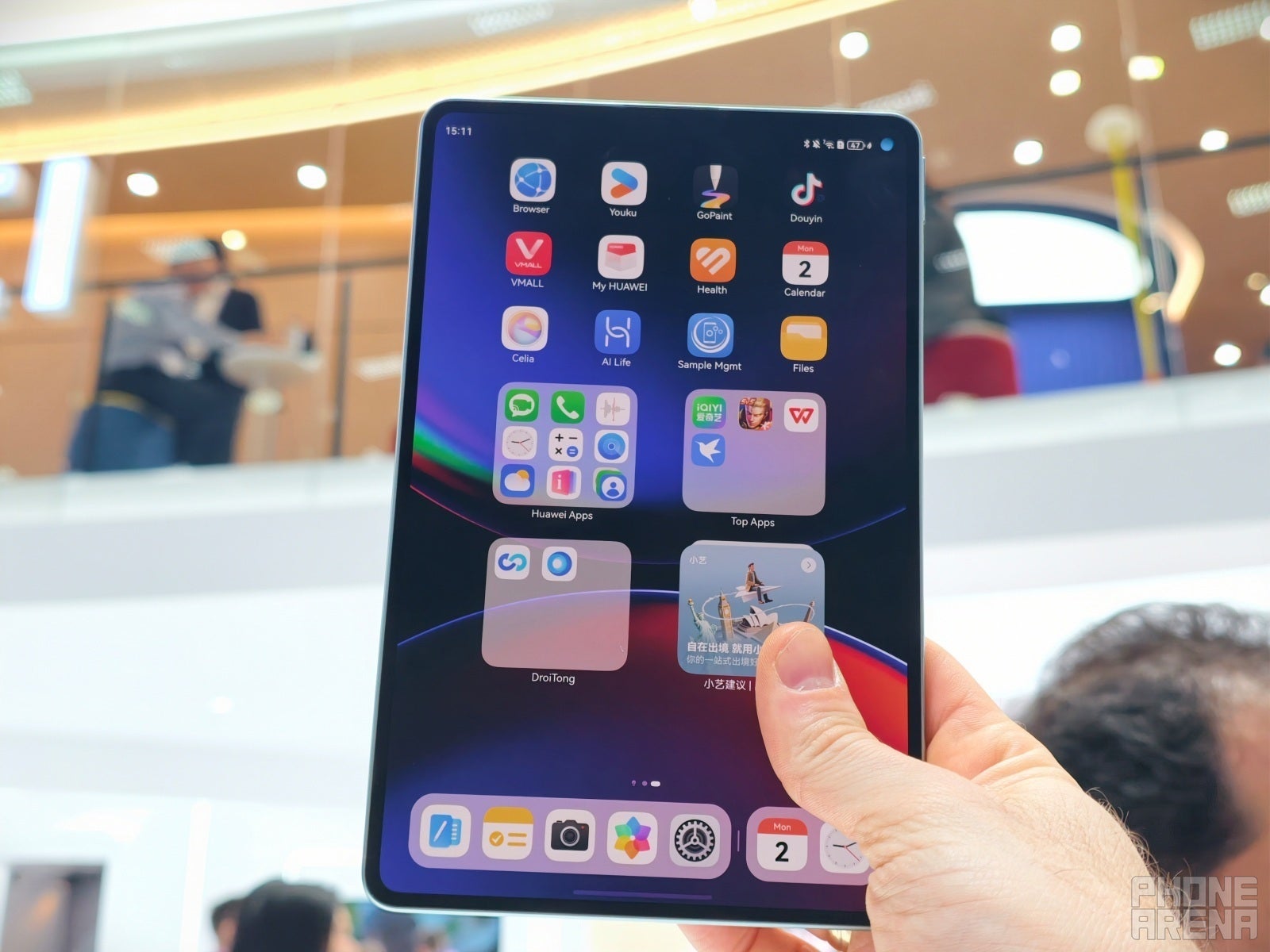
And yes, the MatePad Mini comes with a matte glass display, which looked great to me in person and had that soft touch that I enjoy when scrolling on my iPad with a screen protector on it.
I did not notice any serious distortions or softening of the image.
It will all be down to the performance
All I had time for was to swipe through some apps and open a webpage or two. The animations were smooth, I didn’t notice slow loading times or hiccups.
Notice the lights' glare being diffused by the matte screen | Image by PhoneArena
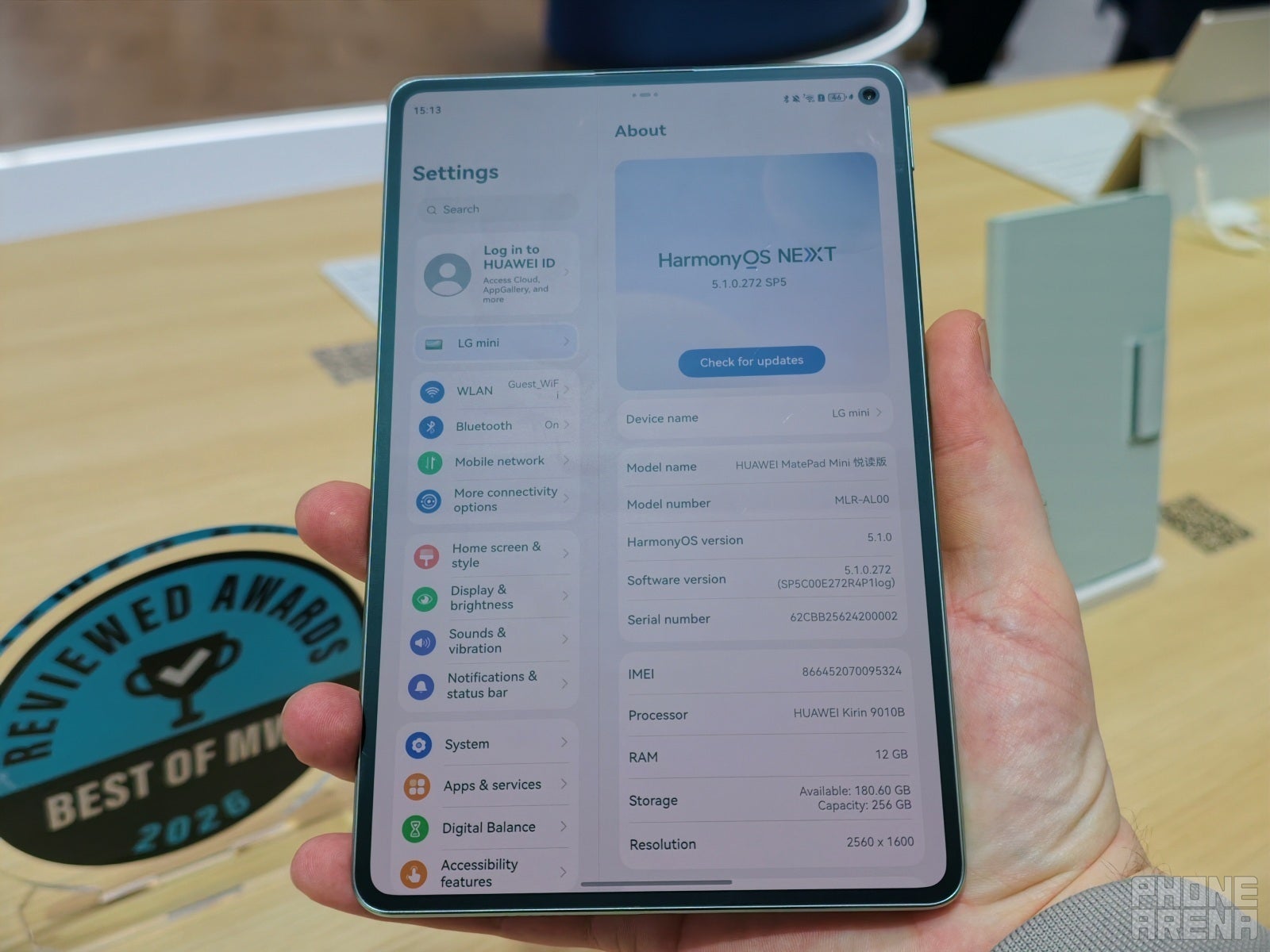
The MatePad Mini I held in my hands had the Kirin 9010B chip. It’s an offshoot of the Kirin 9010 that can be found in the Mate 70 and Pura 80 phones, but tweaked to have a slightly different thermal envelope. That is to say — maybe it will throttle more or faster.
It’s more of a midrange chip, with multi-thread performance comparable to the Snapdragon 8 Gen 1 from 2022, and a single-core prowess that’s still slightly weaker.
So, I am hopeful, but still cautious about this thing in the long run.
The accessories to round it off
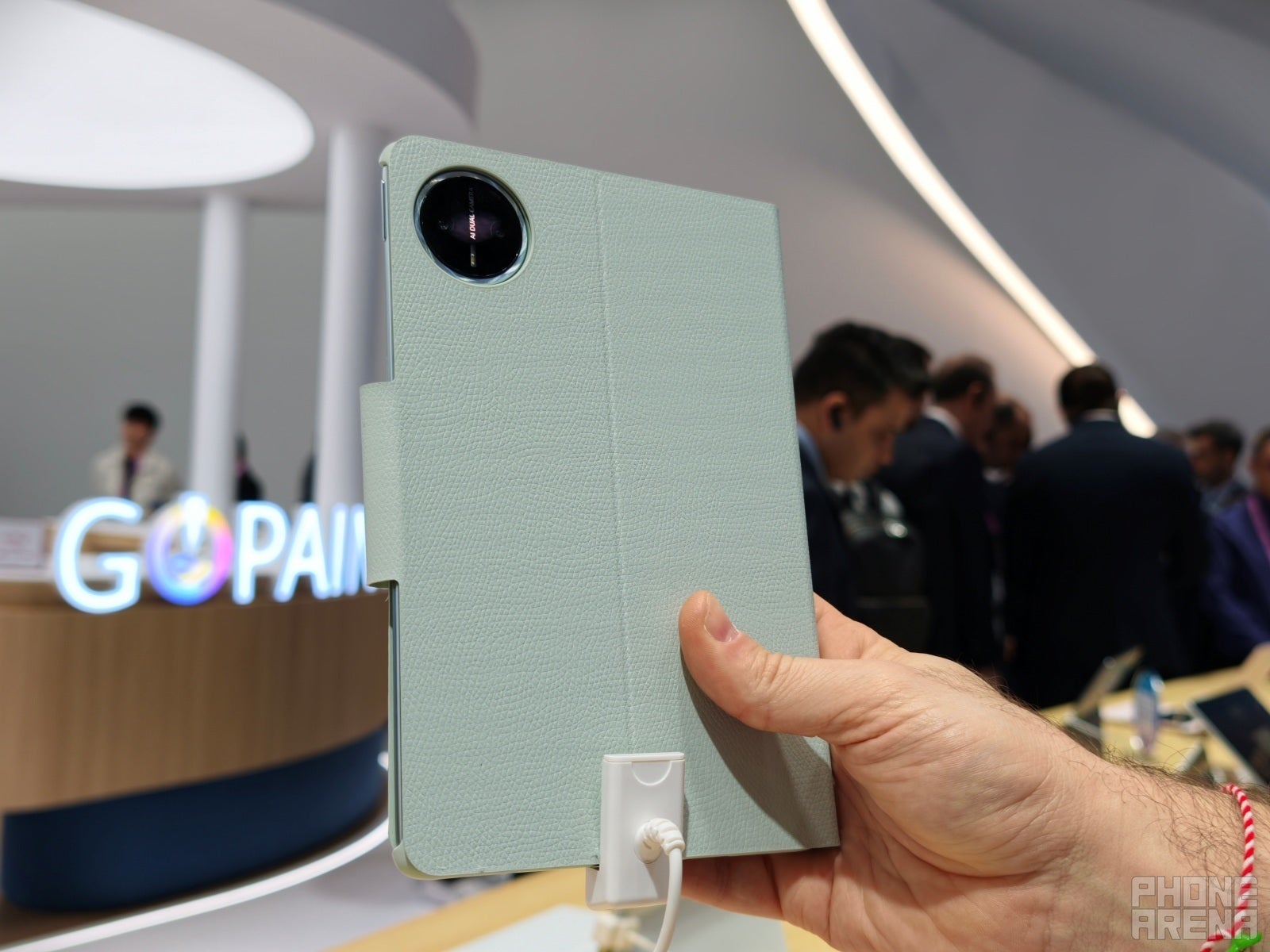
Matching booklet folio | Image by PhoneArena
You can buy a Huawei M-Pencil Pro and a Huawei MatePad Mini Folio cover for the tablet to get a full package experience.
I think the fact that it doesn’t have a keyboard folio accessory like its bigger siblings is a missed opportunity. Yes, it does support wireless keyboards, but a nice case molded to fit it perfectly and prop it up would’ve been perfect.
Price and availability
The Huawei MatePad Mini supposedly “launched globally” yesterday, but I still can’t get a solid price to give you. Definitely don’t look at the prices from online 3rd party retailers — those will make your head spin, and I do hope this little tablet doesn’t cost anything near that.
I’ll keep you posted, but what do you think? What’s a fair price for this tablet?
Tello Halloween Promo: $10GB for $10/mo
Don’t miss this scary-good deal: 10 GB for $10/mo. Save $5/mo for your first 3 months. Offer valid now through November 9, 2026.
Preslav, a member of the PhoneArena team since 2014, is a mobile technology enthusiast with a penchant for integrating tech into his hobbies and work. Whether it's writing articles on an iPad Pro, recording band rehearsals with multiple phones, or exploring the potential of mobile gaming through services like GeForce Now and Steam Link, Preslav's approach is hands-on and innovative. His balanced perspective allows him to appreciate both Android and iOS ecosystems, focusing on performance, camera quality, and user experience over brand loyalty.
A discussion is a place, where people can voice their opinion, no matter if it
is positive, neutral or negative. However, when posting, one must stay true to the topic, and not just share some
random thoughts, which are not directly related to the matter.
Things that are NOT allowed:
Off-topic talk - you must stick to the subject of discussion
Offensive, hate speech - if you want to say something, say it politely
Spam/Advertisements - these posts are deleted
Multiple accounts - one person can have only one account
Impersonations and offensive nicknames - these accounts get banned
To help keep our community safe and free from spam, we apply temporary limits to newly created accounts:
New accounts created within the last 24 hours may experience restrictions on how frequently they can
post or comment.
These limits are in place as a precaution and will automatically lift.
Moderation is done by humans. We try to be as objective as possible and moderate with zero bias. If you think a
post should be moderated - please, report it.
Have a question about the rules or why you have been moderated/limited/banned? Please,
contact us.














Things that are NOT allowed:
To help keep our community safe and free from spam, we apply temporary limits to newly created accounts: