Google Play Store minor makeover has started rolling out
Google has made some small changes to the Play Store that you need to know about.
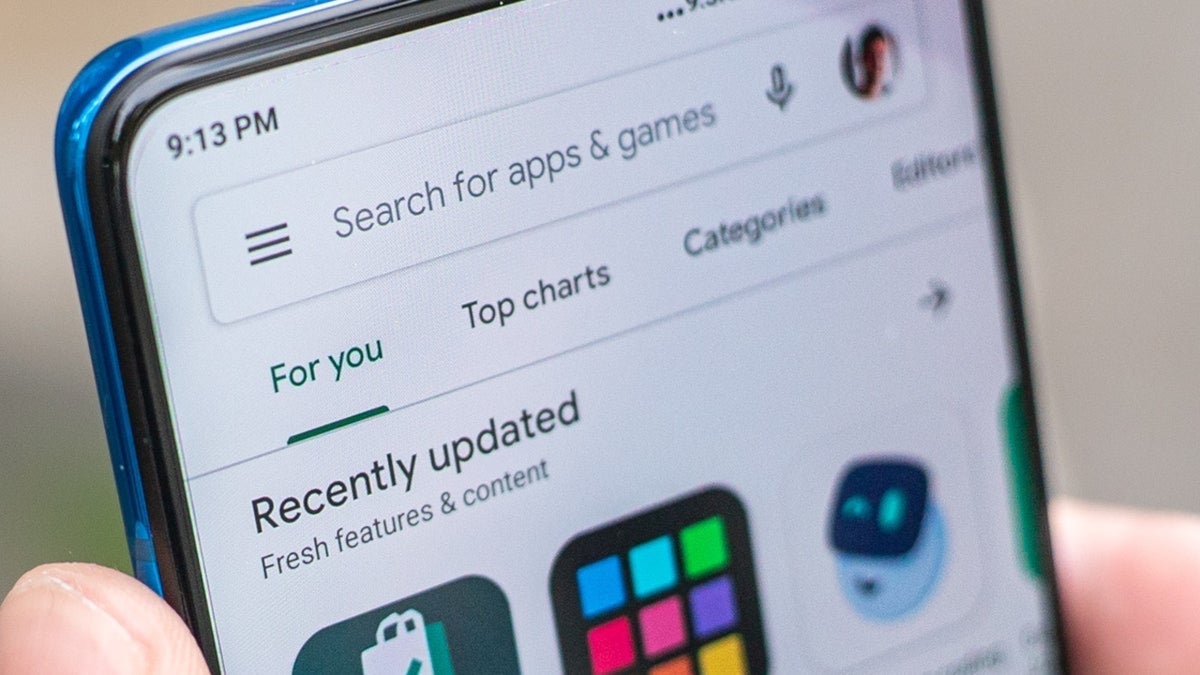
Google Play Store about to get a minor makeover. | Image by PhoneArena
The Google Play Store, like many of Google's apps such as Google Messages, Google Maps, and Chrome, gets updated from time to time. It will soon be one of those times as a minor makeover has started rolling out now. The Games and Apps tabs are the parts of the Play Store app that are getting the majority of the new look, while the Books tab is going to remain the same.
The changes coming to the Google Play Store
The tabs on the top of the Games section include: For you, Top charts, Kids, Premium, and Categories. The Apps section is slightly different as it includes the same tabs on top, minus the Premium tab. In the updated version of the Play Store app, the tabs on top are enclosed in a pill-shaped container.
Besides that, another change made by Google removes the For you tab, the very first one on top of the Games and Apps sections. The For you tabs may be gone, but they are not forgotten. When you are running the updated version of the Play Store and tap the Games or Apps tab at the bottom of the screen, the default page that you see contains the UI of what was formerly known as the For you tab.
You can tell that the default page for the Games and Apps bottom tabs is the former For you tab at the top because it has a list of apps "Suggested for you." That list of recommended apps is where that page gets the For you moniker from.
Tapping on Top Charts or Categories will open a separate page. If you want to return to the home page, you will press on the arrow pointing left at the top of the screen. With the update. Google has reportedly changed how you are informed of your current total of Google Play Points. Before the update your Play Points tally appears in a blue pill-shaped button at the top of the screen with white numbers.
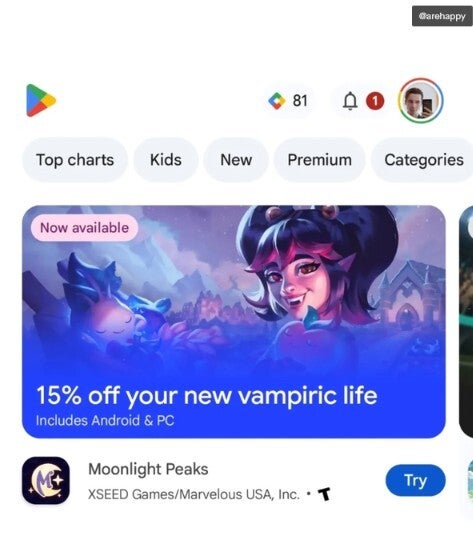
The updated version of the Google Play Store with new containers, no For you tab, and no blue Play Points pill. | Image by Android Authority
How to get Google Play Points and what you can use them for
Supposedly, Google is also changing the way it informs users about badge notifications. If Google does remove the blue pill containing your Play Points tally, you'll probably be able to check out your up-to-date Play Points status and points total by tapping the "You" tab at the far right of the bottom bar.
Google Play Points is a free rewards program that awards points based on the value of purchases made via the Google Play Store. These points can be redeemed for Google Play Credit, discount coupons, and more.
A quick recap of the changes coming to the Play Store
Just to reiterate, let's go through what you'll see with this updated version of the Google Play Store:
- Lozenge/pill-shaped containers for the top tabs in the Games and Apps pages.
- The For you top tab is removed and becomes the default page for the Games and Apps tabs.
- The blue lozenge showing the user's Google Play Points tally is being removed.
If you didn't get the update, try to find it this way
To check this out, follow these directions. Open the Play Store app and tap your profile icon in the upper right corner. Tap on "Manage apps & device" and then "See all updates." Scroll down the list looking for the Google Play Store. If it appears, tap on "Update."
Once the update is over, check to see whether you now have the new version of the Play Store on your device. If you do, congrats. If not, check for another update in a day or two.


Popular stories

Latest News
Things that are NOT allowed:
To help keep our community safe and free from spam, we apply temporary limits to newly created accounts: