Google's Swiss Army Knife "Keep" app has great new time-saving feature
Google's Keep app will make it faster to add a to-do list to a note you wrote on the app.
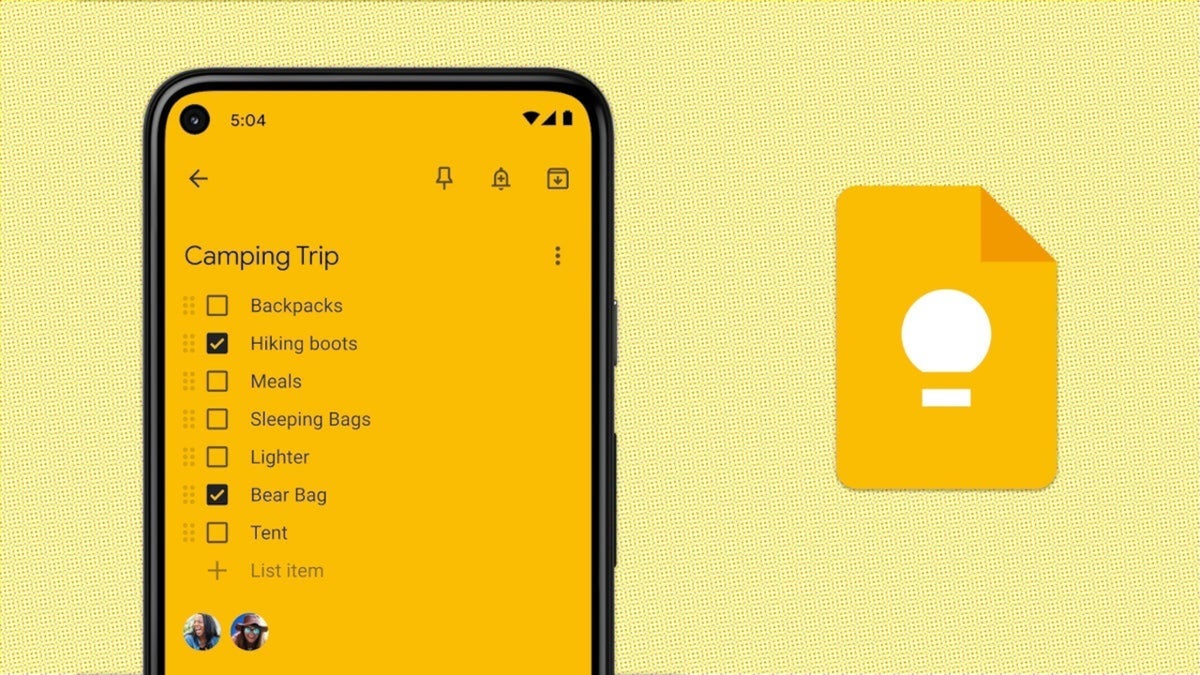
Great new feature for Google Keep app. | Image by PhoneArena
I've often referred to the Google Keep app as a "Swiss Army knife" of an app. With Keep installed on your iPhone or Android handset, you can create, edit, and organize notes and lists. The app also allows you to record voice memos that can be transcribed automatically, and add photos and videos.
There are many possible reasons for installing the Google Keep app on your device
,
With the Keep app, you can set reminders that surface based on the time or location. Of course you can create notes (including shopping lists) and organize them using color, labels, or pins. Because the app is available for both iOS and Android, you can add something to a note while on your iPhone and have the addition to the note show up when you look at the note on the Keep app on Android.
Updated Keep toolbox replaces an artist's palette with a checkbox icon
If you enjoy the Google Keep app, check out these other articles now:
While taking a look at the latest version of the Keep app for Android (v5.26.341.03.90), Android Authority was able to enable a new feature that allows Keep users to create a to-do list inside regular notes. Recently Google Keep reworked its toolbox, replacing the background color icon (an artist's palette) with a checkbox icon.
With the palette icon replaced, here's how you can change the background color
If you need to change the background image or the note color, you now tap the "+" button on the far left of the toolbar. Now found inside that menu are options for Backgrounds, Reminders, Labels, and Collaborators.
With the checkbox icon, a Keep user can create a to-do list inside a note. Or, a Keep user can start a note with a to-do list and add text right below the list. Another chage to Google Keep is the app's response when you tap the checkbox icon. Right now, if you tap the checkbox icon in a regular note, the entire list becomes a to-do list and each individual line becomes a separate checkbox.
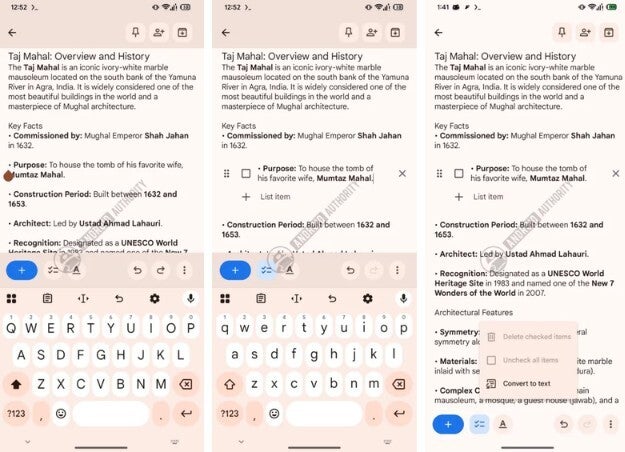
Create a quick to-do list while inside a note in the Google Keep app. | Image by Android Authority
What's the bottom line with this update?
With the update, tapping the checkbox icon in a regular note will not convert the entire list into a to-do list. With the update, tapping the checkbox icon in a list will take the currently active line and turn it into a to-do list item. Tap the icon again to turn the to-do list back into regular text.
The bottom line? If you are writing a note in the Keep app and want to quickly add a to-do list, this new feature can make it happen. If you don't have the Keep app on your Android device, you can install it from the Play Store by tapping on this link. If you want Google Keep on your iPhone, tap on this link to get it from the App Store.


Popular stories





Latest News





Things that are NOT allowed:
To help keep our community safe and free from spam, we apply temporary limits to newly created accounts: