Google eliminates its Android weather page but did it spare Froggy?
Google eliminates its weather page, replacing it with a "weather" search result that is much smaller.
Changes are being made to Google Weather page. | Image by PhoneArena
Android users might have to say goodbye to the Google Weather shortcut icon that would take them to a full screen weather page. The shortcut icon, an illustration of the sun partly covered by a cloud with the Google "G" icon protruding, had to be placed on the homescreen via the Google Search app. The weather page starred the beloved Froggy the Weather Frog who was always involved with the current or forecast weather conditions.
Google eliminates the full-screen Google weather page
Some Android users have run into a problem when they now tap the shortcut/icon. Instead of seeing the full-screen weather page, they see a notification telling them that the weather page has now moved and the icon now directs you to the Google Search results for "weather." Among the search results is one that resembles a smaller version of the Google weather page. It includes most of the weather data you need to prepare yourself for the day ahead.
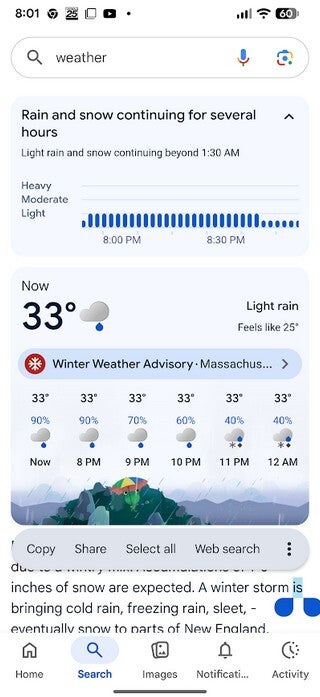
The new and smaller weather page that appears with a Google Search for weather on Android. | Image by PhoneArena
Good news! Froggy is not going away
The weather page wouldn't be the Google weather page without the use of AI somewhere on the site, and yes, there is an AI Overview that reveals the current weather conditions. And yes, there is Froggy, inside the box containing the hour-by-hour forecast for the next six hours. With the current forecast for Salem, Mass. calling for rain and snow, Android users' favorite frog is holding an umbrella in Google colors, while animated rain falls from the sky.
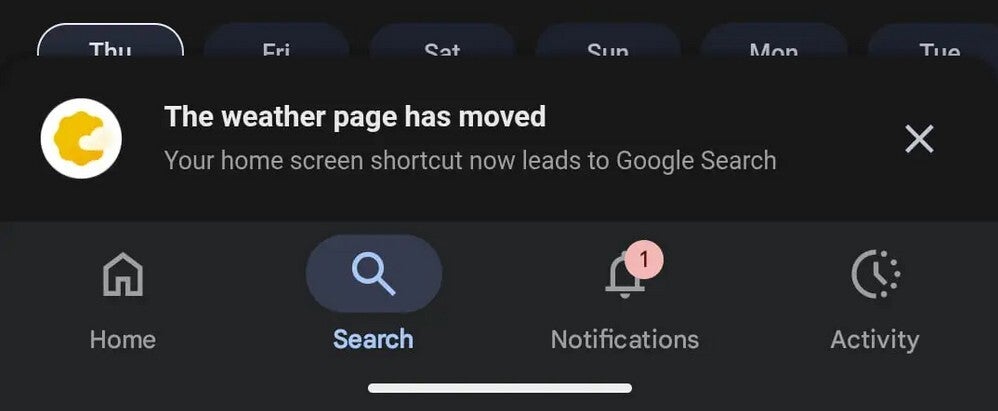
Some users tapping the old Google Weather homepage icon are seeing this notification. | Image by PhoneArena
If you receive the notification saying that the Weather page has moved, it means that you no longer have the "View all details" button that allows you to convert the smaller weather page from Google Search into a full-screen weather site. Instead, scrolling will reveal weather-related search results. This experience is beginning to show up on more and more Android screens. All I can say is that Froggy is not going away!
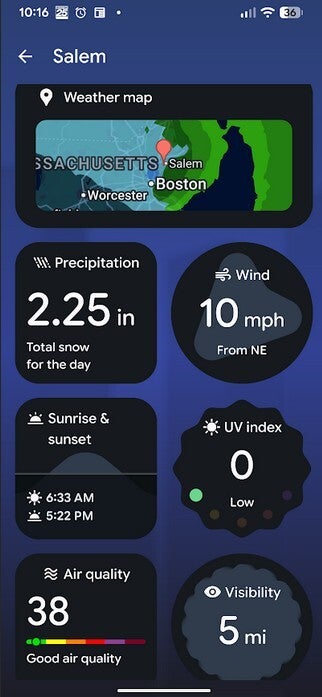
Exclusive to Pixel 6 and later Pixel models is the fabulous Pixel Weather app. | Image by PhoneArena
Pixel users might be the best off because of the Pixel Weather app available in the Google Play Store. Yes, it is exclusive to Pixel 6 and later models. And this is a real legit weather app with radar and so much weather data you'll want to rush out and buy a Pixel just to install the app. If you have a Pixel 6 or newer model, you can install the Pixel Weather app by tapping on this link.
How to put a weather related widget on your Android phone
If you install the Pixel Weather app on your Pixel, you have two widgets you can add to your screen. One shows the name of the city whose weather you are monitoring with an illustration for the current conditions on the left followed by the current temperature. Underneath that is the "Feels like" or wind chill temperature, which is supposed to give you a more accurate reading. Below that is the high and low of the day. Under that is the temperature and current conditions divided into one-hour segments. The second Pixel Weather widget is a small one that shows the temperature and an illustration of the current conditions.
To place a widget on your Pixel display, long-press on an empty place on your homescreen. Tap on widgets and on the bottom of the screen, choose Browse instead of Featured. Type Pixel Weather into the search bar at the top of the page. Long-press on the widget you want and guide it with your finger to the place on the homescreen where you want it to go.
Of course, you could avoid all of this by simply installing one of the major weather apps from the Play Store such as The Weather Channel, and AccuWeather. Both apps also have Android widgets of their own that you can place on your phone's homepage.
Unless you're an airline pilot or have a job that relies on weather conditions, there's no need to install a paid app and shell out your hard-earned money for something that you can receive for free.


Popular stories


Latest News

Things that are NOT allowed:
To help keep our community safe and free from spam, we apply temporary limits to newly created accounts: