The Galaxy Z Fold 8 and Z Flip 8 are finally official! Samsung introduced a new, wider form factor with the vanilla Galaxy Z Fold 8 and slapped an "Ultra" moniker onto the taller and narrower old device.
But there's one feature that has silently been brought to both the Galaxy Z Fold 8 and Z Flip 8. It's simple but useful and one of my favorite tricks from the Galaxy S26 family.
Grab the Galaxy Z Fold 8 Ultra for $300 off
$1799
99
$2099
99
$300 off (14%)
For a limited time, Samsung's Galaxy Z Fold 8 Ultra can be yours with a generous $300 price cut, no trade-in required. If those savings don't sound compelling enough, trade in an eligible phone to save up to $800.
The Galaxy Z Fold 8 is Samsung's first foldable phone with a passport design. Right now, you can grab it with an $800 discount when you trade in an eligible device in good condition. Alternatively, you can grab $200 in Samsung Credit, redeemable toward accessories or other Galaxy devices.
You can use the Galaxy Z Fold 8 and Z Flip 8 as a USB webcam
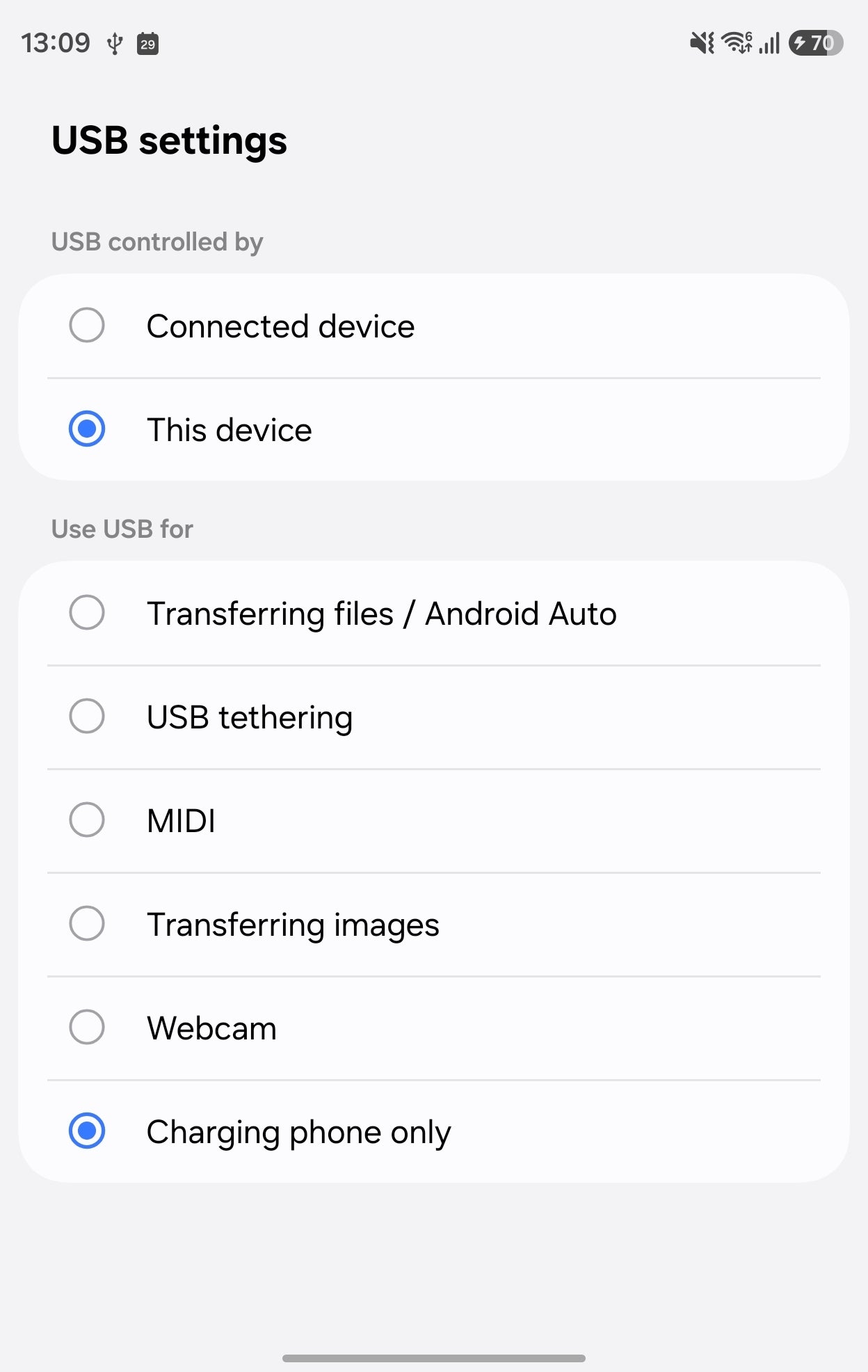
The new Webcam option in the USB menu on the Galaxy Z Fold 8. | Image by PhoneArena
I've been using this one quite often on the Galaxy S26 Plus. You just plug in a USB cable, and among the options such as charging or file transfer, you can choose "Webcam." This turns your Samsung Galaxy S26 Plus into a PC webcam.
It's perfect for desktop PC users who don't want to buy an external webcam or just can't find the thing when they need it (guilty!).
Samsung brought this option to the S26 family, and now it's available on the Galaxy Z Fold 8, Galaxy Z Fold 8 Ultra, and the Galaxy Z Flip 8, baked into the new One UI 9 software.
Poll
23 Votes
Have you ever used your smartphone as a PC webcam?
Pixel phones have had this feature for quite some time
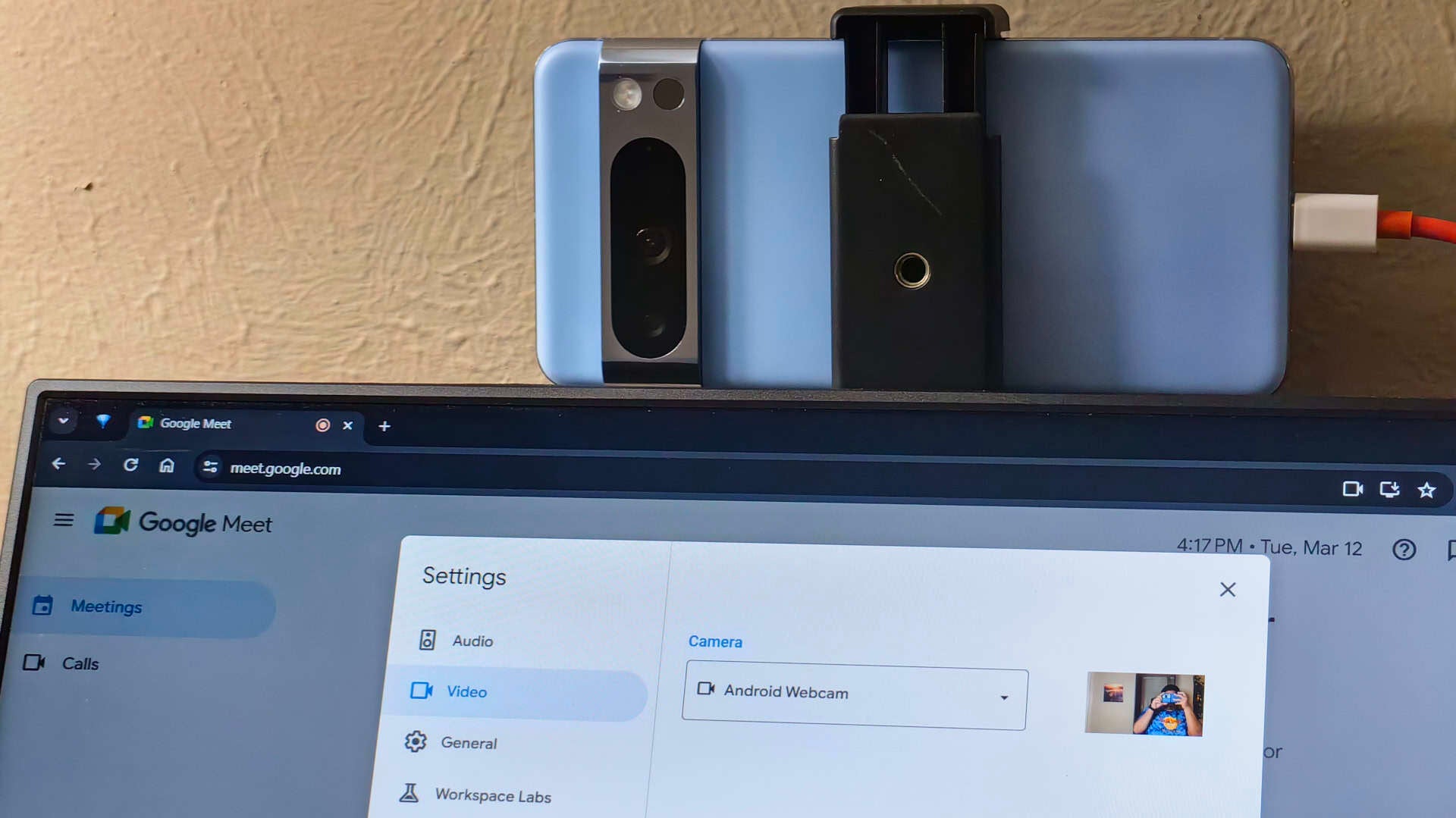
Pixel phones got this feature with Android 14. | Image by Android Authority
While Samsung brought this feature to the Galaxy S26 earlier this year, Google did it much earlier with the Android 14 back in 2023.
What's interesting is that Samsung was actually this late to the party.
Recommended For You
The Galaxy Z Fold 7 and Z Flip 7 don't have this feature
No webcam feature on older Samsung foldables... yet. | Image by PhoneArena
The Galaxy Z Fold 7 and Galaxy Z Flip 7 didn't have this feature when they launched, and they will most likely need to wait for the One UI 9 update to get it.
You might think that it's a minuscule update that doesn't make such a difference, but with a foldable, it's much more useful than on a candy bar phone.
It's more useful than you might think
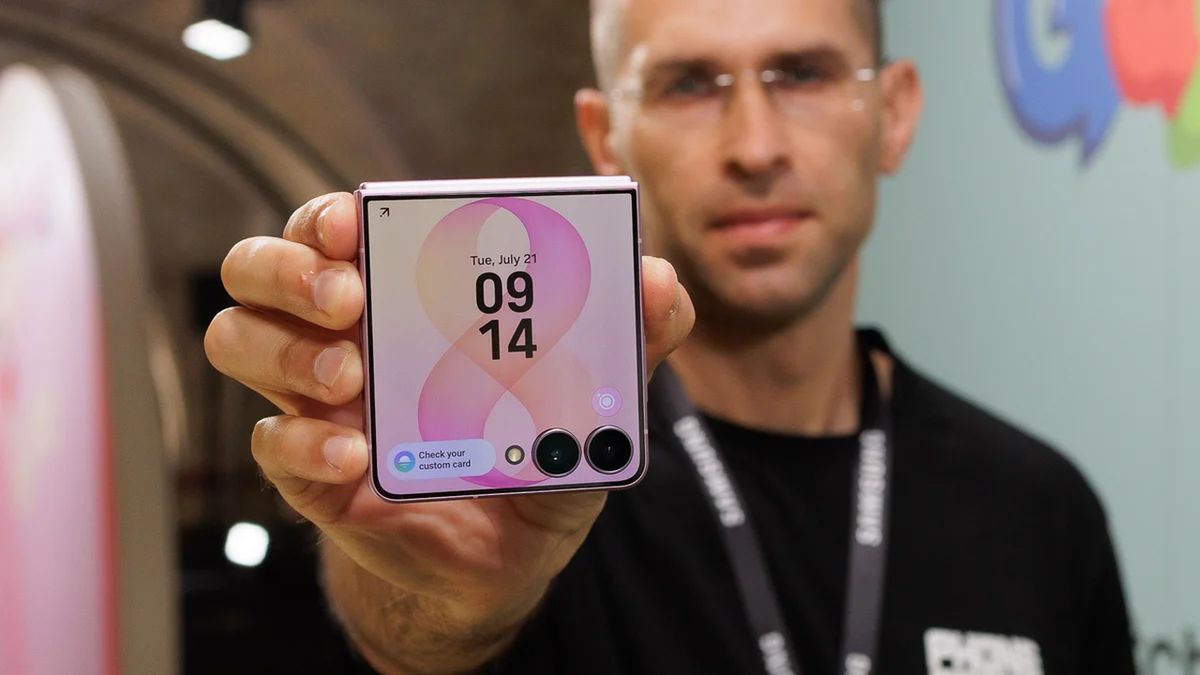
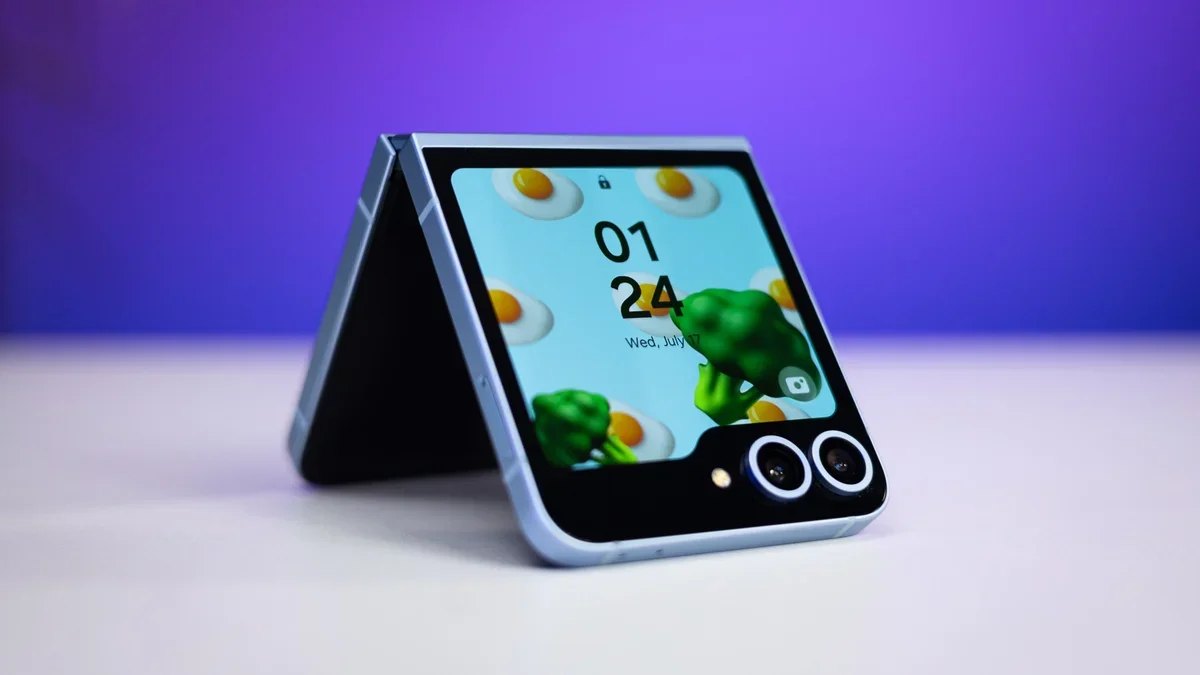
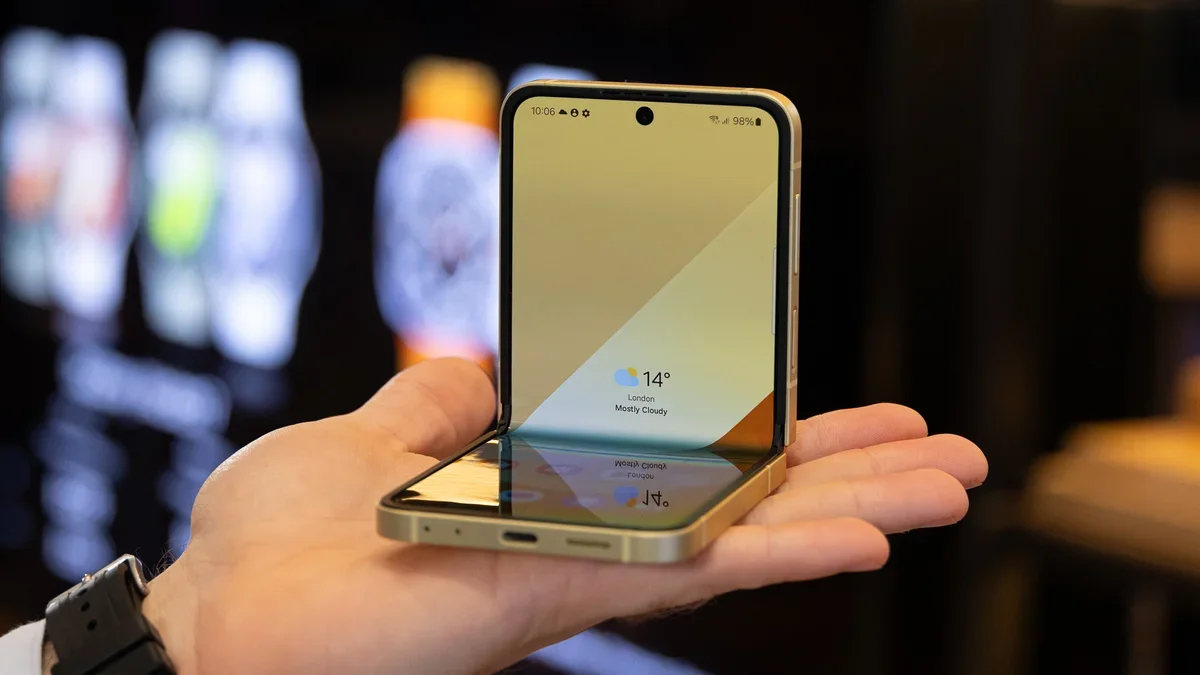
Half-folded Galaxy Z Flip 8 is perfect for a webcam replacement. | Image by PhoneArena
Thing is, foldables can… well, fold. They can also fold in half, and you can put them on your desk or move them around easily without the need for a kickstand.
The feature is plug-and-play and can make webcams obsolete. I wonder what took smartphone manufacturers so long to bring this one to the public.
Have you ever used your smartphone as a PC webcam? Do you think it's a useful feature, or do most people have laptops with built-in cameras nowadays? Share your thoughts in the comment section below.
Check out more exciting news about Samsung's new foldables:
Samsung Galaxy Z Fold 8 vs Galaxy S26 Ultra hands-on: wide or tall?
Galaxy Z Fold 8 Ultra, Z Fold 8, and Z Flip 8 colors: all the hues you can choose from
The smaller, cheaper Galaxy Z Fold 8 is rumored to absolutely crush the flagship Z Fold 8 Ultra
Free Galaxy A17 5G with Straight Talk
Get a free Galaxy A17 with Straight Talk. To claim this deal, you need to pair the phone with activation on a Silver Unlimited Plan or higher. This tier costs $45 per month. Offer valid through 01/10/27 while supplies last online.
Mariyan, a tech enthusiast with a background in Nuclear Physics and Journalism, brings a unique perspective to PhoneArena. His childhood curiosity for gadgets evolved into a professional passion for technology, leading him to the role of Editor-in-Chief at PCWorld Bulgaria before joining PhoneArena. Mariyan's interests range from mainstream Android and iPhone debates to fringe technologies like graphene batteries and nanotechnology. Off-duty, he enjoys playing his electric guitar, practicing Japanese, and revisiting his love for video games and Haruki Murakami's works.
A discussion is a place, where people can voice their opinion, no matter if it
is positive, neutral or negative. However, when posting, one must stay true to the topic, and not just share some
random thoughts, which are not directly related to the matter.
Things that are NOT allowed:
Off-topic talk - you must stick to the subject of discussion
Offensive, hate speech - if you want to say something, say it politely
Spam/Advertisements - these posts are deleted
Multiple accounts - one person can have only one account
Impersonations and offensive nicknames - these accounts get banned
To help keep our community safe and free from spam, we apply temporary limits to newly created accounts:
New accounts created within the last 24 hours may experience restrictions on how frequently they can
post or comment.
These limits are in place as a precaution and will automatically lift.
Moderation is done by humans. We try to be as objective as possible and moderate with zero bias. If you think a
post should be moderated - please, report it.
Have a question about the rules or why you have been moderated/limited/banned? Please,
contact us.





Things that are NOT allowed:
To help keep our community safe and free from spam, we apply temporary limits to newly created accounts: