YouTube is a completely free-to-use platform; however, you will have to watch a few seconds-long ads at the start of every video if you don't purchase its premium subscription. But what if you want to get YouTube Premium and also want to watch videos without being interrupted by ads? Well, it's now possible thanks to the new feature of the DuckDuckGo browser.
DuckDuckGo browser now blocks ads on YouTube
First up, if you haven't heard the name DuckDuckGo before, then allow me to give a brief introduction to it. It's a privacy-focused web browser that's available for almost all operating systems. The main advantage of using it is that, unlike other browsers like Chrome or Microsoft Edge, it focuses on online privacy and anti-tracking.
That said, the platform has announced that it can now block most video ads, including those you see on YouTube. It will now make sure that ads don't run before or between videos, even if you are not a YouTube Premium user.
How to use YouTube ad blocking on the DuckDuckGo browser
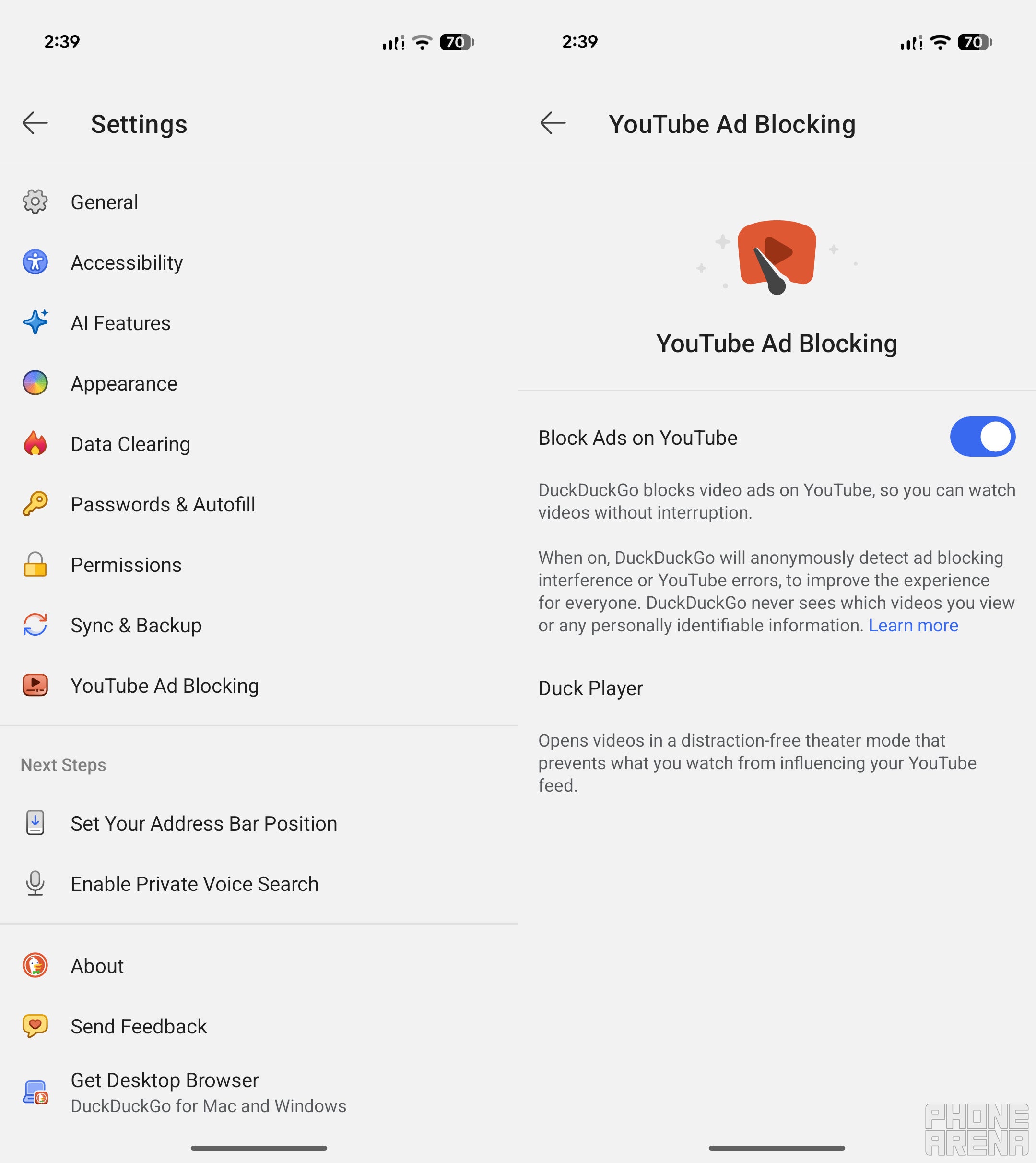
YouTube Ad Blocking feature of DuckDuckGo. | Image by PhoneArena
The best part about this new capability is that it is enabled by default on iOS, Windows, and Mac. All you need to do is make sure that you have the latest version of the browser installed. You also get a manual toggle in the browser settings menu, which will allow you to disable it if you'd like.
For instance, I checked on my iPhone SE 2020 and found that the feature can be managed by opening the Settings menu and then choosing Ad Blocking. You might wonder whether this helpful feature is available on Android or not. It is; however, unlike on other operating systems mentioned above, on Android it doesn't come enabled by default.
Recommended For You
The blog says that this capability will be added to Android as well very soon. Until then, you will have to manually enable it. On my Pixel 10, I was able to turn on its switch by navigating to the browser settings menu and then selecting YouTube Ad Blocking.
All that said, it's important to know that on smartphones, tapping on a YouTube link might open the video in the YouTube app, and the ad-blocking feature won't work there. You need to ensure that you are opening the links in the DuckDuckGo browser to watch them without getting interrupted by any ads.
Are you going to switch to DuckDuckGo?
47 Votes
I'd switch to enjoy ad-free YouTube.
31.91%
I'd switch because of its privacy features.
12.77%
I'd switch to escape Google’s AI-heavy search overviews.
12.77%
I already use the DuckDuckGo browser.
42.55%
How this feature actually works in the background
At this point, an important question that must arise in your mind is exactly how the browser is able to serve YouTube videos without ads. The app reportedly relies on uBlock Origin open-source community filtered lists that help it to detect ads in videos and block them.
Instead of completely relying on the available filter lists, the company may also use its own set of rules in order to make sure that the feature works without any issues and there are no compatibility concerns either. The blog also mentions that you might notice that the video buffers for a longer time compared to the official YouTube app, but that's totally normal behavior for an ad blocker.
There's definitely a big demand
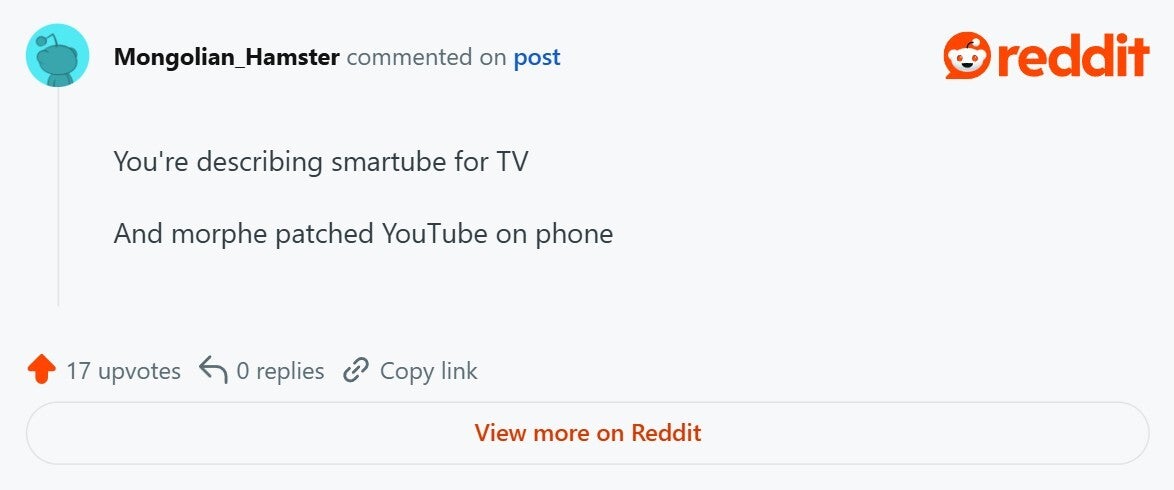
User recommending to use Morphe on smartphone. | Image by Reddit
If you are active on online forums like Reddit, you must have noticed that there's a huge demand for ways to watch YouTube videos ad-free without paying for the premium plan. Users recommend using third-party services like Morphe on Android, but these options are definitely not the safest as you never know how your data is being handled in the background.
Since DuckDuckGo's entire existence is centered around giving priority to users' privacy and data, using its YouTube ad-blocking option seems to be the safest bet at the moment. However, if you ask for my personal advice, I would still recommend purchasing the YouTube Premium plan whose subscription money is reportedly used for compensating the creators. Furthermore, you also get some extra perks like background playback, offline downloads, enhanced bitrate, and more.
We've seen efforts like this before
It's definitely not the first time we are seeing a third-party service challenging YouTube Premium and offering an ad-free video viewing experience for free. However, each time Google has come up with a way to stop the free offering. For instance, in 2024, the company started blocking video playback entirely on devices that were using any sort of ad blocker.
Users then started installing third-party ad-blocking extensions to enjoy an ad-free video viewing experience. However, that workaround stopped working very recently when the tech giant decided to move from Manifest V2 extensions to Manifest V3 extensions. So, it will be interesting to see if Google takes any action against this current move by DuckDuckGo, or will the privacy-focused browser continue to serve YouTube videos without any ads to its users.
Mint Mobile's 6-month plans now cost $10/mo
$10
/mo
$35
$25 off (71%)
Mint Mobile is celebrating its 10-year anniversary with a special offer on its six-month subscription plans. For a limited time, you can get your preferred tier (6GB, 17GB, 23GB or unlimited) for just $10/mo. That saves you between 50% and 71% on the carrier's mobile plans, making it way easier to recommend.
Aman Kumar is a news writer at PhoneArena covering Google Pixel phones, Android features, AI-powered smartphone tools, and mobile tech news. Before joining PhoneArena, he spent over five years writing about consumer technology for publications like MakeUseOf, How-To Geek, and Guiding Tech. His current daily drivers are the Pixel 10 and Samsung Galaxy S26 Plus, while his red iPhone SE (2nd gen) remains a personal favorite. Aman also appreciates bold smartphone experiments and still considers the Nokia N-Gage one of the industry’s most iconic designs.
A discussion is a place, where people can voice their opinion, no matter if it
is positive, neutral or negative. However, when posting, one must stay true to the topic, and not just share some
random thoughts, which are not directly related to the matter.
Things that are NOT allowed:
Off-topic talk - you must stick to the subject of discussion
Offensive, hate speech - if you want to say something, say it politely
Spam/Advertisements - these posts are deleted
Multiple accounts - one person can have only one account
Impersonations and offensive nicknames - these accounts get banned
To help keep our community safe and free from spam, we apply temporary limits to newly created accounts:
New accounts created within the last 24 hours may experience restrictions on how frequently they can
post or comment.
These limits are in place as a precaution and will automatically lift.
Moderation is done by humans. We try to be as objective as possible and moderate with zero bias. If you think a
post should be moderated - please, report it.
Have a question about the rules or why you have been moderated/limited/banned? Please,
contact us.






Things that are NOT allowed:
To help keep our community safe and free from spam, we apply temporary limits to newly created accounts: