Samsung Galaxy Tab S12 Ultra review: Last year's tablet at next year's price

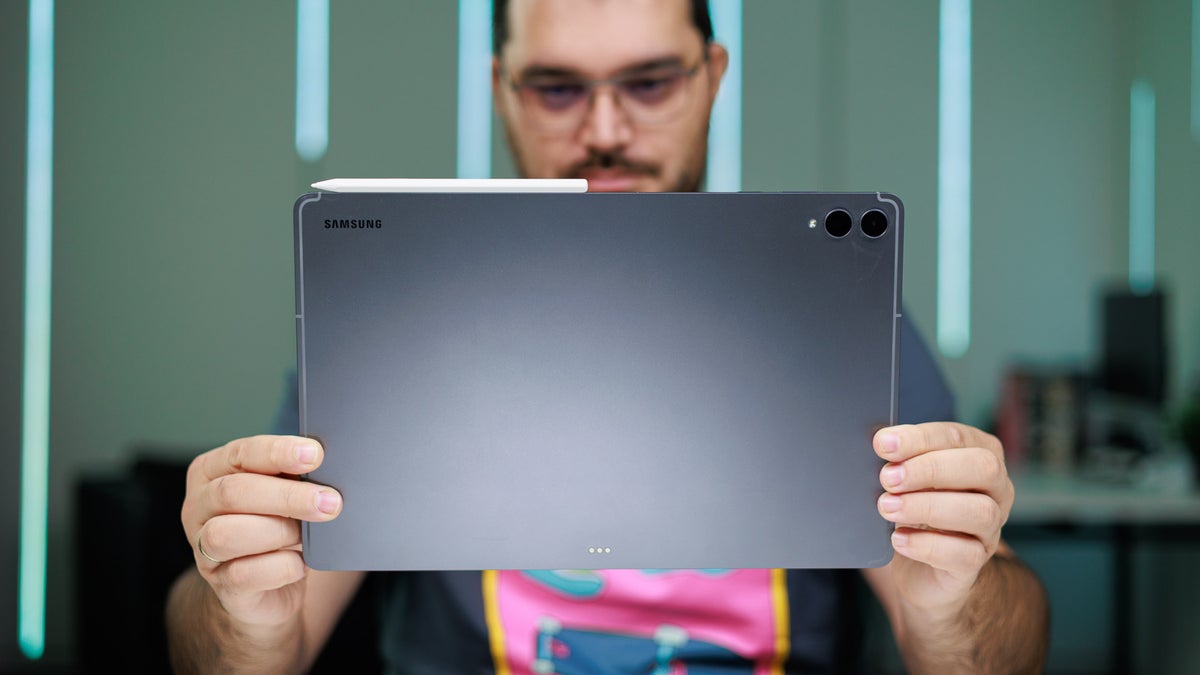
Hard to justify getting that over the Tab S11 Ultra. | Image by PhoneArena
Samsung's Galaxy Tab S12 Ultra is fresh out of the oven, headlining the company's premium tablet lineup for 2026, but… something here feels a bit off.
The specs are the same as the Galaxy Tab S11 Ultra, and the dimensions are identical down to the millimeter and the gram, the feature list hasn't budged at all aside from a few exclusive apps, and even the colors are an uninspired copy-paste from last year's Galaxy Tab S11 Ultra. Did the Android giant actually forget to release the Galaxy Tab S12 Ultra?
The only major difference is the marginally faster MediaTek chip and the price tag, which is now $200 steeper as the Galaxy Tab S12 Ultra starts at $1399.
That's essentially paying for the same wine––but the price of the bottle just went up.
That's essentially paying for the same wine––but the price of the bottle just went up.
And you know what? All of this is making me a bit mad, because I greatly enjoy the Galaxy Tab S12 Ultra, but the regurgitation of hardware and the not-so-minor price hike are making it harder for me to recommend this otherwise good device. I'd strongly urge you to get a Galaxy Tab S11 Ultra while you still can or consider the Galaxy Tab S12 Plus, both of which will offer mostly the same general experience. You'll only be missing out on Adobe Photoshop, which will remain exclusive for at least six months on the Galaxy Tab S12 Ultra.
In the US, the Galaxy Tab S12 Ultra launches on October 7, and you'll be able to get it on Samsung's own online store, Amazon, Walmart, BestBuy, and other major retailers.
I've used the Galaxy Tab S12 Ultra for a week now, both for personal and work use, and in fact, this whole review is written on the device itself with the fantastic Pro Keyboard attached. I've put the tablet through our rigorous battery tests, as well as benchmarked its performance and display properties.
Table of Contents:
Galaxy Tab S12 Ultra Design and Display
Not even a new coat of paint...
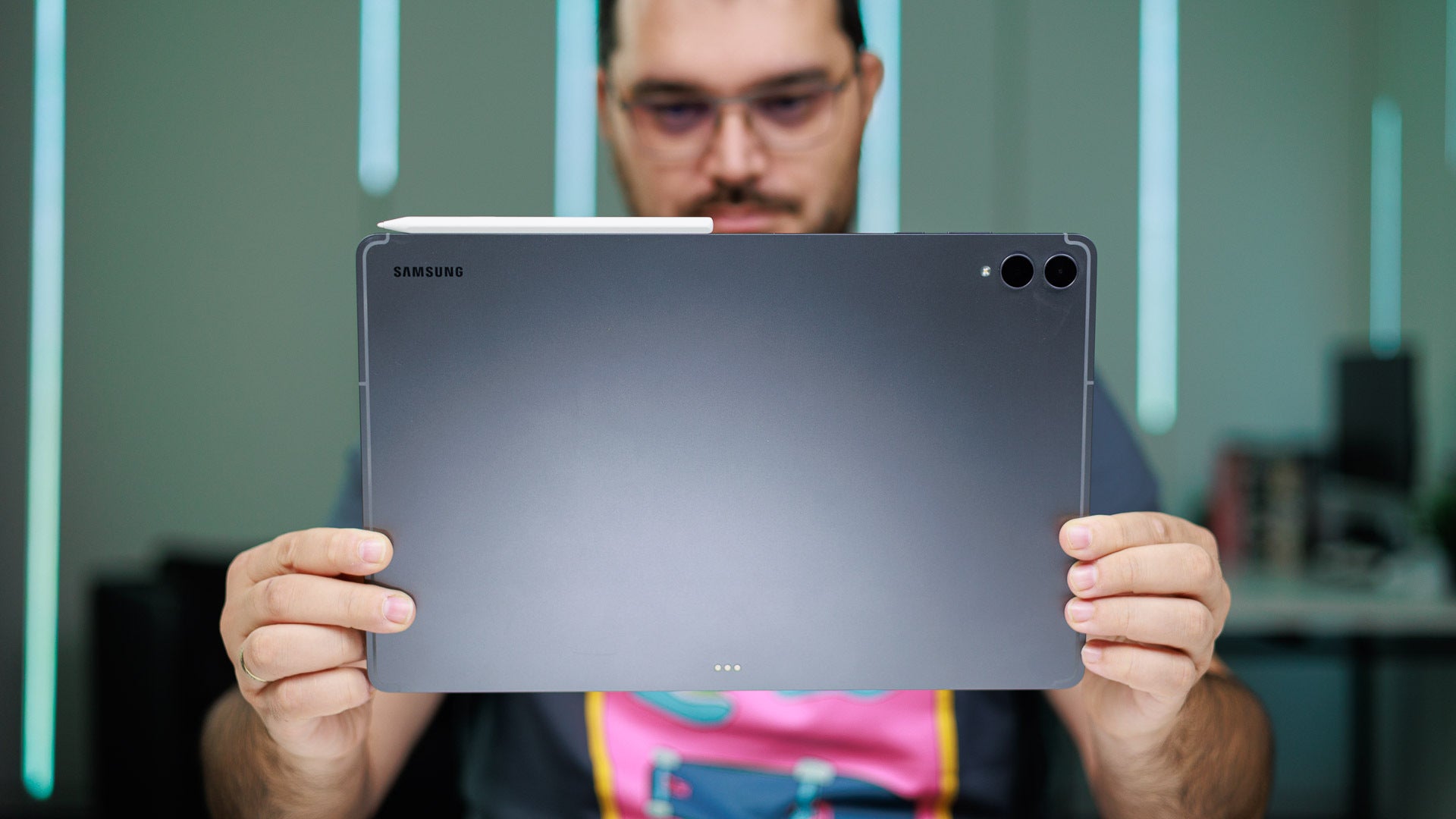
Design is identical to last year's Galaxy Tab S11 Ultra. | Image by PhoneArena
As I've explained earlier, Samsung has taken the safest route with the Galaxy Tab S12 Ultra's design by not changing it at all in comparison with the Galaxy Tab S11 Ultra. This means it's still the same ultra-thin 5.1 mm all-aluminum slab, with a flat frame and a flat display.
The size remains the highlight here, and no matter how many times I take any of Samsung's Galaxy Tab S Ultra tablets in my hands, I'm always humbled by their unapologetically large and even slightly ridiculous size. The latest Tab S12 Ultra is no different, and with its 14.6-inch 16:10 display, it's larger than my MacBook Pro's screen.
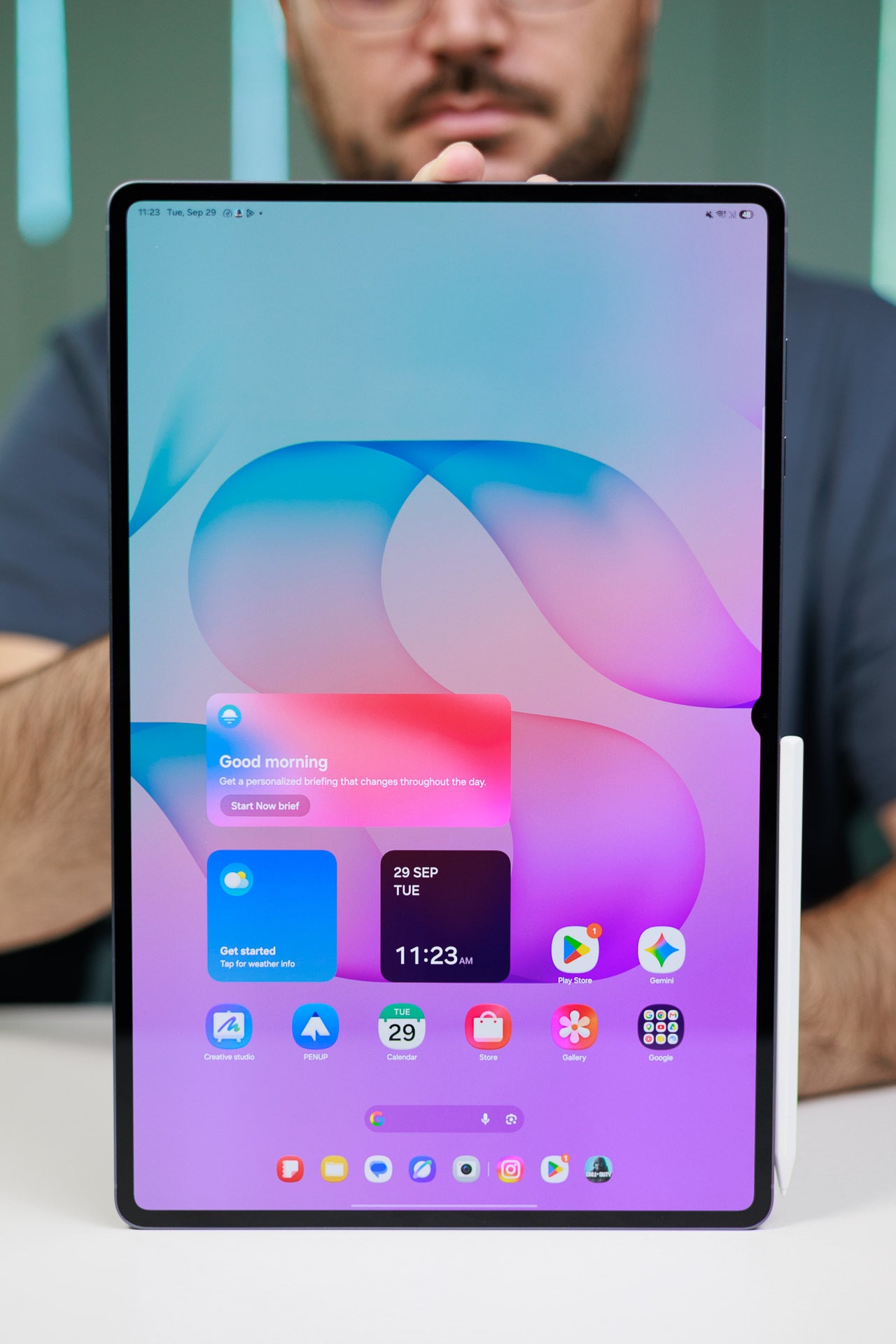
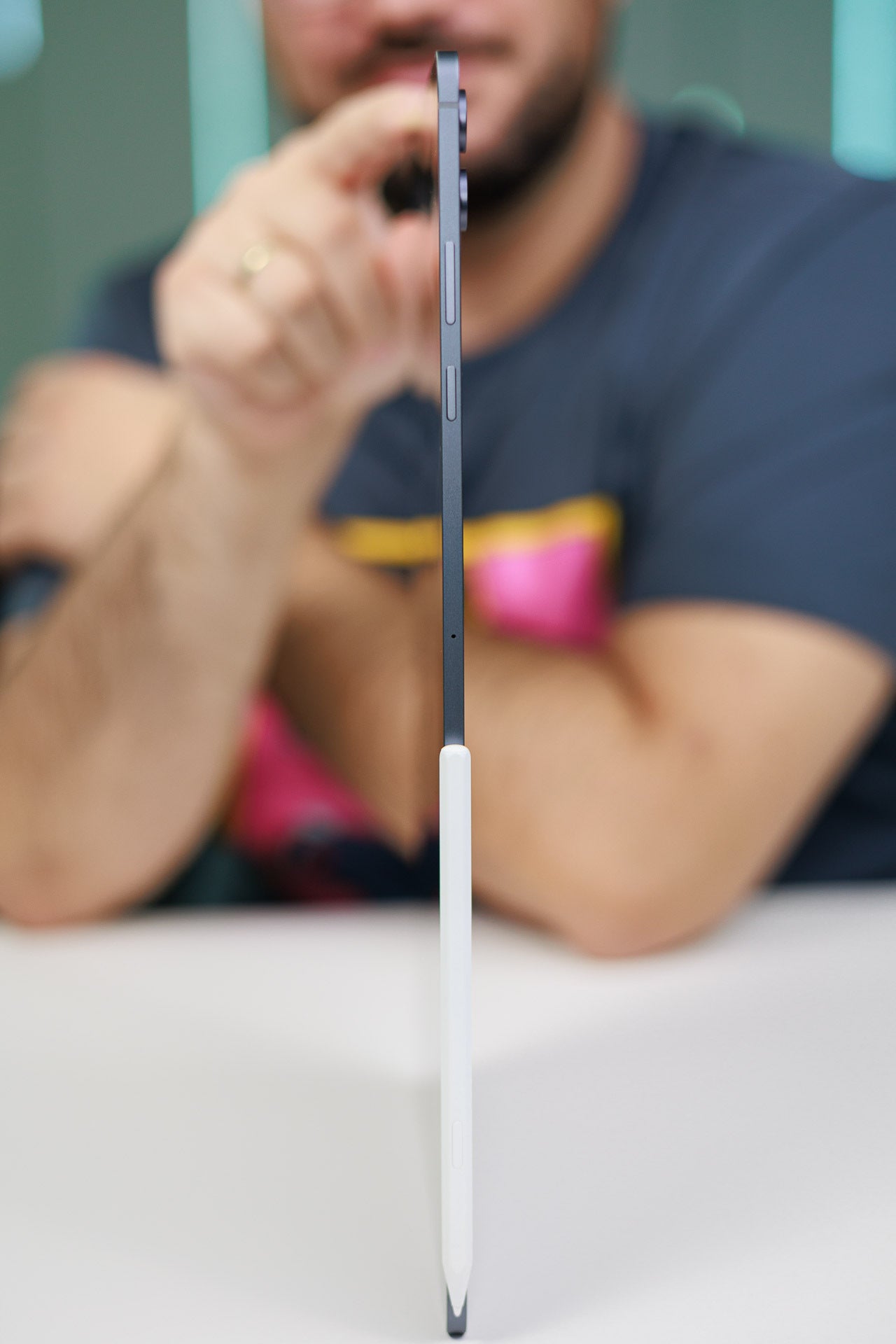
It's a thin device with excellent weight distribution but might be unwieldy for some people. | Images by PhoneArena
It's still definitely on the heavier side, tipping the scales at nearly 700 grams, but the weight distribution is pretty much perfect here, so the device never feels unwieldy in the hands. It's a premium Samsung device, and if you've touched one, you've touched them all.
The tablet comes in Silver and Gray colors, suggesting they mean "business" and "seriousness", no fun allowed. Frankly, the colors don't bother me, what actually irks me is that Samsung didn't even think to come up with at least one new color option to make up for the lackluster improvement over the previous model.
Inside the Galaxy Tab S12 Ultra box, you'll find the tablet itself, an S Pen, a charging cable, a SIM ejector tool, as well as the usual manuals.
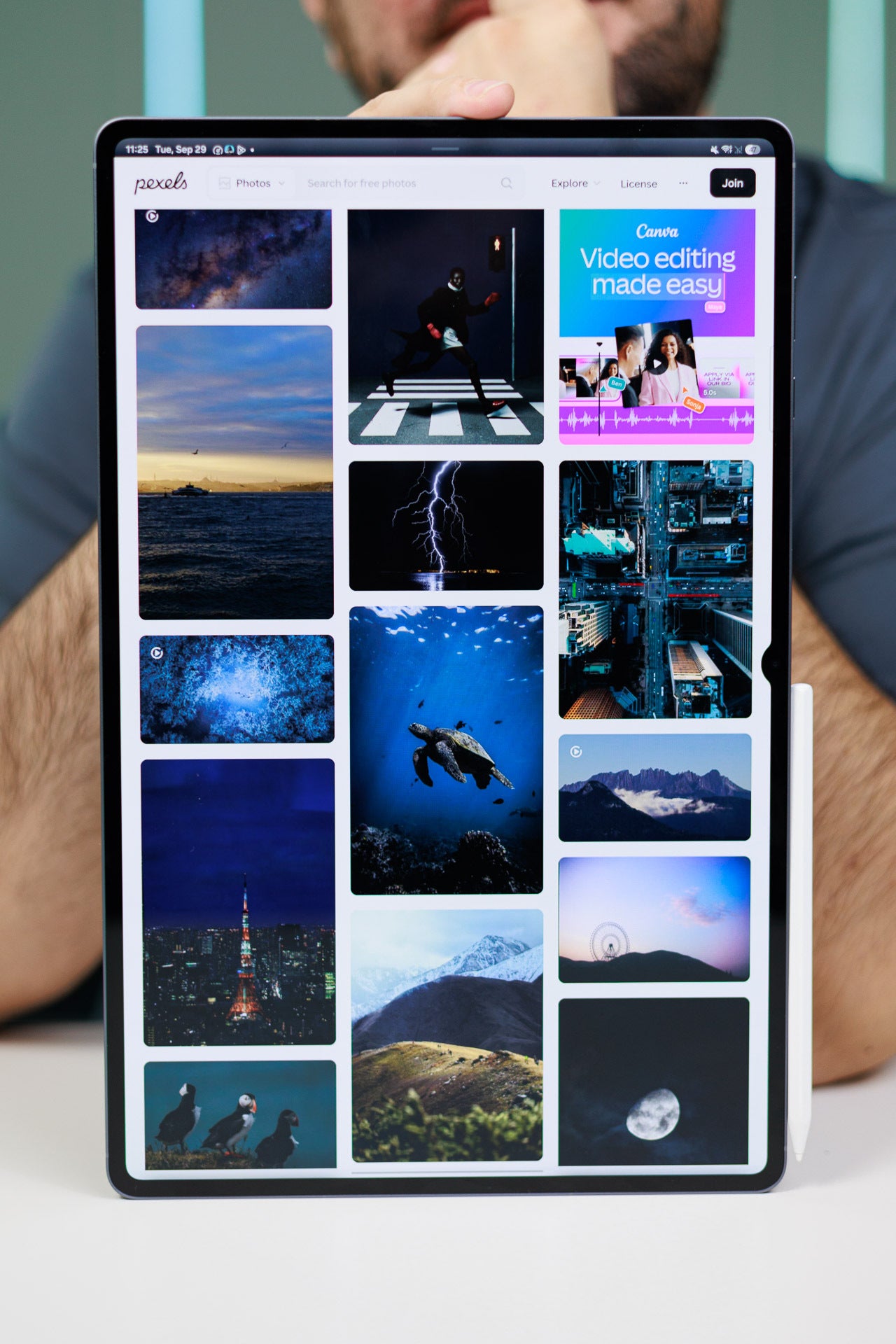
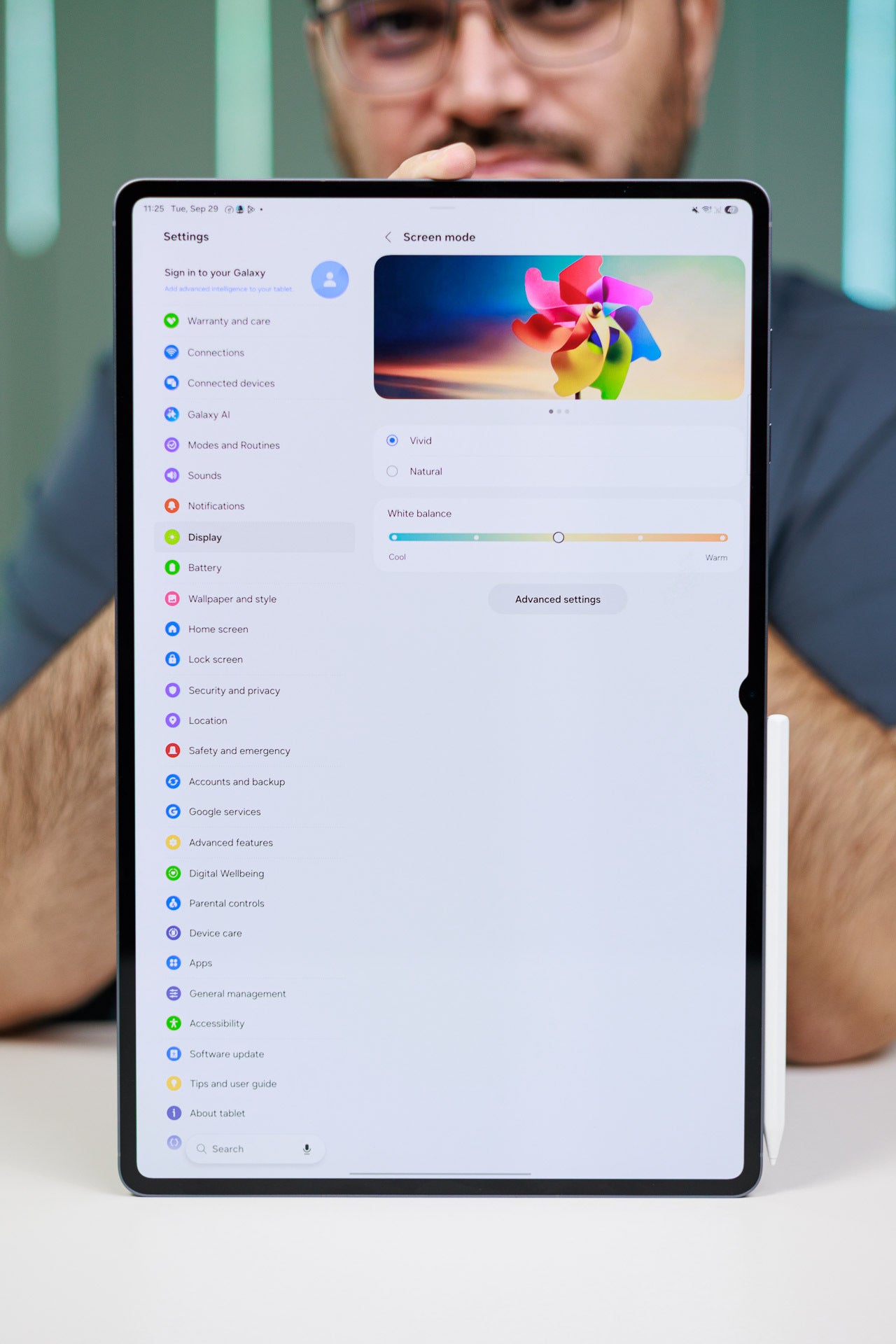
The Galaxy Tab S12 Ultra has a lovely display. | Images by PhoneArena
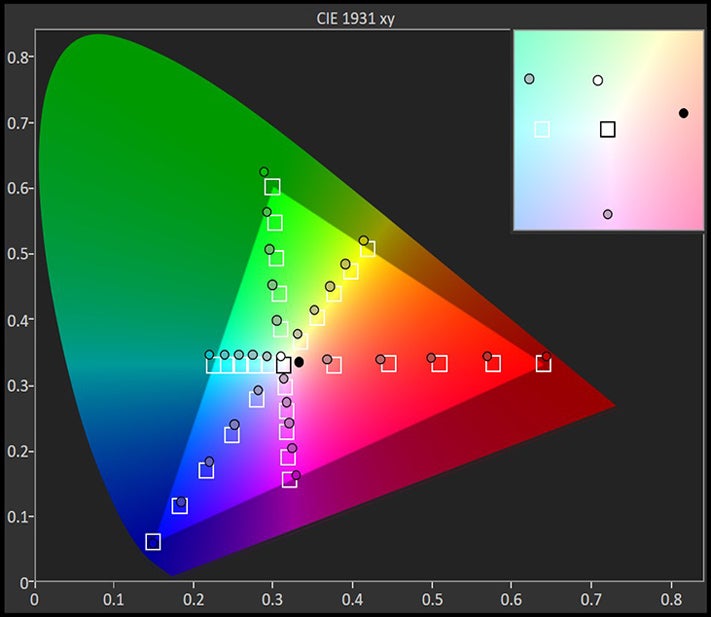
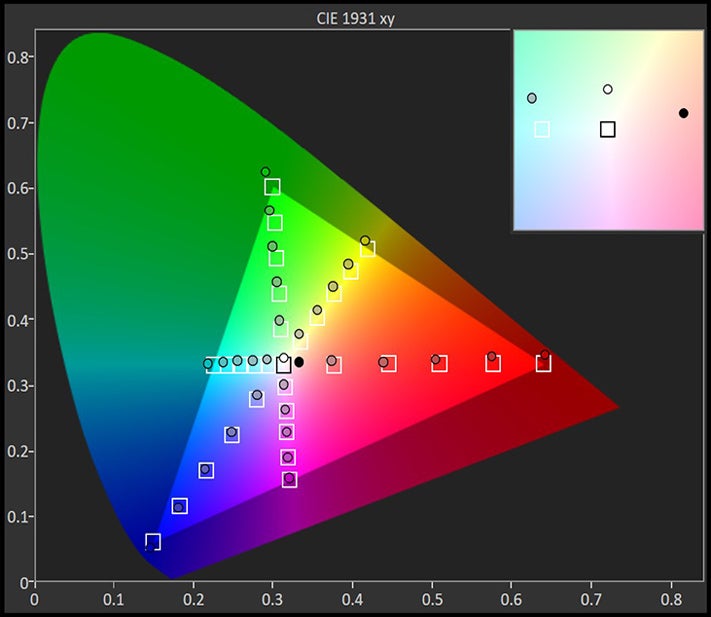
The display of the Galaxy Tab S12 Ultra is a 14.6-inch Dynamic AMOLED unit with up to a 120 Hz refresh rate, full HDR support, and a solid 2960 by 1848-pixel resolution, working out a 16:10 aspect ratio. The peak brightness is 1,600 nits here, just as much as with the Galaxy Tab S11 Ultra. The bezels are 5 mm thick, which is okay, as they don't really get in the way.
The screen is wonderful, with vivid colors, excellent viewing angles and good legibility despite lacking any glare-reducing hardware or software features. A perfect device for media consumption, this one. There's slight letterboxing with most movies, but TV shows fill almost the entire screen, which is lovely.
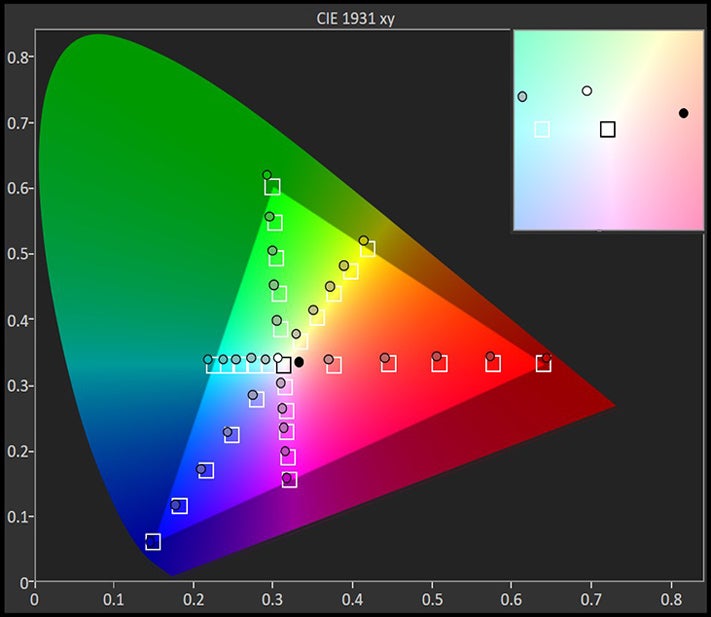
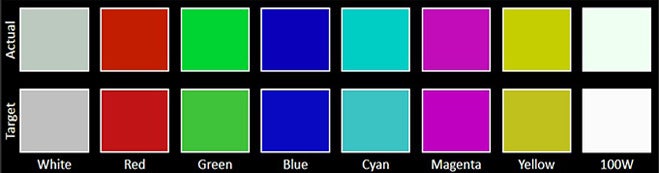
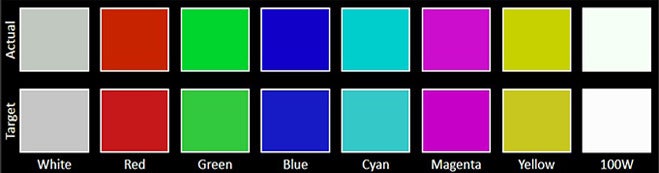
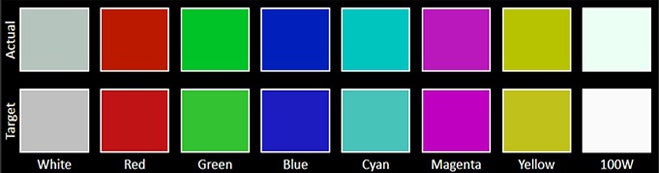



The Galaxy Tab S12 Ultra has a fast and accurate ultrasonic fingerprint sensor built into the display, which works flawlessly. There's also picture-based 2D face unlock for convenience here.
Galaxy Tab S12 Ultra Keyboard and Stylus
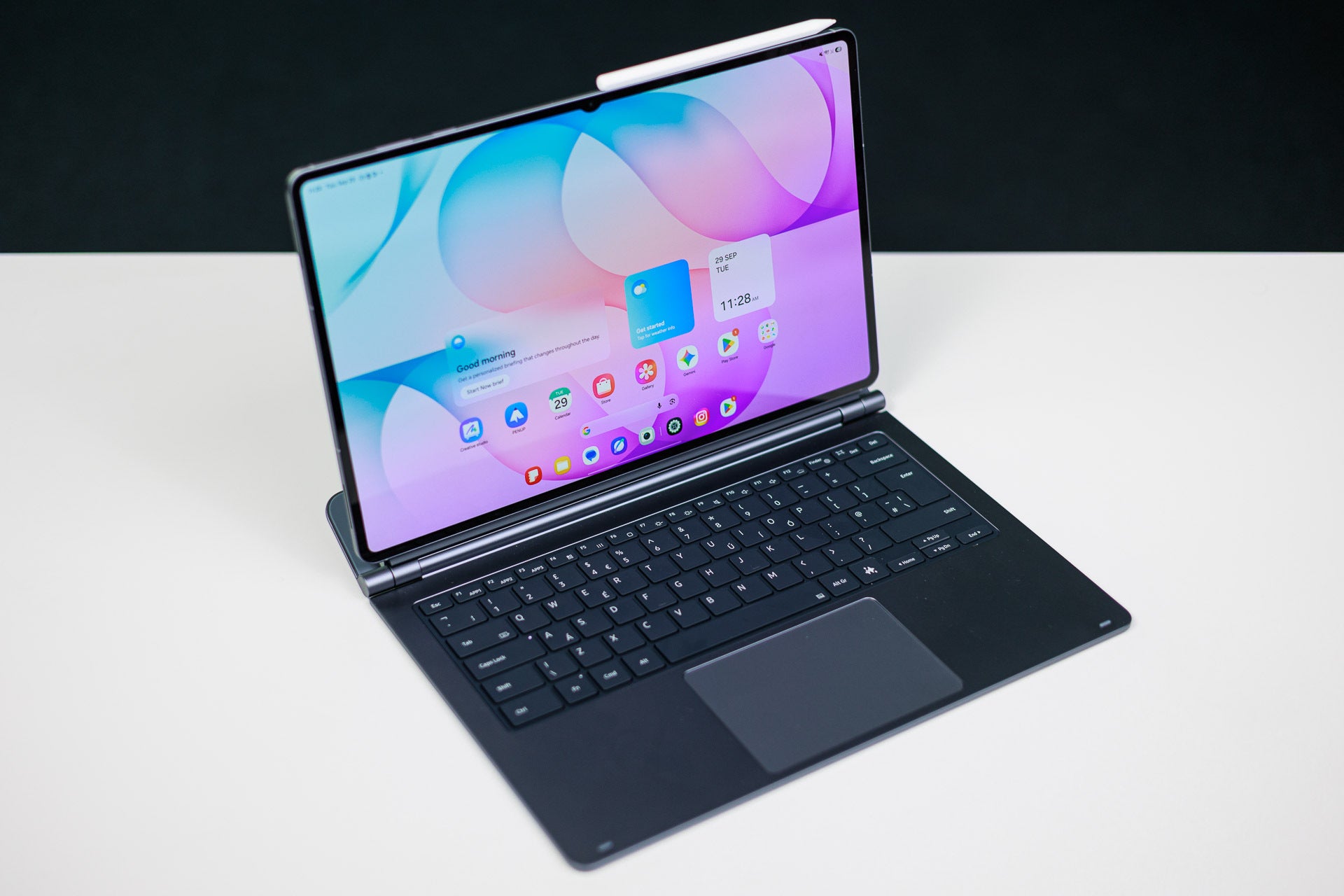
The Pro keyboard transforms the tablet into a full-blown Android laptop. | Image by PhoneArena
Optional with the Galaxy Tab S12 Ultra, but highly recommended in my opinion, is the Pro Keyboard accessory. This one truly elevates the Galaxy Tab S12 Ultra from a large tablet to a rather decent laptop that runs Android. Yes, with the keyboard attached, this is a very different animal altogether.
The keyboard is a standard 80-key one with a full function row that doubles with quick shortcuts for volume, screen brightness, and other essential features. It's a scissor-switch keyboard with little travel, just like on a MacBook, so I felt instantly familiar with it. The keys are standard-sized ones and the keyboard has two very decently sized palm rests, so typing is quite comfortable here. By all accounts, this is a laptop-grade keyboard, and I like it a lot.
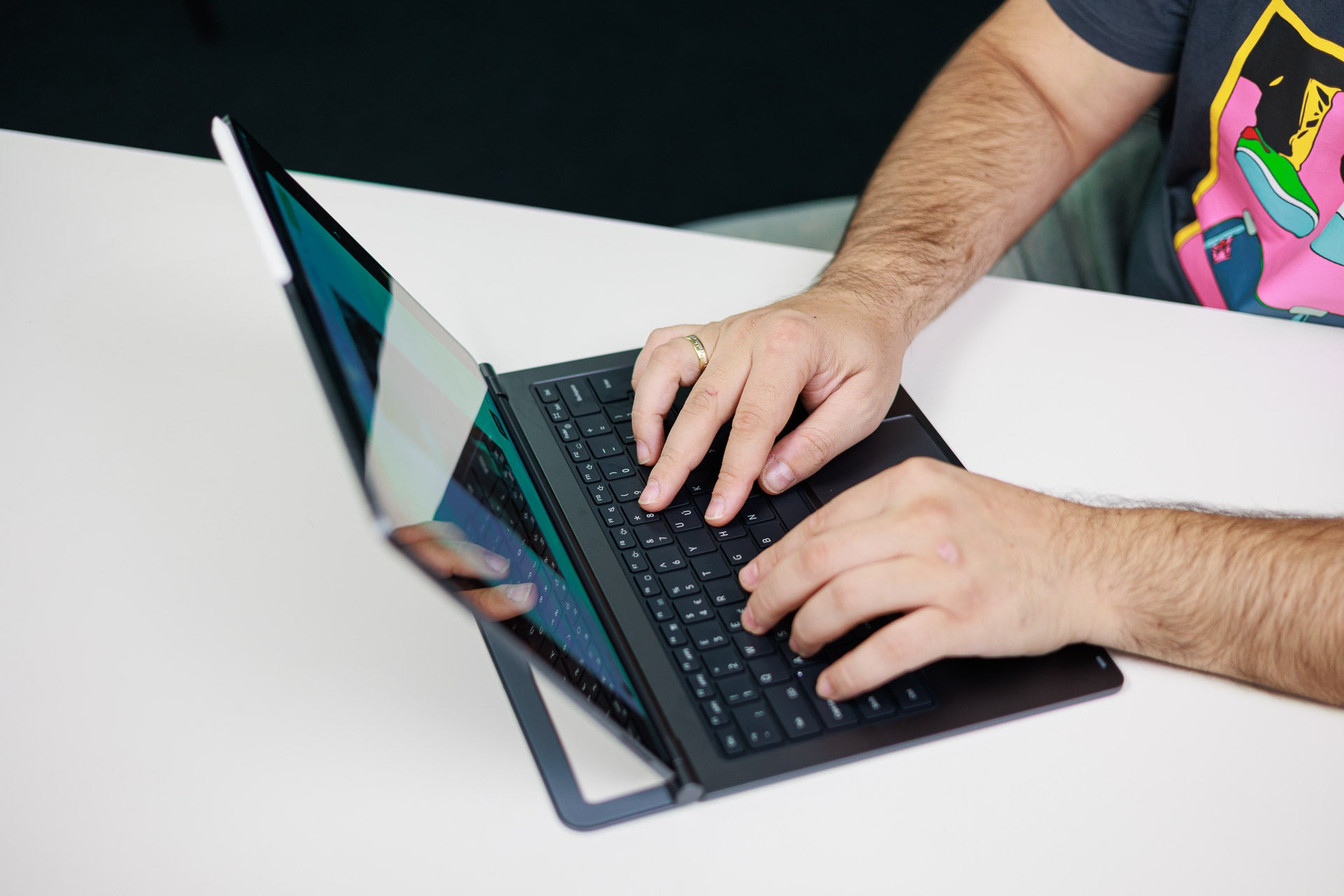
Typing is a joy on this large and spacious keyboard. | Image by PhoneArena
The keyboard features a pretty large trackpad that reminds me of, once again, a MacBook one. It supports a handful of useful gestures, like a three-finger swipe up for recent apps, a two-finger swipe up for your app drawer, and so on. It's quite useful and provides that laptop experience, though I'd confess that I relied on my Bluetooth mouse most of the time.
The tablet attaches magnetically to the keyboard and the two devices communicate via a standard pogo-pin interface. It has a sturdy hinge that offers very decent support when fully open so that your tablet doesn't fall back.
My issue with this keyboard is the lack of any USB-C ports on it, which is what Apple's iPad Pro keyboards have. A couple extra pogo pins could have taken care of wireless charging so that you can run a USB cable through the keyboard and charge the tablet, while now you have to rely on the Galaxy Tab S12 Ultra's own USB-C port, which is a clunky solution to a real problem.
Stylus quality
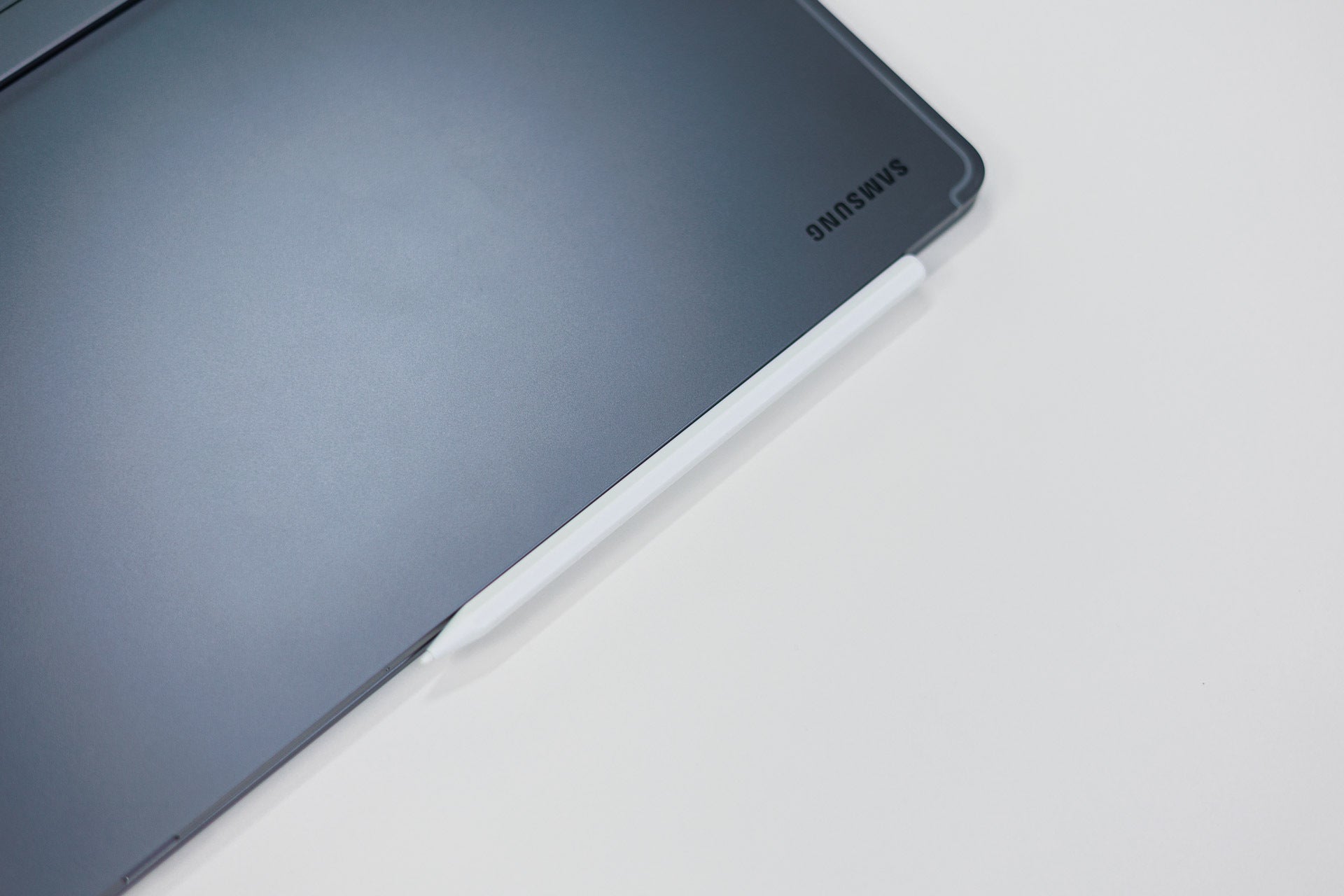
The stylus attaches to the side of the tablet. | Image by PhoneArena
The Galaxy Tab S12 Ultra comes with an S Pen in the box, so you don't have to purchase this essential accessory separately. It's a decent stylus despite being a passive one. No Bluetooth here, but also no charging necessary. Still, there's pressure sensitivity detection which should be helpful during drawing, sketching, or writing.
There's the regular button to access Air Actions with a universal hover that works through basic electromagnetic resonance. There's virtually no perceptible latency, which makes this one very suitable for drawing and writing as it properly simulates the physical pen-and-paper experience.
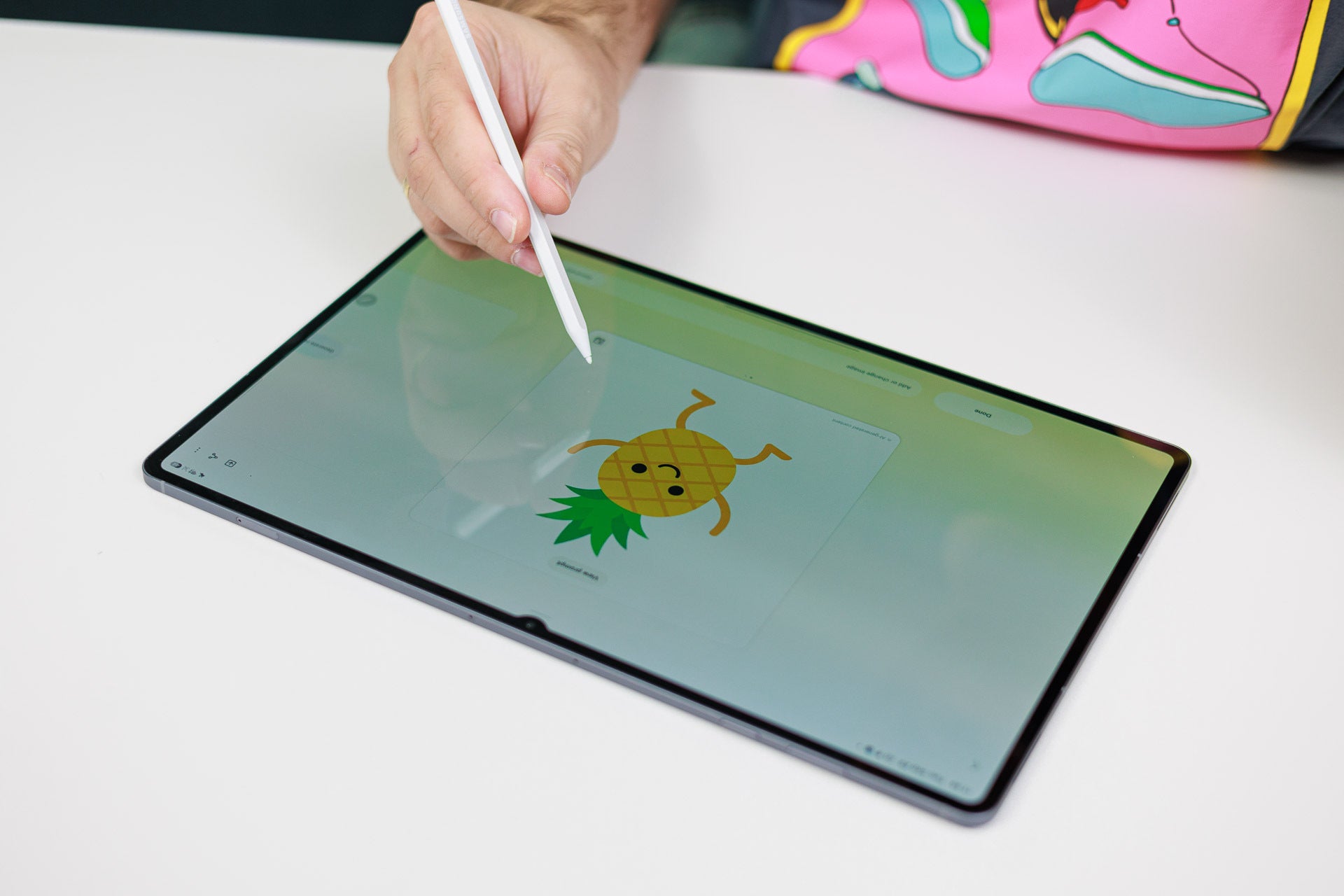
It's not the best stylus I've used, but it gets the job done for sure. | Image by PhoneArena
Just be aware that the nibs of these S Pens tend to snap easily so don't go throwing the S Pen around carelessly. Many Samsung users have shared their horror stories about the frail nibs, so I'd be careful when handling the stylus.
Galaxy Tab S12 Ultra Performance & Benchmarks
A proper gaming machine
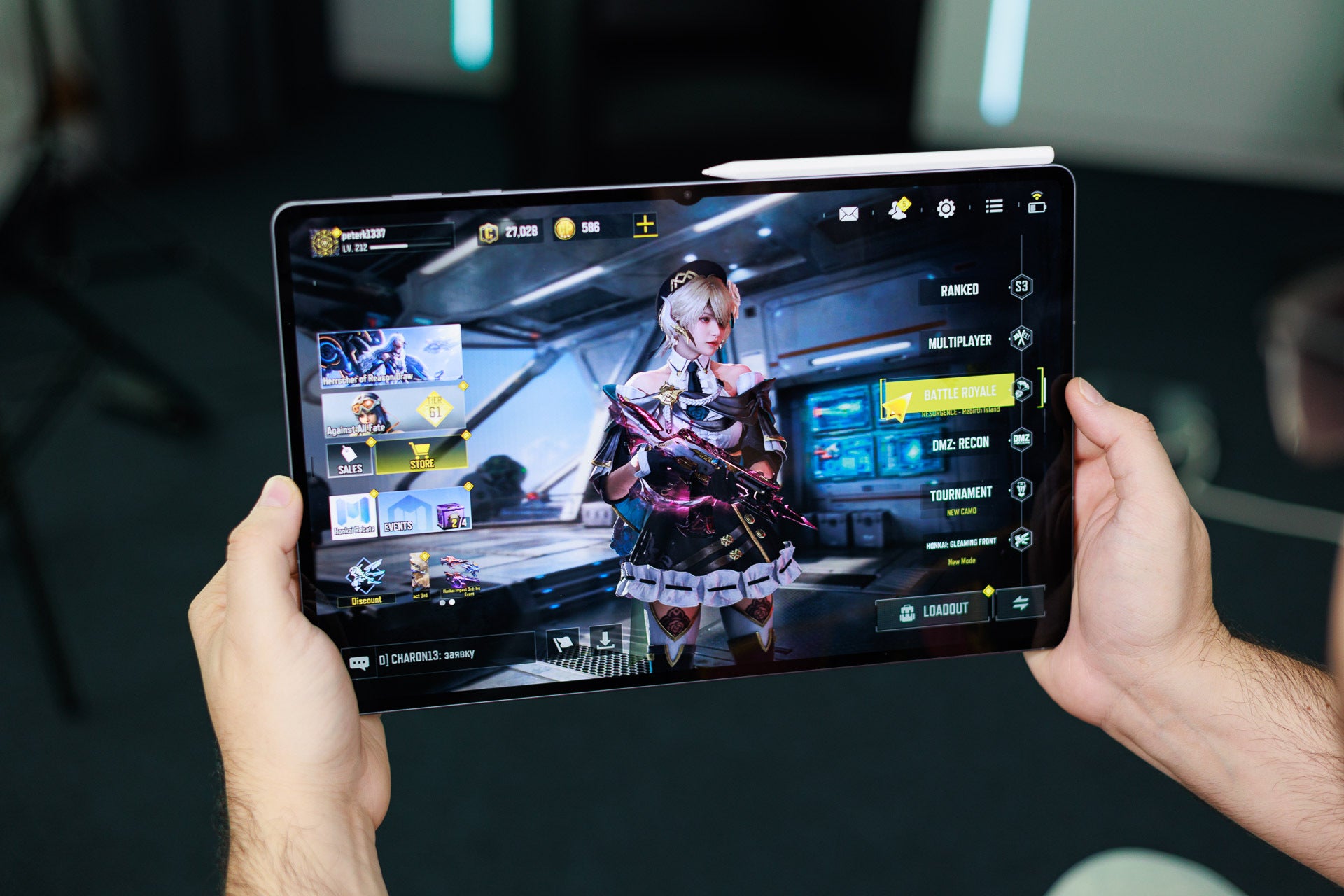
Grinding the latest CoD battle pass was fun, and the spacious screen real estate was appreciated. | Image by PhoneArena
The Galaxy Tab S12 Ultra comes with the MediaTek Dimensity 9500 chipset, which is a year-old chip that's far from the fastest one around. Don't get me wrong, I'm actually daily-driving a phone with the same chip and it delivers very admirable performance, so it's all good.
Still, I think Samsung should have gone with any of MediaTek's newer offerings, like the Dimensity 9600 Pro, which would better match its Ultra aspirations. Still, we get a decent bump of performance in comparison with the older generation, which is good.
There's 12 GB of RAM in the 256 GB and 512 GB versions of the tablet, while the top 1 TB version packs 16 GB of memory, making it a proper powerhouse. Samsung's RAM Plus feature, which leverages Android's zRAM functionality, allows users to expand the memory up to 8 or even 12 GB, but that might be a performance chokepoint in itself, so I tend to disable such features every time.
The Dimensity 9500 proves to be a decent upgrade over the older MediaTek Dimensity 9400+ chip in the Galaxy Tab S11 Ultra, but the iPad Pro totally dominates these CPU benchmarks with its desktop-grade M5 chip.
GPU Performance
Storage speed
The Galaxy Tab S12 Ultra comes with either 256 GB or 512 GB of built-in storage, as well as a high-end version with 1 TB of storage and 16 GB of RAM. The storage is fairly fast, beating its predecessor in terms of speed.
Gaming performance
Gaming is outstanding on this tablet, mostly because of the large and vivid screen that makes even basic games look way more engaging than they usually are. I played more Call of Duty: Mobile on the Galaxy S12 Ultra than I'd admit, and the experience was excellent, with the hectic multiplayer game keeping up a solid 120 fps on medium settings. Thanks to the large physical footprint of the device, heat is dissipated away from the tablet very well.
Definitely a great gaming machine, this one.
One unfortunate downside of MediaTek chips for gamers in particular is the severely limited driver support, which hinders game emulation in some cases. Qualcomm's Snapdragon chips are much better suited for running older PC games or titles from more exotic platforms thanks to their Turnip driver support.
Video-editing performance
It took a minute and a half to export a 4K 60fps video at ~50Mbps bitrate with some effects and title cards added. An iPad Pro is faster in this regard, not to mention the more powerful software available on Apple's tablets that is a boon for video-editing.
Galaxy Tab S12 Ultra Software
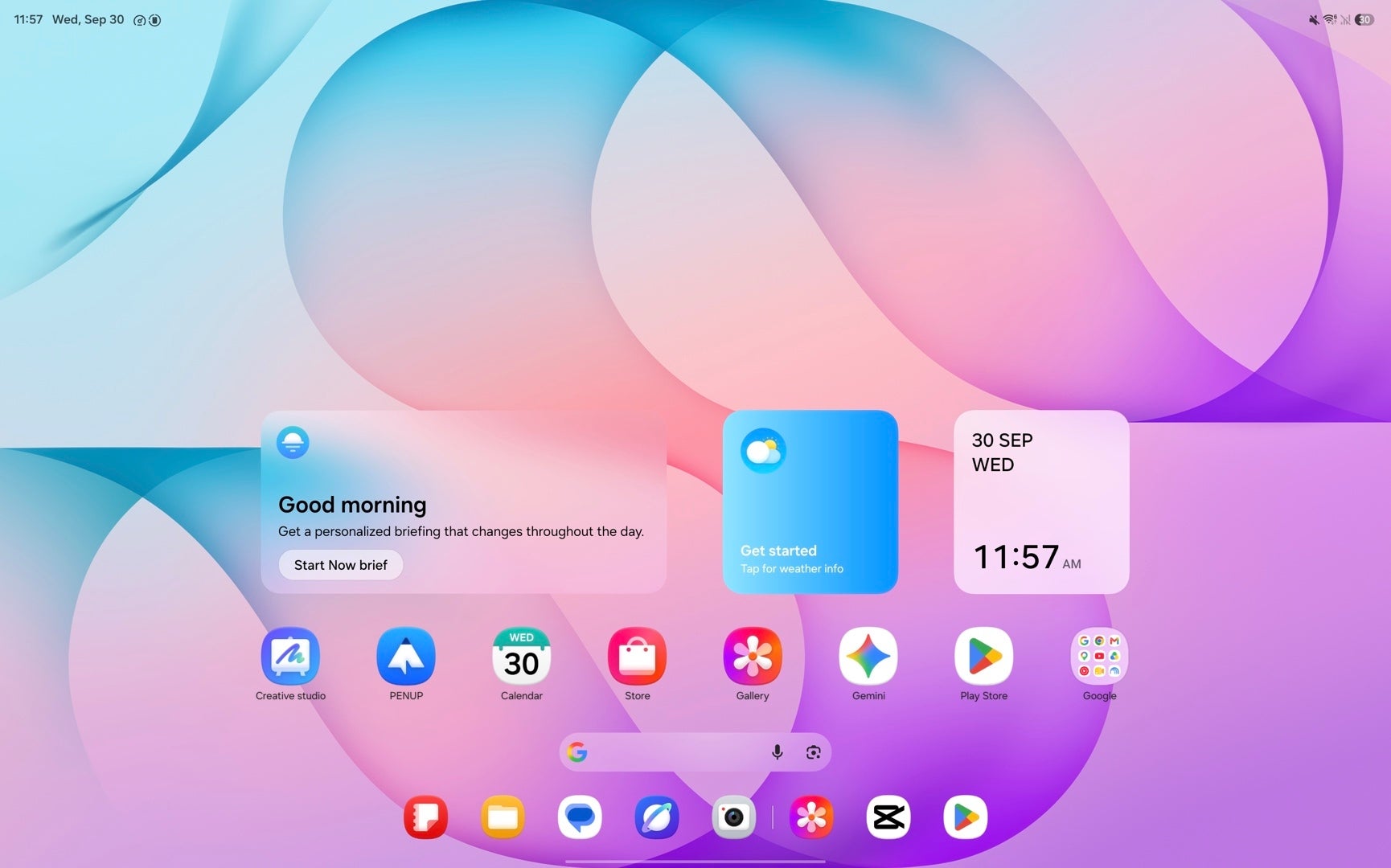
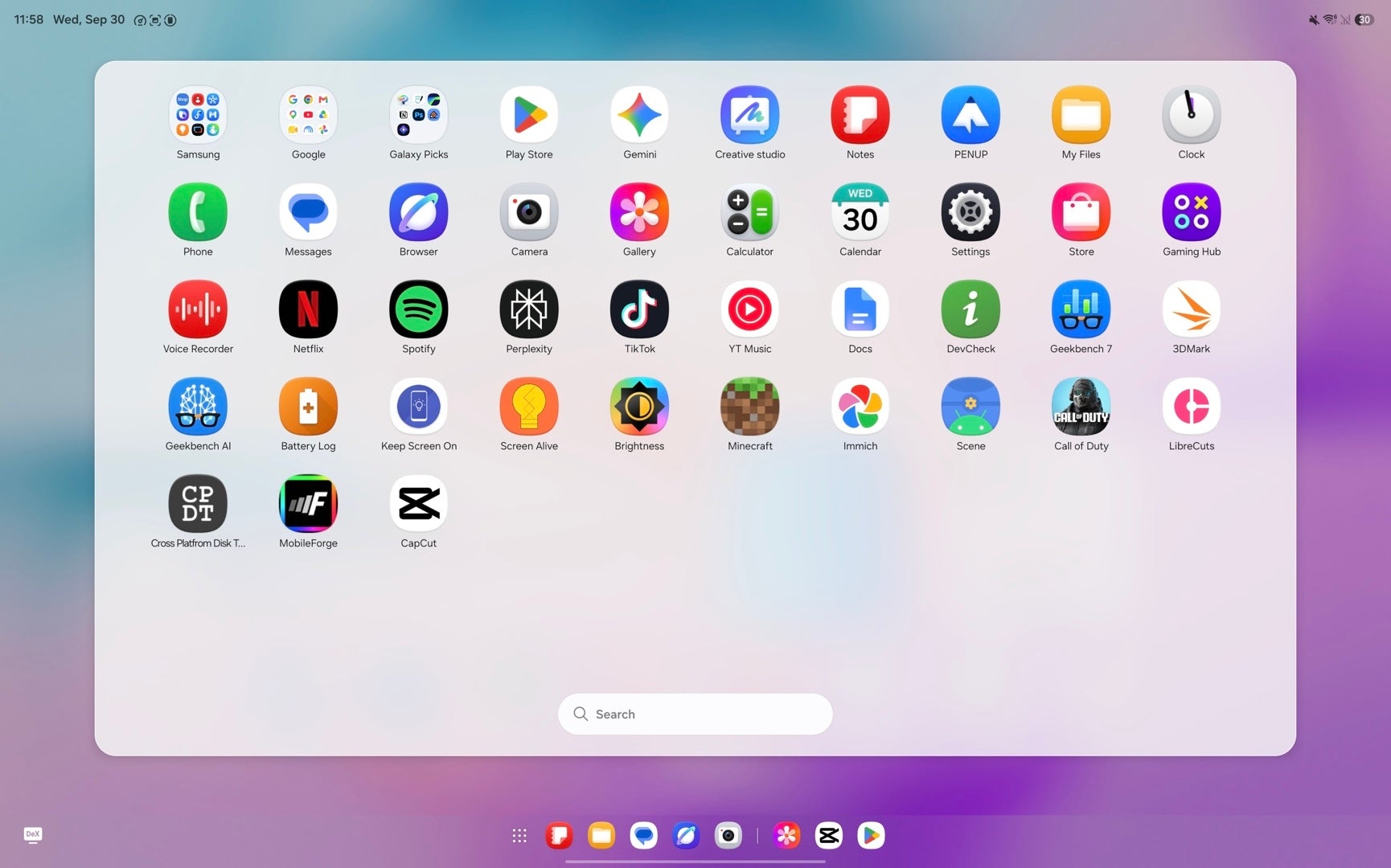
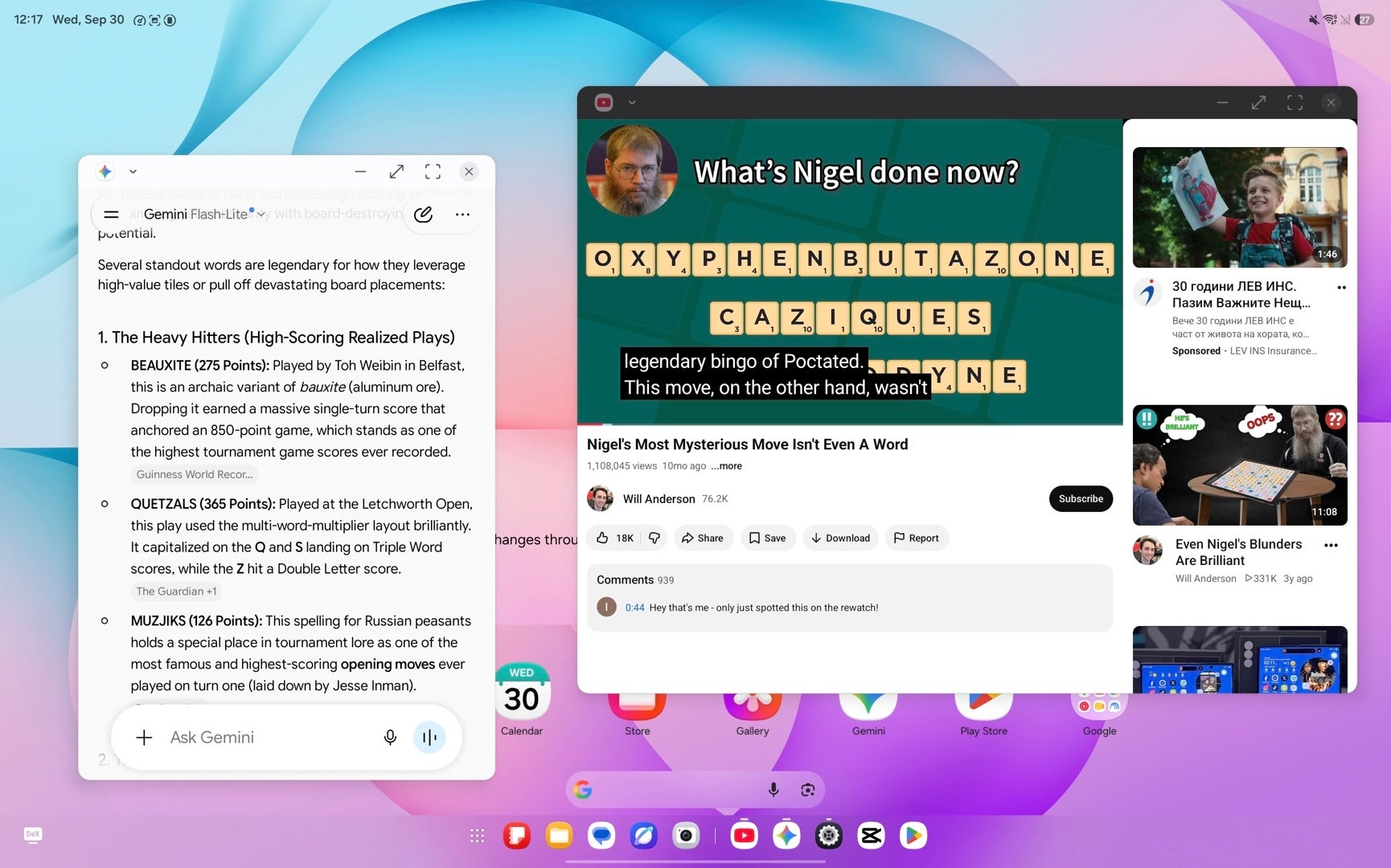
Images by Screenshots by PhoneArena
The Galaxy Tab S12 Ultra comes along with One UI 9 running over Android 17. To be honest, One UI is my favorite Android skin these days as it offers an unprecedented level of customization and personalization, as well as pretty much any useful feature or software functionality you might imagine. It's also one of the very few Android skins that still hasn't become an unapologetic iOS clone, which is commendable.
Like other Samsung devices, this one will also be supported for seven years with major software updates and security patches.
In terms of AI, the full Galaxy AI suite is here. Writing Assist, Note Assist, Transcript Assist, Audio Eraser, and all the others are here, available to be processed either on-device or in the cloud. Gemini and Circle to Search are here too, of course.
In terms of AI, the full Galaxy AI suite is here. Writing Assist, Note Assist, Transcript Assist, Audio Eraser, and all the others are here, available to be processed either on-device or in the cloud. Gemini and Circle to Search are here too, of course.
But the most important feature here is Samsung's DeX, which transforms this device into a proper Android laptop. You get multiple desktops, familiar and intuitive controls, and if you connect a monitor, you get a proper multitasking monster with this here Galaxy S12 Ultra.
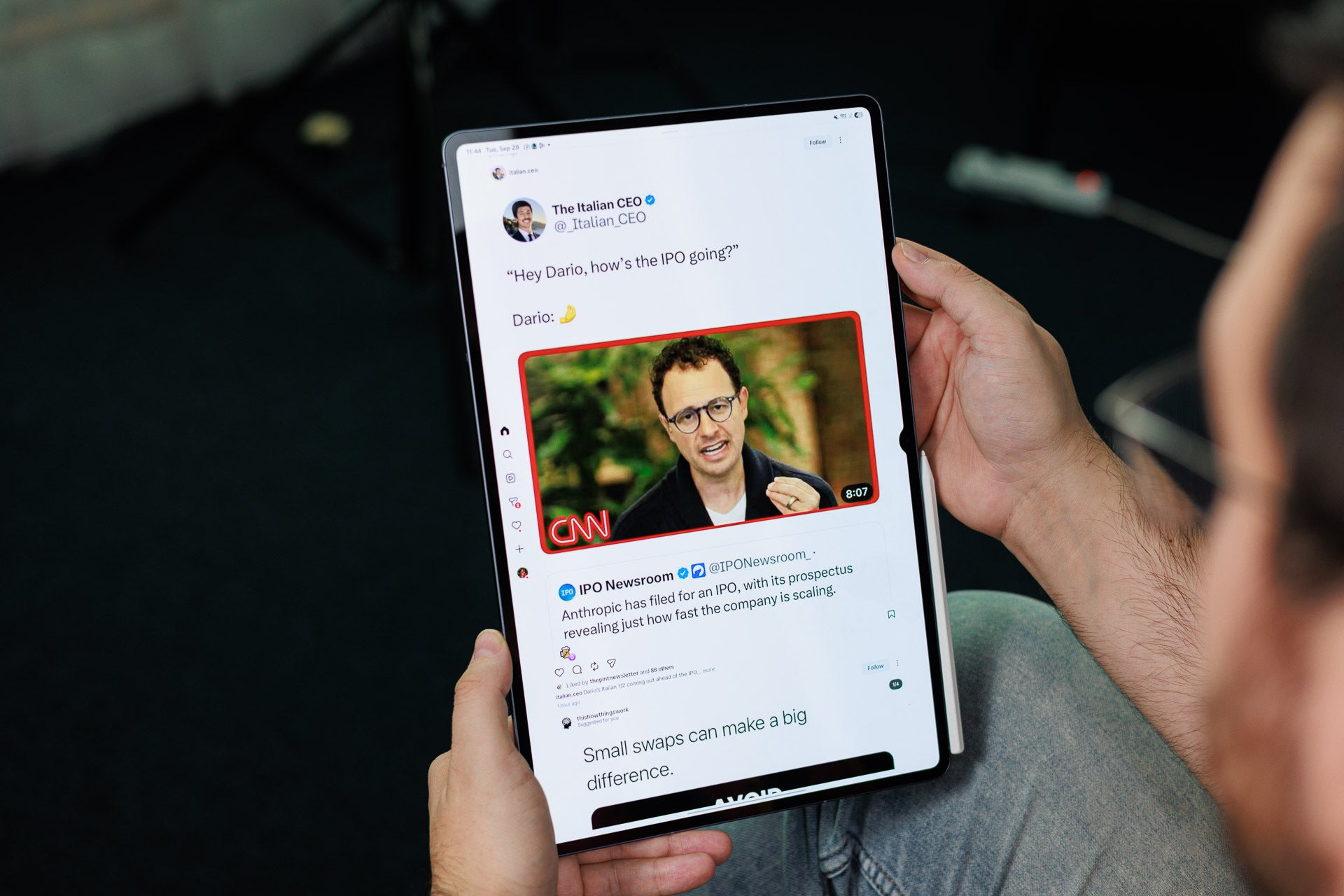
Instagram's layout for Android tablets is quite decadent and wasteful. | Image by PhoneArena
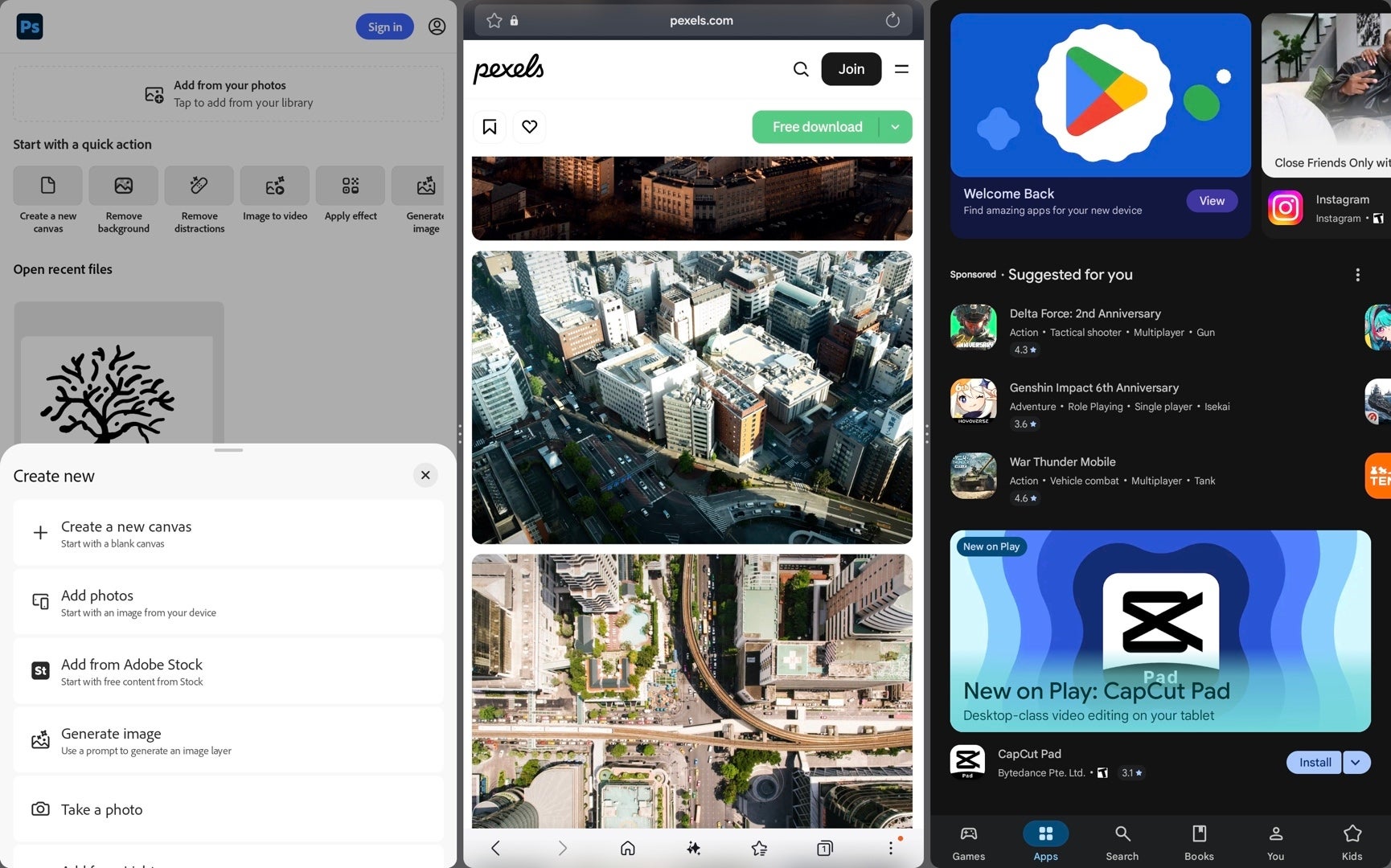
Even if you don't use DeX or get the Pro keyboard, multitasking is still excellent. You can have three apps running side-by-side in regular tablet mode and multiple other apps in floating windows. I'm only sad that Android 17's App Bubbles didn't make the cut on One UI 9, but you can't have it all, can you?
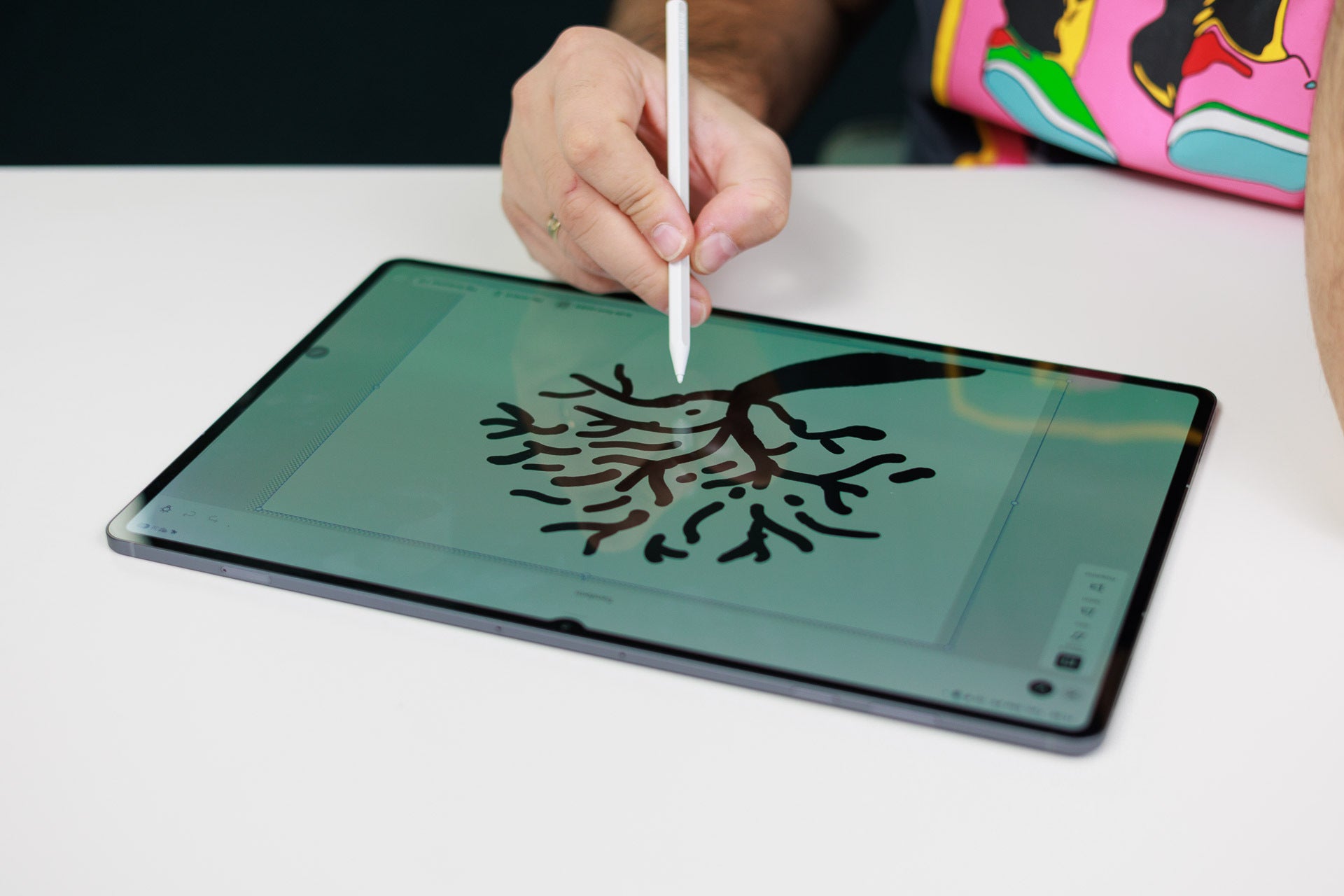
Adobe Photoshop lands on Android tablets for the first time with the Galaxy Tab S12 Ultra. | Image by PhoneArena
And for the first time on an Android tablet, the Galaxy Tab S12 Ultra comes with Adobe Photoshop, which finally makes the move to large-screen slates. The app is fully optimized for the S Pen and comes with four months of free full access. Notability with AI-powered note-taking, Clip Studio Paint, Goodnotes, and LumaFusion also come preinstalled here, strengthening the Galaxy Tab S12 Ultra's productivity capabilities.
Galaxy Tab S12 Ultra Audio Quality
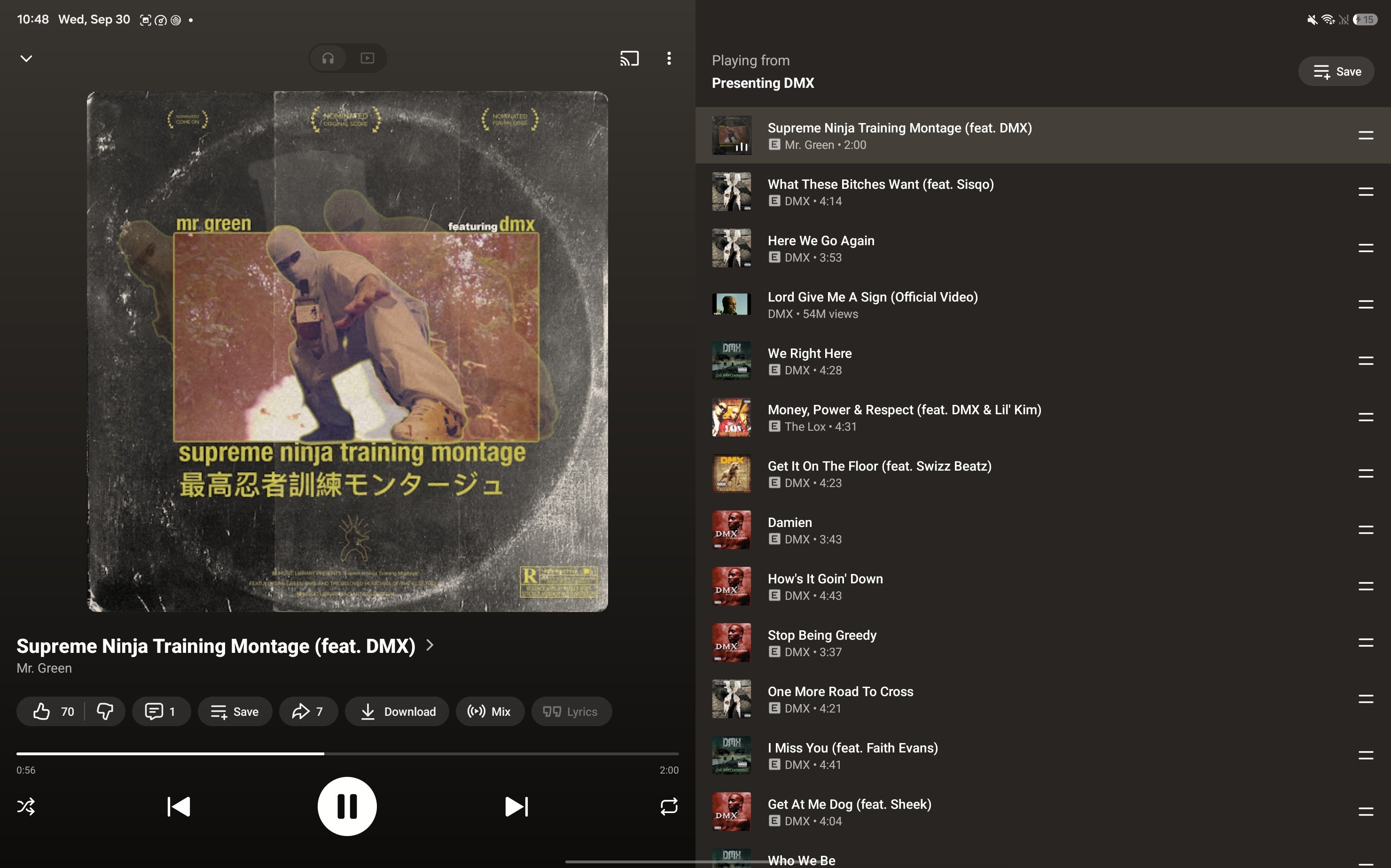
Rap and hip-hop sound great on the Galaxy Tab S12 Ultra.
The Galaxy S12 Ultra comes with quad speakers with full Dolby Atmos support. The audio quality is mostly on par with the Galaxy Tab S11 Ultra, with no major changes. There's great sound separation and a wide sound stage, with good bass and minimal distortion at higher volume levels. It's enjoyable for both music and talking-head videos, but other types of multimedia are great as well.
Just like the Galaxy Tab S11 Ultra, the S12 Ultra lacks haptic feedback. Not a pretty major issue, but worth a passing mention.
Galaxy Tab S12 Ultra Battery and Charging
Decent battery life

The Galaxy Tab S12 Ultra packs a 11,600 mAh battery, just as large as the one on the Galaxy Tab S11 Ultra. And while that capacity is pretty impressive, the large display and power-hungry internals even things out, working out a pretty decent, but by no means record-breaking battery life.
With my particular usage, which includes up to an hour of gaming, eight hours of work (did I mention that I wrote this review on the tablet itself?) some social media and general browsing, as well as some late-night media binging, the device usually retains around 25 to 30% of juice left.
PhoneArena Battery Test Results:
Battery life, as measured in PhoneArena's custom battery tests, is largely and mostly similar to last year's Galaxy S11 Ultra, working out to a little over eleven hours in our 3D gaming test, a little over ten hours in the gaming test, and nine hours in our video playback test. The screen was manually set to 200 nits during all tests, and maximum volume was used in the video playback test.
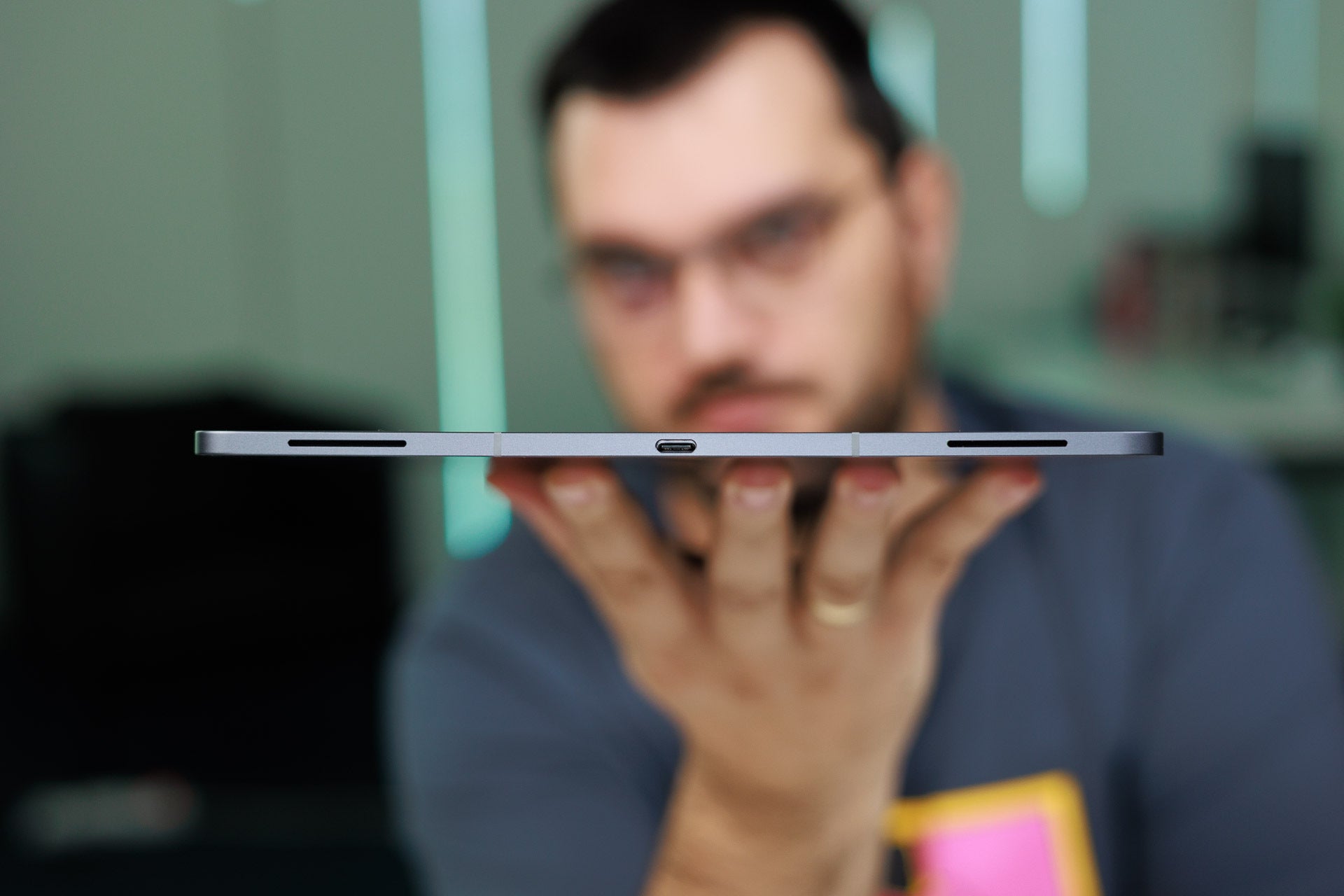
45 W fast charging is a go. | Image by PhoneArena
The tablet supports 45W wired charging, and it takes around an hour and a half to fully top it up. No wireless charging here.
Galaxy Tab S12 Ultra Camera
Okay for a tablet
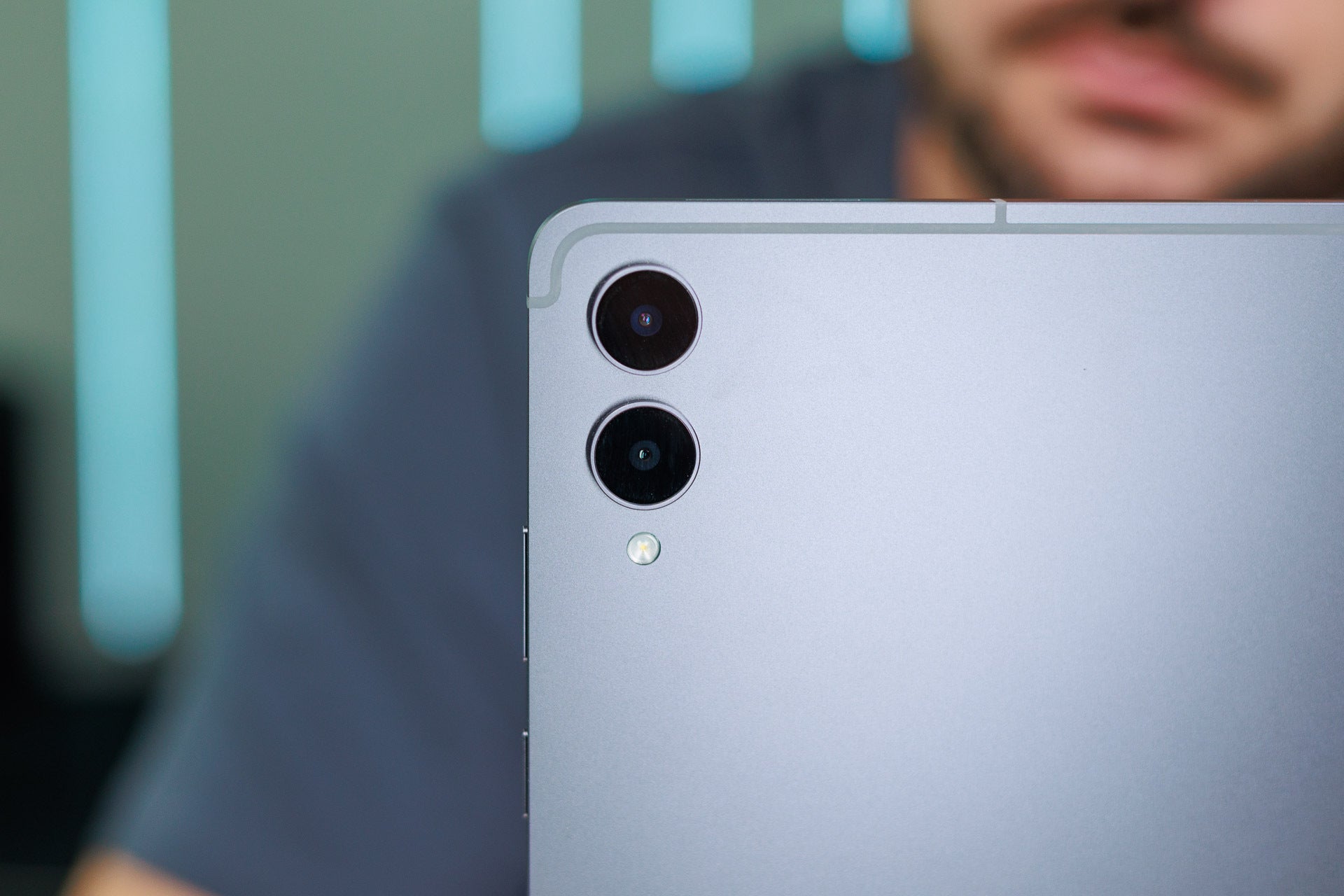
Dual camera with unchanged quality from last year. | Image by PhoneArena
The Galaxy Tab S12 Ultra comes with a dual camera in the back, combining a 13 MP main and an 8 MP ultrawide cameras. The setup's unchanged from last year, and unsurprisingly, the quality is largely identical to what th Galaxy Tab S11 Ultra delivered.
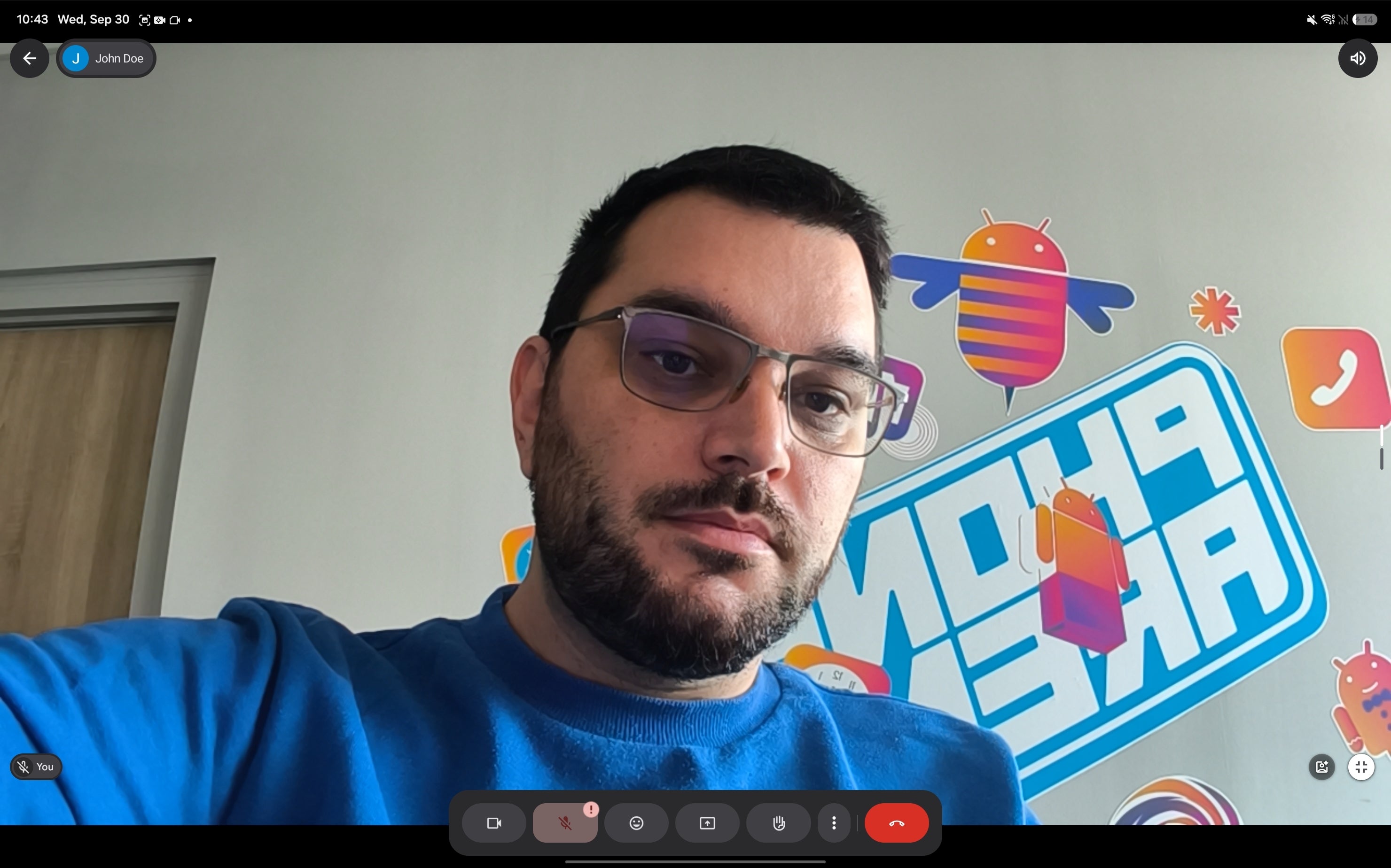
Here's how the front camera looks in meetings. | Image by PhoneArena
At the front, we have a single 12 MP camera that delivers decent quality for both photos and videos. It's excellent for video meetings as well, though an iPad with a Center Stage feature is a tad better here.
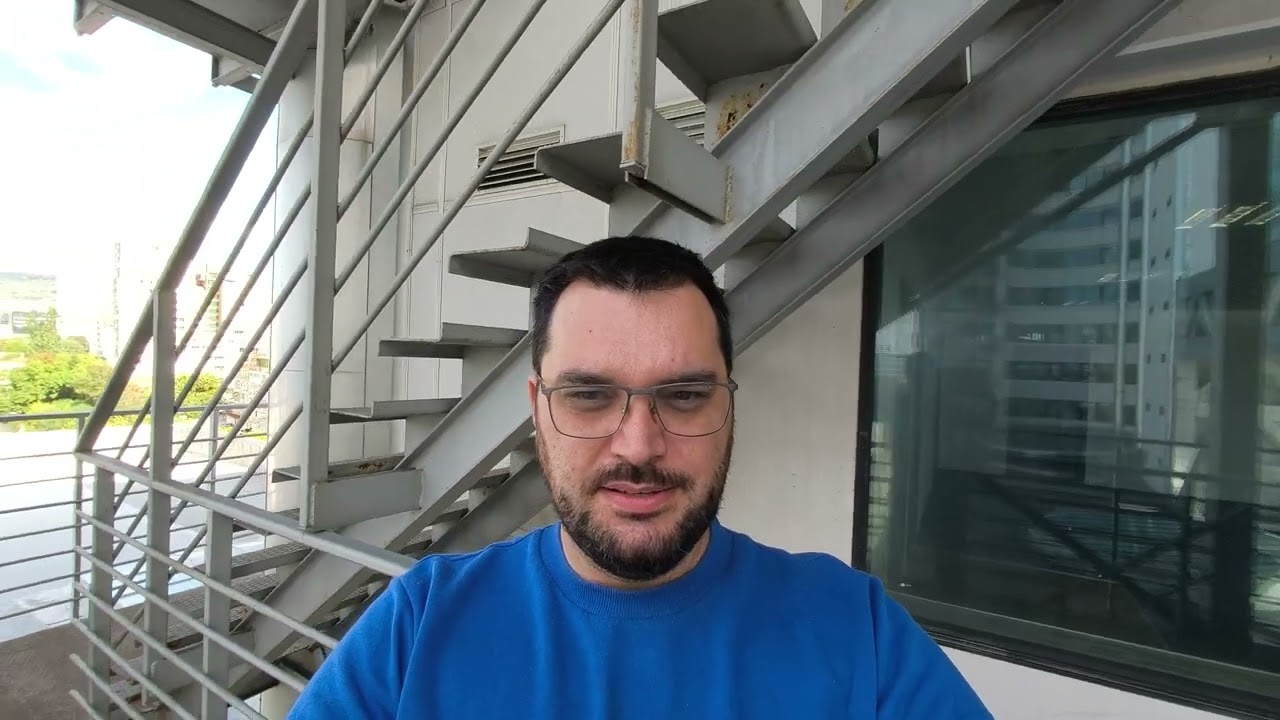

Photo Quality
Photos turn out okay, with decent dynamics and details. Don't expect wonders here, but in the off chance you need to capture something, this tablet will do a good job.
Galaxy Tab S12 Ultra Specs
Here's a complete overview of the Galaxy Tab S12 Ultra specs:
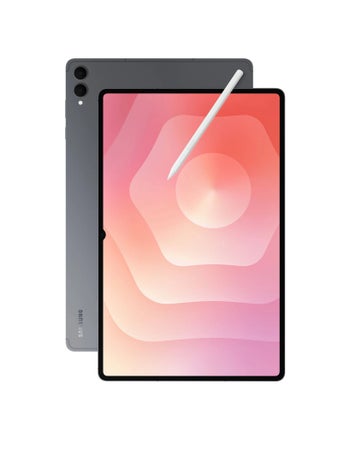
|
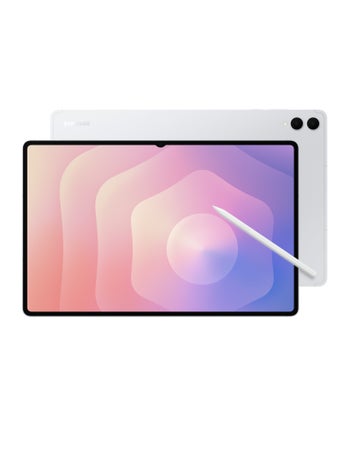
|
| Samsung Galaxy Tab S12 Ultra | Samsung Galaxy Tab S11 Ultra |
| Dimensions | |
|---|---|
| 326.3 x 208.5 x 5.1 mm | 326.39 x 208.53 x 5.08 mm |
| Weight | |
| 692.0 g | 692.0 g |
| Size | |
|---|---|
| 14.6-inch | 14.6-inch |
| Type | |
| Dynamic AMOLED, 120Hz | Dynamic AMOLED, 120Hz |
| System chip | |
|---|---|
| MediaTek Dimensity 9500 MT6993 (3 nm) | MediaTek Dimensity 9400+ MT6991 (3 nm) |
| Memory | |
| 12GB (LPDDR5X)/256GB 12GB/512GB 16GB/1TB |
12GB/256GB 12GB/512GB 16GB/1024GB |
| OS | |
| Android (17), up to 7 OS updates | Android (16) |
| Type | |
|---|---|
| 11600 mAh | 11600 mAh |
| Charge speed | |
| Wired: 45.0W | Wired: 45.0W |
| Main camera | |
|---|---|
| 13 MP (PDAF) Aperture size: F2.0 Sensor size: 1/3.4" |
13 MP |
| Second camera | |
| 8 MP (Ultra-wide) Aperture size: F2.2 | 8 MP (Ultra-wide) Aperture size: F2.2 |
| Front | |
| 12 MP | 12 MP |
| Bluetooth | |
|---|---|
| 6.0 | 5.4 |
| WLAN | |
| Wi-Fi 6E,Wi-Fi 7,dual-band Wi-Fi Direct, Hotspot 802.11 a, b, g, n, ac, ax | Wi-Fi 6,Wi-Fi 6E,Wi-Fi 7 Wi-Fi Direct 802.11 a, b, g, n, ac, ax |
| USB | |
| Type-C, USB 3.2 | Type-C |
| Sensors | |
| Accelerometer, Gyroscope, Compass, Ambient light sensor, Proximity sensor | Accelerometer, Gyroscope, Compass, Ambient light sensor |
| Location | |
| GPS, Glonass, Galileo, BeiDou | GPS, Glonass, Galileo, BeiDou |
See the full
Samsung Galaxy Tab S12 Ultra vs Samsung Galaxy Tab S11 Ultra specs comparison
or compare them to other phones using our
Phone Comparison tool


Popular stories

Latest News

![Another batch of Galaxy S26 series users in the US are getting a nice surprise today [UPDATED]](https://m-cdn.phonearena.com/images/article/183643-wide-two_350/Another-batch-of-Galaxy-S26-series-users-in-the-US-are-getting-a-nice-surprise-today-UPDATED.webp)
Things that are NOT allowed:
To help keep our community safe and free from spam, we apply temporary limits to newly created accounts: