Want to see Lady Liberty riding the Sphinx? Google Earth will now let you do that, for better or worse
The Nano Banana 2 image creation tool is now available in Google Earth, and even though Google markets it as a useful tool to bring history to life, you can do some crazy stuff with it.

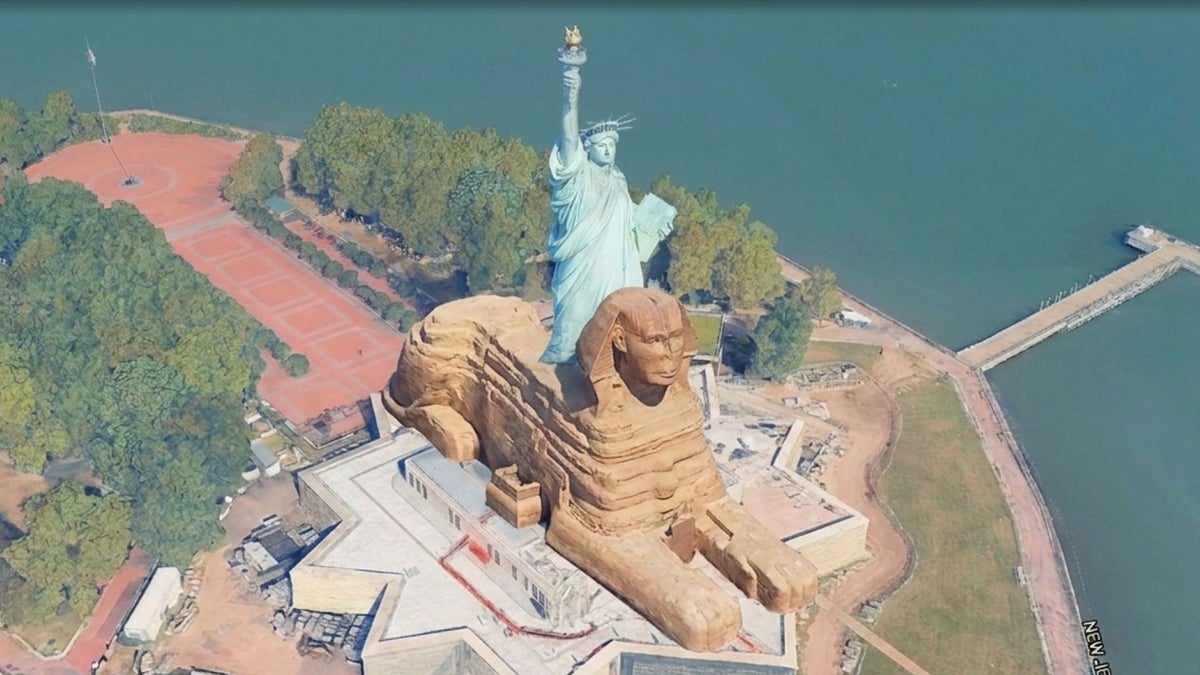
You can do a lot of crazy stuff with Nano Banana 2 in Google Earth! | Image by Google
UPDATE: Google has rolled back the feature! Apparently, some AI-generated images violate Google's policies. Full statement below:
We know that people uniquely trust Google Earth for a reliable view of the world. We’ve seen geospatial professionals using this feature for a range of useful purposes, however we’ve also seen people sharing screenshots of generated imagery that appear to violate our policies. So we’re rolling back this feature in Google Earth while we work on implementing stronger guardrails. It's important to note that generated images didn’t appear in the main Google Earth experience for others to see and were watermarked as AI generated.
- Bryan Horowitz, Product Manager, Google Earth, July 31, 2026
Nano Banana 2 is now available in Google Earth
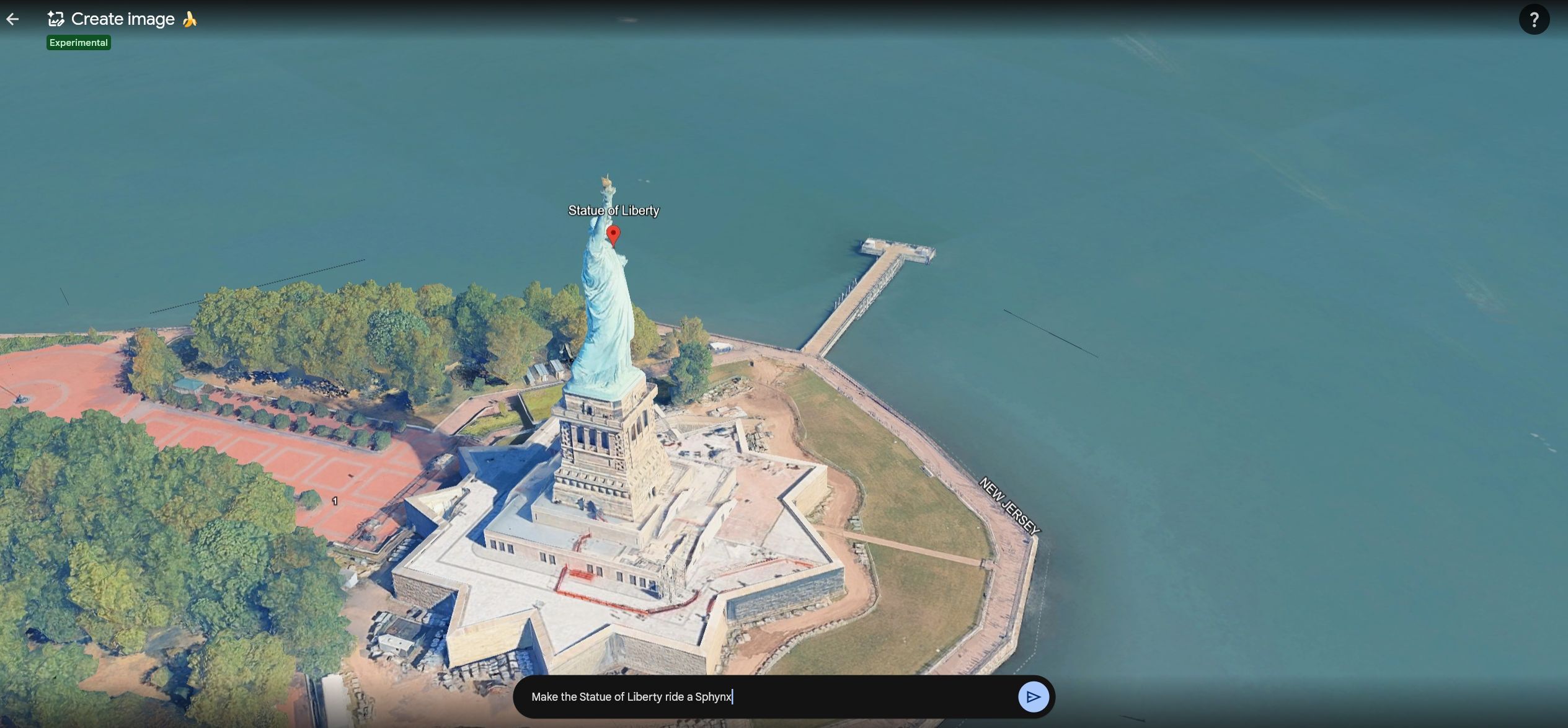
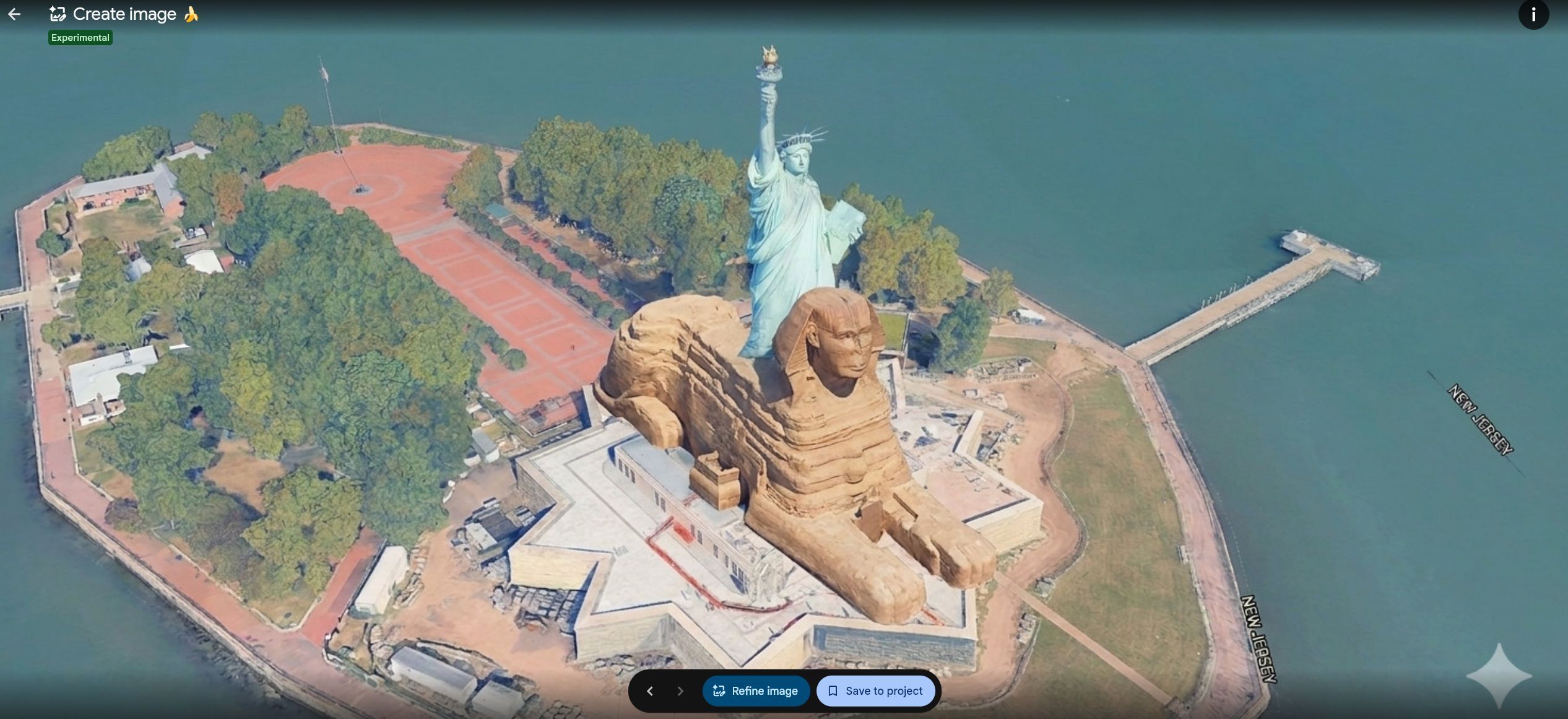
You can create all kinds of funny scenarios with this new feature. | Images by Google Earth
Google's AI image generation model, Nano Banana 2, is now baked inside Google Earth. The feature is experimental, and you can try it even with a free plan (it's limited to three images).
For the first time, you can generate custom images using Google Earth’s satellite, aerial, and 3D imagery alongside Nano Banana, which creates concepts grounded in the real world.
- Bryan Horowitz Product Manager, Google Earth
All you need to do is open Google Earth, visit the site you want to temper with, and click on Tools → Image Creation.
What do you think about the new Create Image AI feature in Google Earth?
7 Votes
Bringing history to life
That's the first marketing point for the new feature in the post Google made on its blog. The example posted is turning Pompei into a living and breathing Roman city.
But I made something cooler. I went to General Robert E. Lee's headquarters in Gettysburg and made Google Earth recreate the iconic battle.

Not sure if this looks right, but it's cool nonetheless. | Image by Google Earth
I'm not an expert in American history, and the result I got is probably wildly inaccurate, but it's still a cool way to bring some action to static history images.
Infographics and other useful info
According to Google, you can also use Nano Banana 2 to spice up any Google Earth site with infographics and additional data.
You can, for example, visit the Michigan Stadium and make Google Earth create an infographic with cool statistics for the largest stadium in the US.
This could be very useful in history and geography classes, where a 3D image with a cool graphic sparks much more interest than a simple photo in a textbook.
Real estate and visualizing your future house (or a massive Tokyo project)
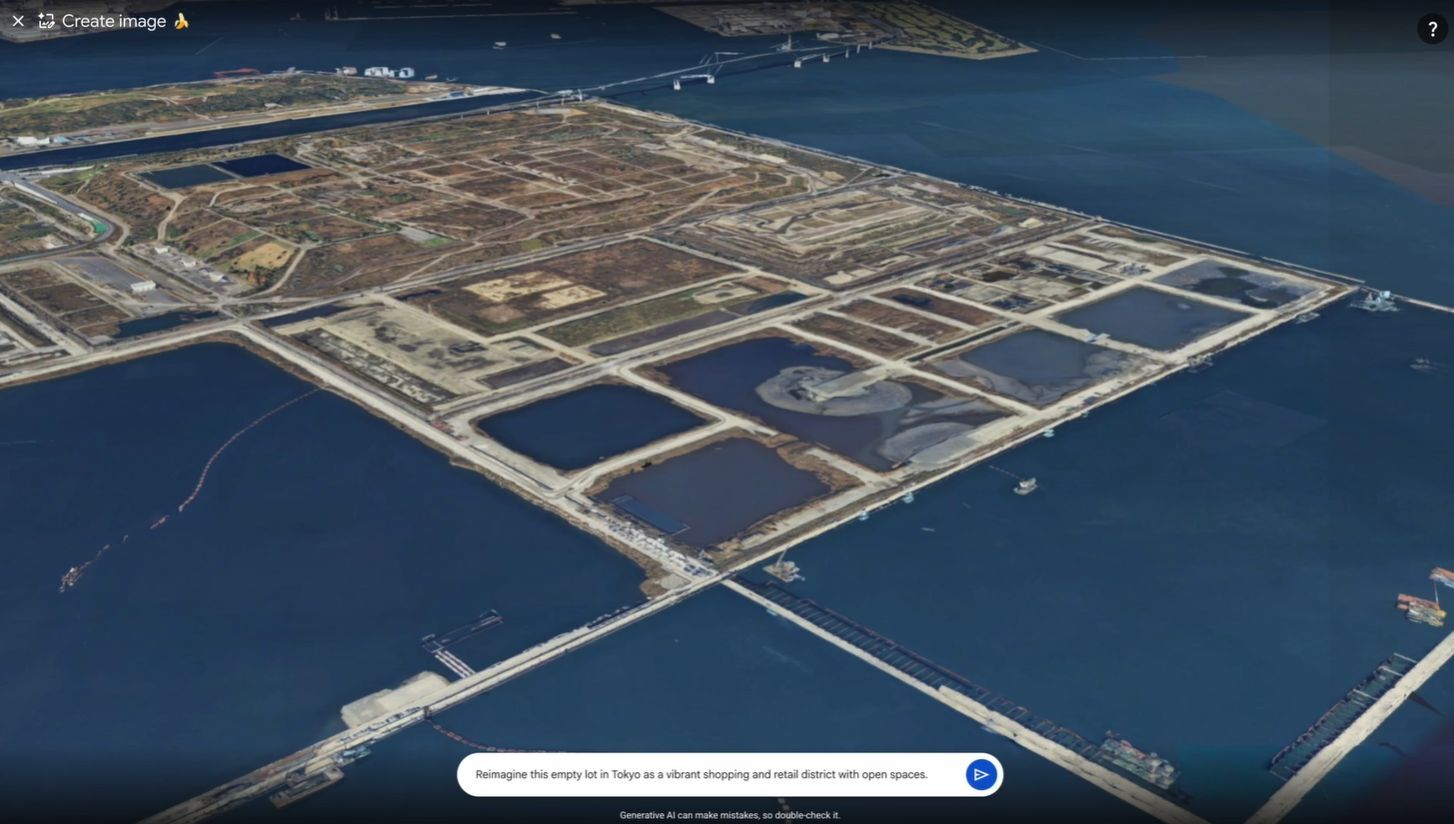
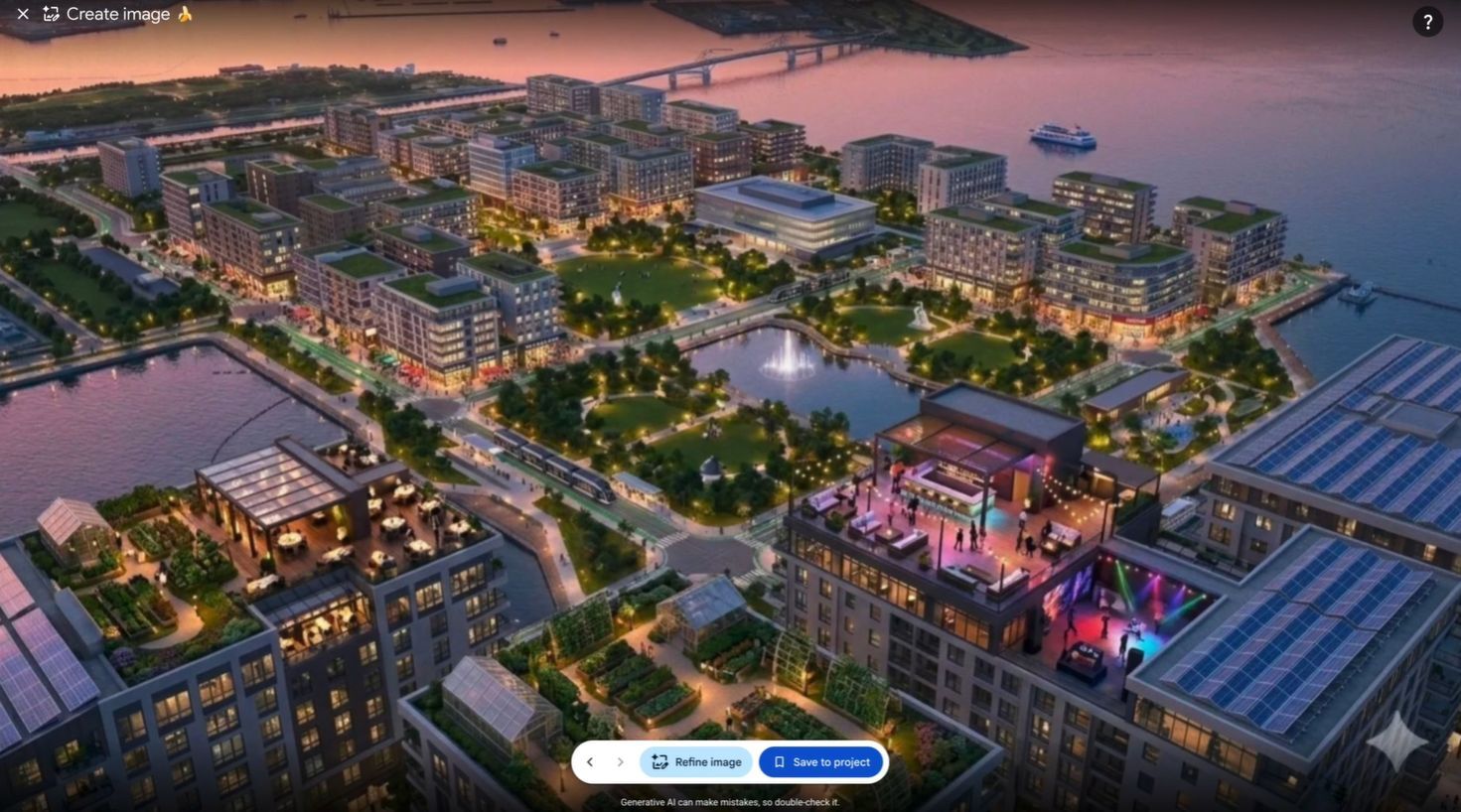
If you happen to be a construction magnate, you can see your Tokyo project visualized. | Images by Image by Google Earth
You can use the new feature to create real estate plans for a future project and visualize it before you start building.
Professionals already do this using complicated 3D software (and also charge quite a lot for it), but now, Nano Banana 2 lets everyone dip their toes into building and architecture design.
AI done right or just a gimmick?
I think the genie is already out of the bottle, so to speak. You can already temper with images using AI, Google just made it a lot easier to do it inside Google Earth.
You can use it to do some useful work, or you can just fool around, there's no harm done. Just the rising prices of RAM and memory, but hey, you can make Lady Liberty ride the Sphinx, right?
What do you think about this new AI feature inside Google Earth? AI done right, or just the latest gimmick? Share your thoughts in the comment section below.
Read more about cool AI features:
Galaxy phones can now tell if your dog is okay, thanks to a new AI feature
Meta uses EU regulations to force Apple into giving it an AirPods-style feature
Google demonstrates new on-device AI features for Pixel 10

Popular stories



Latest News


Things that are NOT allowed:
To help keep our community safe and free from spam, we apply temporary limits to newly created accounts: