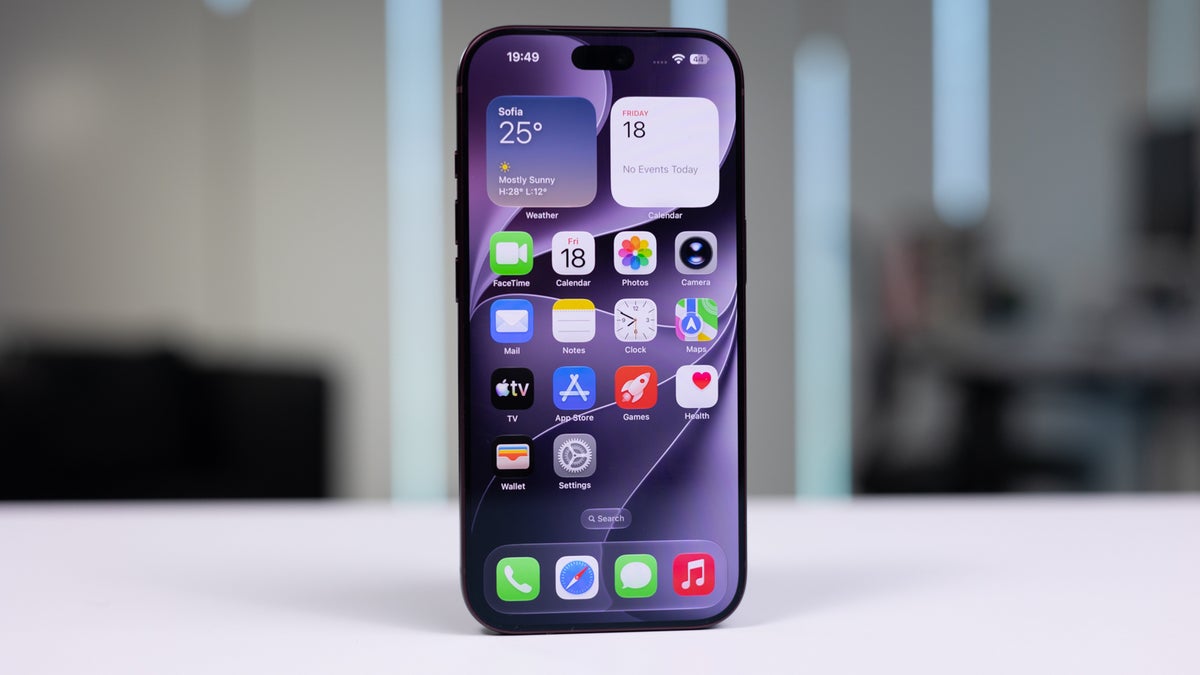
It's been some time since this stable iOS 27 is available for eligible devices like the iPhone 15, iPhone 16, iPhone 17, and more. The update surely comes with plenty of interesting and new features, but at the same time, it also breaks 15 years of muscle memory on iPhone.
New way to check out the notification
Notification Center is the go-to place to find alerts related to different installed applications on your iPhone. It can be accessed by a simple swipe down gesture. However, in the latest iOS 27 update, the exact place from where you need to swipe down has been changed.
Previously, Apple allowed opening the Notification Center by swiping down from both the top-center and the top-left corner. I have been using the former movement since I started using iPhones, which is almost seven years ago. However, in the latest iOS 27 update, the top-center slide-down gesture doesn't open the Notification Center.
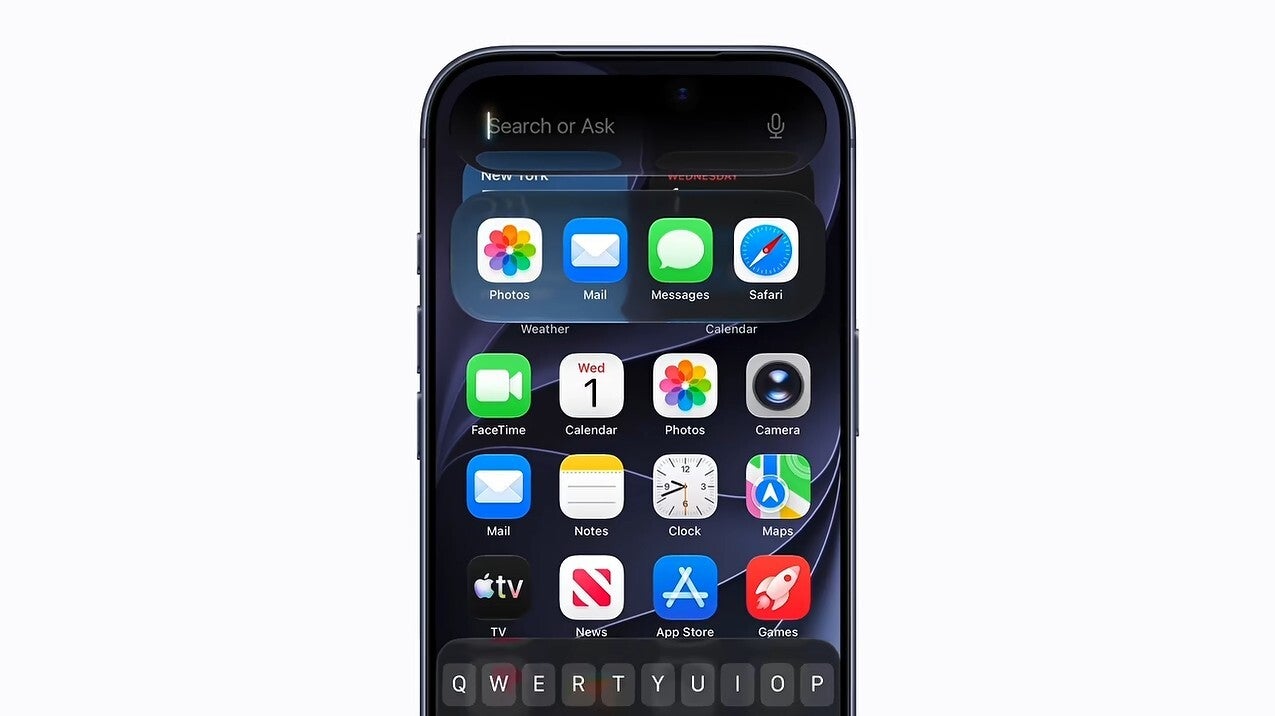
Search or Ask interface in iPhone. | Image by Apple
Instead, it activates the search or ask interface that is connected to the new Siri app. Obviously, this change is only affecting the iPhone 15 Pro and newer devices that support Apple Intelligence. On older iPhones like iPhone 14, the top-center swipe down gesture still brings the Notification Center.
Recommended For You
Poll
4 Votes
What do you think about this change?
The lock screen is still the same
The above change only takes effect if you have new Siri enabled on your iPhone. Furthermore, the lock screen gesture is still the same as before. That means when your device is locked, you can swipe up from the bottom center to check out the notifications without unlocking your device.
Veteran iPhone users really didn't like this change
Folks who have been an iPhone customers for many years must have developed the habit of bringing out the notification center from swiping down from the top-center. But if they want to keep the new Siri enabled, they will have to start using the swipe-down from the top-left corner gesture and unlearn the top-center swipe-down gesture.
Many iPhone users apparently didn't like this change from Apple. One individual commented under a relevant post that they are trying to get used to it, but it is surely a bit weird at first. Another mentioned that they are going to disable Siri altogether because of this change.
In case you want to turn off the new Siri, the process is simple. You need to first open the Settings app on your iPhone and then choose Siri. After that, tap the Turn Off Siri option present at the bottom and then select Turn Off Siri again.
It'll surely take some time to develop a new habit
Apple is apparently very aggressively pushing Siri AI to its iPhones and iPads. As such, you will have to relearn from where you swipe down to get the Notification Center, and believe me, it will get a lot easier over time as you will keep remembering that things have changed now.
One user mentioned that it isn't very difficult to learn the new change, and even though they have been using the iPhone since 2008, they adapted the new change just within a day. Another mentioned that the new gesture is surely different, but it will be fine.
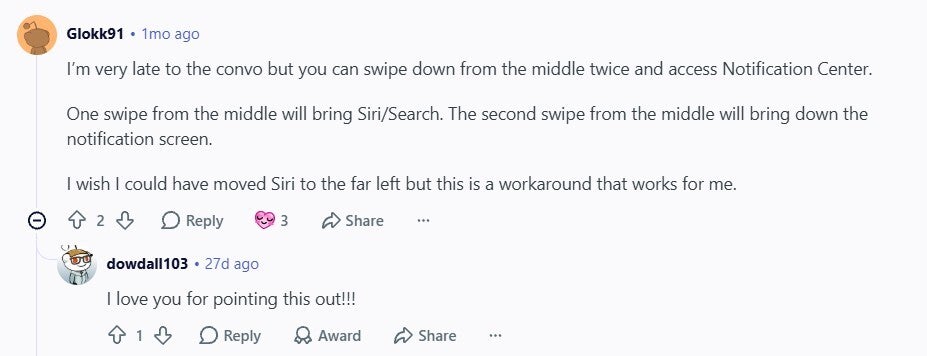
Comment about double swipe down gesture. | Image by Reddit
That said, there is a quick workaround you can get dependent on if you don't want to unlearn the top-center swipe down gesture. You'll basically have to swipe down from the middle twice. The first swipe is going to open Siri, but when you swipe again from the middle, you will bring out the notification screen.
Fortunately, users living in the EU don't have to worry about anything, as Siri AI is partially available in the European Union. It currently functions on macOS and Apple Vision Pro, and there is no announcement on when it will be made available on iOS 27.
Metro pre-paid on T-Mobile's network is offering an iPhone 16e "On Us" with the $55 plan (after AutoPay). Switch and port-in a number, put $99.99 down for the iPhone and get a $100 pre-paid virtual card after 3 months of service.
Aman Kumar is a news writer at PhoneArena covering Google Pixel phones, Android features, AI-powered smartphone tools, and mobile tech news. Before joining PhoneArena, he spent over five years writing about consumer technology for publications like MakeUseOf, How-To Geek, and Guiding Tech. His current daily drivers are the Pixel 10 and Samsung Galaxy S26 Plus, while his red iPhone SE (2nd gen) remains a personal favorite. Aman also appreciates bold smartphone experiments and still considers the Nokia N-Gage one of the industry’s most iconic designs.
A discussion is a place, where people can voice their opinion, no matter if it
is positive, neutral or negative. However, when posting, one must stay true to the topic, and not just share some
random thoughts, which are not directly related to the matter.
Things that are NOT allowed:
Off-topic talk - you must stick to the subject of discussion
Offensive, hate speech - if you want to say something, say it politely
Spam/Advertisements - these posts are deleted
Multiple accounts - one person can have only one account
Impersonations and offensive nicknames - these accounts get banned
To help keep our community safe and free from spam, we apply temporary limits to newly created accounts:
New accounts created within the last 24 hours may experience restrictions on how frequently they can
post or comment.
These limits are in place as a precaution and will automatically lift.
Moderation is done by humans. We try to be as objective as possible and moderate with zero bias. If you think a
post should be moderated - please, report it.
Have a question about the rules or why you have been moderated/limited/banned? Please,
contact us.










Things that are NOT allowed:
To help keep our community safe and free from spam, we apply temporary limits to newly created accounts: