Google has released the latest Android flavor way earlier than usual this year, and that's an excellent precedent that should speed up the arrival of Android 17-powered manufacturer-specific skins like Samsung's OneUI, Oppo's Color OS, Xiaomi's Hyper OS, and so on.
And I will be completely honest with you––I had to double-check what Android 17 features Google demoed at Google I/O 2026, because the presentation was so forgettable and lackluster if you're not into AI that no new feature had etched itself into my memory.
I'm glad I did that, because aside from the Gemini improvements that I'd likely never use, I was reminded of the intriguing App Bubbles addition that has only become available with the official Android 17 release I just got on my Pixel 9 Pro XL.
App Bubbles are the best new feature in Android 17
This mere footnote in the Android 17 changelog that didn't get a single minute of stage time at Google I/O 2026 is undoubtedly the highlight of this software update for me.
That's because it enhances one of the greatest strengths of Android –– its unrivaled multitasking capabilities that iOS will probably never be able to match.
And now, thanks to this new feature, aside from using apps in split-screen mode, you can also open a slew more in another layer of functionality that further improves the multitasking.
Recommended For You
To be completely honest with you, I've rarely had the need to juggle between three or more apps at the same time, but with Android 17, you get the option to do that a bit more easily and with a bit of extra flexibility.
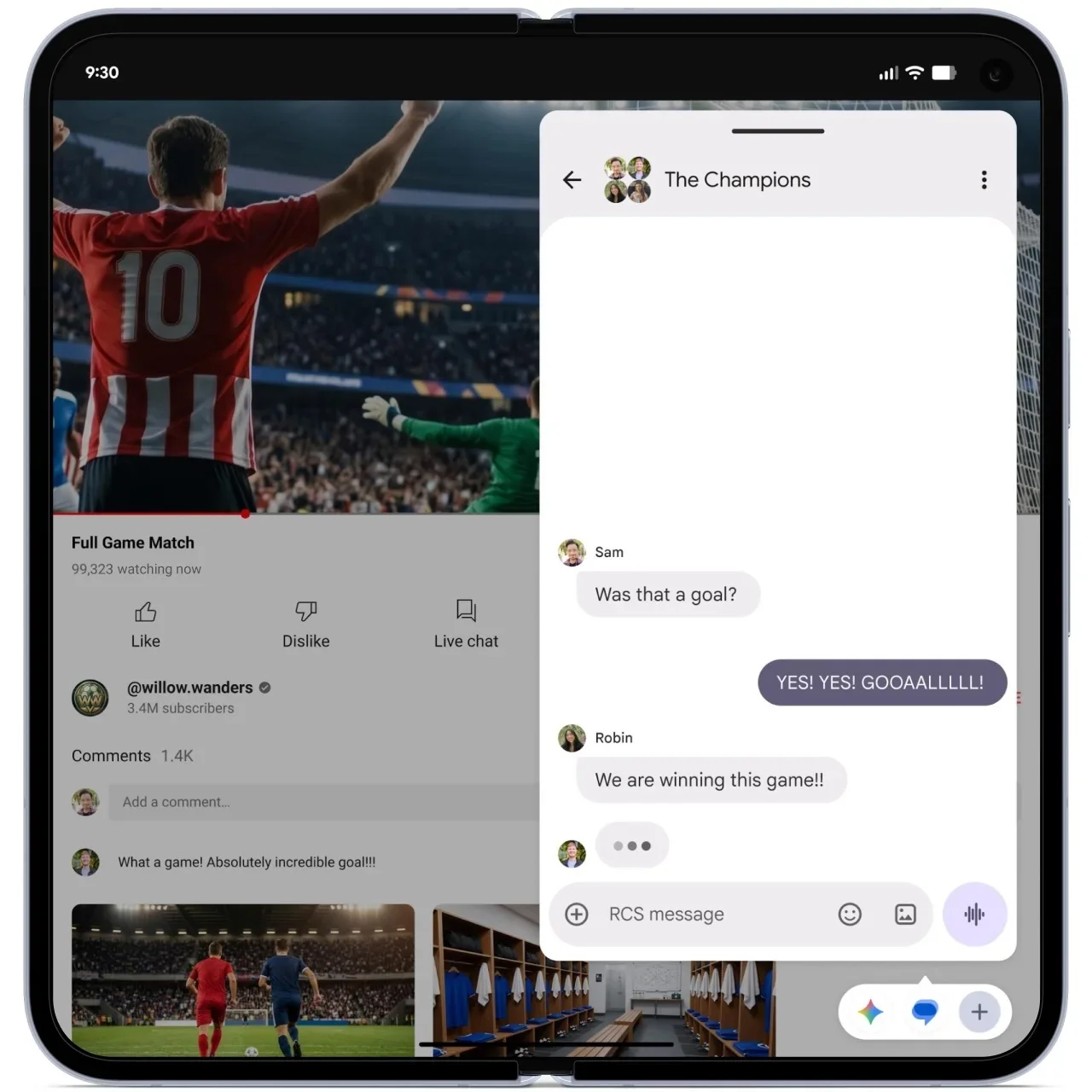
And that's just massively useful for foldables phones, where I feel App Bubbles will truly shine thanks to the new Bubble Bar at the bottom, which houses all the bubbled apps. The extra screen real estate makes these the mobile industry's posterchildren for multi-tasking, so another option to enrich that experience is more than welcome.
Bubble Bar is a great addition to Android 17 on foldables phones. | Image by Google
How do App Bubbles work?
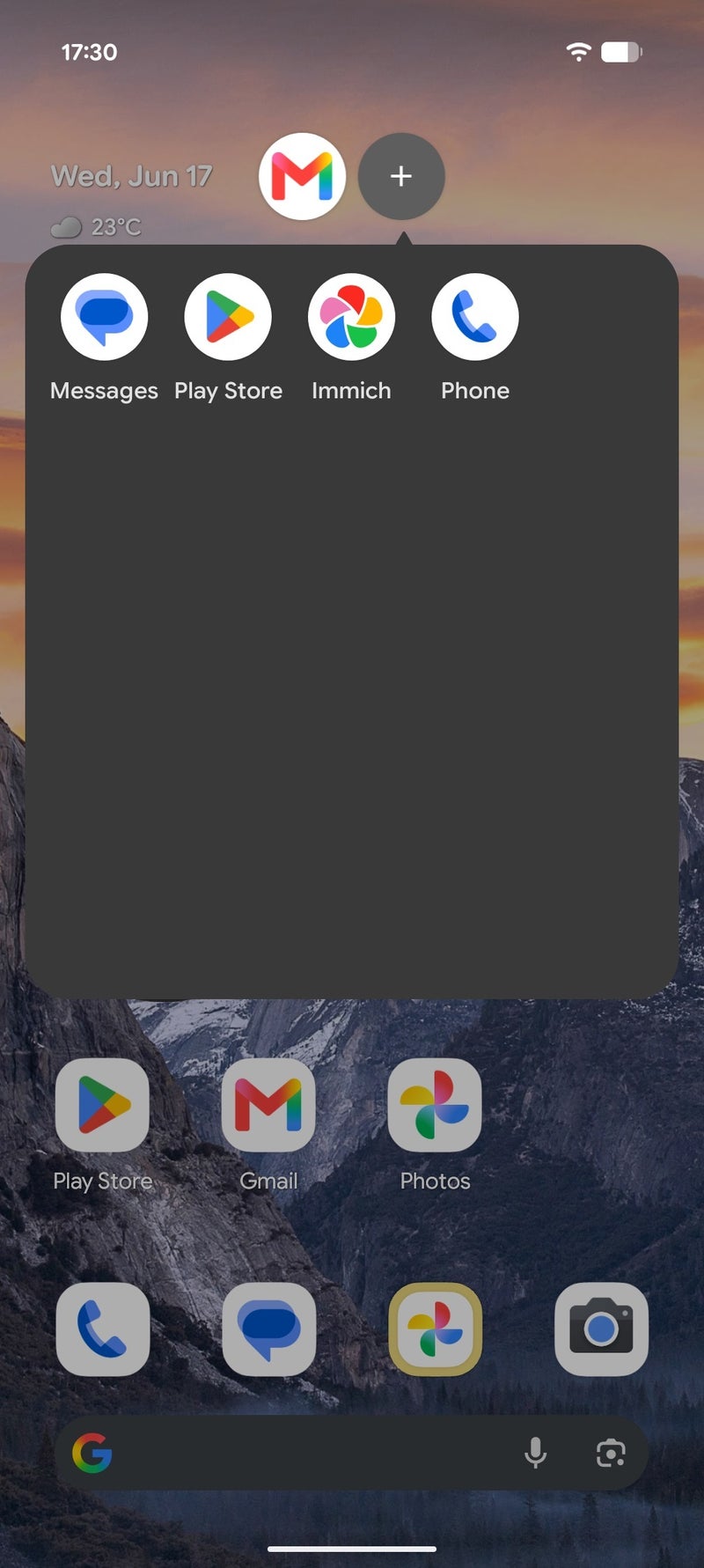
With App Bubbles, you can open almost any app on your phone in a bubble similar to those that your chats already appear in, similar to what Facebook Messenger on Android has had for over a decade.
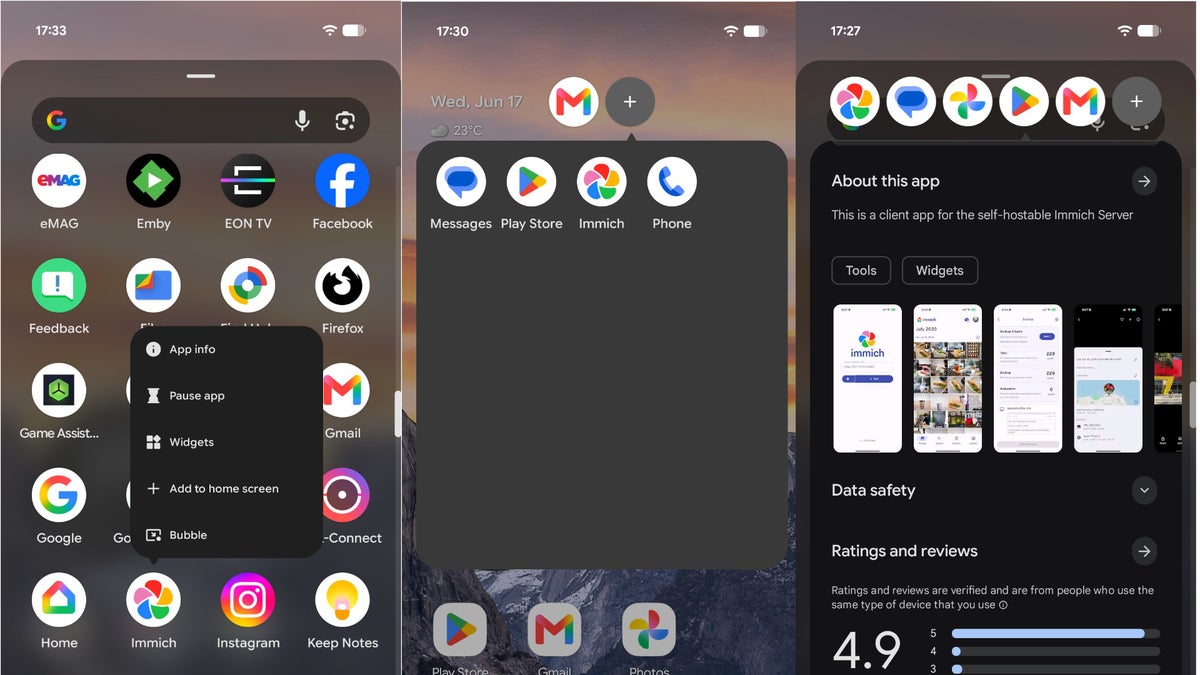
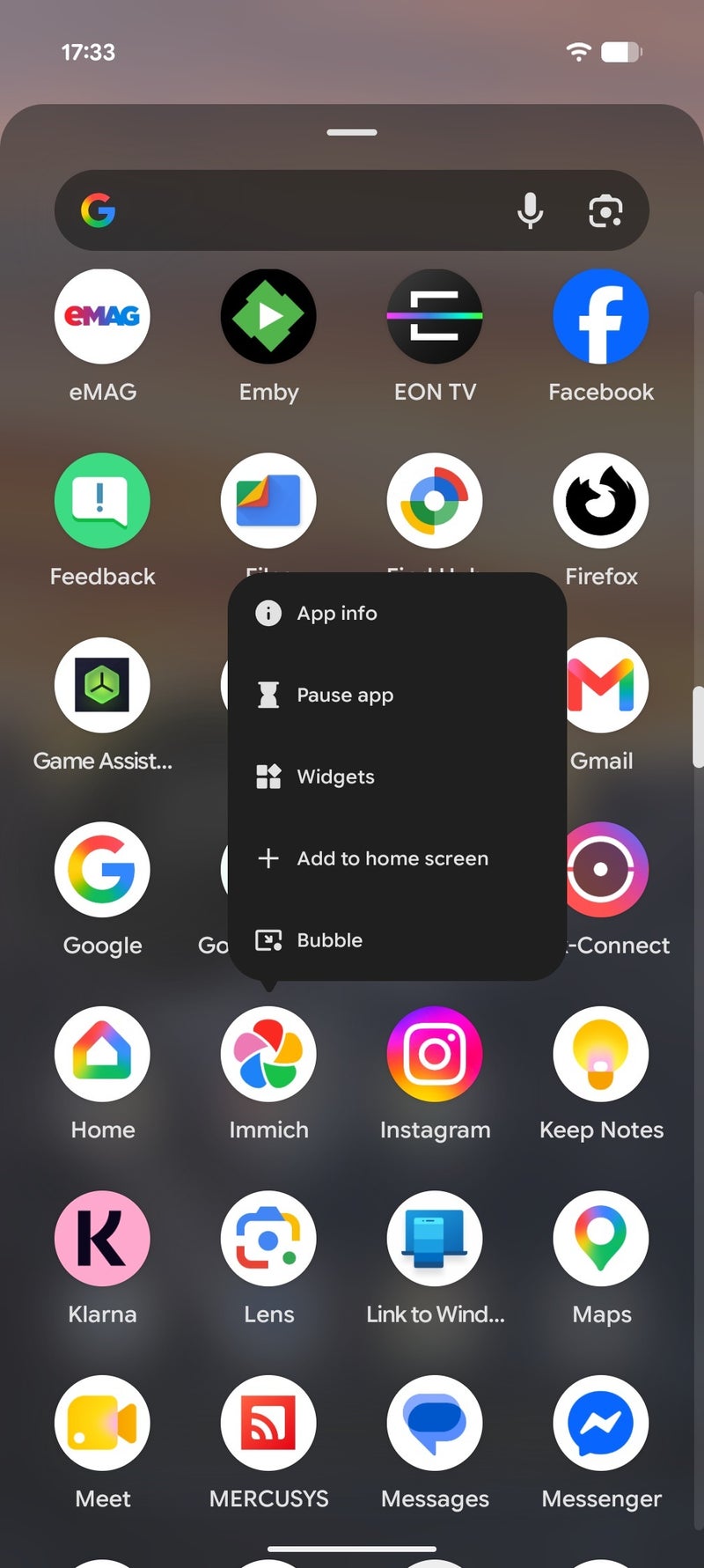
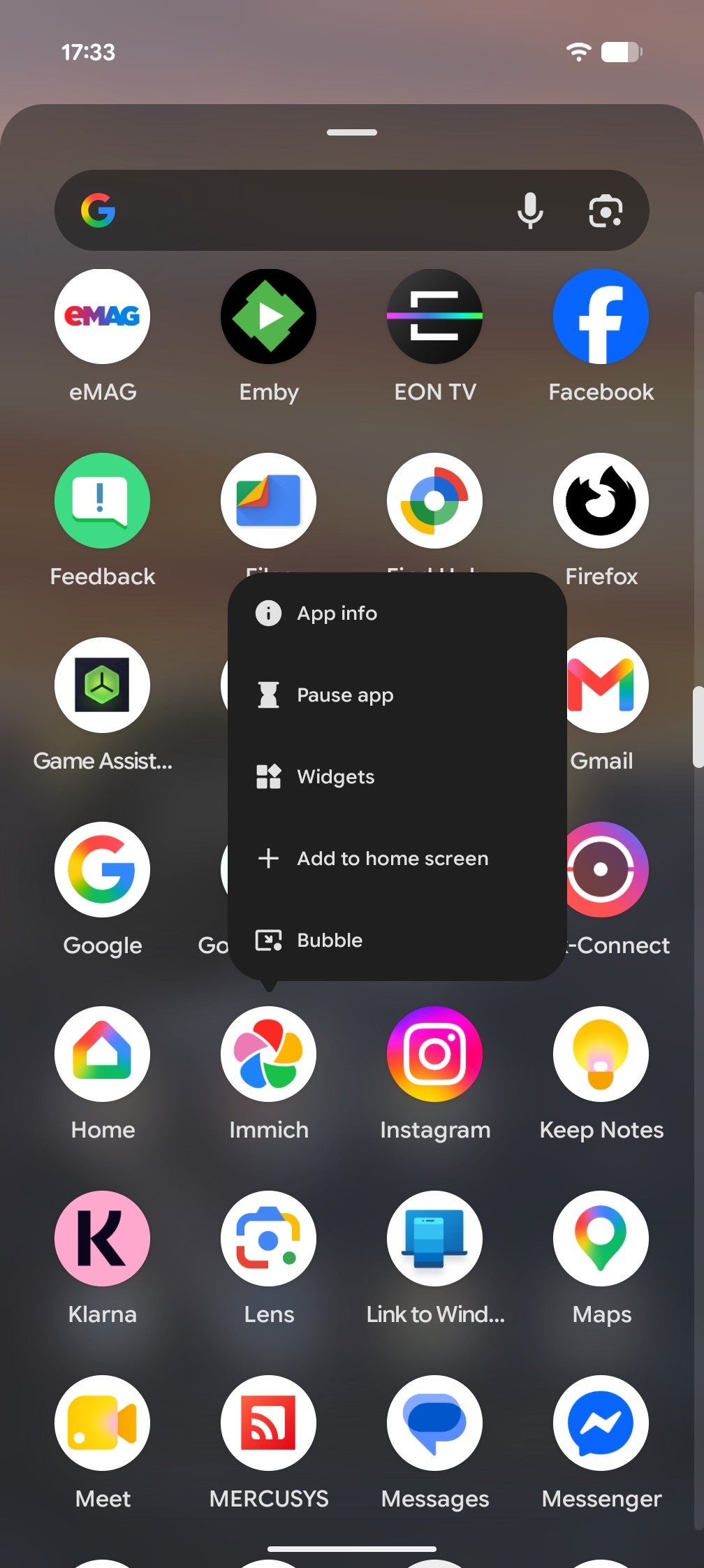
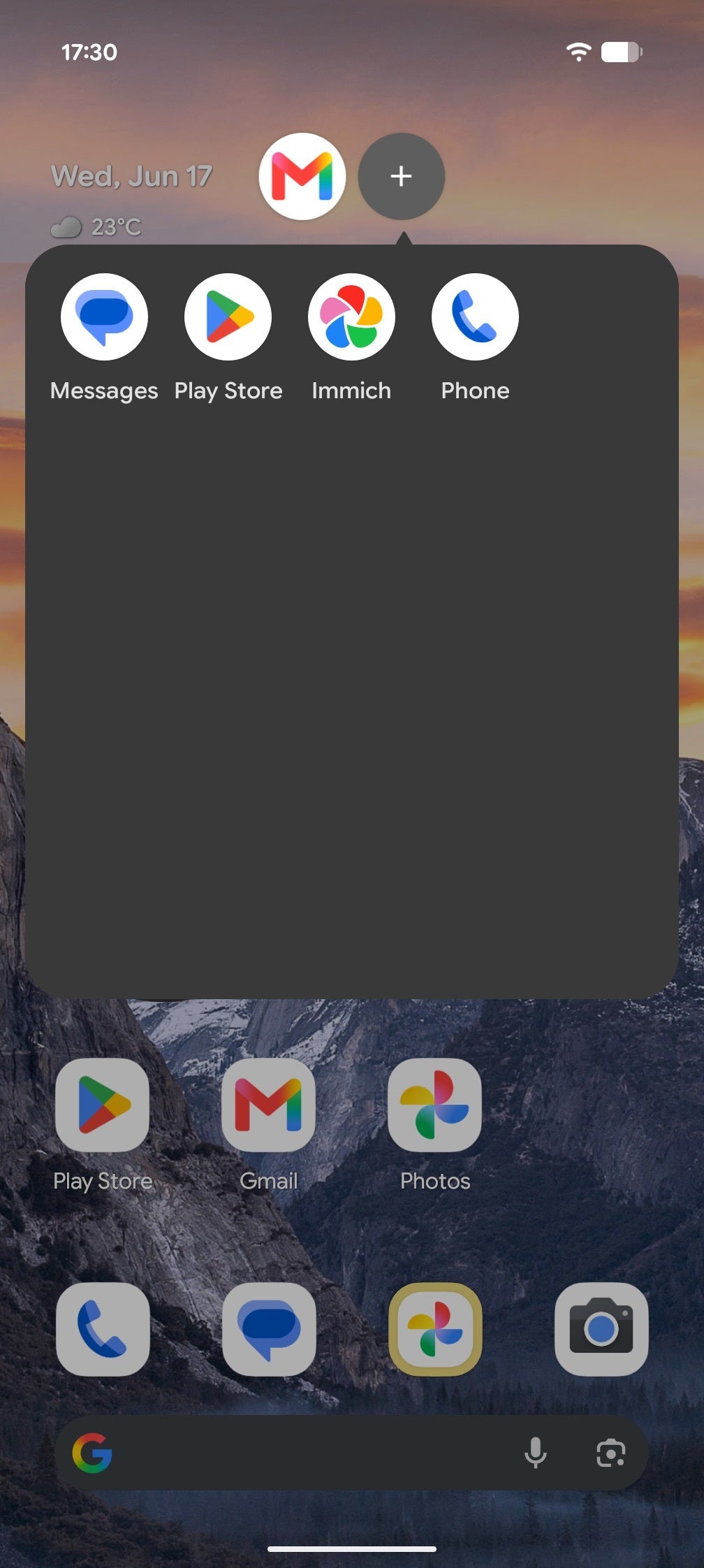
To do so, you long-press an app's icon and choose the new "Bubble" option available at the bottom of the list. You can move the bubble around, and if you open more than one, they will appear in a folder bubble that you can also move around.
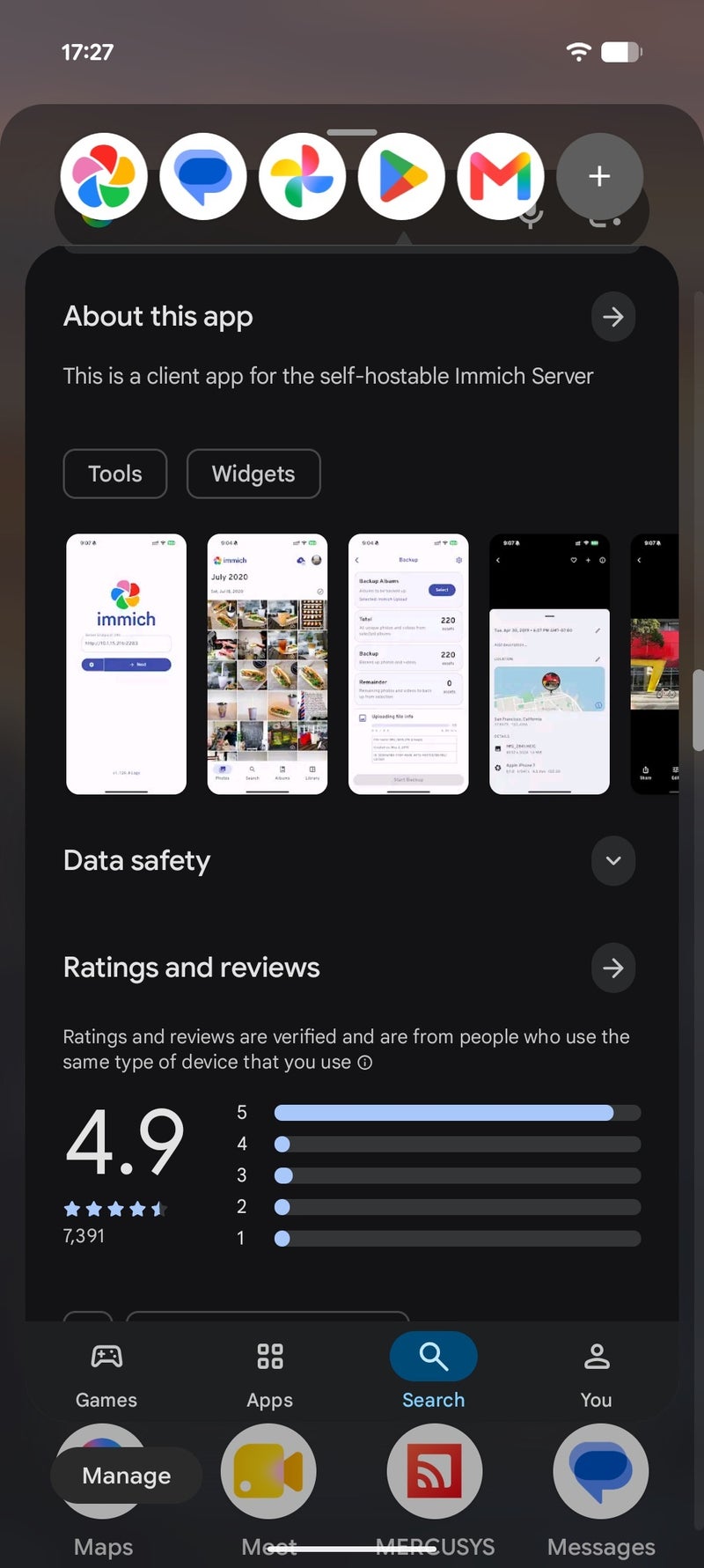
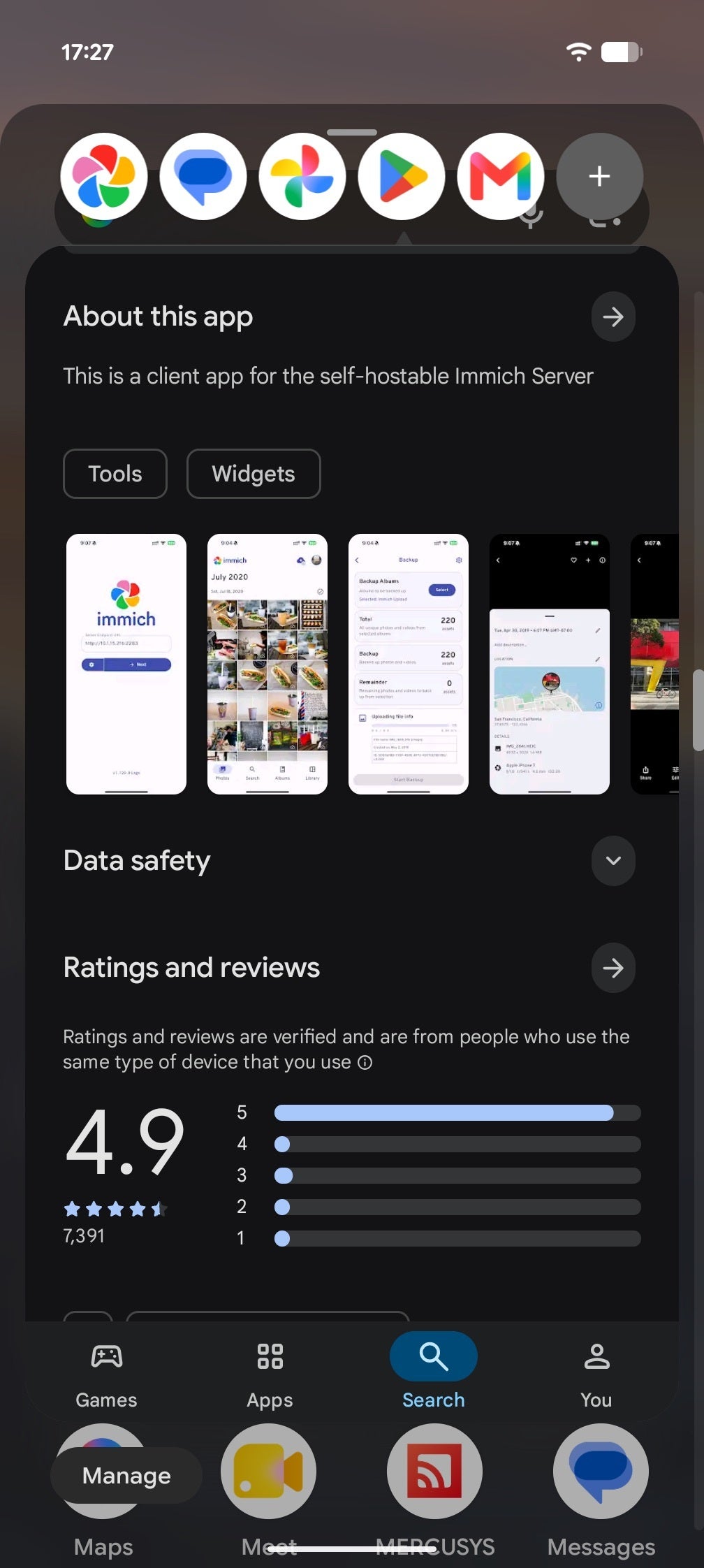
Bubbles are a familiar experience on Android. | Images by PhoneArena
Right now, you can open up to five apps in bubbles and quickly switch between them by simply tapping on an app's bubble. Intuitively, you can dismiss all or a single bubble by dragging it down to the bottom of the screen. A fairly straightforward and familiar experience for most people who have used an Android phone.
Features such as these are a rarity in the AI era
I mean, sure, all the new AI tools in Android 17 are the most interesting new features, but I'm already burned out on anything AI. And I suppose more people than care to admit are also fed up with it as well, especially those gimmicky generative AI features that we're being spoon-fed all the time.
Sadly, we live in the AI era of computing (for now), and regular useful features like these bubbles are a genuine rarity. Granted, this is not an original new feature as it has been pioneered by Facebook more than a decade ago; it's just executed in a novel new way on the base Android level.
Yet, I'd take that as a win for the Android crowd, especially those donning a foldable phone.
Six-month unlimited plan is now 57% off
$90
$210
$120 off (57%)
Mint Mobile is now allowing you to get whichever plan you like for either three, six, or 12 months for just $15/mo. If you go for the six-month unlimited service, for instance, you'll now have to pay just $90 upfront instead of $210.
Peter is a skilled writer with over 13 years of experience at PhoneArena. He has published nearly 300 phone reviews and comparisons. This vast experience helps him navigate the mobile tech landscape with ease. He enjoys everything Android but relies on a MacBook Pro daily.
A discussion is a place, where people can voice their opinion, no matter if it
is positive, neutral or negative. However, when posting, one must stay true to the topic, and not just share some
random thoughts, which are not directly related to the matter.
Things that are NOT allowed:
Off-topic talk - you must stick to the subject of discussion
Offensive, hate speech - if you want to say something, say it politely
Spam/Advertisements - these posts are deleted
Multiple accounts - one person can have only one account
Impersonations and offensive nicknames - these accounts get banned
To help keep our community safe and free from spam, we apply temporary limits to newly created accounts:
New accounts created within the last 24 hours may experience restrictions on how frequently they can
post or comment.
These limits are in place as a precaution and will automatically lift.
Moderation is done by humans. We try to be as objective as possible and moderate with zero bias. If you think a
post should be moderated - please, report it.
Have a question about the rules or why you have been moderated/limited/banned? Please,
contact us.














Things that are NOT allowed:
To help keep our community safe and free from spam, we apply temporary limits to newly created accounts: