Just as promised, Apple Upgrade is now official in the US.
The new financing program, a collaboration between Apple and Klarna, is meant to give users easier access to the latest gadgets by Apple, be it:
iPhone (including iPhone 17 series )
Apple Watch (including Apple Watch Series 11 and Apple Watch Ultra 3)
iPad (including iPad Pro and iPad Air)
Mac (including MacBook Pro and MacBook Air)
For now, the ultra-premium Vision Pro head unit isn't mentioned as supported, but one has plenty of cool mobile devices to choose from.
Lease it, use it, buy it (or return it… or upgrade to the next model)
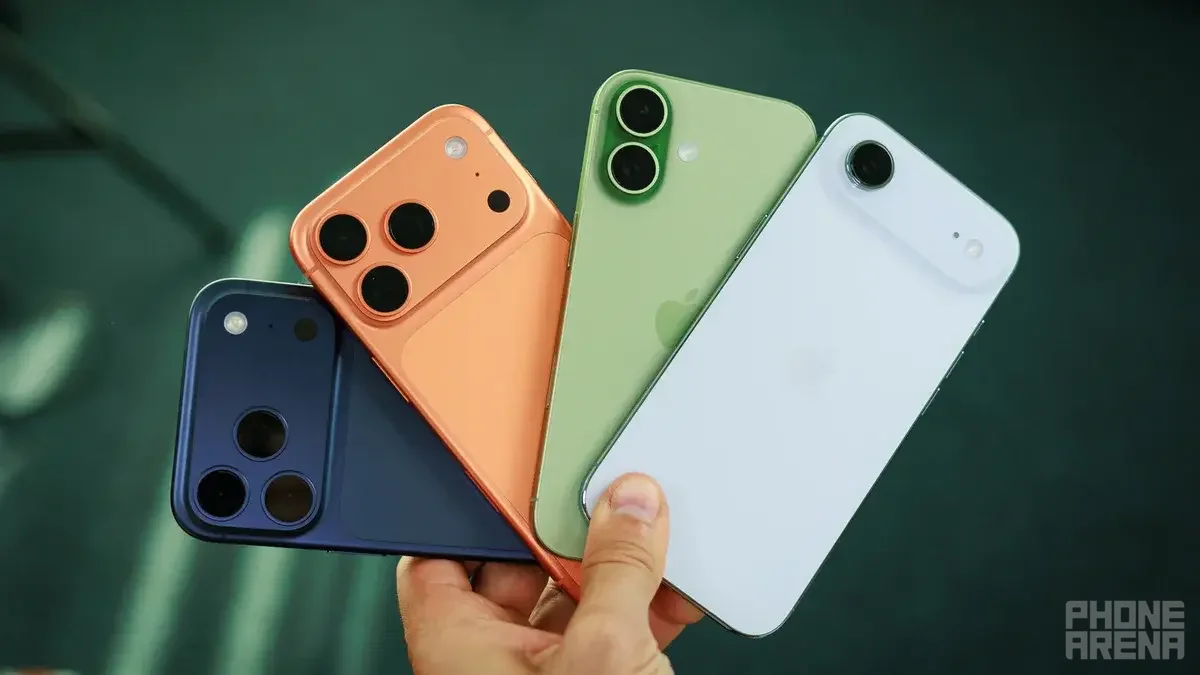
Getting the iPhone 17 Pro should be a breeze. | Image by PhoneArena
Today's announcement makes it clear that Apple Upgrade is available on the Apple Store online, in the Apple Store app and at Apple Store locations in the United States. I love such flexibility.
Here's how the new product leasing program works for the various devices:
12- and 24-month leasing options for iPhone and Apple Watch devices
24- and 36-month leasing options for Mac and iPad devices
Poll
87 Votes
How do you pay for iPhones?
I buy the darn thing, can't bother with leases or plans.
72.41%
Verizon, T-Mobile or Verizon: they've got some cool offers.
16.09%
Leasing works great for me.
10.34%
I borrow money only from friends or relatives.
1.15%
How much does it cost?
Apple says that prices are as follows at the moment:
$17.99 per month for iPhone
$11.99 for Apple Watch
$24.99 for Mac
$11.99 for iPad
Upon their first enrollment in Apple Upgrade, users can further lower their monthly lease payments. In order to unlock that bonus, they need to trade in their current device (that's done through Apple Trade In). Customers can also earn 3% Daily Cash back when making their lease payments with Apple Card.
Recommended For You
But how to apply?
So, let's say you've chosen a lease plan. You can then apply online or in an Apple Store (if there's one near you) and, generally speaking, in just a few minutes you'll get a decision from Klarna. The application only requires a soft credit check, so it won't affect your credit score.
Once approved, you can complete the purchase as usual. Customers shopping in stores can take their new device home immediately (oh, yeah!), while online buyers can choose home delivery or in-store pickup. Apple also offers its free Personal Setup service to help customers get started with their new device, along with free Today at Apple sessions that teach useful tips and features.
When the lease ends, customers can do one of the following:
Upgrade to a newer device
Buy the leased device (with a single payment at the end of the term)
Return the device and leave the program
The Klarna app lets users track their lease, including payment dates and the amount left to pay. Customers can also add AppleCare coverage, making it easier to protect their device and upgrade in the future.
Beware, though
As mentioned recently, code found in the iOS 27 beta suggests Apple could limit what a leased iPhone can do if the owner misses a payment.
In such a case, most apps could be locked, while only essential ones (like Phone, Settings, Wallet and the App Store) would continue working.
The system would let financing partners decide when to activate these restrictions. Apple is also working on a feature that could stop users from erasing or reselling a leased iPhone before it's fully paid off, although these features are still based on beta code and could change before release.
The end of the iPhone Upgrade Program
With the new Apple Upgrade program, Apple is ending the iPhone Upgrade Program and iPhone Payments in the US. Those who are currently in the iPhone Upgrade Program can switch to Apple Upgrade when they're eligible, finance a new device with Apple Card Monthly Installments, pay the full price upfront or choose financing through their wireless carrier, Apple highlights.
Here's everything about Apple from the last hours:
Apple's new CEO spills the beans on what his company's priorities are
iPhone Ultra could be only one of many brand-new Apple products this fall
Apple reportedly plans to unveil a new product at WWDC next June
Trade in your old phone for cash at ecoATM!
Recycle your used phone and get instant cash. Find out how at ecoATM!
Sebastian is one of PhoneArena’s senior opinionators. A veteran news writer with almost 20 years of experience in media and technology, he not only covers all the hot news about Galaxies and iPhones, but often provides hot takes on industry trends. He’s fascinated with camera-focused flagships from the likes of Oppo and Vivo, as well as foldable phones.
A discussion is a place, where people can voice their opinion, no matter if it
is positive, neutral or negative. However, when posting, one must stay true to the topic, and not just share some
random thoughts, which are not directly related to the matter.
Things that are NOT allowed:
Off-topic talk - you must stick to the subject of discussion
Offensive, hate speech - if you want to say something, say it politely
Spam/Advertisements - these posts are deleted
Multiple accounts - one person can have only one account
Impersonations and offensive nicknames - these accounts get banned
To help keep our community safe and free from spam, we apply temporary limits to newly created accounts:
New accounts created within the last 24 hours may experience restrictions on how frequently they can
post or comment.
These limits are in place as a precaution and will automatically lift.
Moderation is done by humans. We try to be as objective as possible and moderate with zero bias. If you think a
post should be moderated - please, report it.
Have a question about the rules or why you have been moderated/limited/banned? Please,
contact us.






Things that are NOT allowed:
To help keep our community safe and free from spam, we apply temporary limits to newly created accounts: