We've already covered the Galaxy S26 Ultra in detail — we have the review, the benchmarks, the deep dive into the Privacy Display feature, the battery tests and all the rest.
But in this article, I wanted to simply use the phone for a whole day with a focus on exploring the new camera features while capturing my day. From recording a morning run where you need great video stabilization to taking photos at night in a cozy bar, I was curious to learn more beyond the specs. So let's see how the S26 Ultra camera performs in my daily routine and whether this might be the perfect camera for you.
Galaxy S26 Ultra 12/512GB: Get it now over at Samsung!
$1299
$1499
$200 off (13%)
Samsung is letting you save up on the Galaxy S26 Ultra with an eligible trade-in. Get up to $720 instant trade-in credit or $200 off without trade-in. This is Samsung's latest and greatest phone, and the first phone in the world with Privacy Display, so don't miss out!
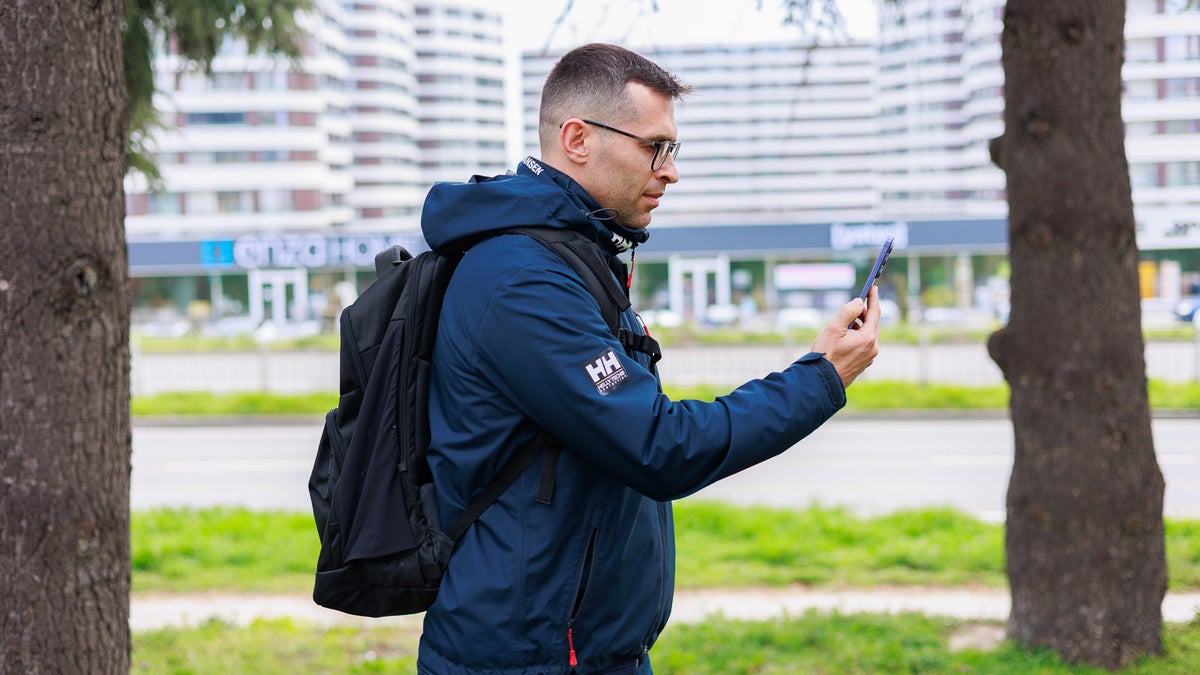
I won't lie — I don't start every single day with a morning run, but this morning a light jog was in the plans. Quick tip if you want to take photos and videos of your run: get proper running clothes (the ones with a rear zipped pocket in the waist area).
One feature really stands out for such shots: Horizontal lock. You can find this option in the top row of the Camera app, just next to the flashlight. Once you turn it on, the phone actually shoots through the ultra-wide lens, using the extra frame space to counteract camera tilt. There’s a slight crop, but the footage is still wide enough to make filming yourself easy. You can also pick between FHD and QHD resolutions, and I recommend going with QHD (middle ground between 4K and 1080p).
Recommended For You
With Horizontal lock, you will have a perfectly straight horizon no matter how fast you run or how much you wave your hand. You can even rotate the phone all the way, and it will still keep the horizon straight.
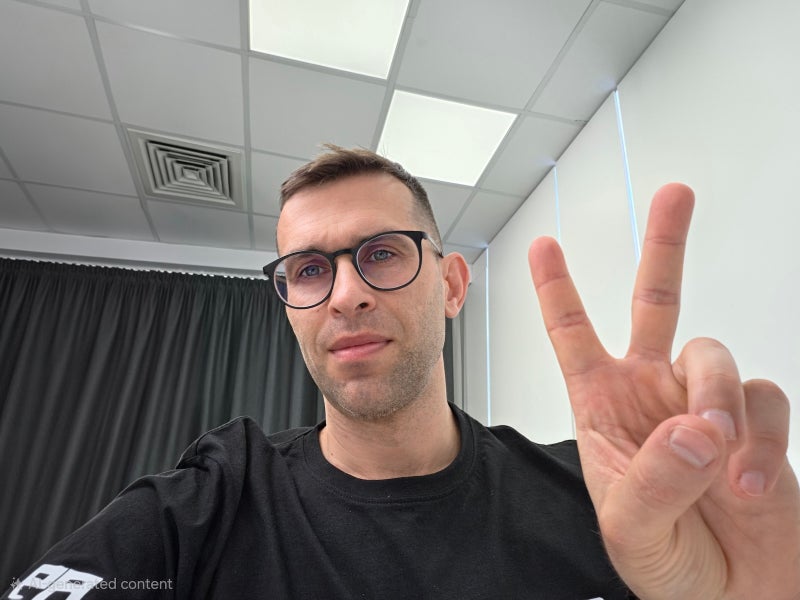
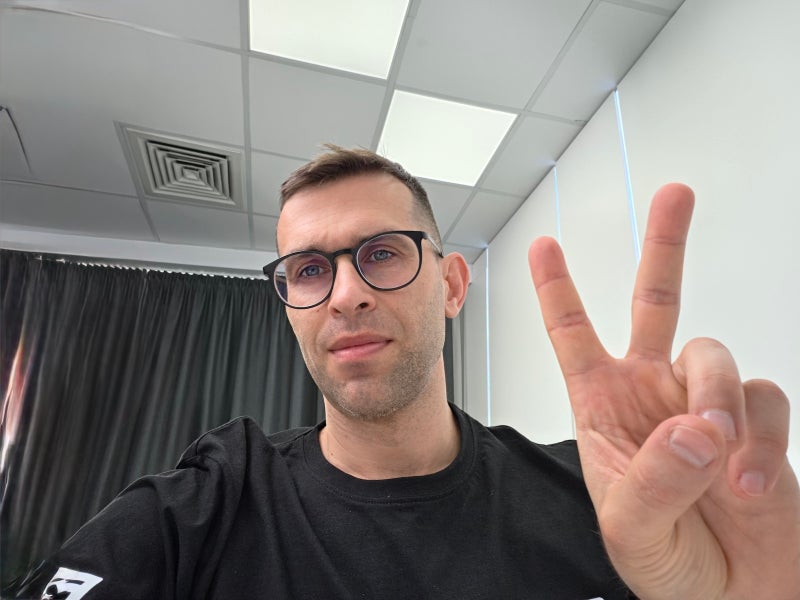
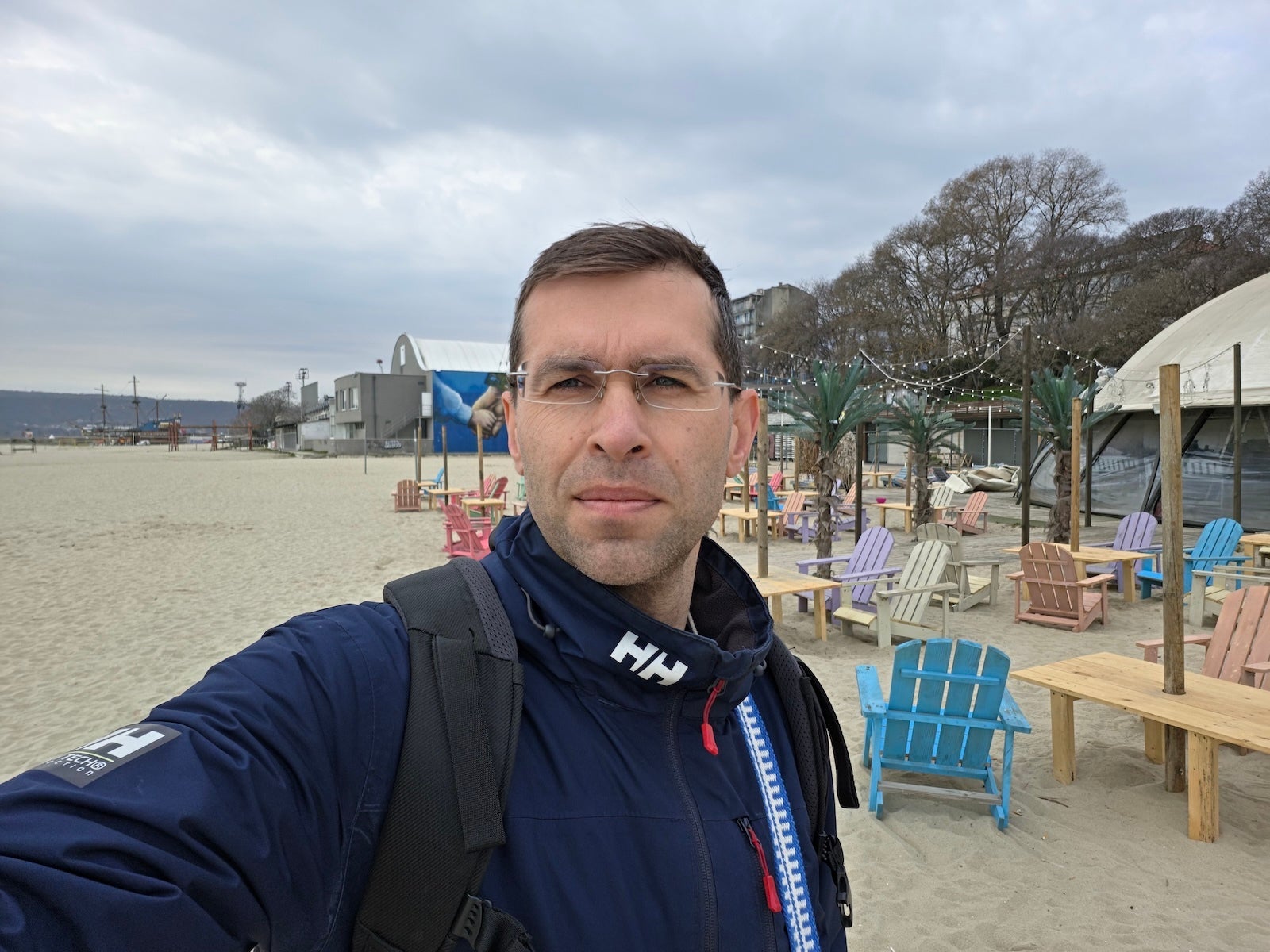
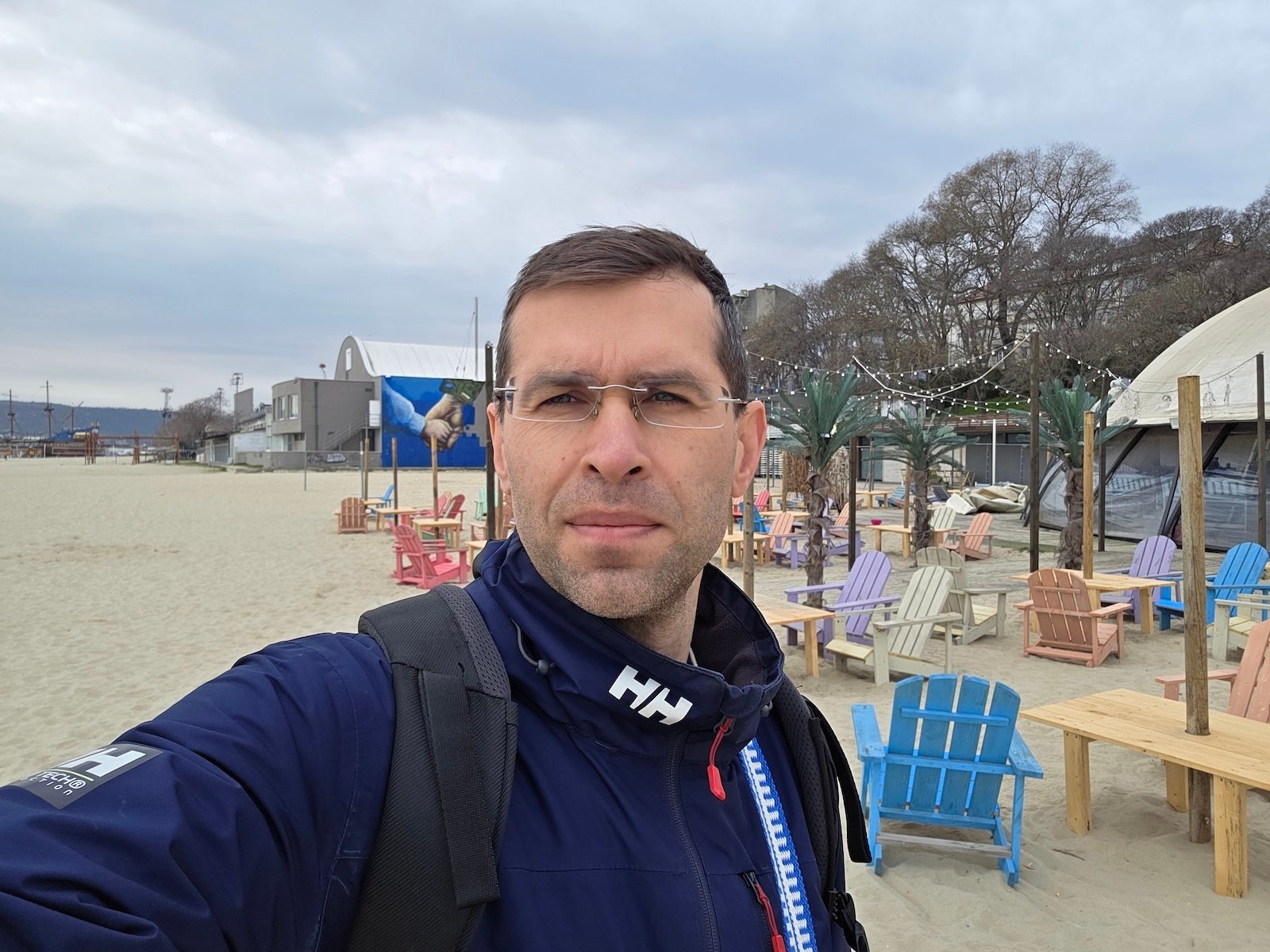
Of course, I had to take some selfies post-run too. The front camera on the S26 Ultra comes with a wider field of view, which is really nice. One obvious benefit is to fit a larger group of people, but it's also great for capturing more of the background around you.
Post-run selfies on the S26 Ultra | Images by PhoneArena
Previous Galaxies had a narrower viewing angle, and I've wanted a change for years, so I'm really happy with this new lens.
< S26 UltraS25 Ultra >
The wider field of view is a welcome change on the S26 Ultra | Images by PhoneArena
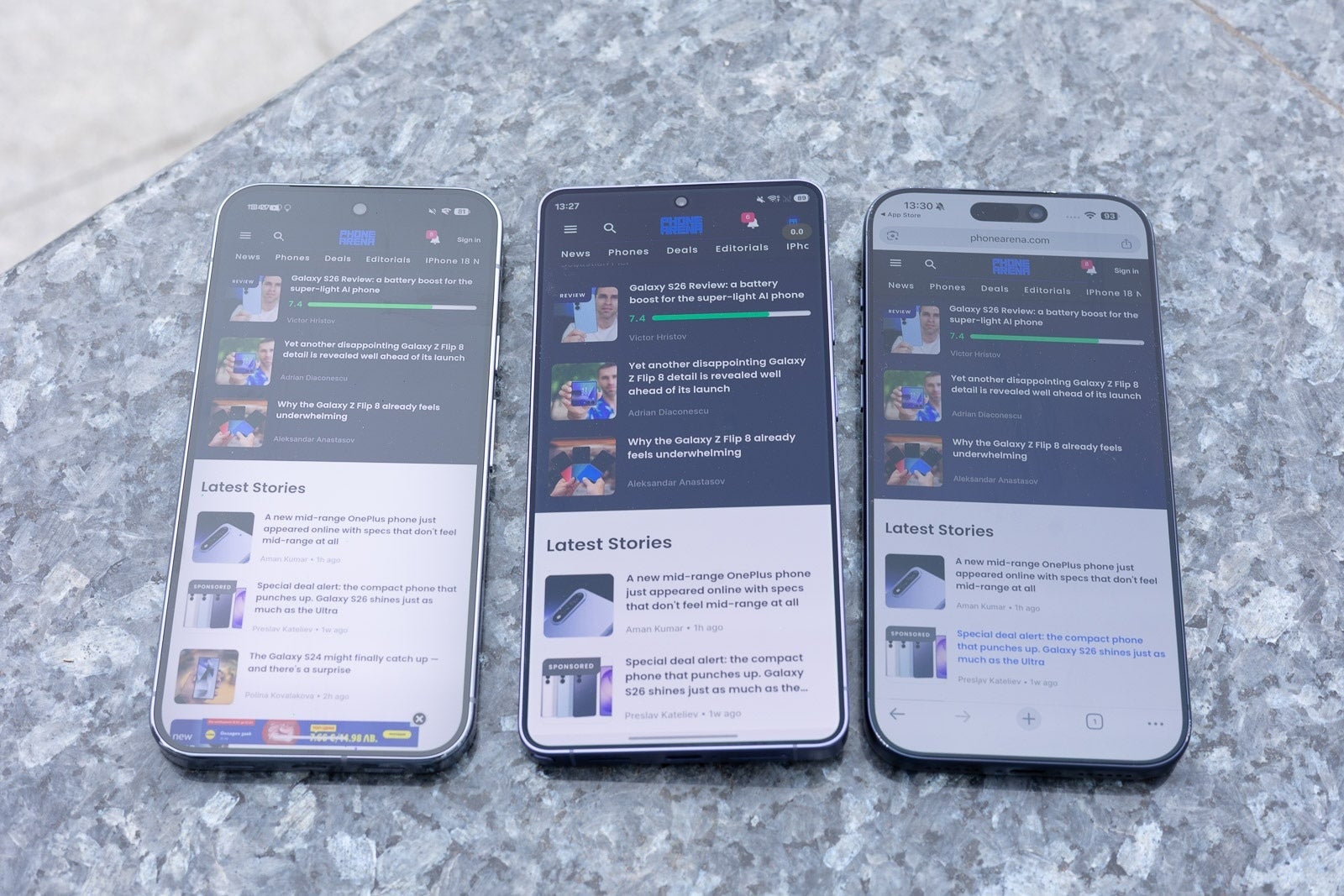
One thing I also noticed while shooting outdoors — the S26 Ultra's anti-reflective display does an excellent job reducing reflections. In my use, taking photos and videos, this makes it much easier to actually see what you're framing and get the shot right.
The S26 Ultra's anti-reflective display (in the middle) | Image by PhoneArena
Speaking of the selfie camera, this is my favorite Galaxy camera trick: you can start recording with the selfie camera, but then effortlessly switch to the rear cameras mid recording, and then switch back to finish your point with the selfie cam.
Editing on a big screen with DeX
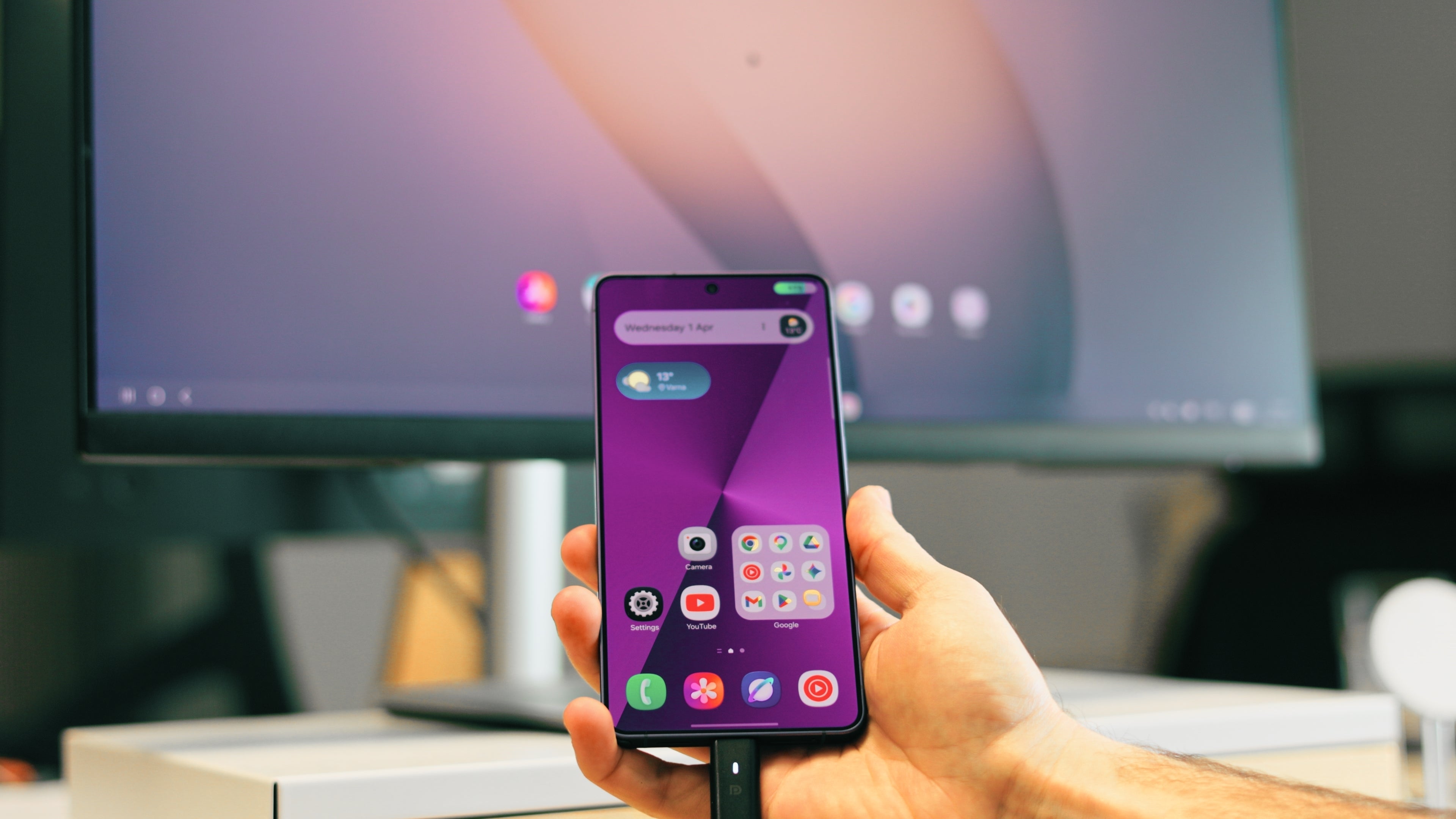
It's super easy to use DeX | Image by PhoneArena
And when we talk about unique features, I really love that with Samsung DeX[1] I can just plug in the Galaxy to a monitor with a keyboard and a mouse and have a full-on desktop experience right away. This feature offers genuine value to power users who want to be more productive. In my case for the day, I used this to see my photos and videos on a big screen. And I just feel much more productive when I have a keyboard to type on.
After shooting, I plugged the phone into a monitor with a keyboard and mouse using DeX and had a full desktop experience to go through everything I captured. It makes reviewing photos and videos so much more comfortable, especially when you're doing detailed edits.
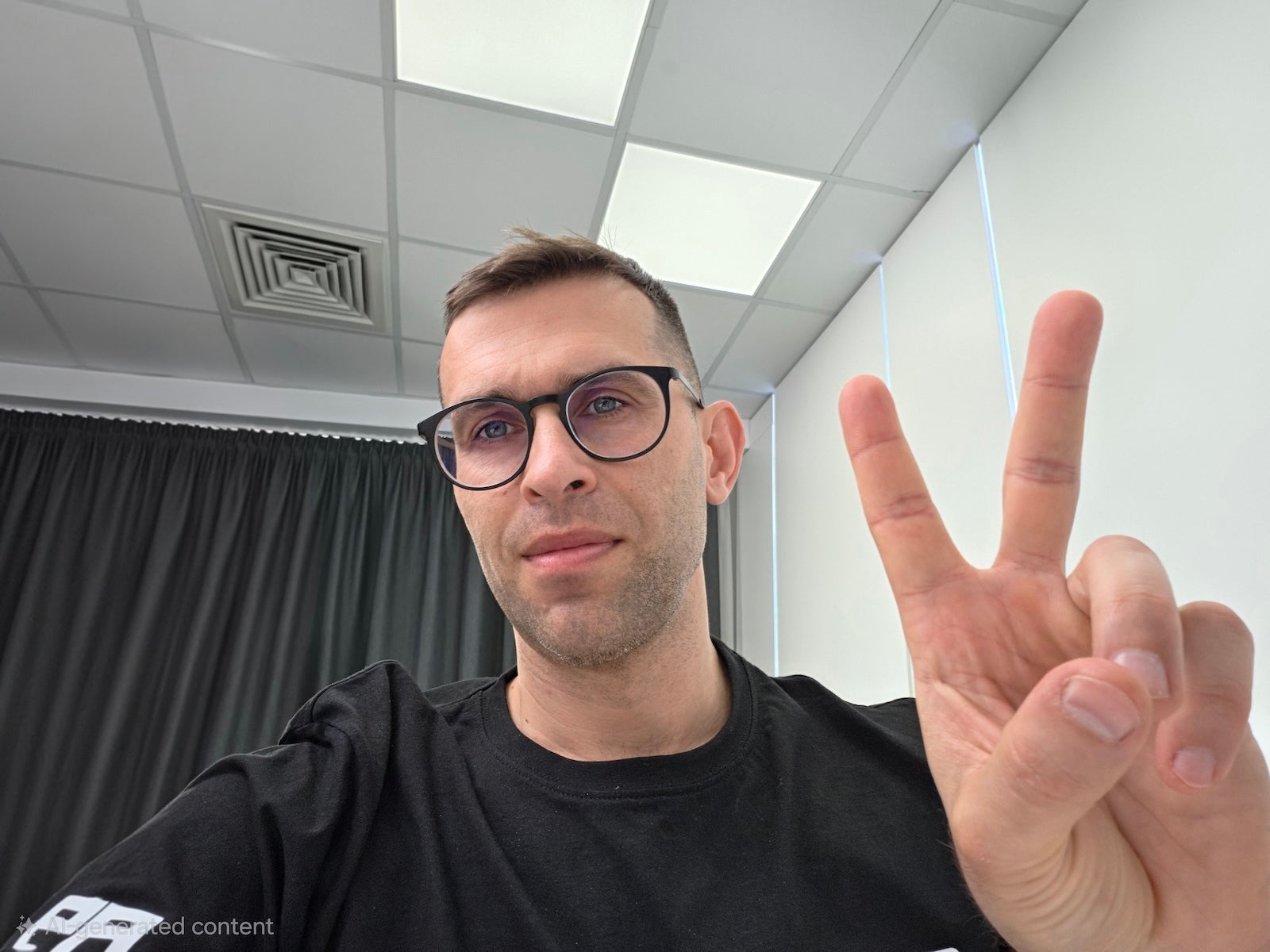
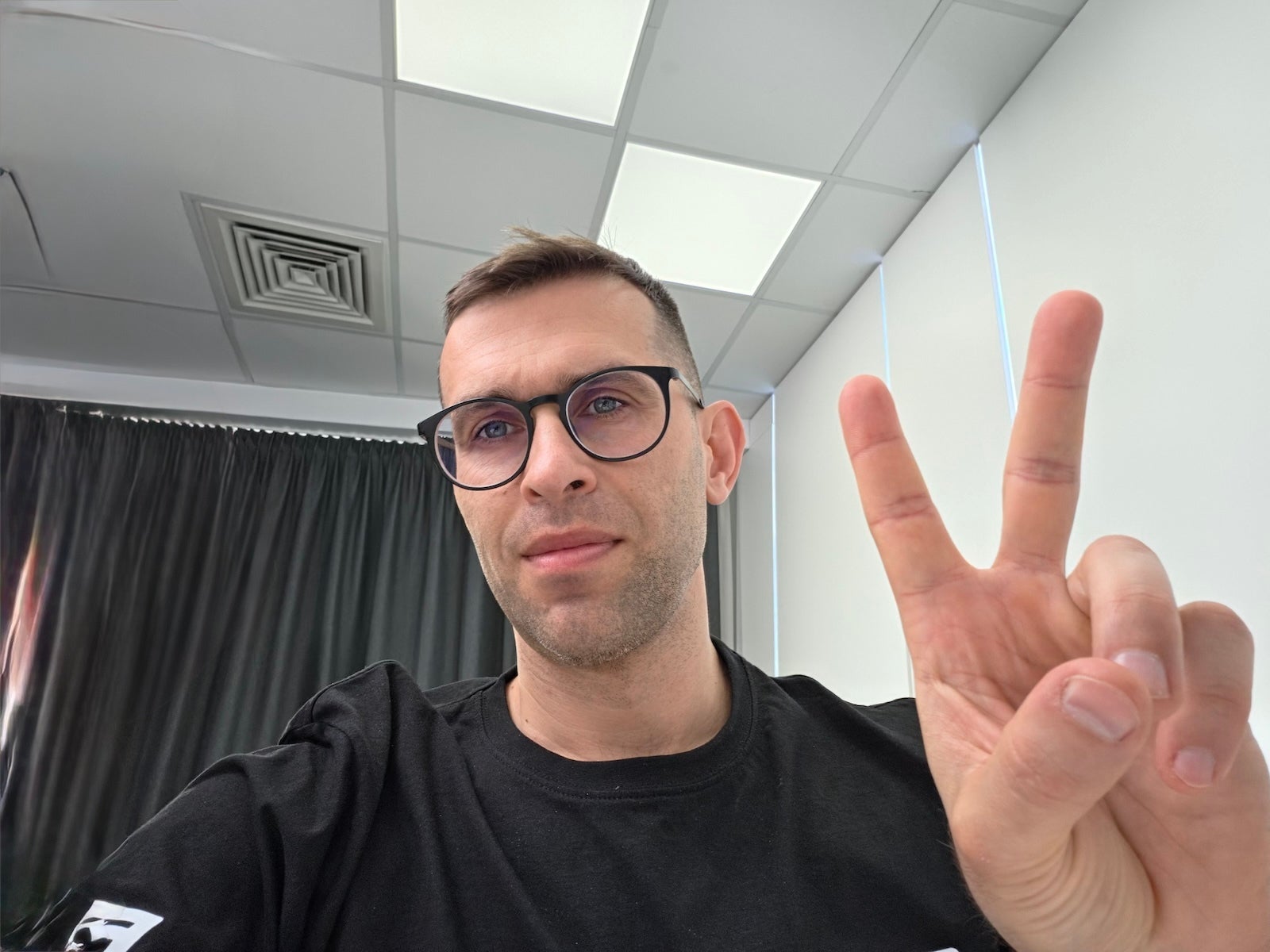
Speaking of DeX, the AI object eraser is noticeably better when you can see your work on a big screen. Photobomber in the background? Gone in seconds. The S26 Ultra also does a better job reconstructing the missing details where the AI edit happened, so your final photo looks very realistic.
I also tried the same thing on an iPhone using its Clean Up tool, and the result was a blurry mess by comparison. The S26 Ultra handles busy backgrounds cleanly, which is where these tools usually fall apart.
S26 Ultra image on the left, iPhone 17 Pro on the right | Images by PhoneArena
Notice how the iPhone could not properly recognize the curtains on the left side of the image and the metal railings on the ceiling, while the Galaxy was able to recognize and generate both those elements.
I have a short commute to work, and while on this particular day I just got to the office by bike, I occasionally use public transport, and the new Privacy Display feature is so welcome then. It doesn't completely darken the screen, but it makes it very hard for the person sitting next to you to see what's on it. A small thing, but it gives me real peace of mind.
Audio Eraser
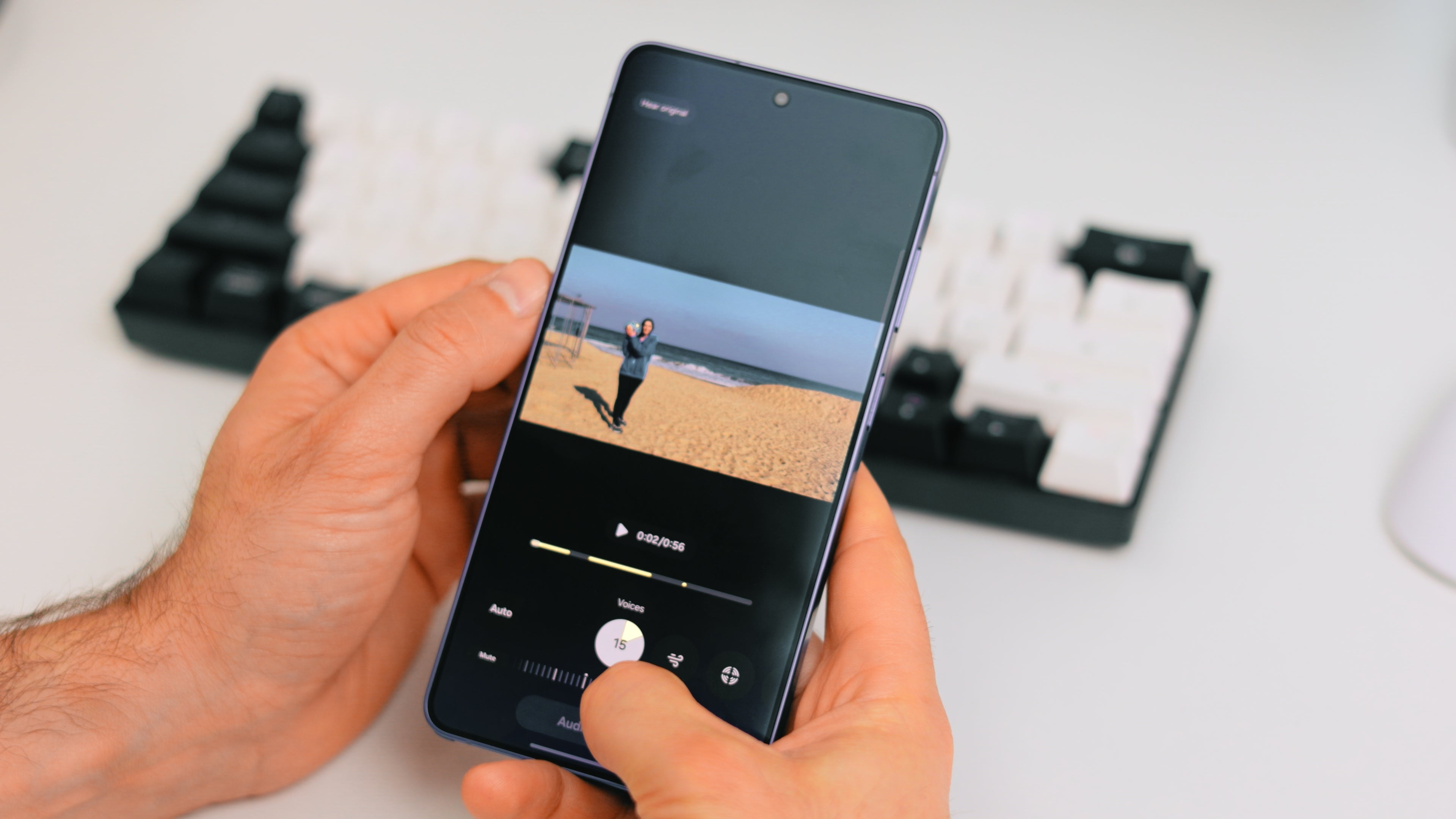
Audio Eraser on the S26 Ultra | Image by PhoneArena
A couple of days ago we played volleyball on the beach with a friend, and the crashing waves almost completely drowned our voices. I went back to try to salvage that video today and the S26 Ultra suggested using Audio Eraser[2] to remove the background noise. I could have forgotten about this feature, so I'm glad it popped up as a suggestion. After applying the feature, the difference in audio was not subtle at all — you can clearly hear the conversation without the crashing waves competing with every word.
Night Photography and Video
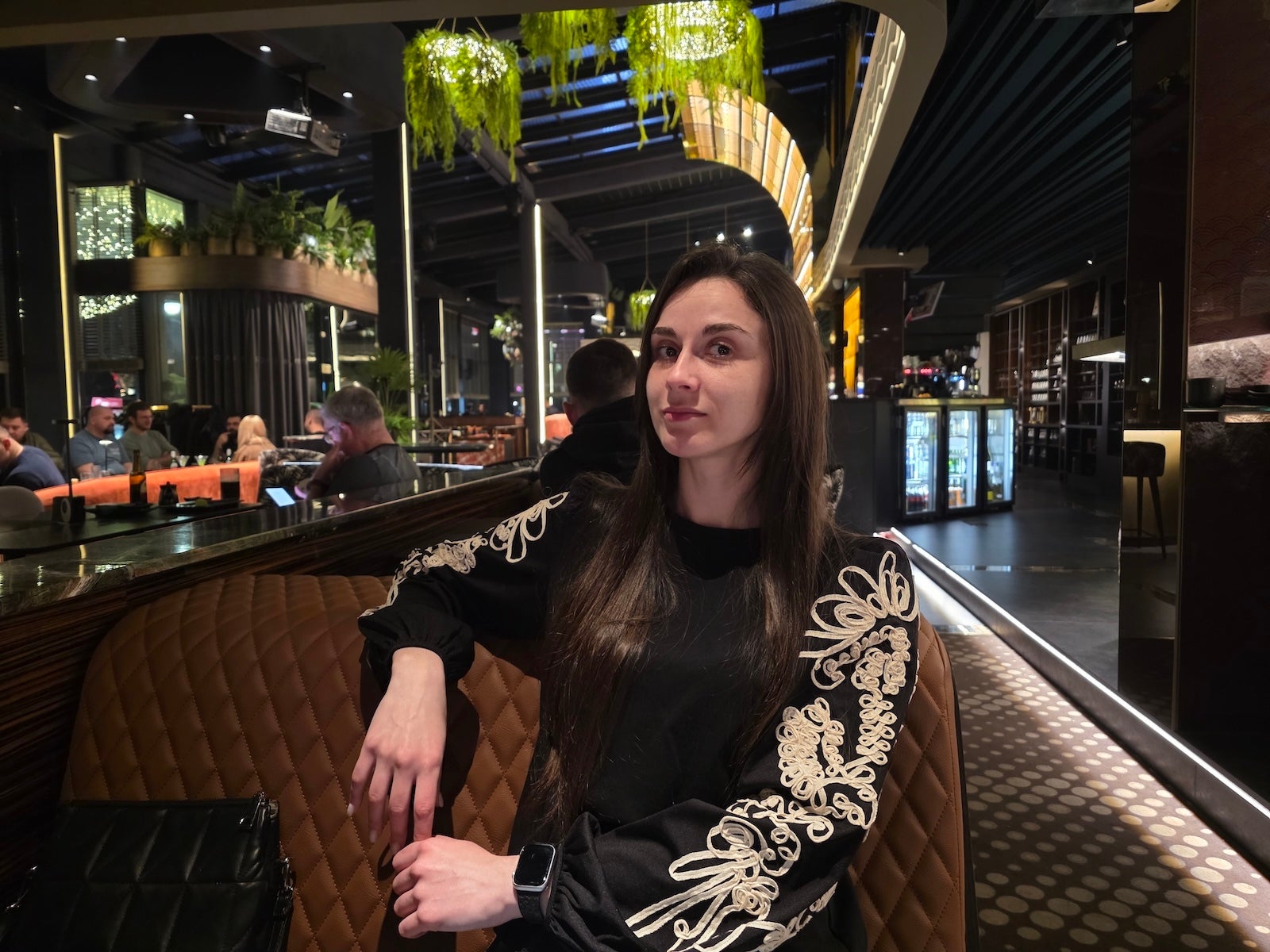
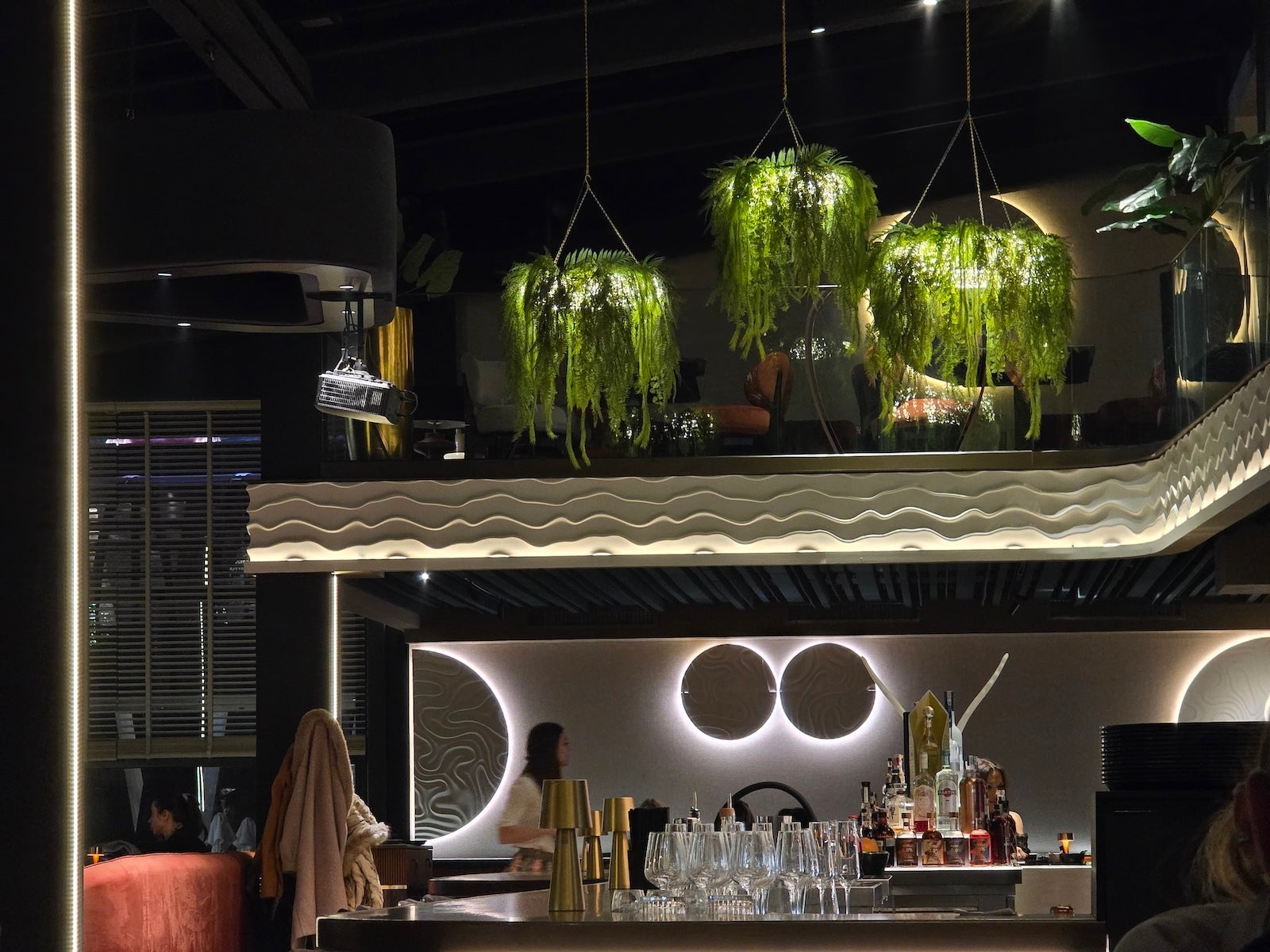
This is where the S26 Ultra makes its biggest leap. The wider aperture means it can theoretically capture 47% more light than the previous model. This results in noticeable improvements in night photos: they look less grainy, indoor action shots come out with less motion blur and your portraits will have improved background separation.
< S26 UltraS25 Ultra >
Night photos have also gotten faster. You used to have to wait a couple of seconds for the phone to take a night shot, and now it's almost instant in most situations. Only in complete darkness do you need to wait briefly, and even then the wait is shorter than before.
< S26 Ultra 5XS25 Ultra 5X >
The 5X camera also picks up more light at night now. I don't typically use the telephoto camera at night, but here I took quite a few lovely photos.
Charging
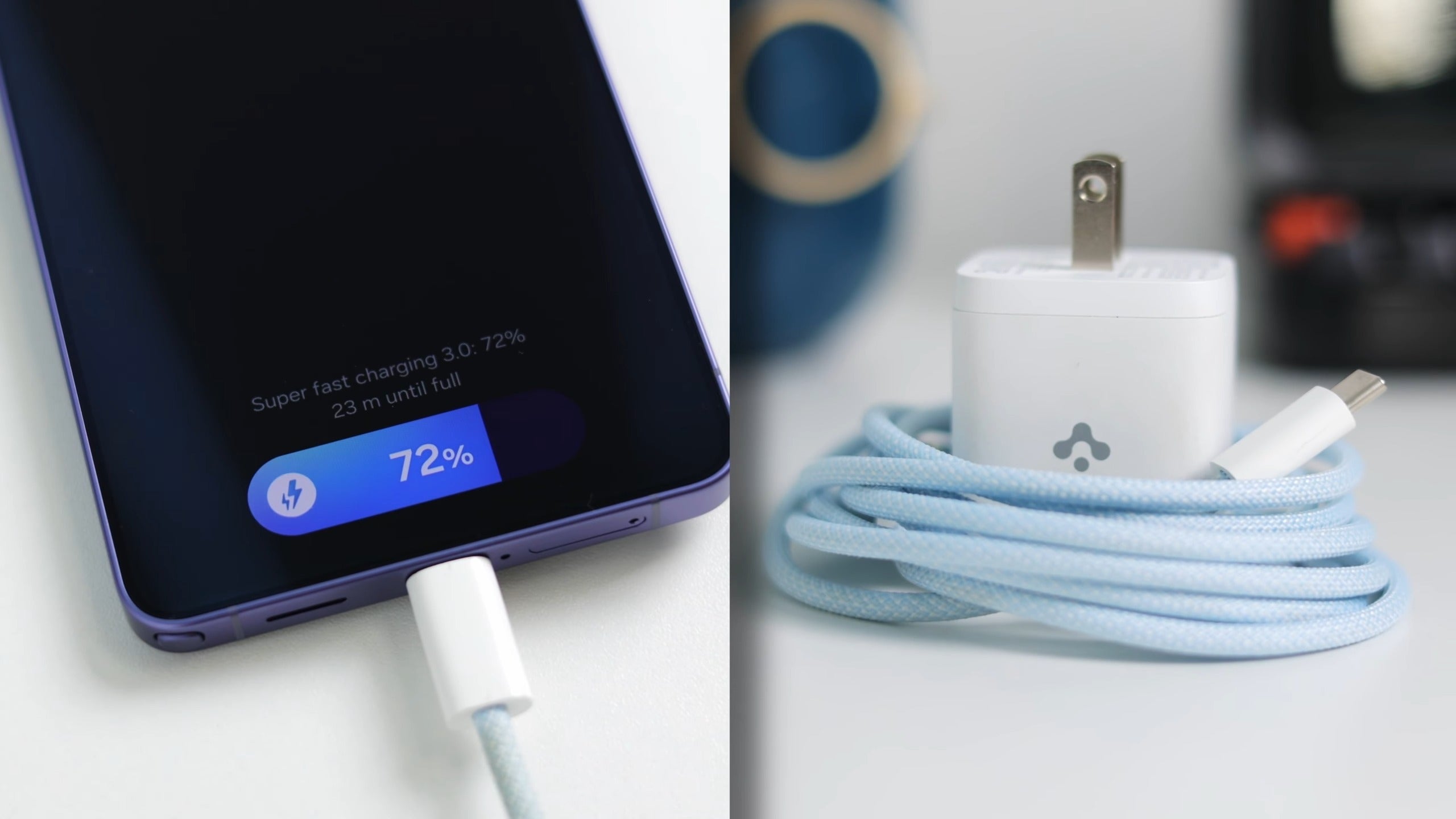
Faster charging on the S26 Ultra | Image by PhoneArena
After a long day of shooting, the S26 Ultra still had battery left, but it was time for a recharge. The new 60W fast charging is a big improvement. If, like me, you don't like charging overnight, a quick 30-minute top-up while you shower gives you enough charge for a whole day of use.
Unlike some other brands that use proprietary chargers, this one is fully compatible with the standard USB-C Power Delivery. This means that you don't need Samsung's official charger. I use an Anker power brick at home and a Baseus one at the office, and both work perfectly.
Final Words
After a full day of taking photos, videos and editing, what stands out about the S26 Ultra isn't just a single spec, but I'm more impressed with how comprehensive the whole package is. The anti-reflective screen, wider selfie camera, audio tools, AI editing, improved night shots and faster charging all combine in a way that goes beyond the specs.
I certainly wouldn't mind a few upgrades here and there, but ultimately, it's this full package that you appreciate after using the phone longer.
[1] - Samsung DeX - Samsung DeX wireless connection is supported with TVs and monitors that support Android smart phone screen mirroring (Miracast) only. There may be a difference in performance depending on TV’s specifications and Wi-Fi environment. [2] - Audio Eraser - Samsung account login required. Six types of sound can be detected; voices, music, wind, nature, crowd and noise. Results may vary depending on audio source & condition of the video. Network connection required to be used on supported apps.
Victor, a seasoned mobile technology expert, has spent over a decade at PhoneArena, exploring the depths of mobile photography and reviewing hundreds of smartphones across Android and iOS ecosystems. His passion for technology, coupled with his extensive knowledge of smartphone cameras and battery life, has positioned him as a leading voice in the mobile tech industry.
A discussion is a place, where people can voice their opinion, no matter if it
is positive, neutral or negative. However, when posting, one must stay true to the topic, and not just share some
random thoughts, which are not directly related to the matter.
Things that are NOT allowed:
Off-topic talk - you must stick to the subject of discussion
Offensive, hate speech - if you want to say something, say it politely
Spam/Advertisements - these posts are deleted
Multiple accounts - one person can have only one account
Impersonations and offensive nicknames - these accounts get banned
To help keep our community safe and free from spam, we apply temporary limits to newly created accounts:
New accounts created within the last 24 hours may experience restrictions on how frequently they can
post or comment.
These limits are in place as a precaution and will automatically lift.
Moderation is done by humans. We try to be as objective as possible and moderate with zero bias. If you think a
post should be moderated - please, report it.
Have a question about the rules or why you have been moderated/limited/banned? Please,
contact us.



















Things that are NOT allowed:
To help keep our community safe and free from spam, we apply temporary limits to newly created accounts: