Here's how to completely disable your iPhone's vibration (all iOS versions tutorial)
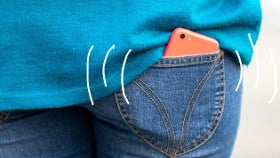
Has your iPhone vibration bothered you so much that you wish could disable it altogether? Well, we have. We suppose most of you are not entirely keen on having their phones buzzing uncontrollably whenever a message, notification, or a call hits you.Actually, due to the strong vibration, leaving your iPhone on a flat surface and receiving a call is like listening to a school brass band rehearsing for the first time after the summer break's over. Distracting and compelling experience that is probably despised by folks with anxiety problems.
Buzz, buzz says the iPhone. No more
Of course, disabling vibration is the only way to get around this minor nuisance. You can do so by heading to Settings > Sounds, and disabling vibration in silent or ring mode. Have in mind that this only means that your iPhone won't vibrate for calls or messages; it will still do so in certain other cases, like earthquake alerts and so on.
If it's imperative that you want to get rid of vibration on a system-wide level, follow the guide below.
How to completely disable vibration on your iPhone


Popular stories


Latest News

Things that are NOT allowed:
To help keep our community safe and free from spam, we apply temporary limits to newly created accounts: