If you're living in Virginia and driving a car, there's some good news for you! You can now add your driver's license to the Wallet app on the iPhone and Apple Watch. Virginia is the 15th state to get this feature, with five more to follow soon.
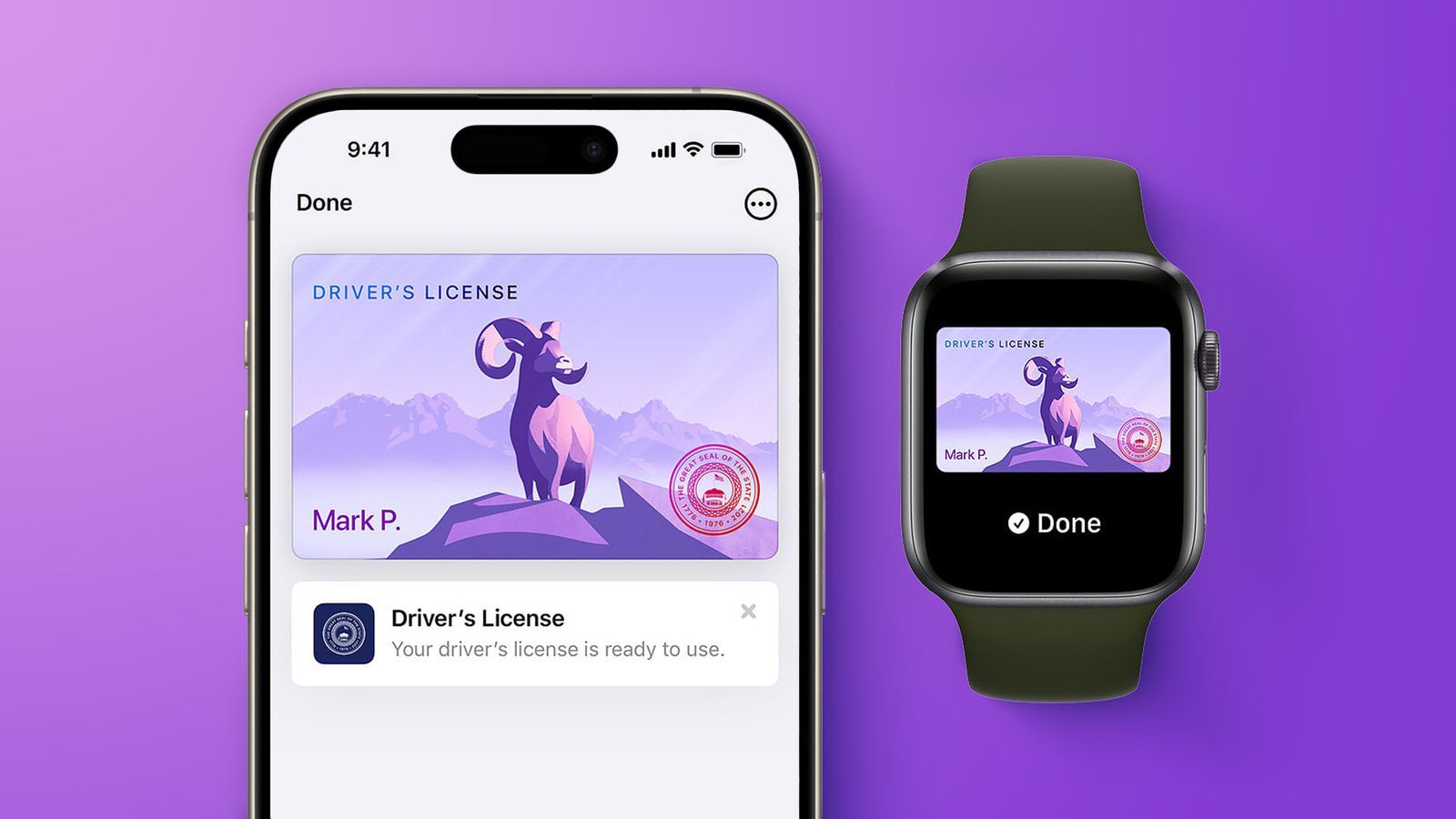
You can now add your driver's license and ID to Apple Wallet in Virginia
You can now add your driver's license and ID to Apple Wallet in Virginia. | Image by Apple
Starting today, people living in Virginia can add their driver's license directly to their iPhone or Apple Watch through Apple Wallet. The digital ID can be used not only in front of police (if you're unlucky and get pulled over), but also at select airports, businesses, and in certain apps.
Apple and DMV remind you that this digital copy of your driver's license is not a substitute for the physical document, and you must always carry the real ID with you. It's just a quality-of-life improvement for the times you won't need to pull out your physical ID.
How often do you use the Apple Wallet Digital ID feature?
113 Votes
Virginia becomes the 15th state to support Apple Wallet IDs
Virginia becomes the 15th state to support Apple Wallet IDs. | Image by Apple
You can use your iPhone or Apple Watch to store your IDs in California, Colorado, Georgia, Hawaii, Illinois, Iowa, Maryland, Montana, New Mexico, North Dakota, and Ohio. The feature is also available in Puerto Rico, and it works with Japan's My Number Card.
Recommended For You
Apple Wallet IDs are accepted at TSA checkpoints in more than 250 airports across the U.S. for domestic travel, according to Apple.
Digital driver's license is coming to North Carolina, Oklahoma, and Utah
If you're wondering which states are next in line to add Apple Wallet ID support, Apple has been preparing to launch the feature in North Carolina, Oklahoma, and Utah.
This should happen in the coming months, but given how quickly Virginia has followed Arkansas in adopting digital IDs, the change might happen sooner rather than later.
Connecticut, Kentucky, and Mississippi also plan to get the feature, but there's no information on the exact timeframe.
How to add your driver's license into Apple Wallet
Open the Wallet app on your iPhone.
Tap the plus sign (+) button in the top-right corner.
Tap Driver's License or ID Cards and select your state or region.
Choose whether to add the ID to your iPhone or both your iPhone and Apple Watch.
Scan the front and back of your physical ID using a well-lit area and a neutral background.
Take a live selfie and follow the on-screen prompts for face and head movements.
Review the information and agree to the terms to submit it to your state's DMV or transit agency for review.
You can show your Apple Wallet ID at points where it's accepted just by tapping your iPhone device or Apple Watch on a reader. These readers then request specific information, which you can review on your device before accepting. You must use Face ID to authorize the action before any private date leaves your iPhone or Apple Watch.
iPad 9 (2021) flash sale! Limited time offer!
Save $15 on iPad 9 (2021) from Back Market. Discount automatically applied at checkout. Offer ends 11 October 2026 at 23:59.
Mariyan, a tech enthusiast with a background in Nuclear Physics and Journalism, brings a unique perspective to PhoneArena. His childhood curiosity for gadgets evolved into a professional passion for technology, leading him to the role of Editor-in-Chief at PCWorld Bulgaria before joining PhoneArena. Mariyan's interests range from mainstream Android and iPhone debates to fringe technologies like graphene batteries and nanotechnology. Off-duty, he enjoys playing his electric guitar, practicing Japanese, and revisiting his love for video games and Haruki Murakami's works.
A discussion is a place, where people can voice their opinion, no matter if it
is positive, neutral or negative. However, when posting, one must stay true to the topic, and not just share some
random thoughts, which are not directly related to the matter.
Things that are NOT allowed:
Off-topic talk - you must stick to the subject of discussion
Offensive, hate speech - if you want to say something, say it politely
Spam/Advertisements - these posts are deleted
Multiple accounts - one person can have only one account
Impersonations and offensive nicknames - these accounts get banned
To help keep our community safe and free from spam, we apply temporary limits to newly created accounts:
New accounts created within the last 24 hours may experience restrictions on how frequently they can
post or comment.
These limits are in place as a precaution and will automatically lift.
Moderation is done by humans. We try to be as objective as possible and moderate with zero bias. If you think a
post should be moderated - please, report it.
Have a question about the rules or why you have been moderated/limited/banned? Please,
contact us.







Things that are NOT allowed:
To help keep our community safe and free from spam, we apply temporary limits to newly created accounts: