Starting today, Google is extending Chrome's enhanced autofill to your phone, so it can fill in trickier details like flight info, license plates and your VIN (vehicle identification number) on Android and iOS. It is also pulling more from Google Wallet, including your driver's license, passport and Known Traveler Number, whether you use a Pixel 10 Pro or an iPhone 17 Pro Max.
Chrome's smartest autofill now works on your phone
Google first brought enhanced autofill to desktop in November 2025, teaching Chrome to handle messy forms, passport numbers and vehicle info that used to mean typing it all out by hand. That same skill now comes to Chrome on Android and iOS.
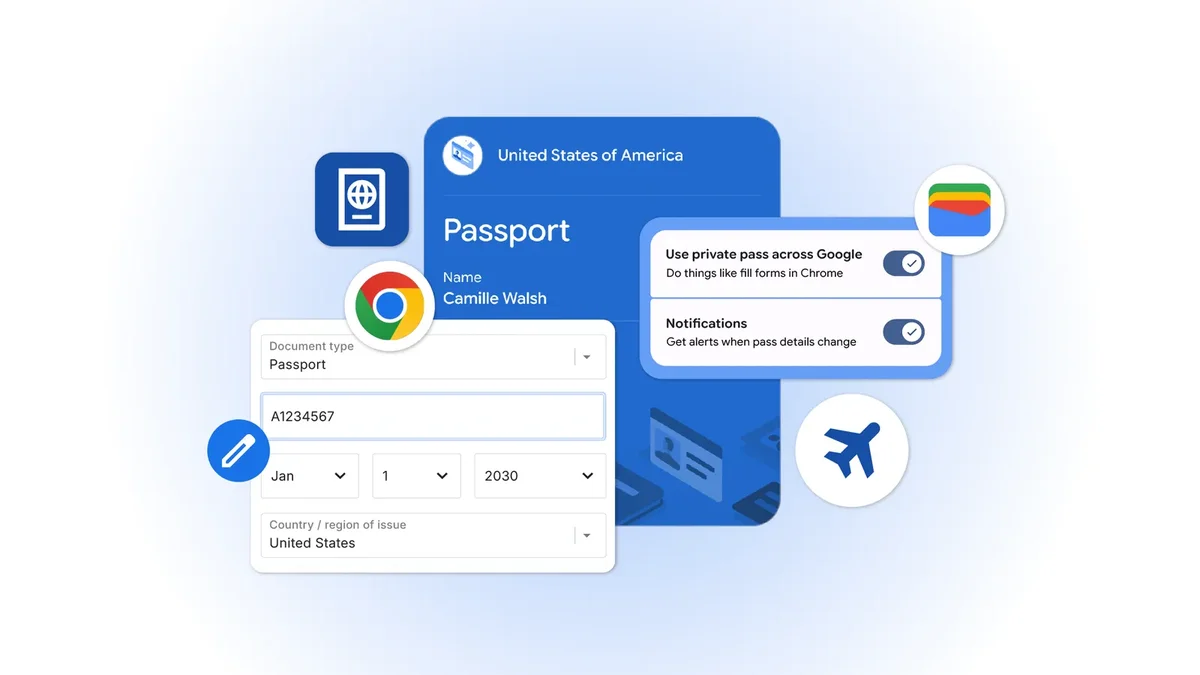
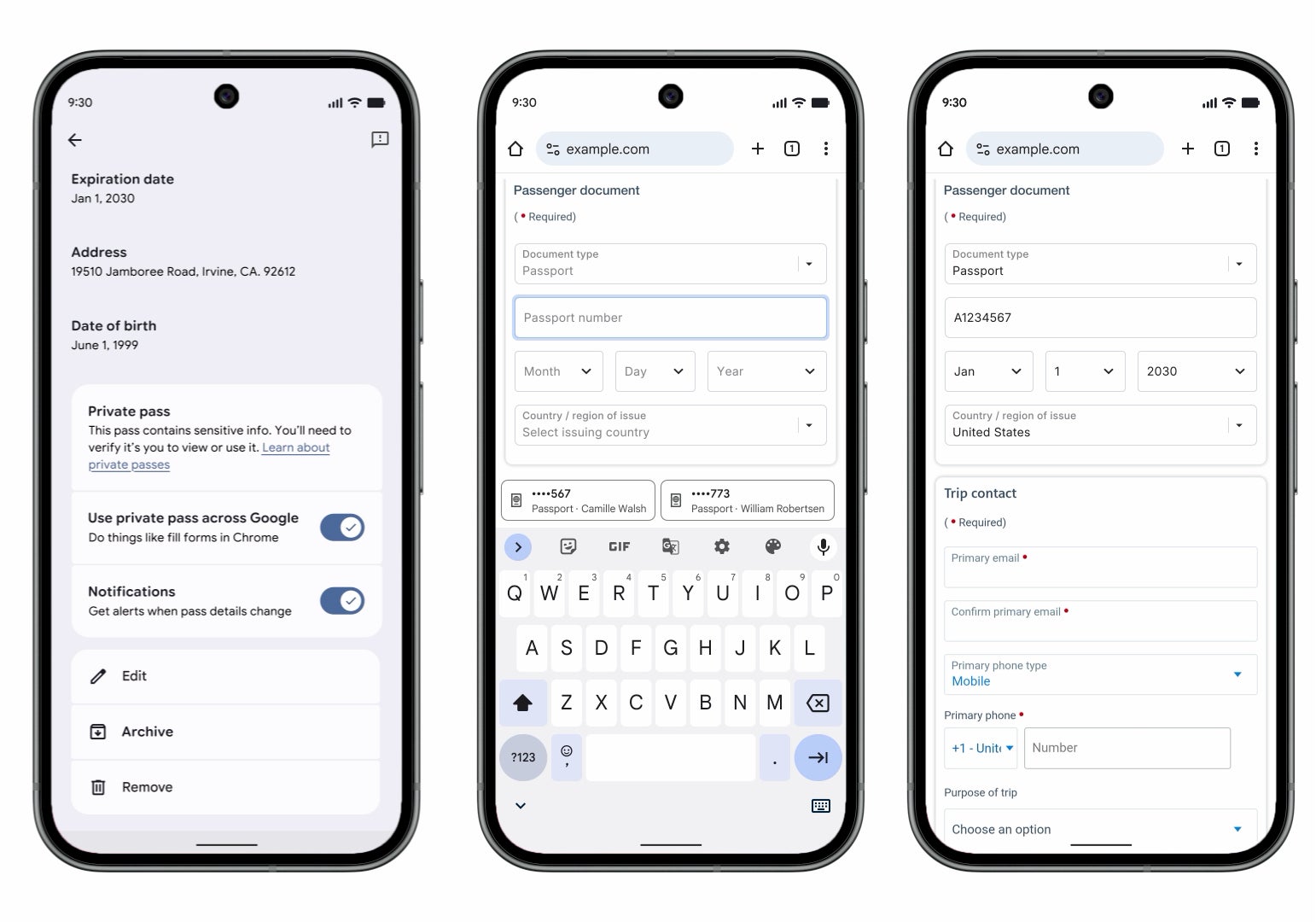
It is also deepening how Chrome works with Google Wallet on mobile and desktop, Google said in its announcement. Chrome can now fill forms straight from your Wallet, so your driver's license, passport and Known Traveler Number are a tap away, and if they are not stored yet, it offers to save them the first time you type them in.
How do you feel about Chrome autofilling your passport and license?
11 Votes
Love it, that is way less typing on travel forms
36.36%
I will use it, but only for non-sensitive stuff
36.36%
No thanks, I do not want Chrome holding my ID
9.09%
My password manager already does this for me
18.18%
What it changes for you, and for Apple
If you wrestle with check-in, rental car and government forms on your phone, this quietly cuts out a pile of busywork. The data lives in Google Wallet, which has grown into something genuinely useful, as we got into with Google's bigger Wallet overhaul at I/O 2026.
Recommended For You
Video by Google
Here is where Apple owners come in. Apple Wallet holds some IDs and Safari fills your contacts and cards, but it stays far more cautious, so on an iPhone you get this through Chrome, not Safari. If you pay for a password manager like 1Password or Bitwarden, your setup still works, Google is just making the free option harder to ignore.
Who gets the most out of it
Frequent travelers and anyone who fills the same ID-heavy forms over and over will feel this the most, while someone who rarely types a passport number into a website will barely notice. It is all opt-in, your data is encrypted and Chrome asks before it saves or fills anything. You can see what is stored on Chrome's Autofill and passwords page, manage the documents in your Google Wallet settings, and private passes like IDs keep their own controls.
Chrome filling a passport form straight from saved Google Wallet data, from the private pass toggle to the finished form. | Image by Google
Why I'm okay letting Chrome reach into my Wallet
I already keep my passport in Google Wallet, so Chrome pulling it into a travel form is not some big leap, it is the obvious next step for something I use anyway. The less time I spend typing a passport number into a tiny field, the happier I am.
What keeps me comfortable is that none of it happens without my approval, and that matters with your most sensitive documents. I am glad this finally jumped to mobile, because my phone is where I was doing this dance in the first place.
If you live in the Google ecosystem, these are worth a look:
Want more takes like this? Catch me on X and Threads at @jojothetechie for hot takes and the behind-the-scenes stuff.
Mint Mobile's 6-month plans now cost $10/mo
$10
/mo
$35
$25 off (71%)
Mint Mobile is celebrating its 10-year anniversary with a special offer on its six-month subscription plans. For a limited time, you can get your preferred tier (6GB, 17GB, 23GB or unlimited) for just $10/mo. That saves you between 50% and 71% on the carrier's mobile plans, making it way easier to recommend.
Johanna Romero is a Senior News Writer at PhoneArena, covering mobile technology news across Android, iOS, wearables, and the Google ecosystem she knows best. Drawing on 15 years in IT and tech support from 2007 to 2022, she brings a user-friendly eye for the practical features and lesser-known tricks readers care about. Google named her an official #TeamPixel member in 2022, and she also reviews the latest devices on her YouTube channel, JoJo the Techie.
A discussion is a place, where people can voice their opinion, no matter if it
is positive, neutral or negative. However, when posting, one must stay true to the topic, and not just share some
random thoughts, which are not directly related to the matter.
Things that are NOT allowed:
Off-topic talk - you must stick to the subject of discussion
Offensive, hate speech - if you want to say something, say it politely
Spam/Advertisements - these posts are deleted
Multiple accounts - one person can have only one account
Impersonations and offensive nicknames - these accounts get banned
To help keep our community safe and free from spam, we apply temporary limits to newly created accounts:
New accounts created within the last 24 hours may experience restrictions on how frequently they can
post or comment.
These limits are in place as a precaution and will automatically lift.
Moderation is done by humans. We try to be as objective as possible and moderate with zero bias. If you think a
post should be moderated - please, report it.
Have a question about the rules or why you have been moderated/limited/banned? Please,
contact us.














Things that are NOT allowed:
To help keep our community safe and free from spam, we apply temporary limits to newly created accounts: