Samsung Gallery is ditching OneDrive for a service every Galaxy owner already knows
OneDrive sync ends September 30, and the replacement plays by different rules.
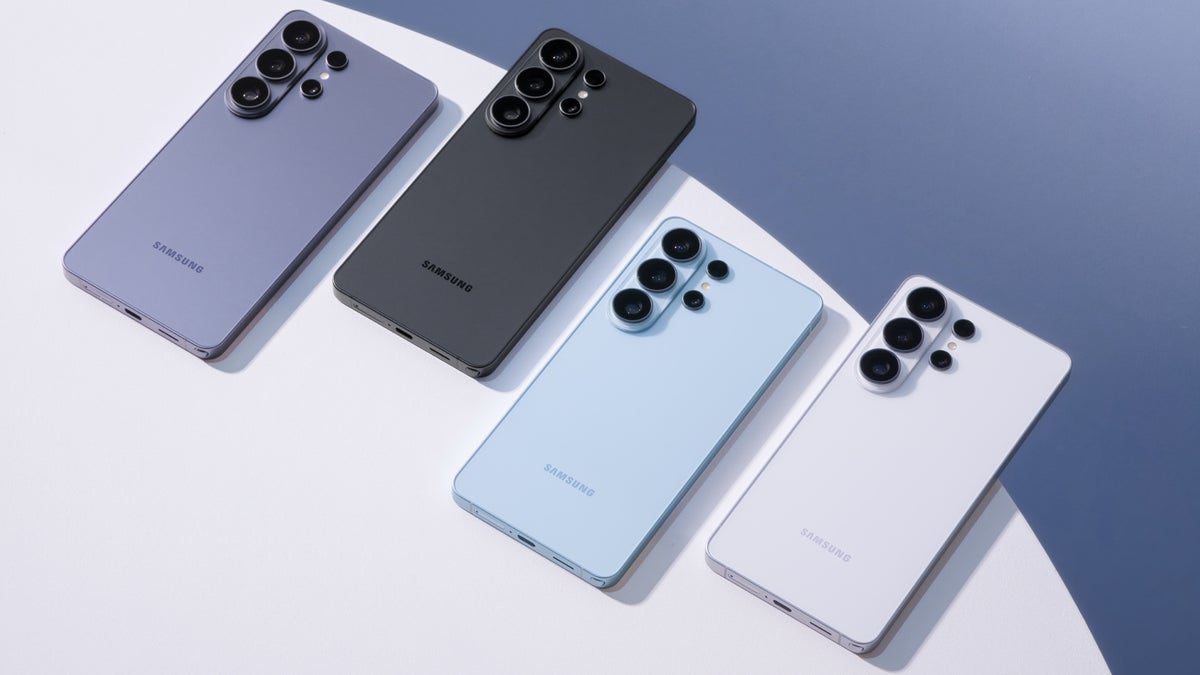
The Galaxy S26 Ultra is one of the Galaxy phones switching Gallery backups away from OneDrive. | Image by Samsung
Samsung Gallery is getting a new home for your photo backups, and it appears to be Google. With OneDrive sync ending on September 30, owners of the Galaxy S26 Ultra and other Galaxy phones will soon be able to back up straight to their Google account, much like Pixel 11 Pro owners already do.
As we covered back in May, the OneDrive sync inside Samsung Gallery is on its way out, with September 30 as the last day. Now we have a good idea of what replaces it, thanks to X user Sandeep Adap, who spotted an updated Gallery Cloud Sync service (version 1.6.09.31) on the Galaxy Store.
The listing is published by Samsung itself, and it says the service backs up your photos and videos to Google Cloud. Google has also put up a new support page explaining how Samsung Gallery syncs with a Google account, which is about as close to confirmation as we can get for now. The rumor is that it goes live on October 1, right after OneDrive support ends, but that date isn't confirmed yet.
For most Galaxy owners, this should be a fairly quiet swap, since your photos will simply go to Google's cloud instead of Microsoft's and show up in Google Photos too.
The way the new sync behaves is a bit different from what OneDrive users are used to, though. Everything you back up is saved in its original quality and counts against your Google account storage, and deleting a photo in either Gallery or Google Photos removes it from both apps and from the cloud.
There are a couple of less obvious rules too. Moving a synced photo into a Private Album on your phone permanently deletes the cloud copy, skipping the trash entirely, and photos that come in through Gallery won't appear in Google Photos features like Memories or Search unless you also back them up with the Google Photos app.
OnePlus, Oppo, Realme, and Xiaomi gallery apps picked up Google Photos integration back in 2024, according to a report from that time, and Pixel phones use Google Photos as their gallery to begin with. So if you're on a Pixel, a OnePlus phone, or an iPhone (which backs up to iCloud anyway), nothing changes for you, but Samsung is finally catching up to what most of its Android rivals already offer.
If you rely on the OneDrive sync today, the safest move right now is making sure the photos you care about are either downloaded to your phone or reachable in the OneDrive app. Also, keep in mind that Google's free tier is 15GB shared across Gmail, Drive, and Photos, so a big photo library will likely need a paid plan.
Personally, I think Google is a more natural partner for Gallery than OneDrive ever was, since nearly every Galaxy owner already has a Google account signed in. Hopefully Samsung also adds a simple way to bring OneDrive photos over before the switch, since I'd love to see longtime Galaxy owners get a smooth transition out of this.
Samsung Gallery Cloud Sync now points to Google instead of OneDrive
As we covered back in May, the OneDrive sync inside Samsung Gallery is on its way out, with September 30 as the last day. Now we have a good idea of what replaces it, thanks to X user Sandeep Adap, who spotted an updated Gallery Cloud Sync service (version 1.6.09.31) on the Galaxy Store.
The listing is published by Samsung itself, and it says the service backs up your photos and videos to Google Cloud. Google has also put up a new support page explaining how Samsung Gallery syncs with a Google account, which is about as close to confirmation as we can get for now. The rumor is that it goes live on October 1, right after OneDrive support ends, but that date isn't confirmed yet.
Once Samsung Gallery syncs with Google, what happens to your photos?
27 Votes
What Google sync changes for your Galaxy photo backups
For most Galaxy owners, this should be a fairly quiet swap, since your photos will simply go to Google's cloud instead of Microsoft's and show up in Google Photos too.
The way the new sync behaves is a bit different from what OneDrive users are used to, though. Everything you back up is saved in its original quality and counts against your Google account storage, and deleting a photo in either Gallery or Google Photos removes it from both apps and from the cloud.
Samsung Gallery's new 'Sync with Google' setup and settings screens. | Images by WigettaGaming and That Josh Guy via X, via Android Authority
OnePlus, Oppo, Realme, and Xiaomi gallery apps picked up Google Photos integration back in 2024, according to a report from that time, and Pixel phones use Google Photos as their gallery to begin with. So if you're on a Pixel, a OnePlus phone, or an iPhone (which backs up to iCloud anyway), nothing changes for you, but Samsung is finally catching up to what most of its Android rivals already offer.
Who should act before the OneDrive sync ends
If you rely on the OneDrive sync today, the safest move right now is making sure the photos you care about are either downloaded to your phone or reachable in the OneDrive app. Also, keep in mind that Google's free tier is 15GB shared across Gmail, Drive, and Photos, so a big photo library will likely need a paid plan.
Here's how to turn on Google sync in Samsung Gallery
- Open the Samsung Gallery app, tap the Menu button at the bottom right, and select Settings.
- Tap Sync photos and videos, then choose the Google account you want to use and grant permission.
Google feels like the right fit for Samsung Gallery
Personally, I think Google is a more natural partner for Gallery than OneDrive ever was, since nearly every Galaxy owner already has a Google account signed in. Hopefully Samsung also adds a simple way to bring OneDrive photos over before the switch, since I'd love to see longtime Galaxy owners get a smooth transition out of this.
More on Samsung Gallery and the Galaxy S26 Ultra:


Popular stories

Latest News
Things that are NOT allowed:
To help keep our community safe and free from spam, we apply temporary limits to newly created accounts: