
Issues with Google Maps on Android Auto using a Pixel 11 model could make driving dangerous
Problems with Google Maps lagging, freezing, and glitching could arguably make using the app dangerous.
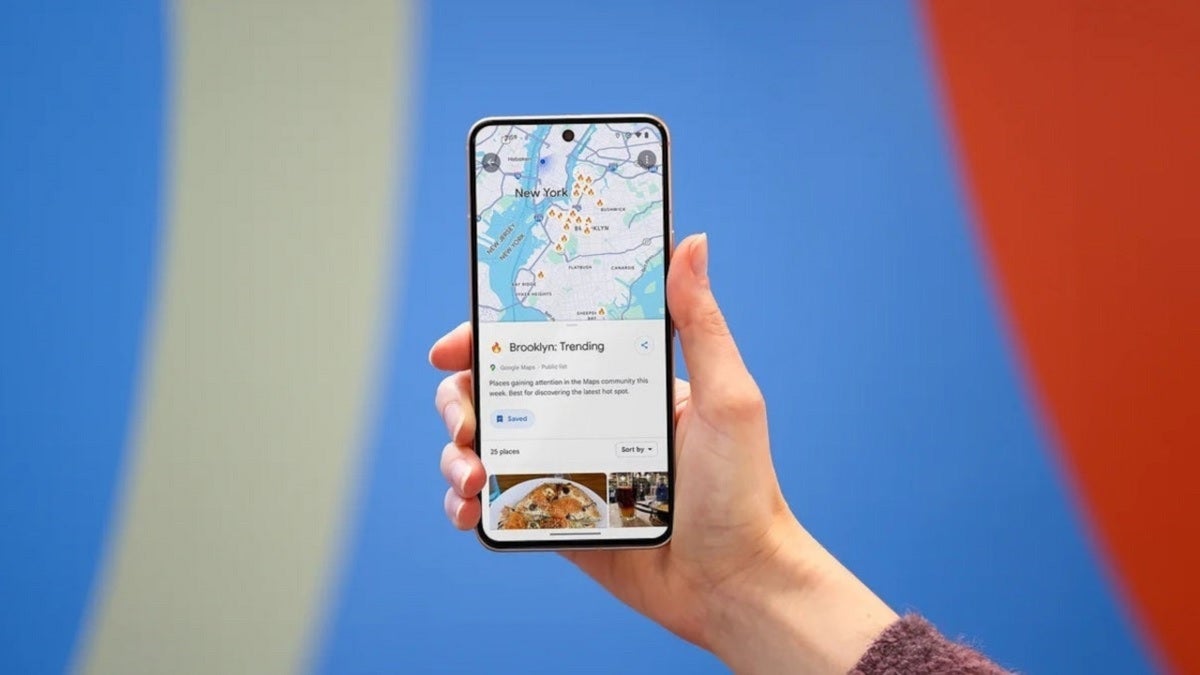
Google Maps dangerous bugs using Android Auto with a Pixel 11 model.\ | Image by PhoneArena
The Pixel 11 series is the most recent flagship line to be released by Google. Those with the Pixel 11 series are having issues with Google Maps on Android Auto. These issues include a low frame rate, a non-stop flickering screen, and a frozen black screen.
Some Pixel 11 users running Google Maps on Android Auto are experiencing "glitches"
A Reddit user with the screen name u/lukemeup mentioned some of these issues as he is having them when using Google Maps with his Pixel 11 on Android Auto. He also points out the "weird graphical artifacts" he sees on the display.
Google Maps worked flawlessly on Android Auto while using a Pixel 9a
The lack of heat emanating from his Pixel 11 model means that it is not a thermal problem. Additionally, the same Redditor said that Google Maps worked perfectly when he used his Pixel 9a in the same automobile.
You can try these workarounds but they were not helpful to others
He even tried the following workarounds, although each one was unsuccessful:
- Cleared app cache
- Restarted the phone
- Disabled Wi-Fi and Bluetooth scanning
- Reinstalled both Android Auto and Google Maps
This Reddit post also included a wish that Google pushes out a software update to exterminate this bug. An update seems to be in the works based on a couple of Reddit posts from a community specialist from the Android Auto team.
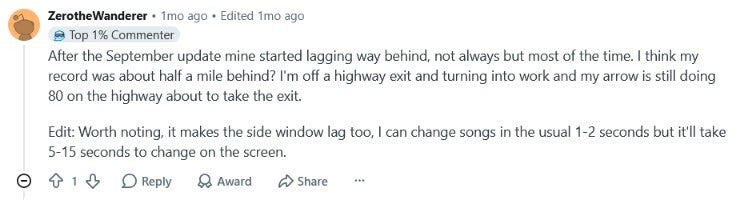
Reddit post from Android Auto user experiencing Pixel 11 Google Maps issue. | Image by Reddit
Another post on the platform came from someone who started to notice extreme lagging on the Google Maps app after installing the September update. This Redditor said that Google Maps was as much as half a mile behind his real-time position.
Which one of the Google Maps issues mentioned, worry you the most?
0 Votes
The one word being used by most Reddit users to describe the issue with Google Maps is "glitch." Based on the reports from those experiencing this issue on their Pixel 11, the problem seems to be the Google Maps app, since there have been no issues with other apps in split-screen mode.
The issue is occurring with both wired USB and wireless Android Auto setups. Also, we must point out that running the Google Maps app on a Pixel 11 handset is not causing any issues at all.
Here are some other workarounds to try
Some other workarounds suggested by Reddit users include:
- Set Google Maps battery usage to Unrestricted in the phone settings to prevent the OS from throttling video rendering when the screen locks.
- Switch Google Maps from Satellite/3D terrain view back to 2D terrain to reduce the video encoding load.
- Keep the Pixel screen on and keep the device unlocked while driving to prevent the lock-state rendering stutter.
Since Google has yet to release a fix, you might as well try these workarounds in the hope that you stumble on something that works. In the meantime, Google is obviously aware of this and considering this bug affects its brand spanking new Pixel 11 line, you can be assured that as I type this, Google is working on a way to fix this bug so that Android Auto users running a Pixel 11 handset can feel comfortable using Google Maps while using Android Auto.
Once Google releases such an update, we will pass along the information pronto so you can quickly get rid of the bugs and have Google Maps running perfectly with your new Pixel and Android Auto.
Here are some more articles foir you to read right now:


Popular stories





Latest News



![The Galaxy SmartTag 3 is here offering an alternative to the AirTag for iPhone users [UPDATED]](https://m-cdn.phonearena.com/images/article/183654-wide-two_350/The-Galaxy-SmartTag-3-is-here-offering-an-alternative-to-the-AirTag-for-iPhone-users-UPDATED.webp)

Things that are NOT allowed:
To help keep our community safe and free from spam, we apply temporary limits to newly created accounts: