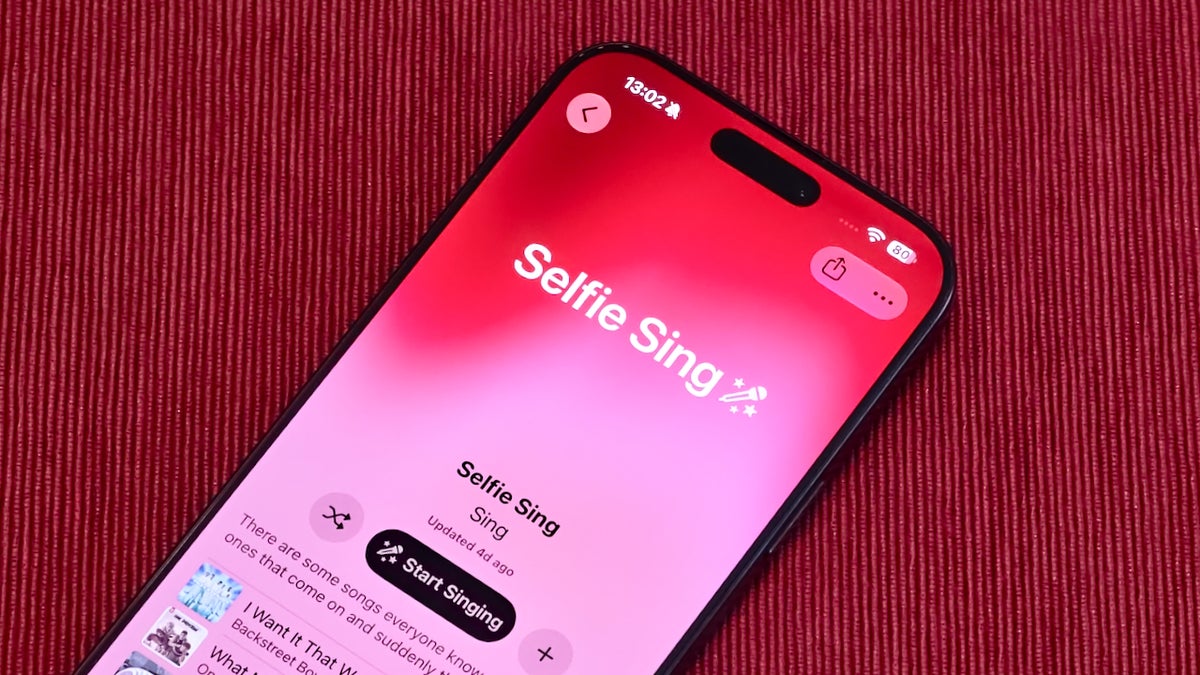
Building on Apple Music's ability to isolate vocals and turn any song into a karaoke track, the Selfie Sing feature is the next logical step — users can record themselves performing an iconic track. Instead of being a simple selfie video, it also allows you to add effects to the vocals as well as camera effects to your face, including an Apple Memoji to replace your face.
Not all tracks are available for Selfie Sing
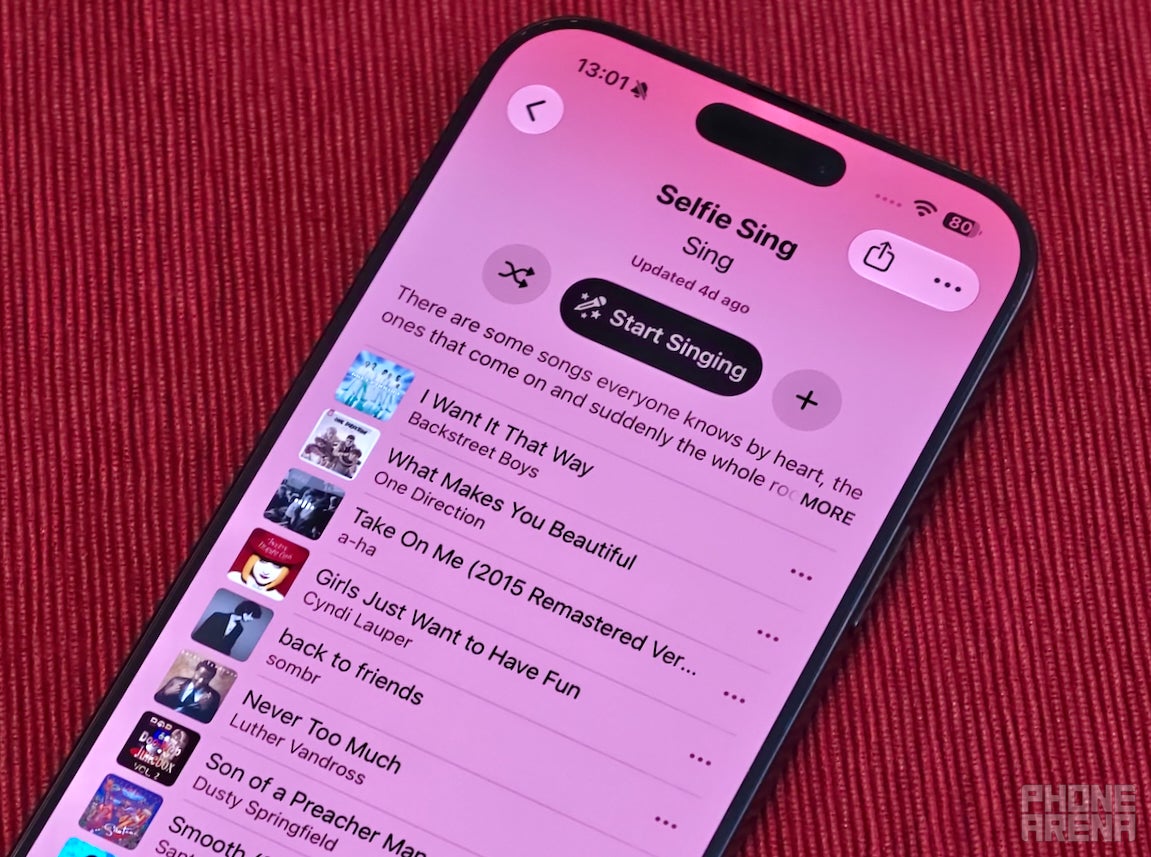
A bit weird, but the selection of tracks that you can record a Selfie Sing with is a bit limited right now. They are located in a dedicated "Selfie Sing" playlist, which you can browse on any device with Apple Music on it, be it on iOS 27.2 public or an Android phone. However, to engage the selfie camera and use the vocal effects for a recording, you will need the iOS 27.3 beta (or wait for public).
If you can't see it on the home page, search for Selfie Sing | Image by PhoneArena
At the time of writing this, there are 49 songs in the playlist, all iconic pop hits from Los Lobos' "La Bamba" through Britney's "Baby One More Time" to "Two Princes" by Spin Doctors all the way to "Toxicity" by System of a Down.
Here is your first look at Selfie Sing, new in iOS 27.3, inside of Apple MusicRecord a video selfie, adjusting vocals to make it yours, and share your performance with friends(Animoji is not available for this feature, I used it so I don’t have to post a video of me singing) https://t.co/fLQ3B5DV4N
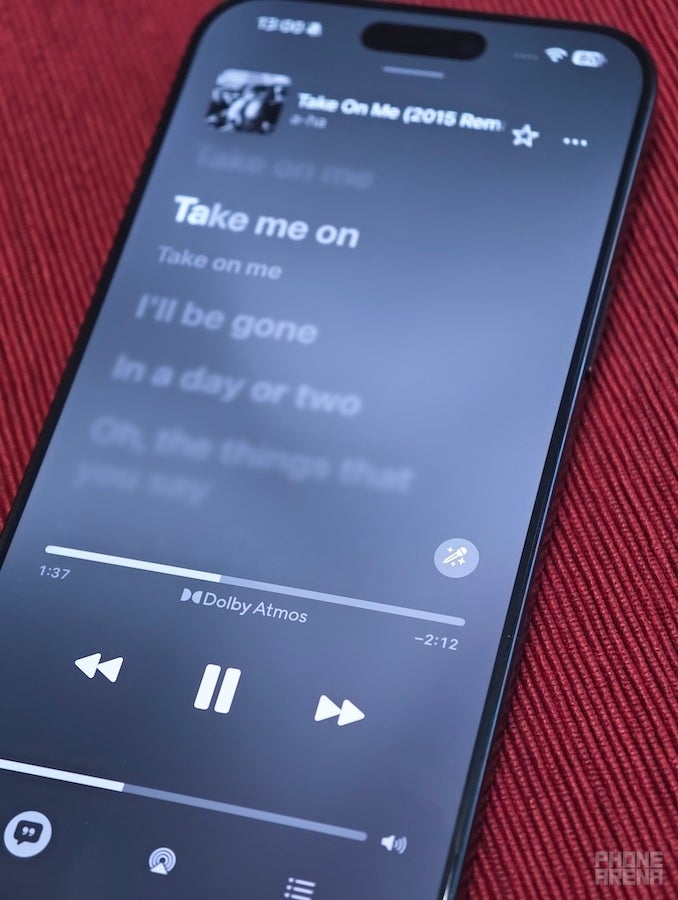
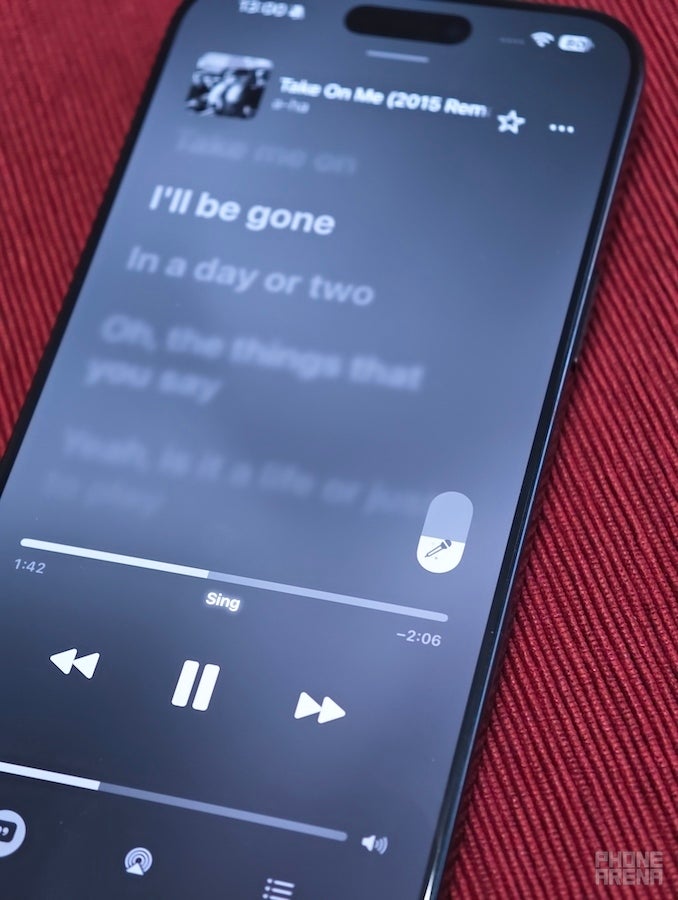
For those that don't know, Apple Music has a unique karaoke feature when running it off an iPad or iPhone. By tapping on a little microphone icon while viewing the lyrics, you activate a slider that lets you turn the song's vocals down, thus turn any track into karaoke.
It sounds pretty good and is done with AI stem separation, not simple mid-side phasing tricks. You can find similar features in an app like Moises, which will separate and isolate any instrument or vocal track in a mix for you (not flawlessly, but still mind-blowingly well).
It's just kind of funny that the Internet has been making jokes that Apple is a bit behind in the AI race for features for the past couple of years. Yet nobody has this one really useful and fun thing that Apple Music has had since iOS 16.2 (about 4 years now).
Also, the lyrics view inside Apple Music still happens to be the best-looking. Huge artists (or their teams, more likely) are even able to customize them a bit by adding additional effects to emphasize some words and phrases. All the while, market leader Spotify uses a 3rd party service for its lyrics, and they look like a slightly fancier .txt file on-screen.
It seems Apple isn't done with the whole Music app refresh
Apple Music seems to be getting a bit more attention these days. Just a couple of weeks ago, the app and the web visuals were redesigned with a new brand identity and philosophy. Leaning in to a more monochrome look with a bold but minimalist typeface, and with more liquid glass elements. Android users may also have noticed that their Apple Music icon is now black and white, and the interface elements inside the app are now more floaty, as of the most recent update.
Apple Music is still missing an essential feature, though
Considering that Apple is all about having its closed ecosystem, and all of its devices are supposed to be able to talk to one another seamlessly, it's still kind of wild to me that you can't Handoff Apple Music playback between devices. Even Spotify has this figured out — you can have the Spotify interface open on your PC, for example, but the music playing off your phone. Any playback controls you use, such as changing the song or adjusting the volume, update instantly across devices.
Apple has this huge investment in mirroring your phone screen, handing off web pages from Safari, or entire open apps. But, for some reason, you still can't do the simple Apple Music device playback sharing. Super-advanced machine learning vocal separation? Yes. Music playback handoff? Nah...
Let's hope that's somewhere next on that update list!
Trade in your old phone for cash at ecoATM!
Recycle your used phone and get instant cash. Find out how at ecoATM!
Preslav, a member of the PhoneArena team since 2014, is a mobile technology enthusiast with a penchant for integrating tech into his hobbies and work. Whether it's writing articles on an iPad Pro, recording band rehearsals with multiple phones, or exploring the potential of mobile gaming through services like GeForce Now and Steam Link, Preslav's approach is hands-on and innovative. His balanced perspective allows him to appreciate both Android and iOS ecosystems, focusing on performance, camera quality, and user experience over brand loyalty.
A discussion is a place, where people can voice their opinion, no matter if it
is positive, neutral or negative. However, when posting, one must stay true to the topic, and not just share some
random thoughts, which are not directly related to the matter.
Things that are NOT allowed:
Off-topic talk - you must stick to the subject of discussion
Offensive, hate speech - if you want to say something, say it politely
Spam/Advertisements - these posts are deleted
Multiple accounts - one person can have only one account
Impersonations and offensive nicknames - these accounts get banned
To help keep our community safe and free from spam, we apply temporary limits to newly created accounts:
New accounts created within the last 24 hours may experience restrictions on how frequently they can
post or comment.
These limits are in place as a precaution and will automatically lift.
Moderation is done by humans. We try to be as objective as possible and moderate with zero bias. If you think a
post should be moderated - please, report it.
Have a question about the rules or why you have been moderated/limited/banned? Please,
contact us.







Things that are NOT allowed:
To help keep our community safe and free from spam, we apply temporary limits to newly created accounts: