Google prompt makes two-step verification sign-ins easier for Android and iOS Google users
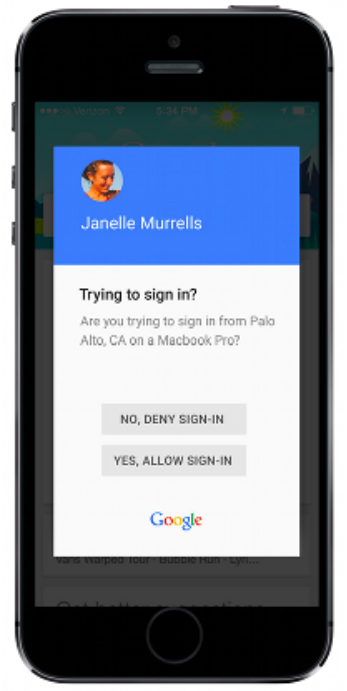
New Google prompt makes it easier to complete the second step of a two-step verification
The prompt asks if you are trying to sign in to Google from the city where the log-in is being attempted from, and also mentions the name of the device that the sign-in is being attempted on. Underneath that information are two prompts. One denies the sign-in attempt while the other allows it to take place. Obviously you will know which one to tap.
The update will hit all Android users over the next three days through a Google Play Services update, and iOS users will need to have the Google Search app installed to use Google prompt.


Popular stories






Latest News





![Another batch of Galaxy S26 series users in the US are getting a nice surprise today [UPDATED]](https://m-cdn.phonearena.com/images/article/183643-wide-two_350/Another-batch-of-Galaxy-S26-series-users-in-the-US-are-getting-a-nice-surprise-today-UPDATED.webp)
Things that are NOT allowed:
To help keep our community safe and free from spam, we apply temporary limits to newly created accounts: