Save your phone's battery with Good Night, Android! - a radio switch automation app

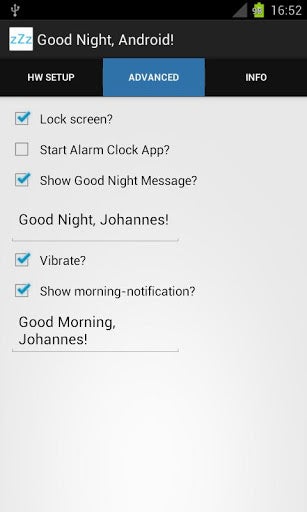
You bet we are, and the little radio toggle automation app he wrote has been up and running at the Play Store for a few days, fittingly called "Good Night, Android!"
The app lets you set which radios and functions in the phone to be turned off or suspended during a predetermined amount of time, or with the tap of an icon on your home screen. Good Night, Android! doesn't run in the background after you activate the switch, so it doesn't drain battery in its turn.
It's a handy little way to automate turning off all the power-sucking radios on your handset, but the free version won't automatically restore your settings in the morning, you'll have to do it manually, or $1.47 to the developer for the full version.
source: Good Night, Android! (Google Play) via XDA-Devs


Popular stories






Latest News




Things that are NOT allowed:
To help keep our community safe and free from spam, we apply temporary limits to newly created accounts: