Samsung teaches you how to switch from iPhone to Galaxy S6, but why use a MacBook to do it?
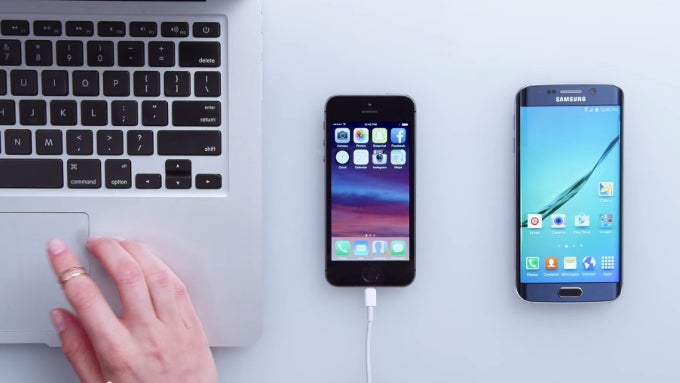
Samsung's switching software is available both as a smartphone app and PC program. It's dubbed Smart Switch and helps you copy over all of your pictures, music, documents, and contacts from an old Android handset or iPhone to your brand-new Samsung device. It also acts as backup software.
You can check out the clips right below, and you can certainly use them as how-to step-by-step guides if you happen to be swapping phones soon. We do find it interesting that, for the “Transfer via iTunes” video, Sammy chose to use a MacBook Air instead of one of its own laptops – after all, the Korea-based manufacturer does have some pretty ultrabooks of its own. Sure, this may be because Samsung is trying to appeal to, and poach, Apple consumers, who are long used to seeing and using a Mac Air over anything else. Still, it kind of looks weird that a company would miss the opportunity to promote its own product and, worse yet, put a competing product's name in plain sight.
Samsung Smart Switch videos


Popular stories

Latest News

Things that are NOT allowed:
To help keep our community safe and free from spam, we apply temporary limits to newly created accounts: