Fitbit Air Review
The Fitbit Air is all about the minimal, no-distraction design and non-stop heart rate tracking
We may earn a commission if you make a purchase from the links on this page.
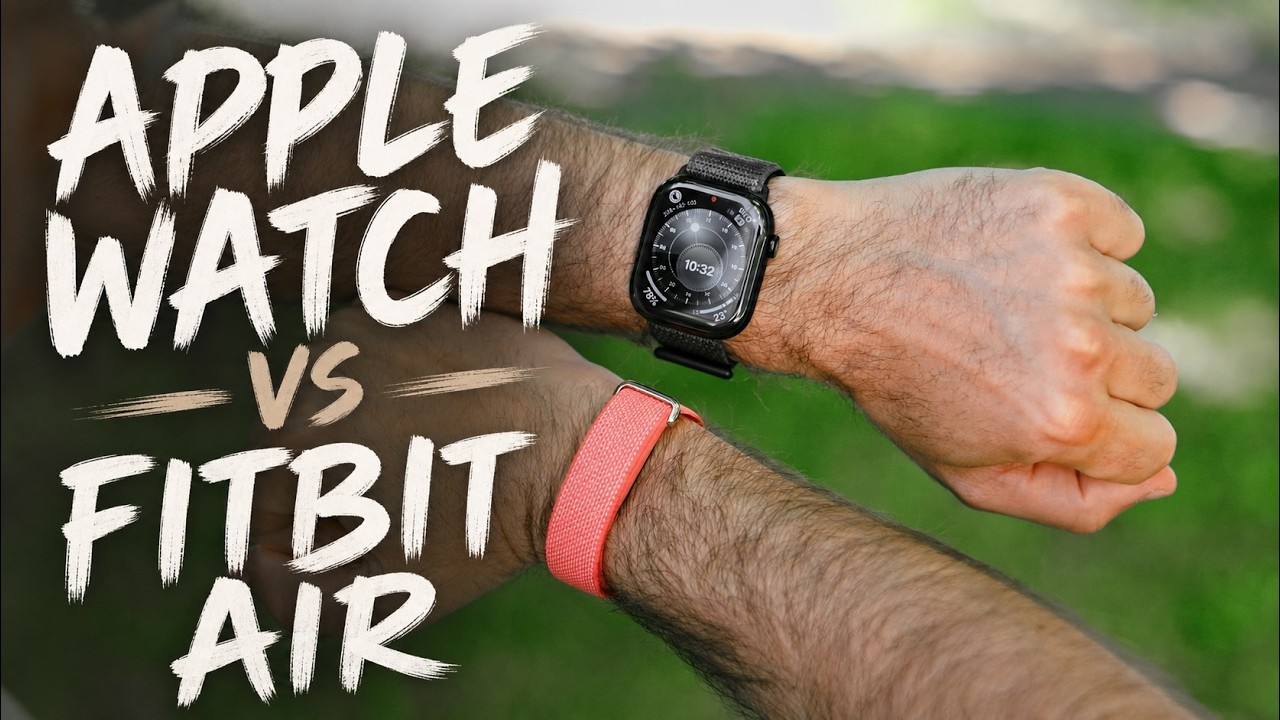

For the past week, I’ve been wearing the Fitbit Air on my right wrist, while on my left wrist, I’ve had the Apple Watch Series 11.
See, the Fitbit Air costs just $100 and it’s a tracker with no screen and no disruptions. And you can also access all of its data in the beautiful new Google Health app without a subscription. Compare this to the $200 you need to spend every year to access your Whoop band data or the expensive Oura ring ($350 or more) and its $6 monthly subscription, and the Fitbit looks like the deal of the century.
But are there any hidden pitfalls? I think there is one, but let’s start with the look and feel.
See, the Fitbit Air costs just $100 and it’s a tracker with no screen and no disruptions. And you can also access all of its data in the beautiful new Google Health app without a subscription. Compare this to the $200 you need to spend every year to access your Whoop band data or the expensive Oura ring ($350 or more) and its $6 monthly subscription, and the Fitbit looks like the deal of the century.
Fitbit Air design
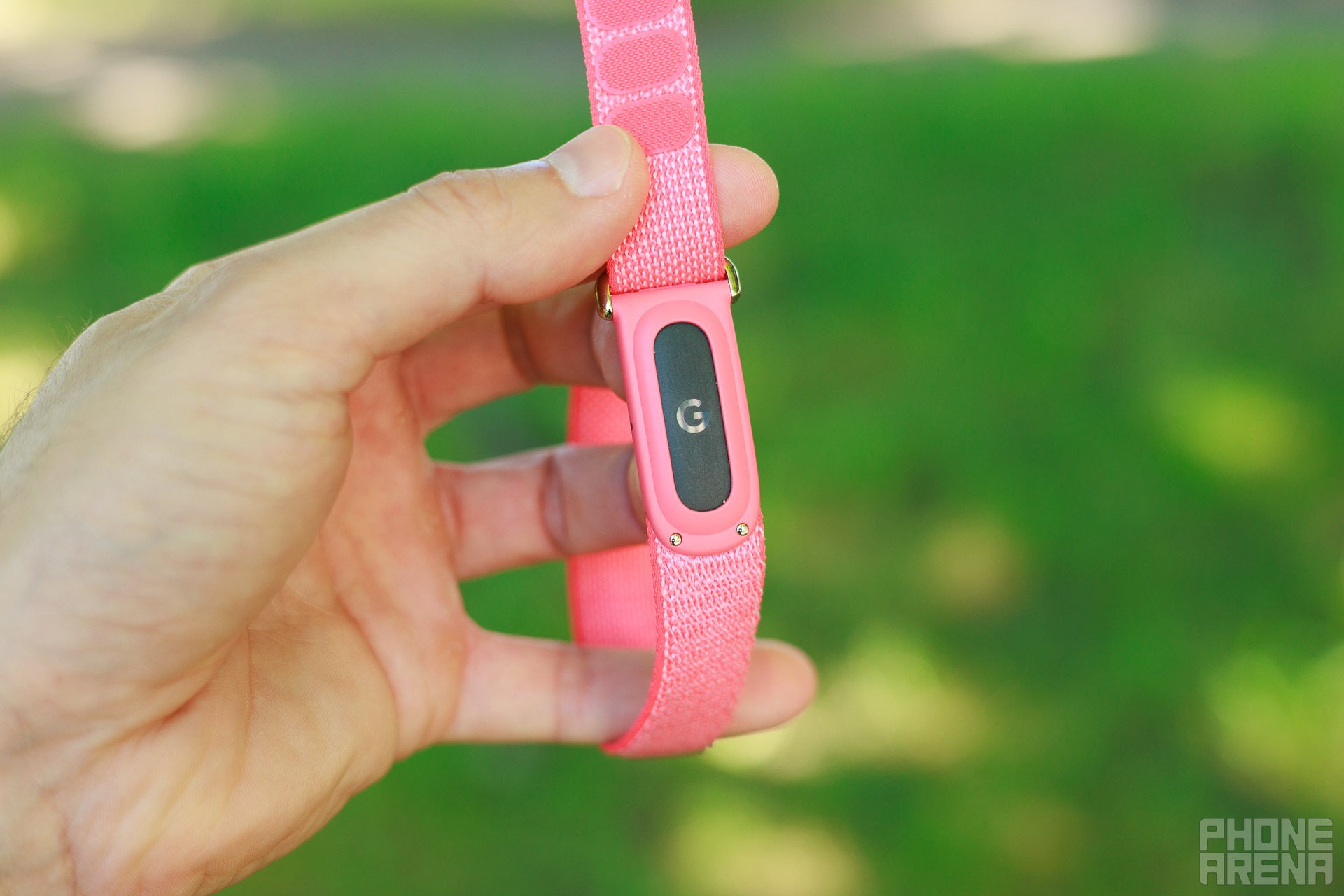
Image by PhoneArena
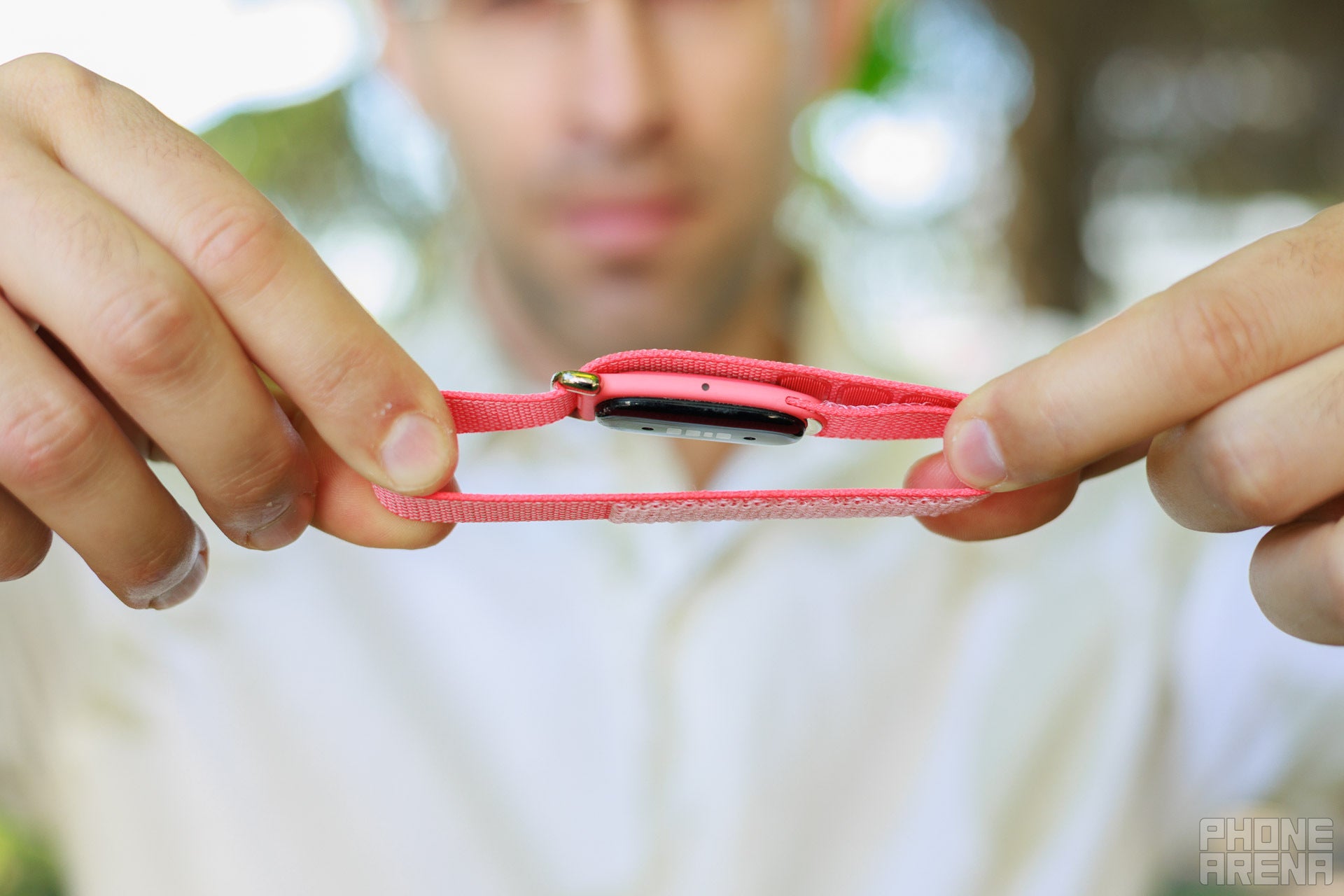
Image by PhoneArena
It’s also very lightweight, I just forget I have it on when I go to sleep, which is kind of the point.
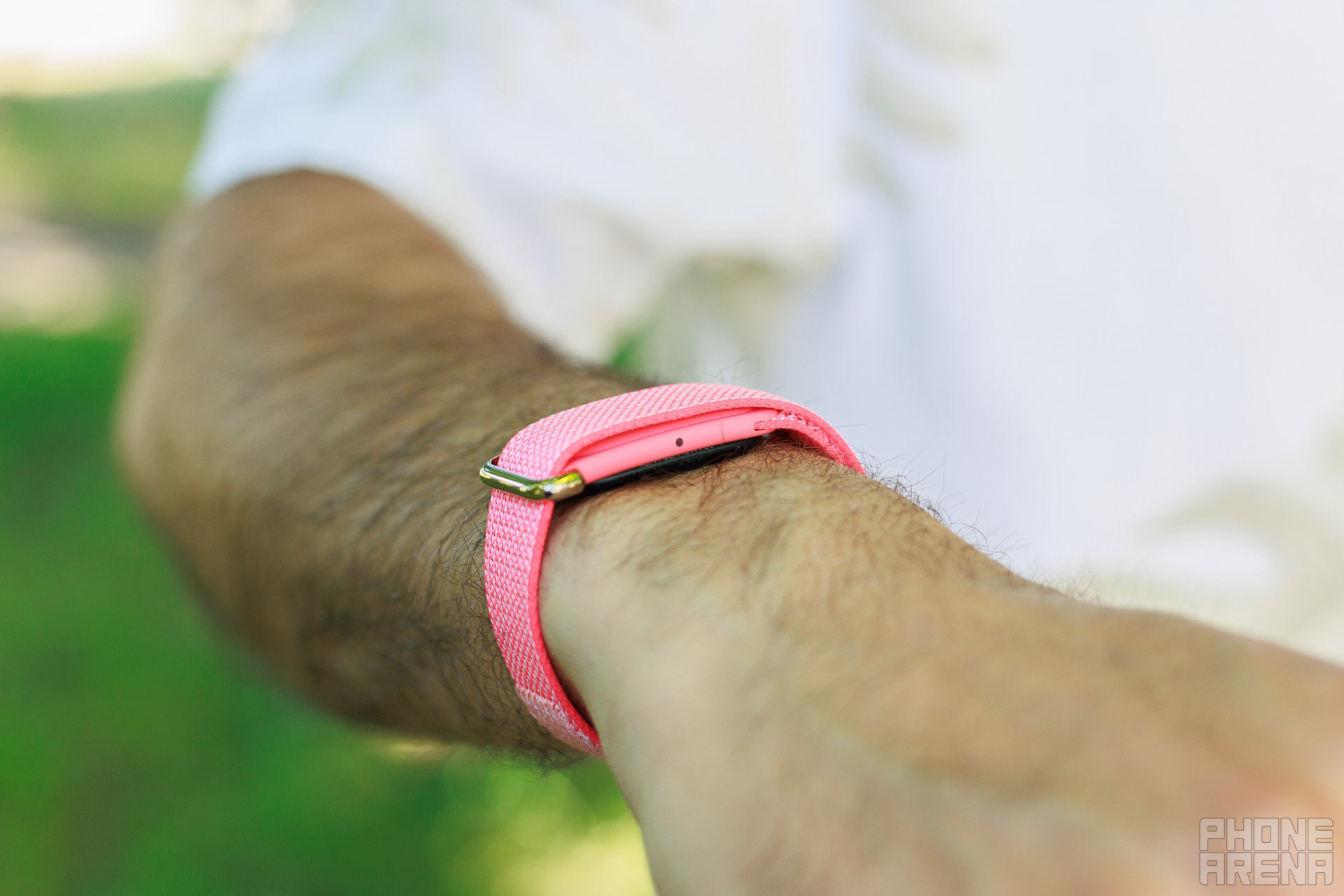
Image by PhoneArena
I also really enjoyed the break from notifications, wearing this even as a second gadget to your smartwatch is very doable.
Fitbit Air battery life and charging
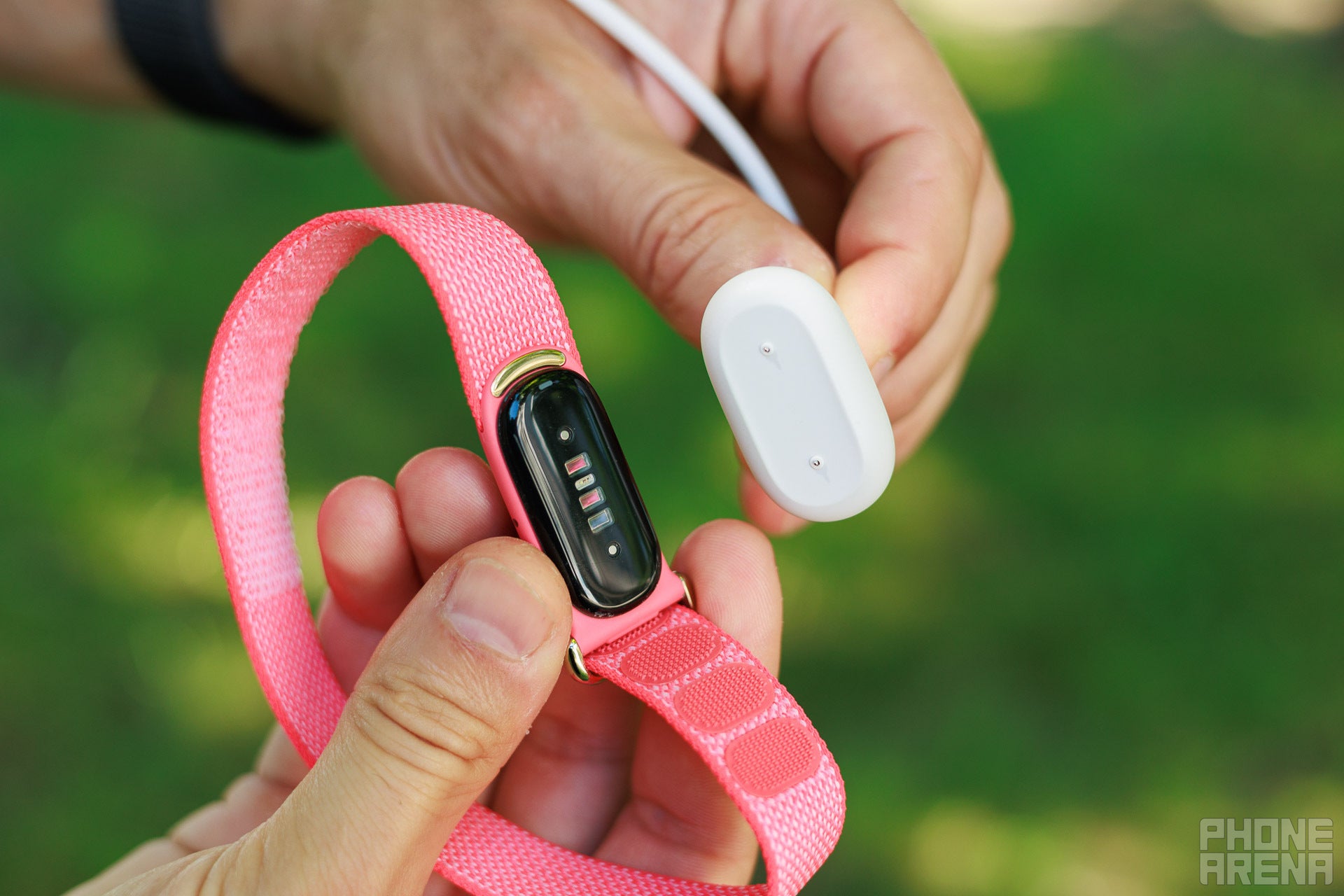
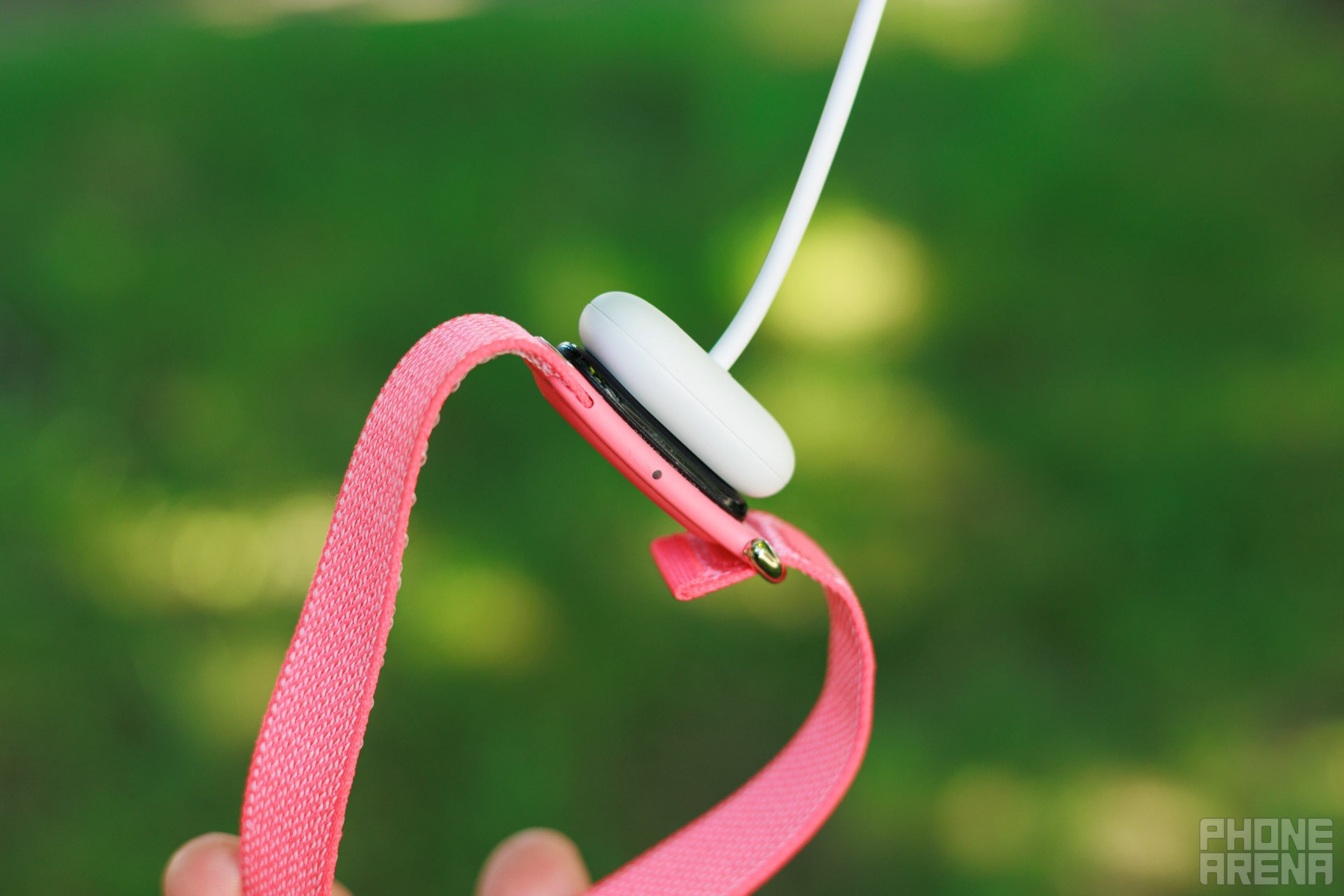
The other big advantage of using the Fitbit Air over a traditional smartwatch is the battery life. Google says the Air will last you 7 days on a single charge, and I can say that it actually beats that. In my use, it dropped from 70% to 29% in the four days I kept a close eye on it, or roughly 10% battery use per day, so it will realistically last 8 to 9 days easily.
Step counting
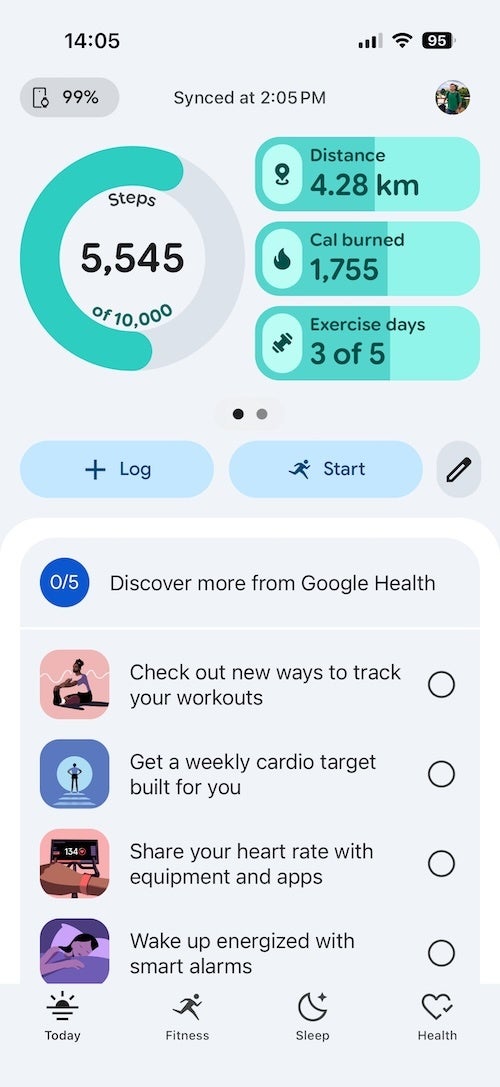
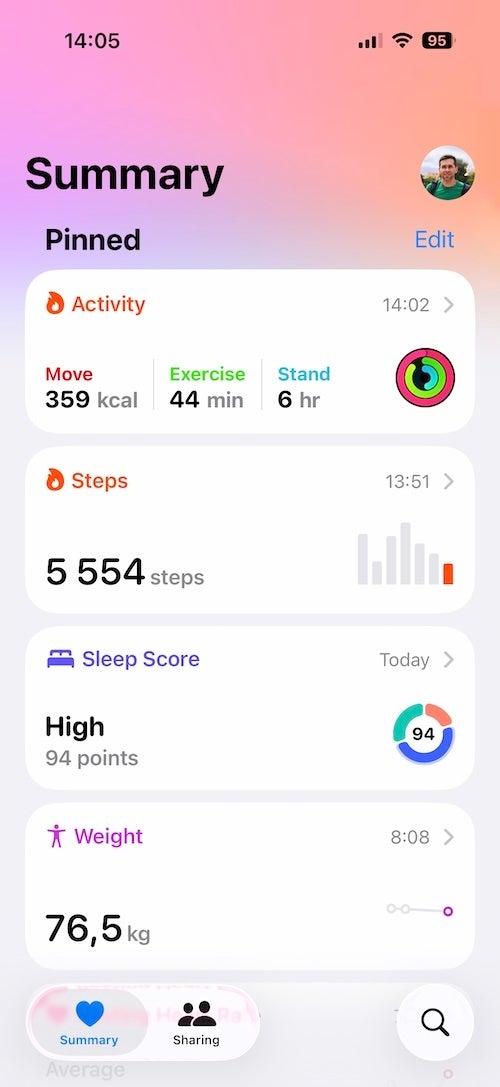
Next, step counting. Alright, my first test for the Ftibit Air was pure walking. And just look at the similarity between the Fitbit and the Apple Watch Series 11. I have previously verified the Apple Watch to be very close to reality, so that’s a great indication for the Fitbit as well.
Workout tracking
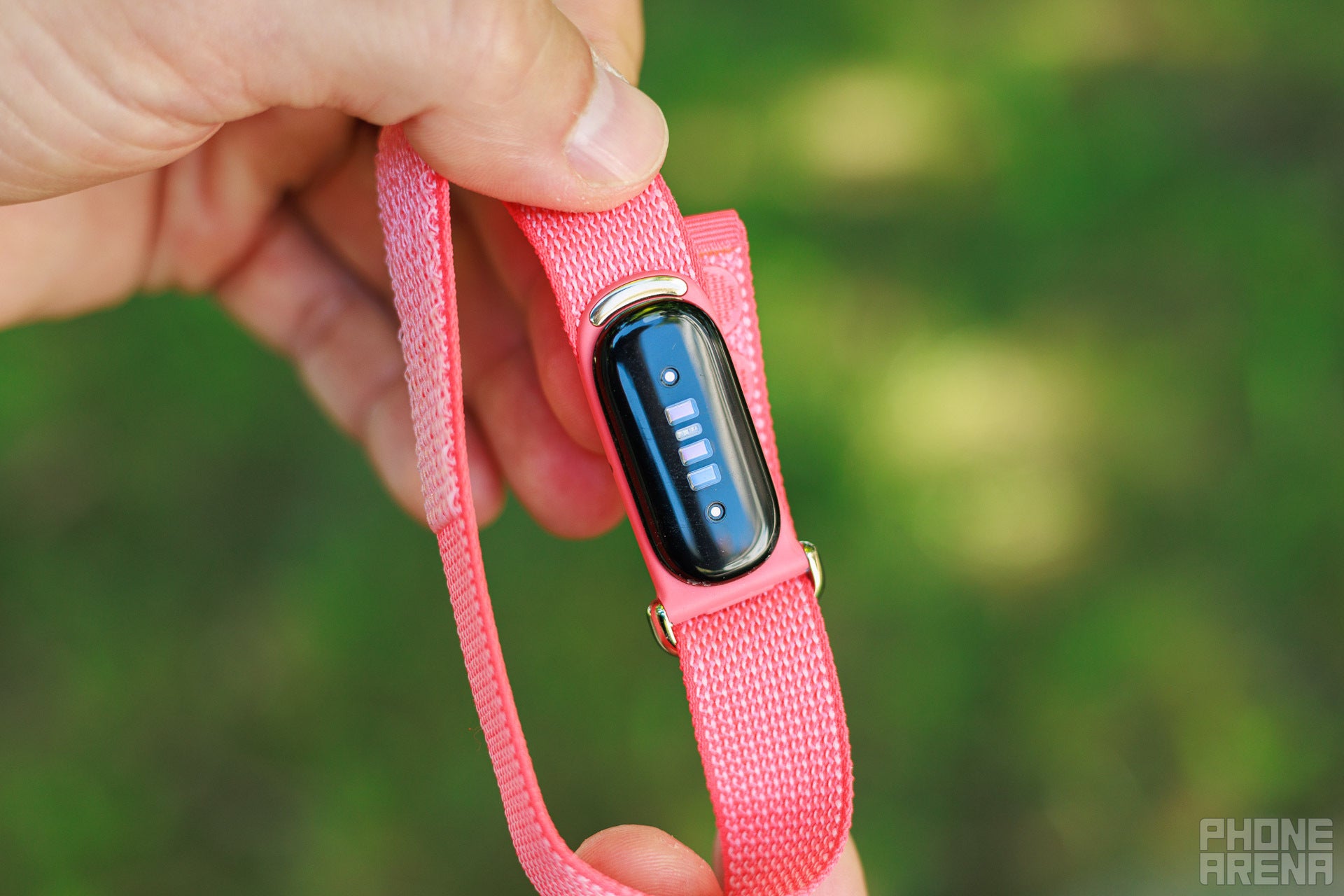
Image by PhoneArena
Alright, but what is the biggest advantage of the Fitbit Air compared to something like an Apple Watch?
First, since it doesn’t have an energy-hungry screen, so it can measure your heart rate without interruptions, exactly every 5 seconds in normal use. When it detects workouts, it starts measuring your heart rate every single second. In comparison, the Apple Watch only measures your heart rate once every 2 to 5 minutes in normal use, but also jumps to 1-second sampling when you start a workout.
This is a huge advantage for the Fitbit, but the thing is, I’m not really convinced that heart rate tracking is always accurate. And actually, I’m not even sure it’s always a real measurement.
I walk a lot, doing at least 10,000 steps almost every day, and a typical walk looks like this, as you can see, my heart rate goes up to around 100 beats per minute at most, but not more, actually, usually it is lower.
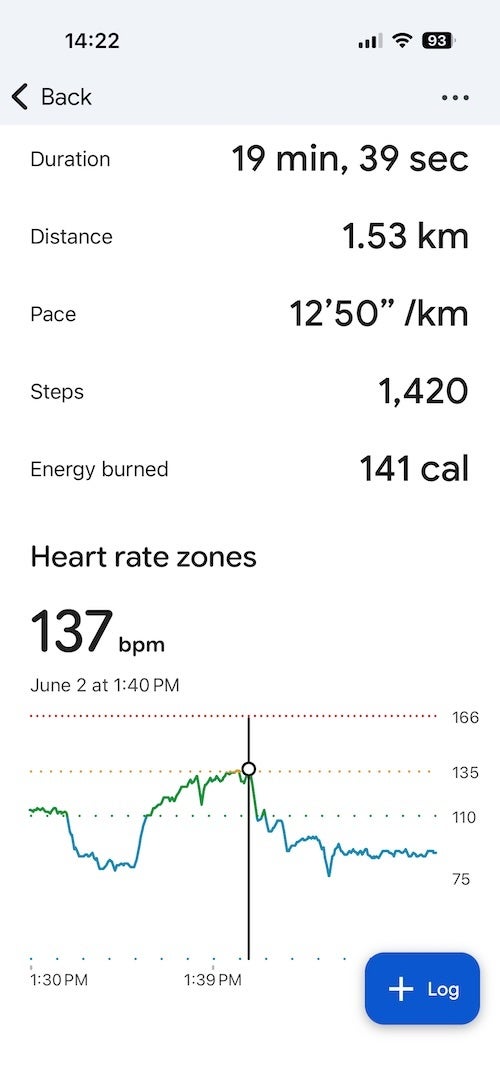
The Fitbit Air accurately picked up my elevated heart rate as I was walking up the stairs | Image by Screenshot by PhoneArena
Last Tuesday, I did something different, walking up the stairs at the office, and you can see that the Fitbit picked this up nice. It’s still categorized as a walk, but you can see how my heart goes up to 137bpm when I’m walking up and then I descended, and just finished this as a regular walk, and you can see my heart rate quickly normalize. I did the same exercise on Thursday and again, the Fitbit picked it up with automatic detection, caught that spike in heart rate as I walked up the stairs. That looks like a real measurement. Cool.
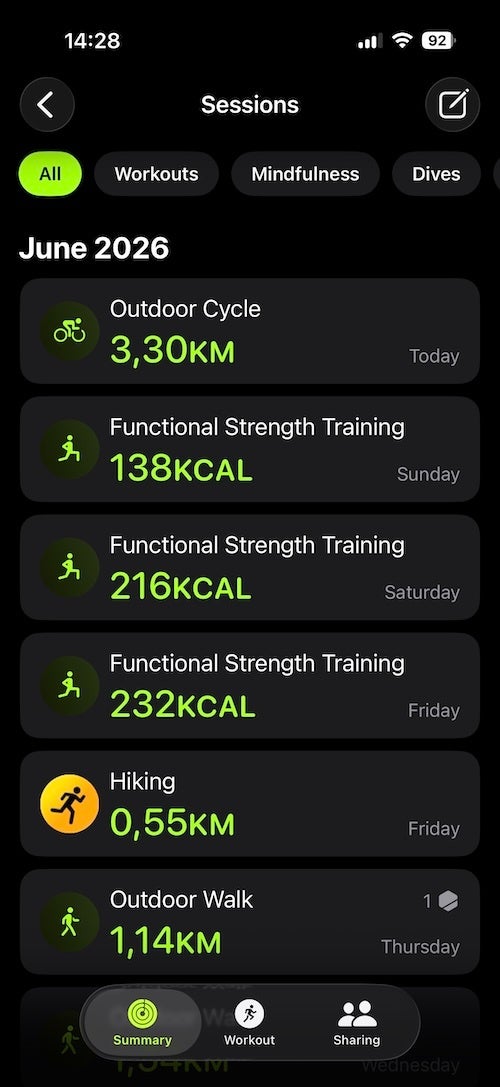
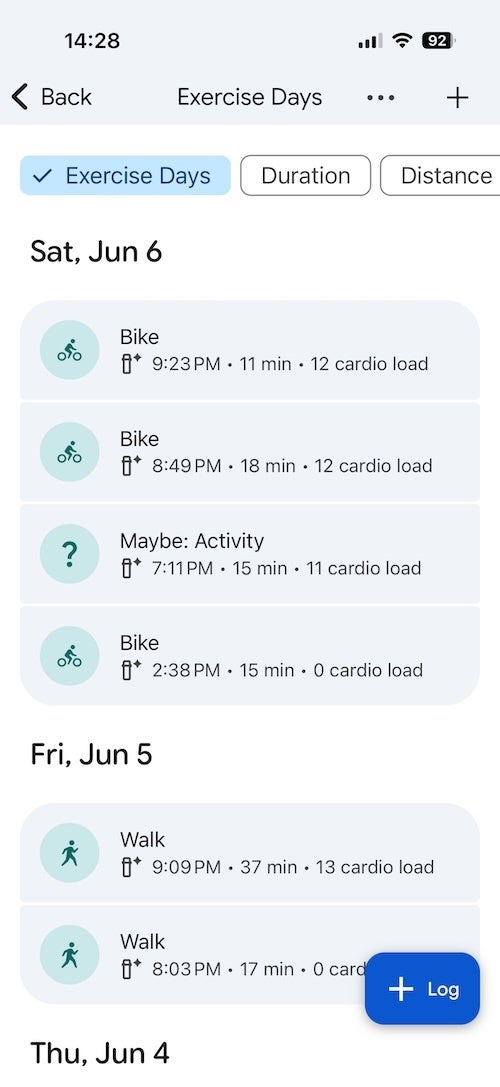
But look at the Google Health log for Friday, Saturday and Sunday. I worked out all three days in the gym, as evidenced by my functional strength workouts that I recorded on the Apple Watch, and the Fitbit didn’t catch any of those sessions.
And then, I just get really weird readings for some workouts. I went home on my electric scooter on Monday night. Riding an electric scooter is not even a workout, it’s not supposed to spike my heart rate at all. But the Fitbit did. It initially assigned this to be a bike workout, I then went into Google Health and manually corrected it, there was an option for an electric scoore ride, so I picked that.
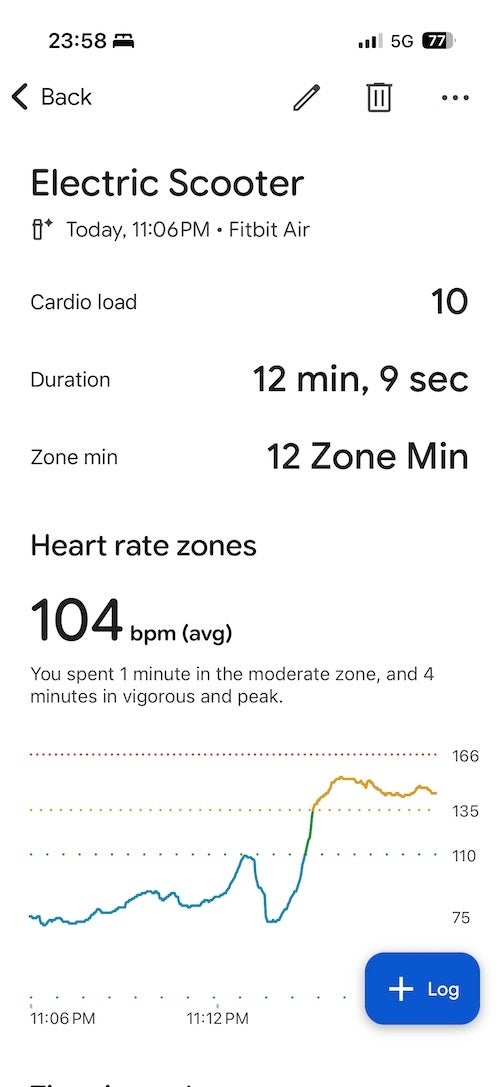
Notice the very strange bump to nearly 150bpm towards the end of the workout | Image by Screenshot by PhoneArena
So far so good, but look at the heart rate readings. I would have definitely felt my heart rate going up to 150bpms on that easy night ride, but I know that was not the case. It was just a regular, easy scooter ride. I doubt my heart rate went above 120bpm, probably even lower.
Essentially, I think it guesses how hard my heart would work if I were cycling at that speed. I have seen something similar on Garmin watches, one of them didn’t have an ebike profile, so I just used the regular bike mode for an e-bike ride, and I got super inaccurate heart rate data. Essentially, the Garmin also did not seem to read my heart rate data, but rather estimated my exertion to be much higher than it actually was.
I think something similar might be happening with the Fitbit. I cannot really prove it, of course, but I just now have doubts about the heart rate readings at all.
Sleep tracking
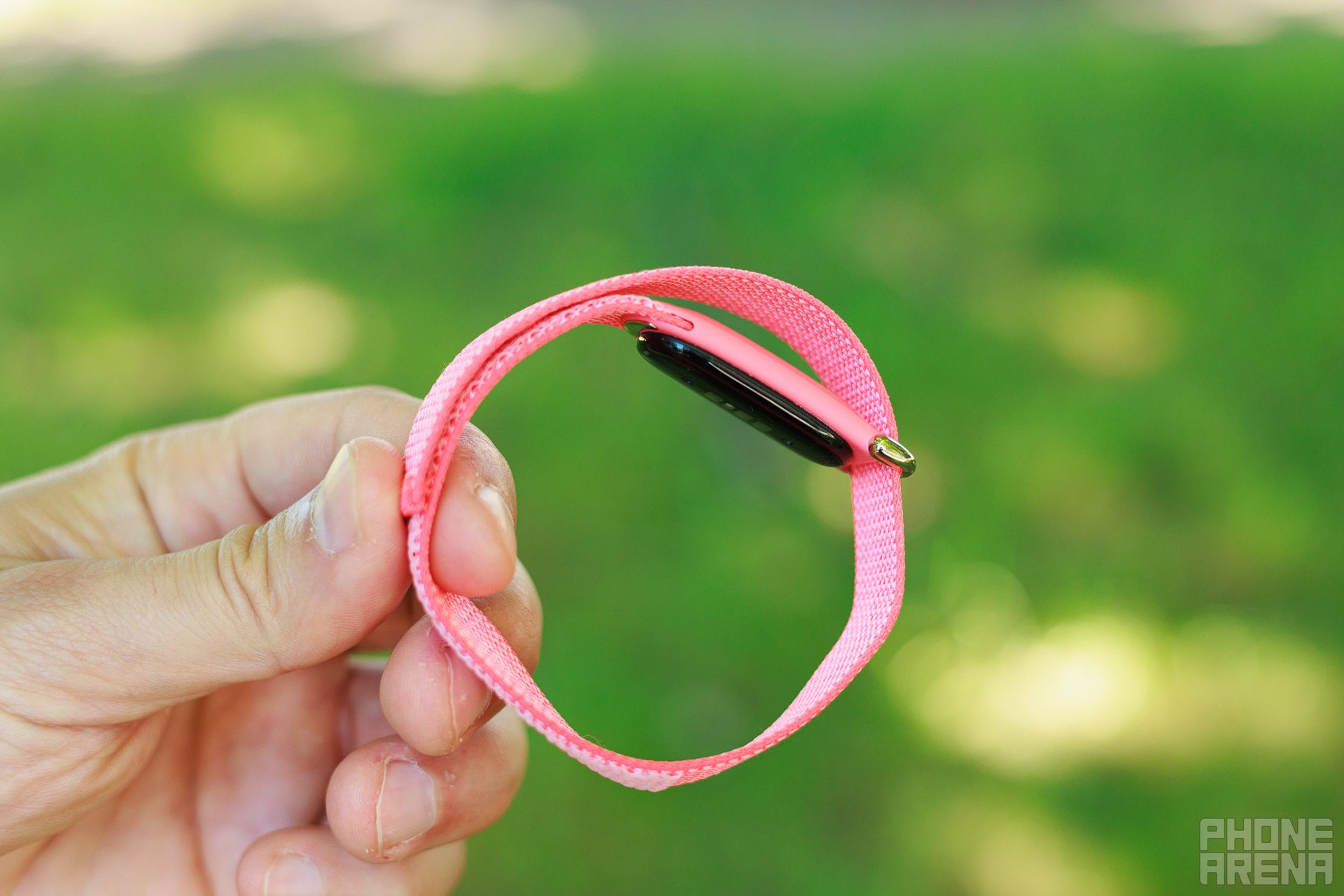
Image by PhoneArena
Sleep tracking was probably the most important metric to me. I think sleep is incredibly important to overall well-being, so I like tracking my total sleep time. Some other watches I’ve tested like Garmins regularly miss the time I wake up, but the Fitbit Air is excellent here, it nails the time exactly, and actually, when you compare it to an Apple Watch, both do a great job with that, and this is very helpful when you are trying to build a routine and get to bed on time.
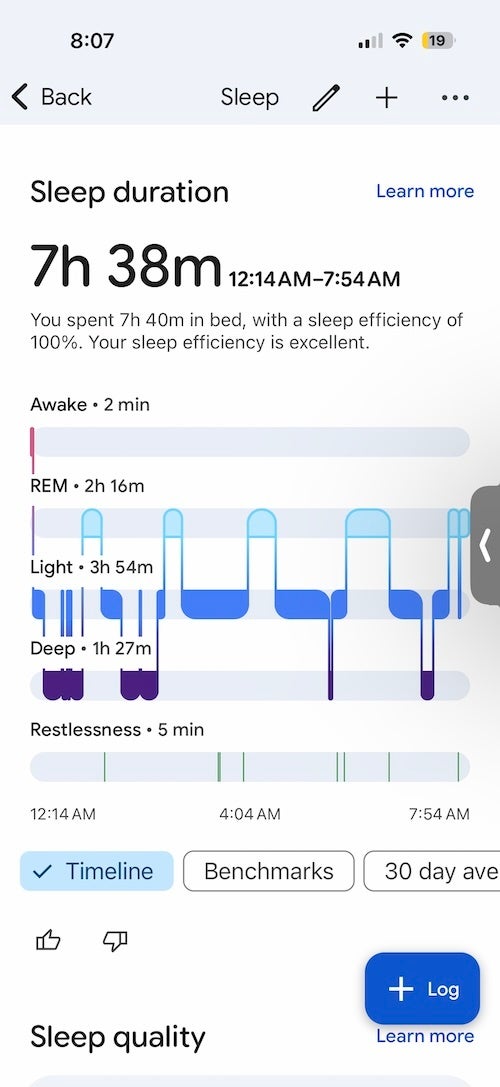
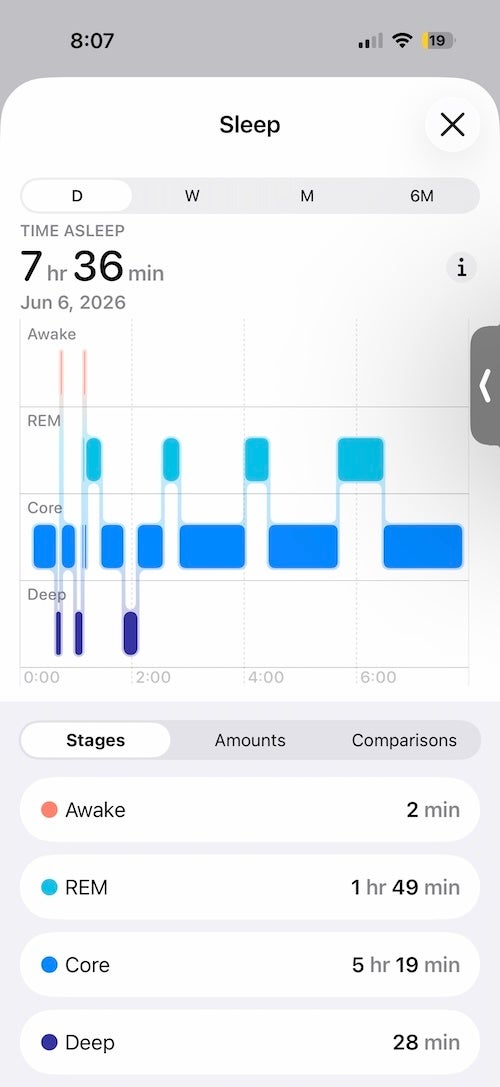
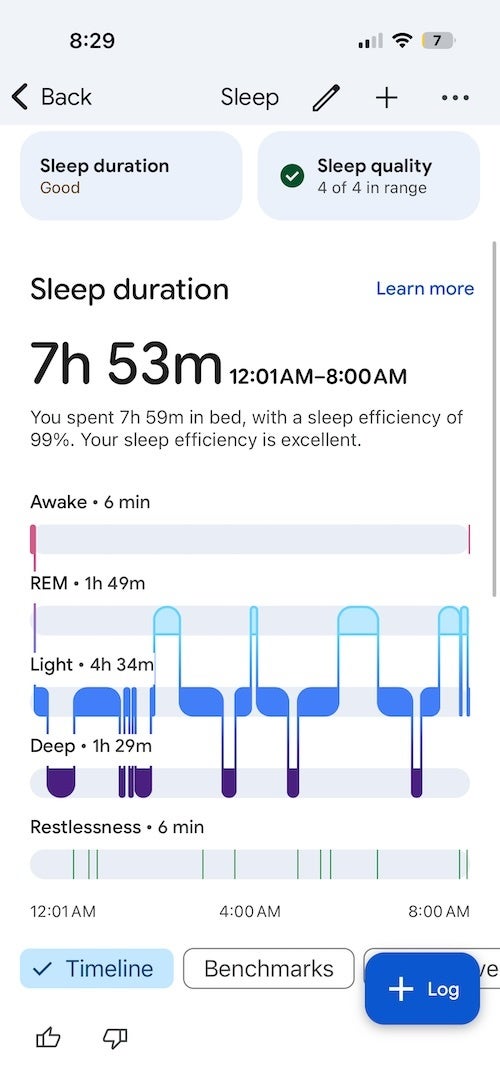
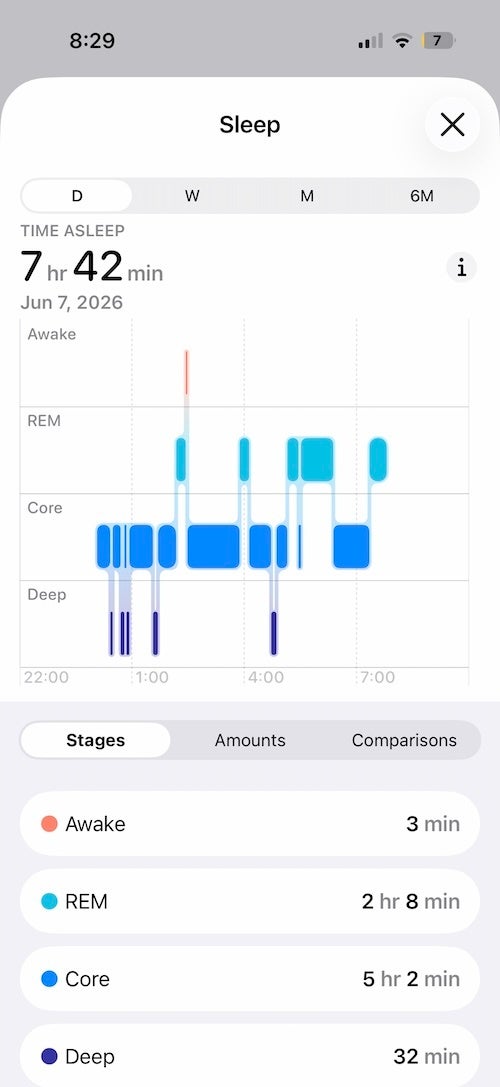
However, the Fitbit Air and Apple Watch give me very different estimates for my sleep stages. Take a look at the above comparison: the Apple Watch regularly detects that I get insufficient deep sleep, while the Fitbit Air says I am getting a proper amount.
You can see at the first tracked night of sleep, the Ftibit Air reports 1 hour and 27 minutes of deep sleep versus just 28 minutes on the Apple Watch. The second night, the Fitbit Air reports again roughly one hour and a half versus 32 minutes on the Apple Watch.
Right now, such conflicting information only shows how chaotic sleep stage analysis can be.
I do like the few additional metrics you get on the Fitbit Air, though — sleep efficiency is nice and helpful, and there is a whole section with sleep meditation and relaxing sounds in the Google Health app, while Apple Health feels very barebones in comparison.
I also noticed that heart rate variability (HRV) numbers were again very different between the Fitbit Air and the Apple Watch.
Final thoughts
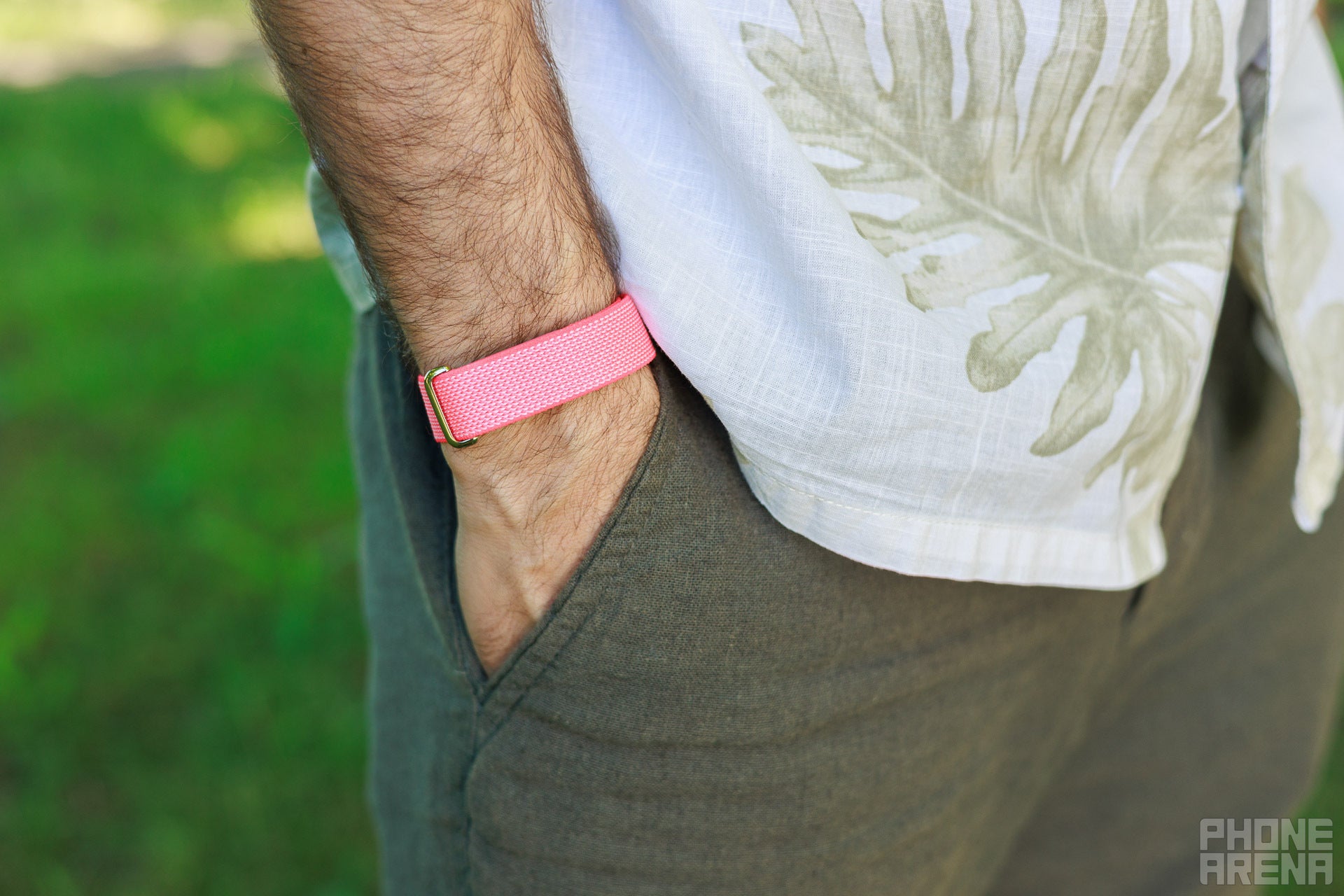
Image by PhoneArena
Despite all of these quirks, I really enjoyed wearing the Fitbit Air. The sleek, non-techy design is a big win, and I appreciated the non-stop heart rate tracking and accurate numbers for my sleep duration. I also enjoyed the new Google Health app, even if I did not use the AI coach features.


Popular stories





Latest News


Things that are NOT allowed:
To help keep our community safe and free from spam, we apply temporary limits to newly created accounts: