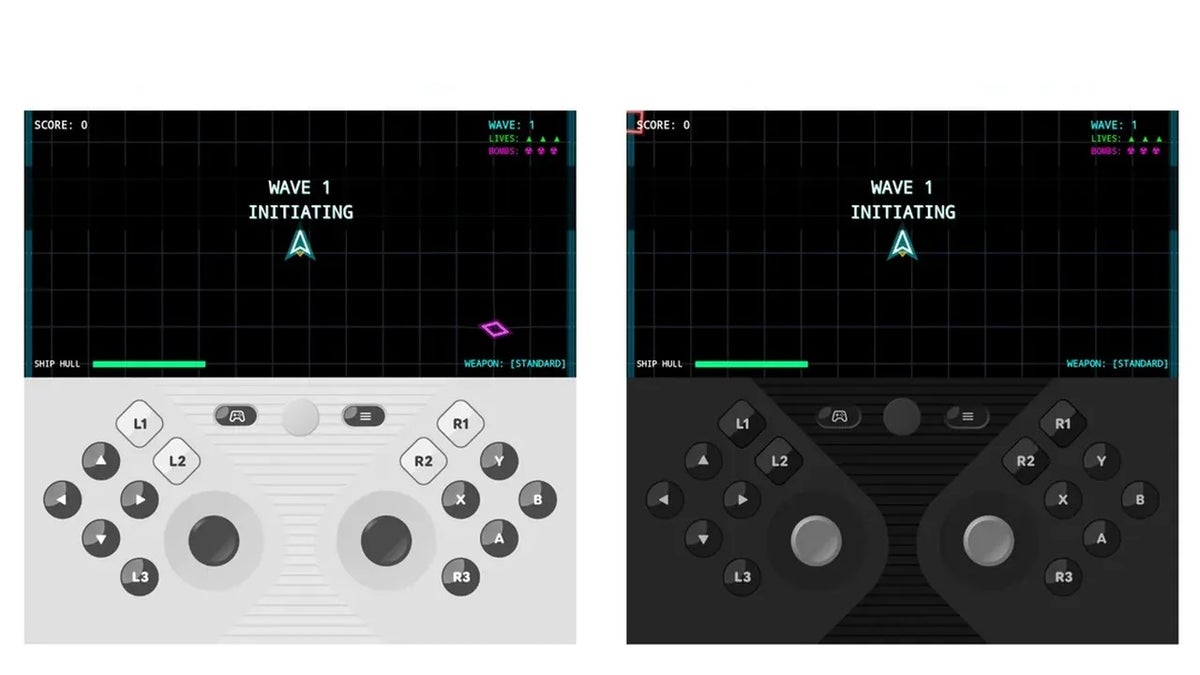
Google just rolled out a surprise update for the Google Play Store that also adds a new gaming feature to all Pixel foldable phones: a virtual gamepad! Your Pixel 11 Pro Fold could be your next handheld gaming device! The feature was first teased back in June, and it's now live for the company's foldable Pixel lineup.
Pixel Virtual Gamepad is here
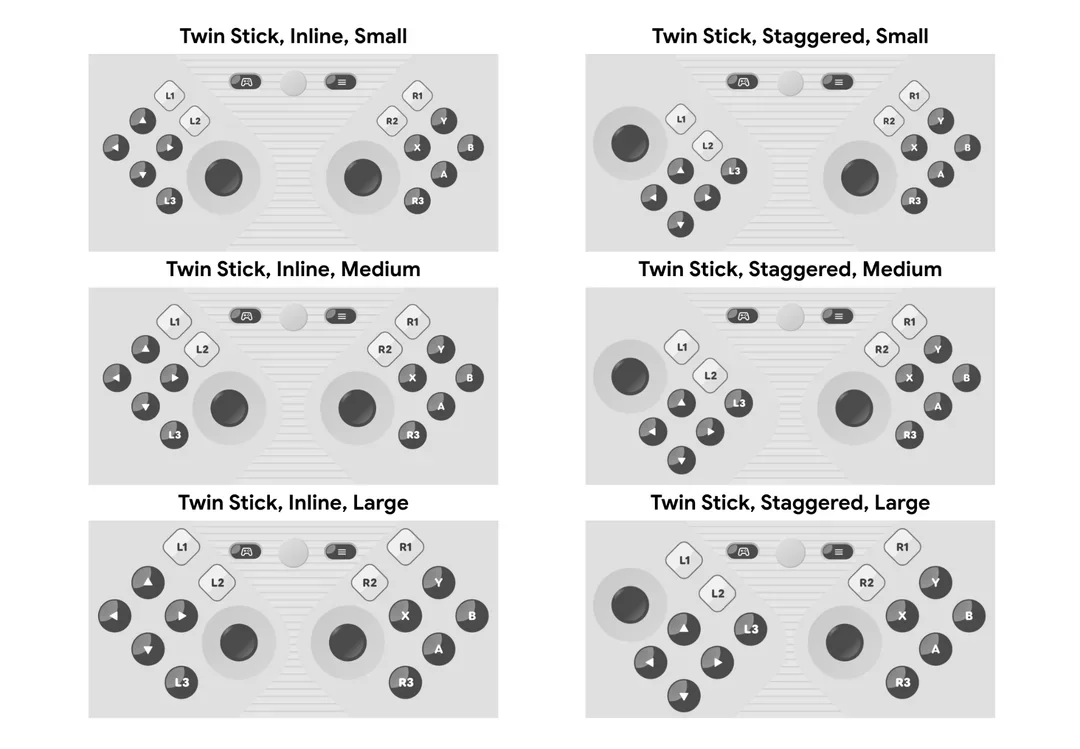
Different sizes of the new Virtual Gamepad. | Image by Google
The Play Store update is rolling out with version number v54.1, and among other small improvements, it brings a new way to play games on your foldable Pixel phone.
This on-screen virtual gamepad update kind of went under the radar, as Google hasn't made a big deal out of the update, only dedicating a single line to it in the latest Google System Services release notes.
“You can now use an on-screen game controller in supported Android games with Pixel virtual gamepad when your Pixel Fold is open.”
What's even more interesting is that Google teased this new feature back in June under the moniker "foldable gaming mode."
Poll
1 Votes
Have you already tried the Virtual Gamepad on your foldable Pixel?
How foldable gaming mode works
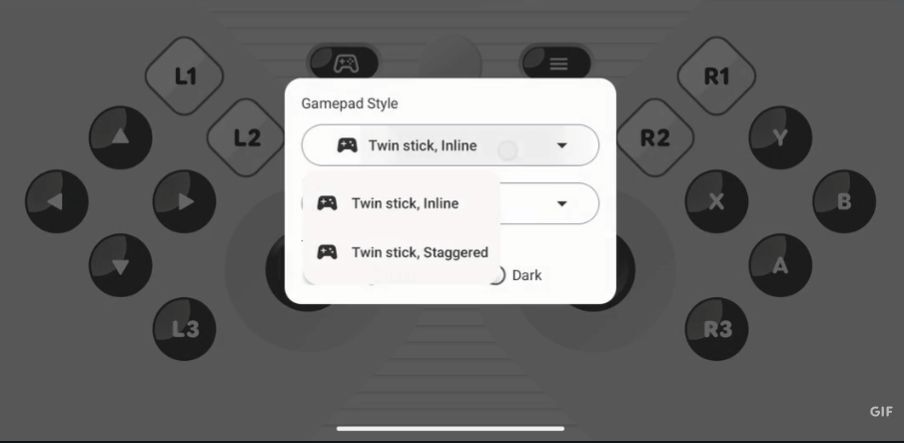
You can switch between two different layouts. | Image by Google
There was a sneak peek of this new feature shared by Google devs on Reddit. Back in June, Mishaal Rahman from the Community Engagement team at Google shared a detailed description of the new foldable gaming mode in Android 17.
We wanted to make this experience as seamless as possible for both players and game developers. Foldable gaming mode creates a virtual gamepad that emulates physical button presses at the system level. This means it’s designed to work with any game that supports physical controllers. While game developers don’t need to make any changes to support the virtual gamepad’s emulated button presses, their games do need to be adaptive in order to be put in the 50/50 layout when the device is unfolded.
- Mishaal Rahman, Google Community Engagement team, Reddit
Recommended For You
Apparently, this foldable gaming mode is coming to Pixel Fold devices first as the aforementioned Virtual Gamepad, but Google eventually plans to roll it out to all Android foldables in the future.
As you can see from the video, the new feature works like a dedicated gaming controller. There are a couple of customization options as well.
You can choose from two different layouts — "Twin stick, Inline" and "Twin stick, Staggered." You can also scale the gamepad to three different sizes — small, medium, and large — to make it as comfortable as possible for every hand size.
Finally, you can turn haptic feedback on and off via a quick toggle.
Supported inputs
The virtual gamepad includes everything you'd expect from a standard controller:
D-pad
Left and Right Thumbsticks
A, B, X, Y action buttons
L1, L2, L3
R1, R2, R3
Start button
Google Play Store v54.1 new features
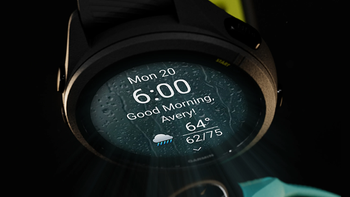
Along with the new Virtual Gamepad, Google is adding a new feature to Google Play. You can now view a large, immersive preview of a watch face on the app details page to help you choose the right design.
This one will make swapping watch faces a bit easier and faster, as you're getting a visual cue of how the new design will actually look on your wearable.
The update also brings new, relevant app suggestions when you search for something and the search returns no results.
Is this new Virtual Gamepad a game changer?
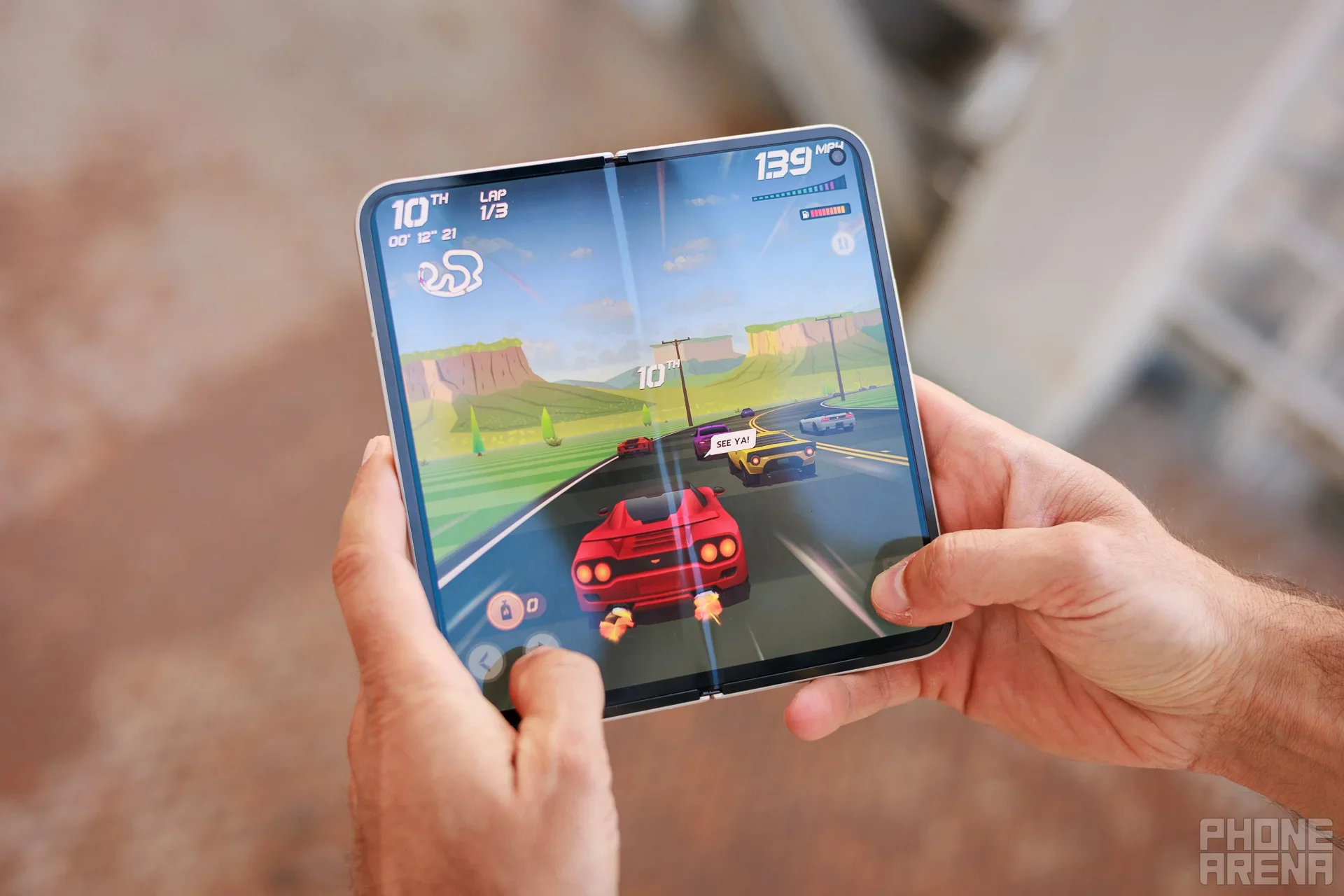
Some games could really benefit from this new virtual gamepad, once the feature trickle down to other Android foldables. | Image by PhoneArena
The star of this update, though, is the new Virtual Gamepad. I doubt this will be a game changer, as serious gamers use hardware controllers, but it's a nice addition for casual smartphone gaming.
Furthermore, foldable devices are perfect for such virtual gamepads, as they offer enough screen real estate and the physical separation between the folding halves to mimic old handheld gaming consoles.
Mariyan, a tech enthusiast with a background in Nuclear Physics and Journalism, brings a unique perspective to PhoneArena. His childhood curiosity for gadgets evolved into a professional passion for technology, leading him to the role of Editor-in-Chief at PCWorld Bulgaria before joining PhoneArena. Mariyan's interests range from mainstream Android and iPhone debates to fringe technologies like graphene batteries and nanotechnology. Off-duty, he enjoys playing his electric guitar, practicing Japanese, and revisiting his love for video games and Haruki Murakami's works.
A discussion is a place, where people can voice their opinion, no matter if it
is positive, neutral or negative. However, when posting, one must stay true to the topic, and not just share some
random thoughts, which are not directly related to the matter.
Things that are NOT allowed:
Off-topic talk - you must stick to the subject of discussion
Offensive, hate speech - if you want to say something, say it politely
Spam/Advertisements - these posts are deleted
Multiple accounts - one person can have only one account
Impersonations and offensive nicknames - these accounts get banned
To help keep our community safe and free from spam, we apply temporary limits to newly created accounts:
New accounts created within the last 24 hours may experience restrictions on how frequently they can
post or comment.
These limits are in place as a precaution and will automatically lift.
Moderation is done by humans. We try to be as objective as possible and moderate with zero bias. If you think a
post should be moderated - please, report it.
Have a question about the rules or why you have been moderated/limited/banned? Please,
contact us.







Things that are NOT allowed:
To help keep our community safe and free from spam, we apply temporary limits to newly created accounts: