
More upcoming changes to Google Messages app discovered in latest beta version
Small, useful changes for Google Messages have been found in the latest beta version of the app.

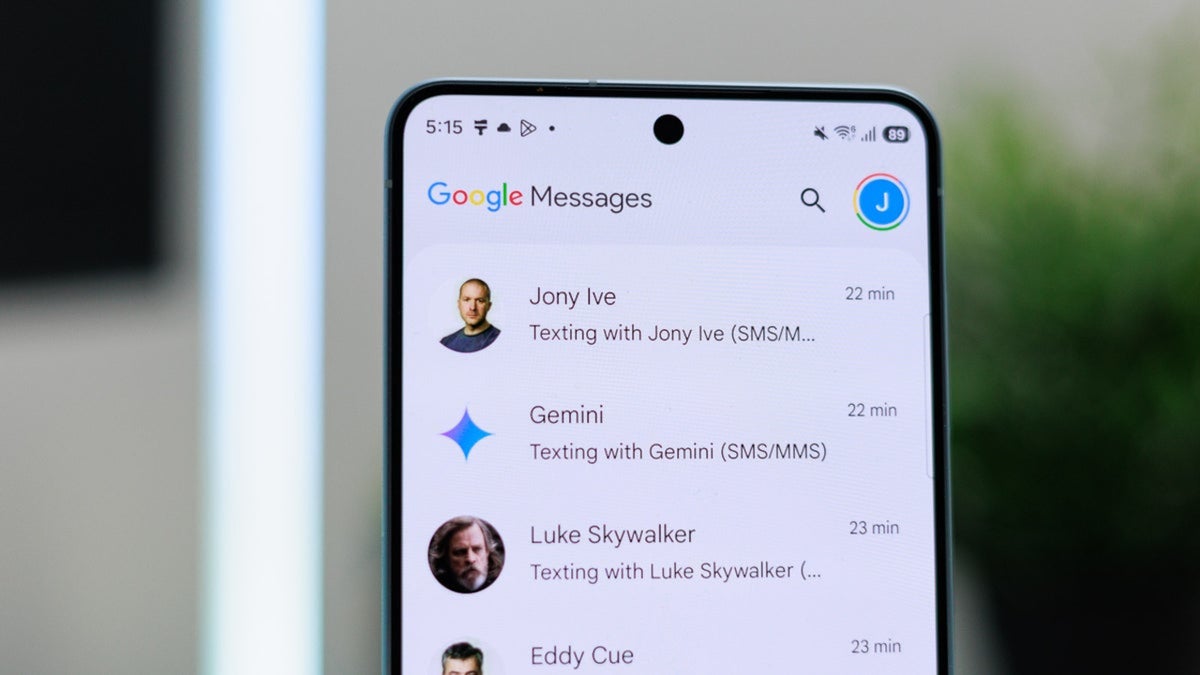
More new features are coming to Google Messages | Image by PhoneArena
Google continues to work hard to improve the Google Messages app. The Search button has moved to the bottom-right corner of the screen from the top to better accommodate those using the app with one hand. The Gemini shortcut was moved to the top right corner, and a shortcut to search has been added to individual threads. Swiping left in a chat will show timestamps for the message along with the RCS encryption lock.
In addition, the Gemini-powered Scam detection has been upgraded to help determine when an incoming message is likely to be a scam. RCS upgrades now allow Android-to-iPhone RCS chats to support inline replies and photo reactions.
More improvements are coming to the Google Messages app
And more improvements could be on the way. While taking a deep dive into the latest beta release for Google Messages (v20261110), Android Authority discovered some new features that work with voice messages and audio files. A future update could change the current waveform icon seen in the main chat window to a microphone icon.
When recording an audio message, there is an Attach button that adds the audio to a chat input box so that it can be sent as an MMS/RCS file. Google is apparently going to relabel that button from Attach to Send. Other changes are apparently in the works for Google Messages.
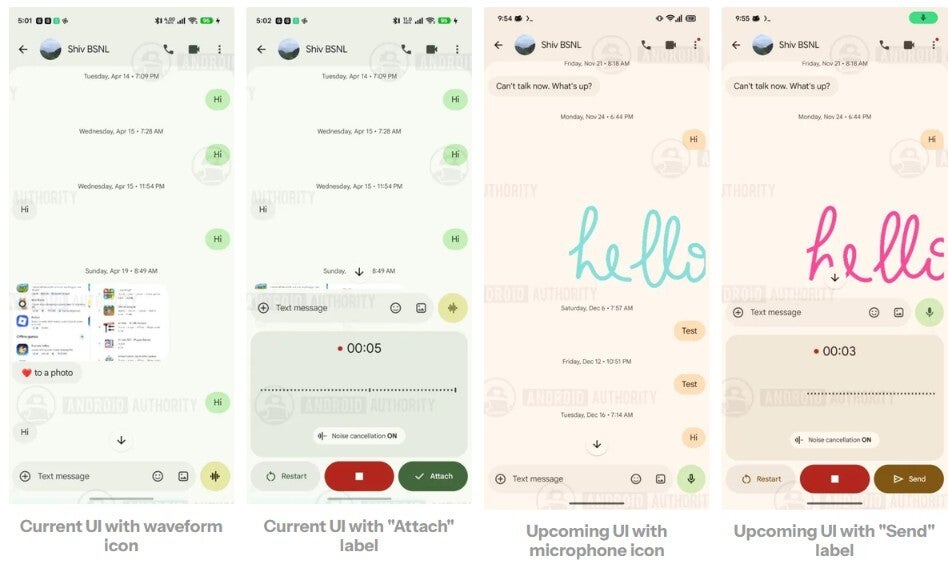
Changes reportedly coming to Google Messages. | Image by Android Authority
Right now, audio files stop playing when you go to the main conversations list. This apparently will be changing in the near future, and audio controls will be coming to the notification shade. The latter will be populated with audio controls and buttons for functions such as play, pause, forward, and rewind. Android Authority said that it discovered that while the media controls supported 5-second forward and rewind, there were also icons for 10-second and 30-second forward and rewind.
Another minor change could be coming to the way Google Messages users choose Voice Moods. Currently, when using RCS to send a voice message, tapping the stop button will show a row of animated emoji. Tapping one, such as the crying emoji, will add that Voice Mood to the background of your message. Tap Attach and then send your message, which will now include your updated Voice Mood.
Google is working on a way for Messages users to change their Voice Mood while in the midst of recording a voice message
While you have to stop recording your message to add or change your Voice Mood, Google is reportedly working on a way for you to choose your Voice Mood while you are recording your message.
Google has not officially rolled out these features and there is always a chance that it won't. But that is a bet that you'll lose most of the time.
Here are some articles you can check out right now:

Popular stories



Latest News

Things that are NOT allowed:
To help keep our community safe and free from spam, we apply temporary limits to newly created accounts: