Apple spent part of its WWDC26 keynote on something that does not usually get marquee billing: keeping kids safer on an iPhone. This fall, alongside iOS 27 and iPadOS 27, Apple is rolling out a refreshed set of parental controls that let parents manage what their kids can see, who they can talk to, and how long they can stay in an app. A lot of it will feel familiar, because Android families have had most of these tools for years, but the update still closes real gaps inside Apple's world.
It starts with a child account
The whole system hangs on setting up a child account, which Apple now walks parents through during device setup. Once it is active, age-appropriate protections switch on across the system, like limiting adult websites, restricting media, and setting age-based limits in the App Store.
A child account is required for kids under 13 and available for anyone up to 18.
Our approach to helping families create safer digital experiences is grounded in the belief that every child is unique.
— Sumbul Desai, M.D., Apple's VP of Health and Fitness
Choosing which apps your kid can open
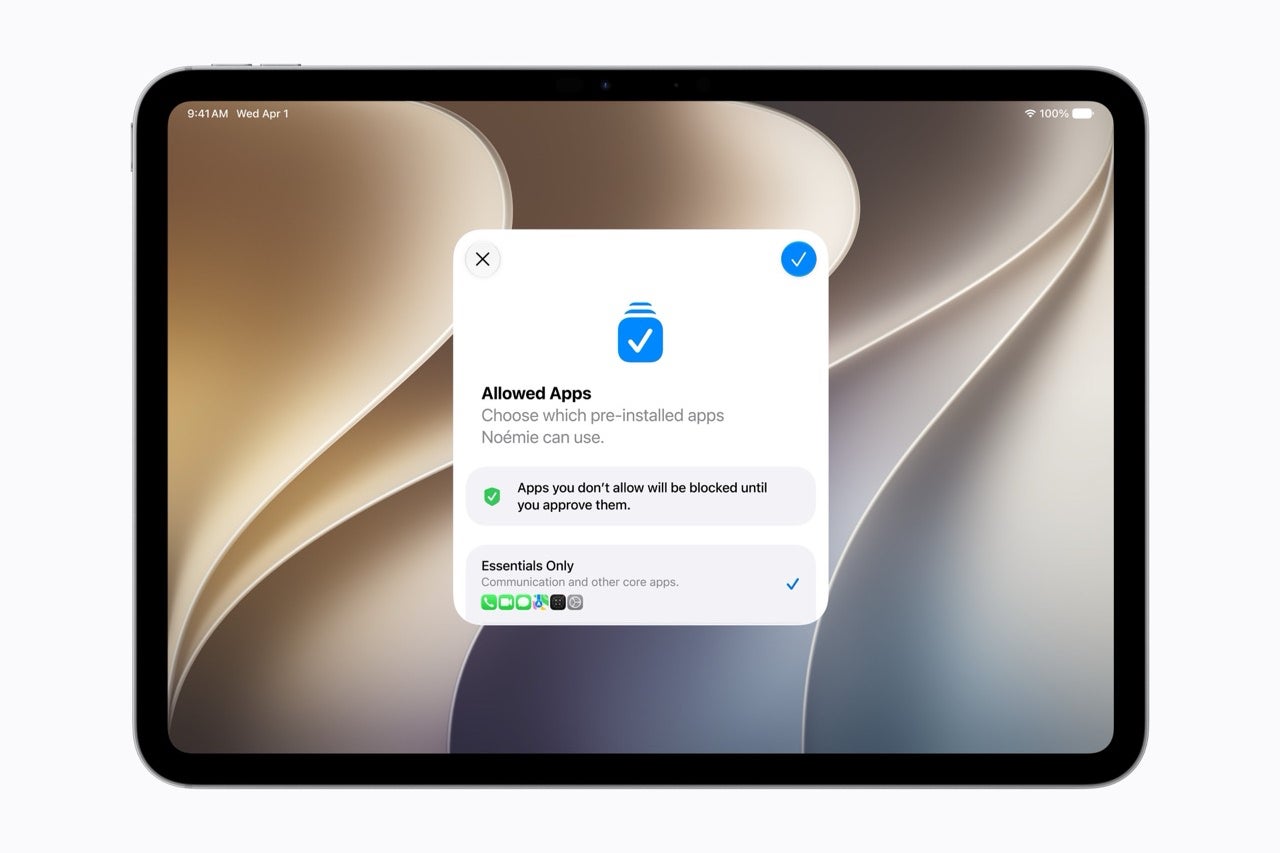
After the account is set, parents pick exactly which apps show up on the device. You can start with a small set of essentials, a curated bundle, or hand-pick each one, then add more over time as you see fit.
Recommended For You
This pairs with Ask to Buy, the existing tool that makes kids request approval before downloading anything from the App Store, free or paid, or making an in-app purchase.
Parents can start a kid off with just essential apps and approve more over time. | Image by Apple
A new Ask to Browse for the web
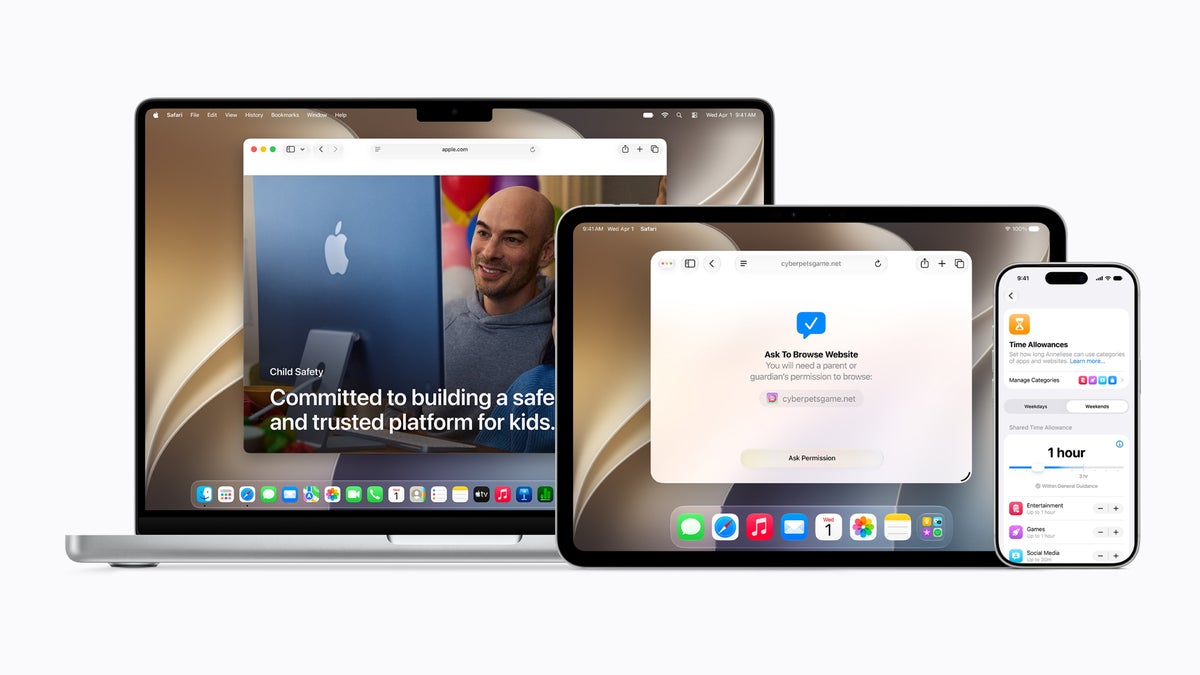
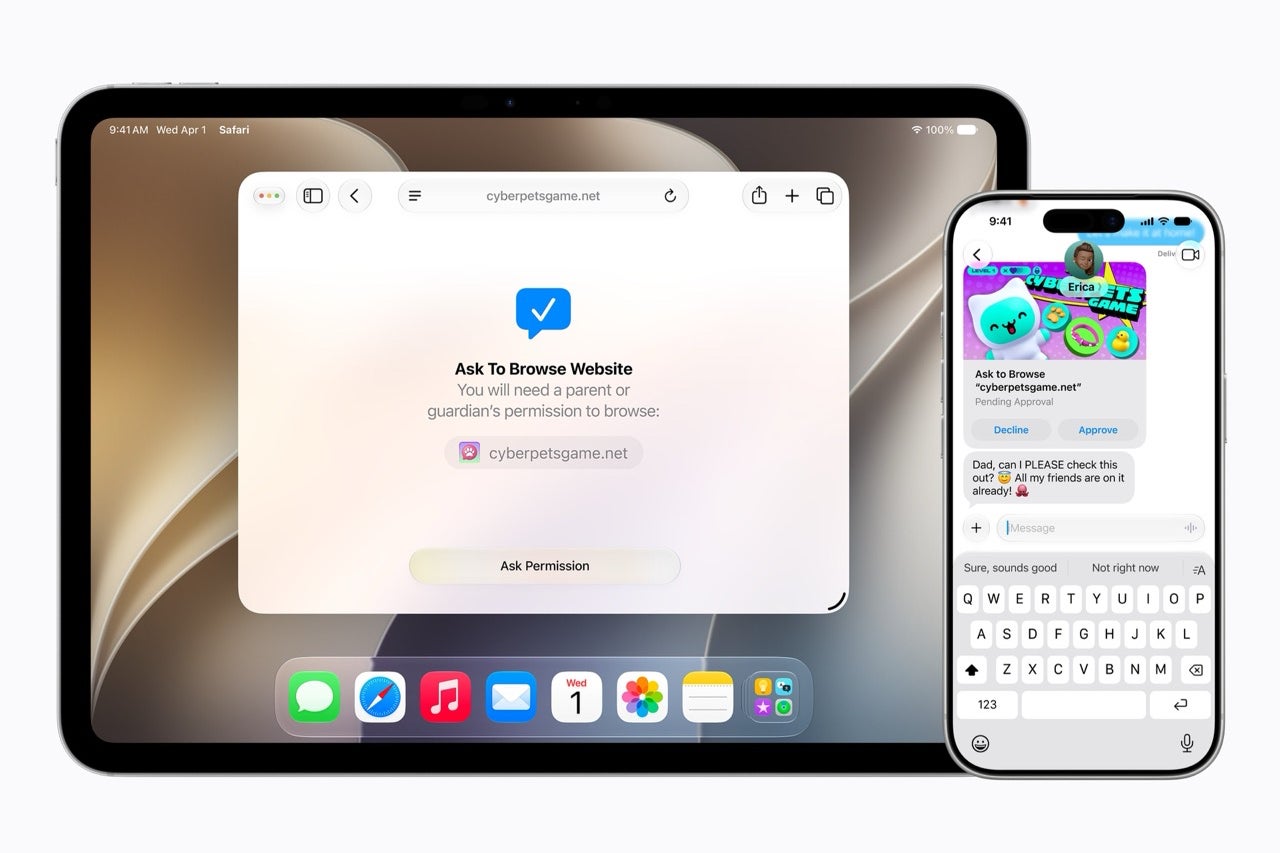
The fresh addition here is Ask to Browse. It makes kids request permission before opening a new website in Safari, and it works across iPhone, iPad, and Mac.
This is one spot where Apple actually pulls ahead. Google's Family Link can lock a child's Chrome to approved sites, but its web filtering outside Google's own services has long been the weaker part of the package. Wiring approval straight into Safari at the system level is a cleaner answer to the same problem.
Ask to Browse makes kids request approval before opening a new site in Safari. | Image by Apple
Managing who your kid can talk to
Parents can manage who their children reach over Messages, FaceTime, and Phone, and can require approval before a kid connects with anyone new. Communication Safety, already on by default for users under 18, blurs sensitive images, and it will now step in to block violent content too.
How do you feel about Apple's new parental controls?
5 Votes
Finally, I'll set these up the day they land
40%
Useful, but Android parents have had this for years
60%
I'd rather manage my kid's screen time myself
0%
Useless to me until they fix device sharing
0%
New ways to manage screen time
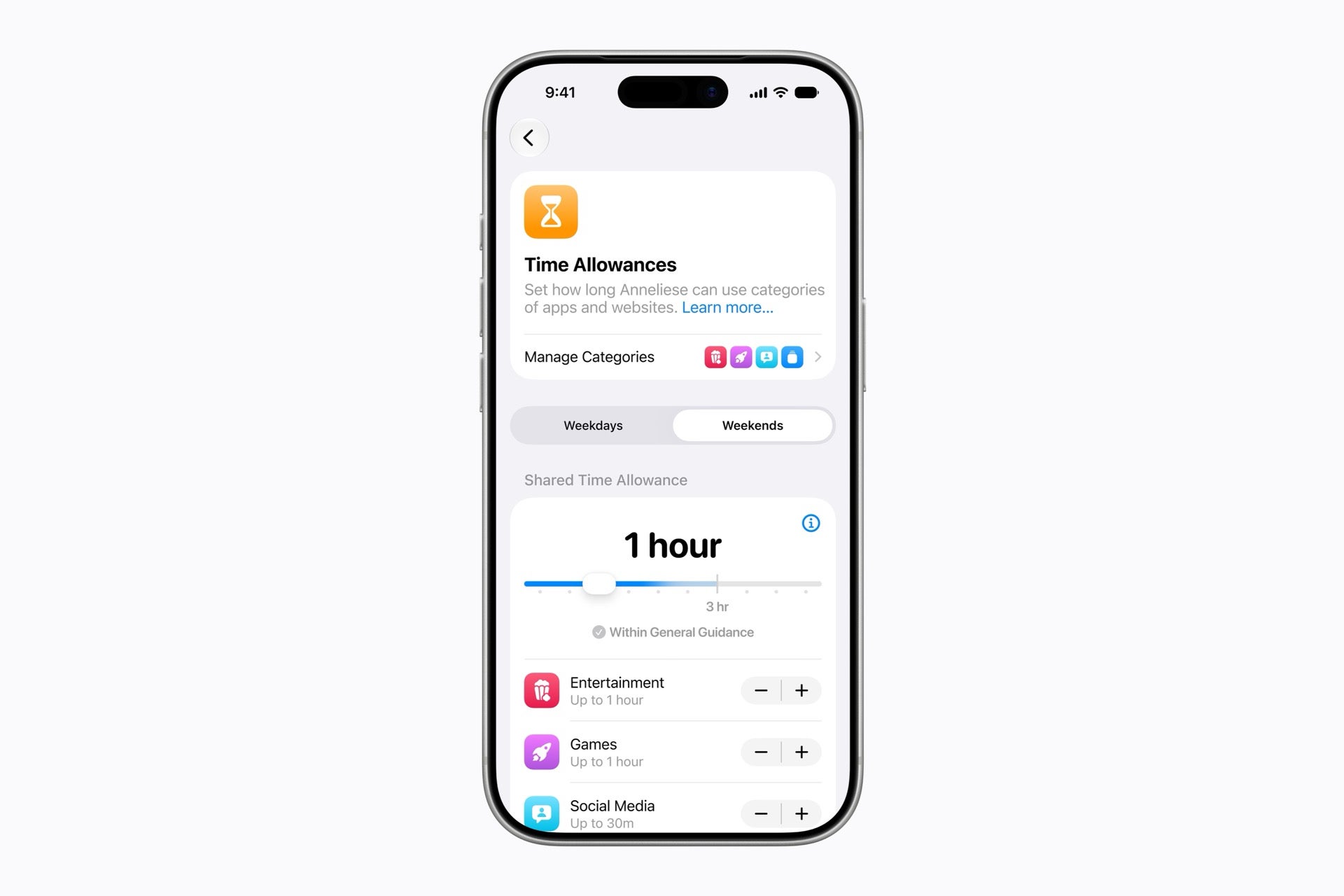
Time Allowances let parents cap how long kids spend in app categories like Entertainment, Games, and Social Media, with adjustable starting suggestions based on expert research. Daily Schedules control which apps work at which times, so a kid can stay focused during school hours.
Screen Time itself has been redesigned into an at-a-glance view of average usage and top apps, with quick taps to limit or extend access in the moment.
Time Allowances cap how long kids spend in app categories, with expert-based starting points. | Image by Apple
How this matches up against Android
The honest framing is that most of this is Apple catching up. Google's Family Link has offered the same core controls for years, much of it free and built into Android. Apple is now matching it, with the Safari-level web approval as its own edge.
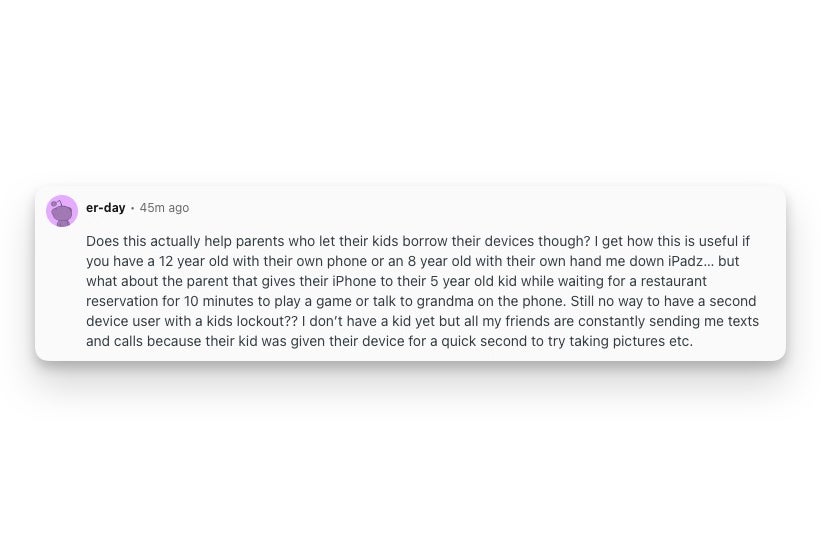
There is also a gap worth flagging, and parents spotted it fast. On the r/apple subreddit, one user pointed out that all of this assumes the kid has their own Apple device. It does nothing for the parent who hands their own iPhone to a five-year-old for ten minutes at a restaurant. There is still no second-user mode or guest profile with controls on iPhone or iPad, the kind of multi-user setup Android tablets have offered for years. If you share one device with your kid, these protections do not really reach you.
A user on r/apple points out that the new controls do not cover a shared device handed to a young kid. | Image by er-day via Reddit
When you can get it
The new features arrive after you install the Screen Time update in iOS 27, iPadOS 27, and macOS 27 this fall. Howeverm, Apple notes the features are subject to change before release.
Want more plain-English breakdowns of the stuff Apple and Google actually ship, plus the behind-the-scenes of how I cover it? Come find me on X at @jojothetechie and on Threads at @jojothetechie.
Trade in your old phone for cash at ecoATM!
Recycle your used phone and get instant cash. Find out how at ecoATM!
Johanna Romero is a Senior News Writer at PhoneArena, covering mobile technology news across Android, iOS, wearables, and the Google ecosystem she knows best. Drawing on 15 years in IT and tech support from 2007 to 2022, she brings a user-friendly eye for the practical features and lesser-known tricks readers care about. Google named her an official #TeamPixel member in 2022, and she also reviews the latest devices on her YouTube channel, JoJo the Techie.
A discussion is a place, where people can voice their opinion, no matter if it
is positive, neutral or negative. However, when posting, one must stay true to the topic, and not just share some
random thoughts, which are not directly related to the matter.
Things that are NOT allowed:
Off-topic talk - you must stick to the subject of discussion
Offensive, hate speech - if you want to say something, say it politely
Spam/Advertisements - these posts are deleted
Multiple accounts - one person can have only one account
Impersonations and offensive nicknames - these accounts get banned
To help keep our community safe and free from spam, we apply temporary limits to newly created accounts:
New accounts created within the last 24 hours may experience restrictions on how frequently they can
post or comment.
These limits are in place as a precaution and will automatically lift.
Moderation is done by humans. We try to be as objective as possible and moderate with zero bias. If you think a
post should be moderated - please, report it.
Have a question about the rules or why you have been moderated/limited/banned? Please,
contact us.














Things that are NOT allowed:
To help keep our community safe and free from spam, we apply temporary limits to newly created accounts: