Update to Windows Maps adds new volume control for the voices used on the app
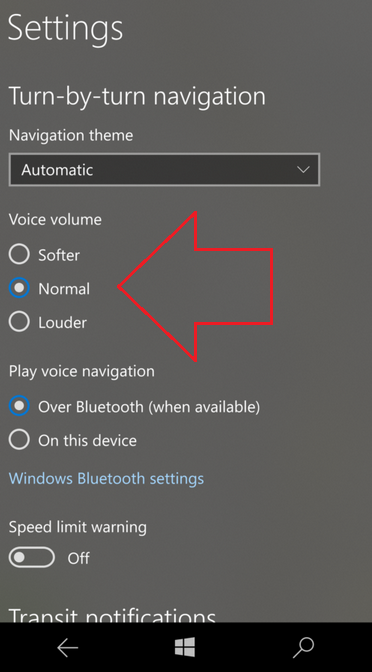
This past June, Microsoft disseminated an update to Windows Map. Released for the fast ring, a more stable version is now ready to take over the voice control for the app. Users will get to use new features and change the intensity of vocals used with the app. Thanks to the update, those using Windows Maps can now choose between a softer, normal or louder sounding voice when using the turn-by-turn directions. In addition, with the update, users can access their Bluetooth settings directly from the app's settings menu.
A toggle switch will allow you to enable or disable a speed limit warning, and you can actually discover you how fast you are traveling at the moment. Another new feature allows Windows Map users to get directions for excursions where you expect to mske multiple stops.
To install the latest update for Windows Maps, simply click on the sourcelink. The app is absolutely free to download on to your mobile device,.
source:
WindowsMaps via
MSPoweruser
Read the latest from Alan Friedman















Things that are NOT allowed:
To help keep our community safe and free from spam, we apply temporary limits to newly created accounts: