Google integrates Android Pay with mobile banking apps, official app no longer needed
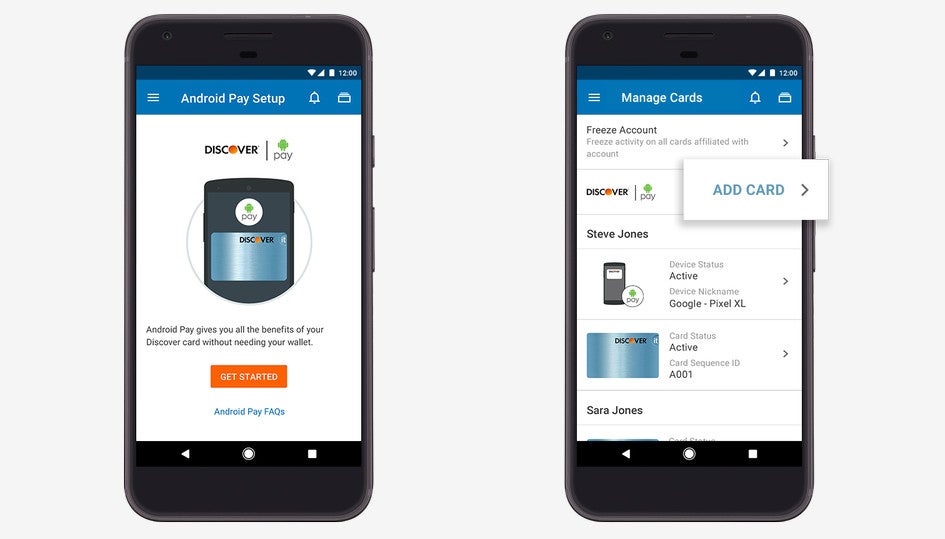
Add a card to Android Pay from the mobile banking app
Beginning this week, Android Pay users can add cards to the service directly from their mobile banking applications with a tap of a button. As soon as the setup is complete, they will be able to use their phones to make mobile payments wherever they see the Android Pay button in their apps and on the mobile web.
The good news is Google confirmed it would continue Android Pay expansion to additional mobile banking apps, so if your bank doesn't have the feature enabled yet, you should look for updates in the near future.
source: Google


Popular stories






Latest News





Things that are NOT allowed:
To help keep our community safe and free from spam, we apply temporary limits to newly created accounts: