For many Apple users, the iPhone Duo will be their first-ever interaction with a foldable smartphone. A whole new type of phone has just been handed to you, full of exciting new possibilities.
But like what, exactly, you might be left asking. What use cases does a folding phone open up? Well, let’s look at some, from the expected uses documented by Apple to the clever new ideas that people have been coming up with, as well as any possible features that Apple could potentially adopt.
Folded, it’s just a phone
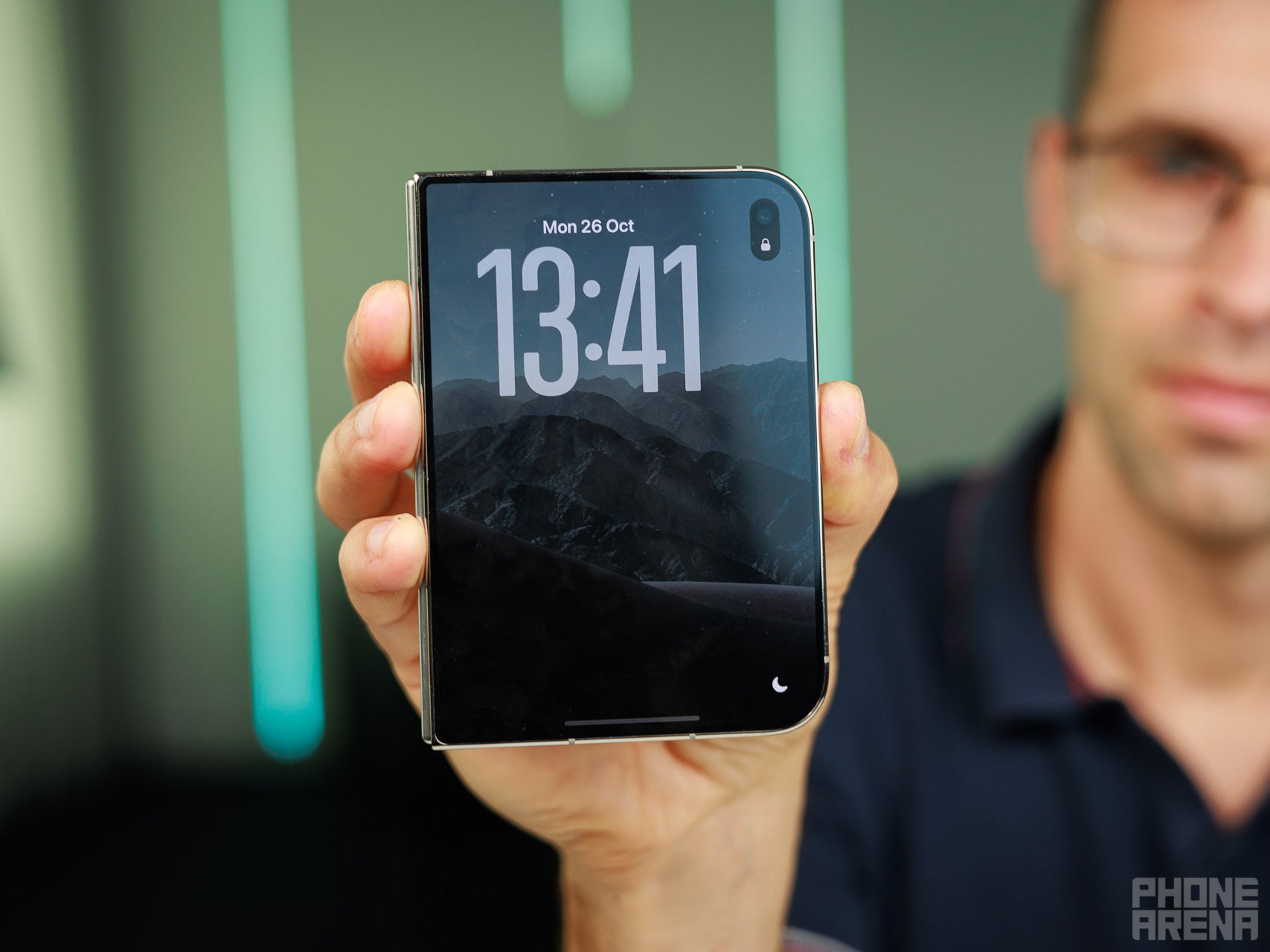
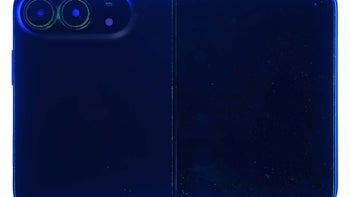
Think of it like a shorter, wider iPhone. | Image by PhoneArena
Your iPhone Duo will likely spend most of its time folded in your pocket or on a desk somewhere around your house. In this position, the phone is just that, a phone.
It’s stubbier and wider, but think of it like your standard iPhone, just smaller and lacking in Face ID. The UI is ever so slightly different from standard iOS to make it more usable with one hand, but it will immediately be familiar to anyone who’s an iPhone user.
Unfold it and things become more interesting
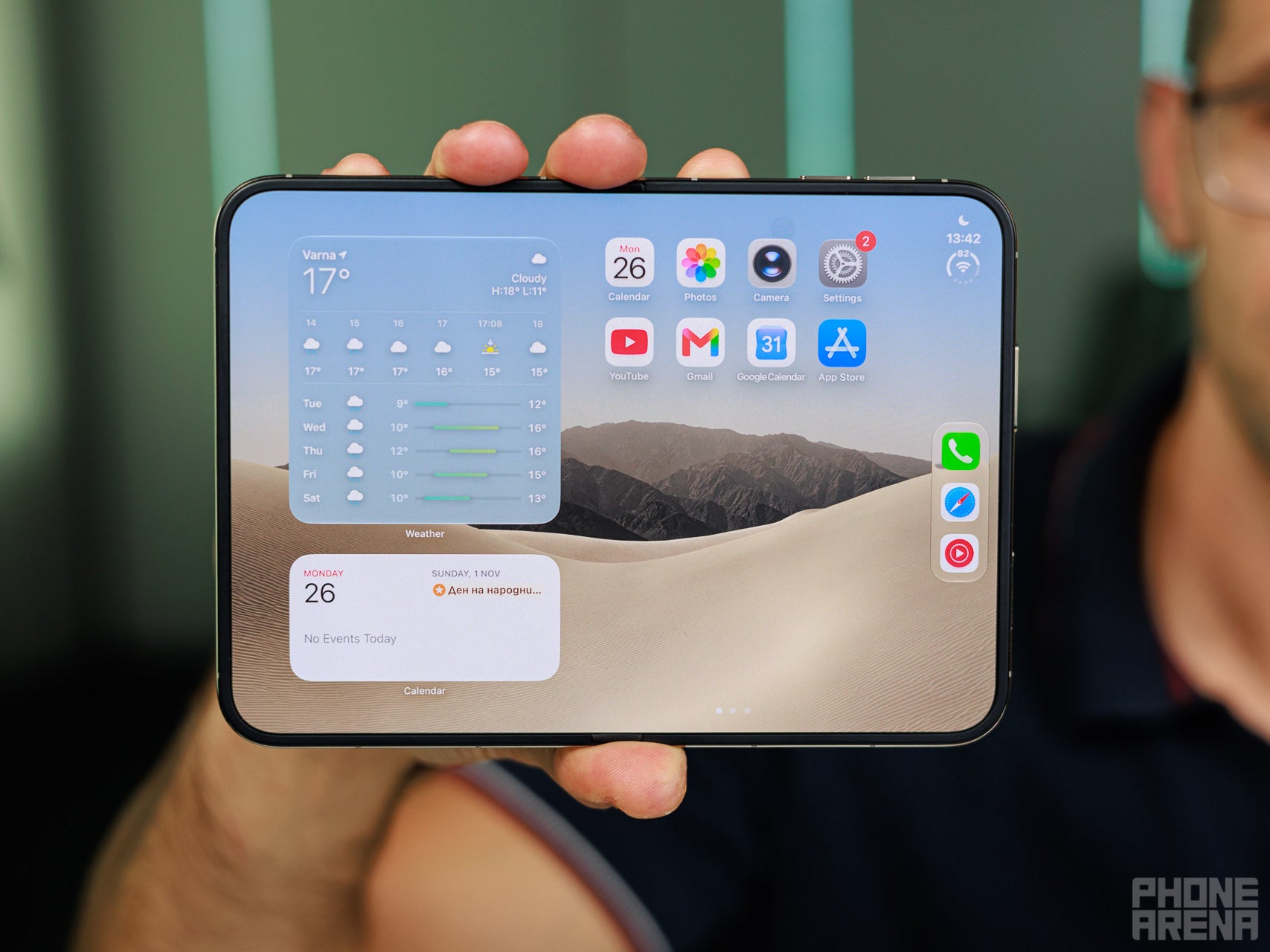
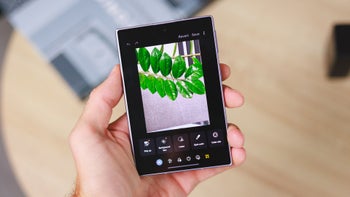
The iPhone Duo becomes an iPad mini when you unfold it. | Image by PhoneArena
This, of course, is the main attraction of the iPhone Duo. It can unfold into something very closely resembling an iPad mini.
Content Consumption
While unfolded fully, the iPhone Duo makes for an excellent content consumption device. Movies, TV shows, and YouTube videos all get significantly more room to breathe. This especially becomes apparent if you watch an IMAX release on your Duo, as you’ll be able to watch the entire thing, which is simply impossible on standard phones which lose out on a lot of content with such releases.
Recommended For You
Multitasking with split view
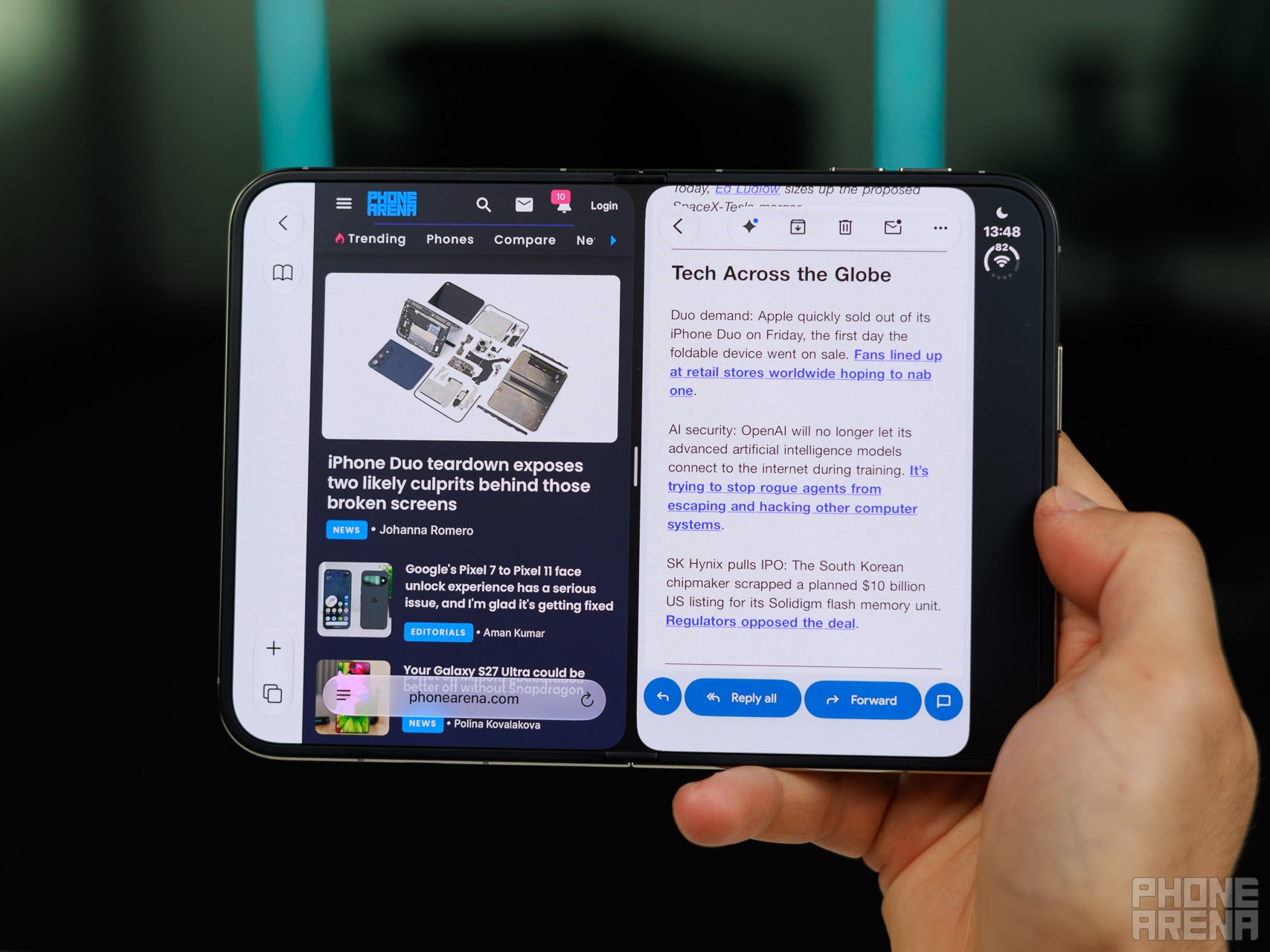
You can finally use two apps simultaneously on iOS with the iPhone Duo. | Image by PhoneArena
Unfolded, the iPhone Duo also allows for two apps to be used side-by-side. As some people joked online when the iPhone Duo was first announced, you can now “doom scroll” on both Instagram and TikTok at the same time, though I would highly advise against that personally.
Additionally, you can open two separate windows of the same app, just like you can on the iPad or the Mac. Another excellent new feature for the iPhone Duo is the ability to pair two apps so that tapping the icon of either one opens both in split view every time on the inner display.
Also, videos can be played alongside other apps in a smaller window. Videos in picture-in-picture mode can be pinned so that they take up less than half of the screen, leaving the rest of the space for a second app. This is different from normal split view because other apps share half and half of the inner display.
Productivity and reading e-books
Productivity gets a boost on the larger inner display of the iPhone Duo. Video calls look nicer with more space to utilize and certain formats, like spreadsheets, become much easier to to navigate through.
An unfolded iPhone Duo also makes for a brilliant e-book reader. Hold it in portrait mode and you’ve got an expansive viewing area, hold it in landscape mode and you can view two pages at the same time, just like you can on a physical book. Being able to display the cover of the book on the external display awards the Duo an extra point in my book (pun intended).
You can also open a document on one half of the screen and a notes app on the other. This way you can keep taking notes, writing annotations, and leaving yourself reminders for the future.
Gaming
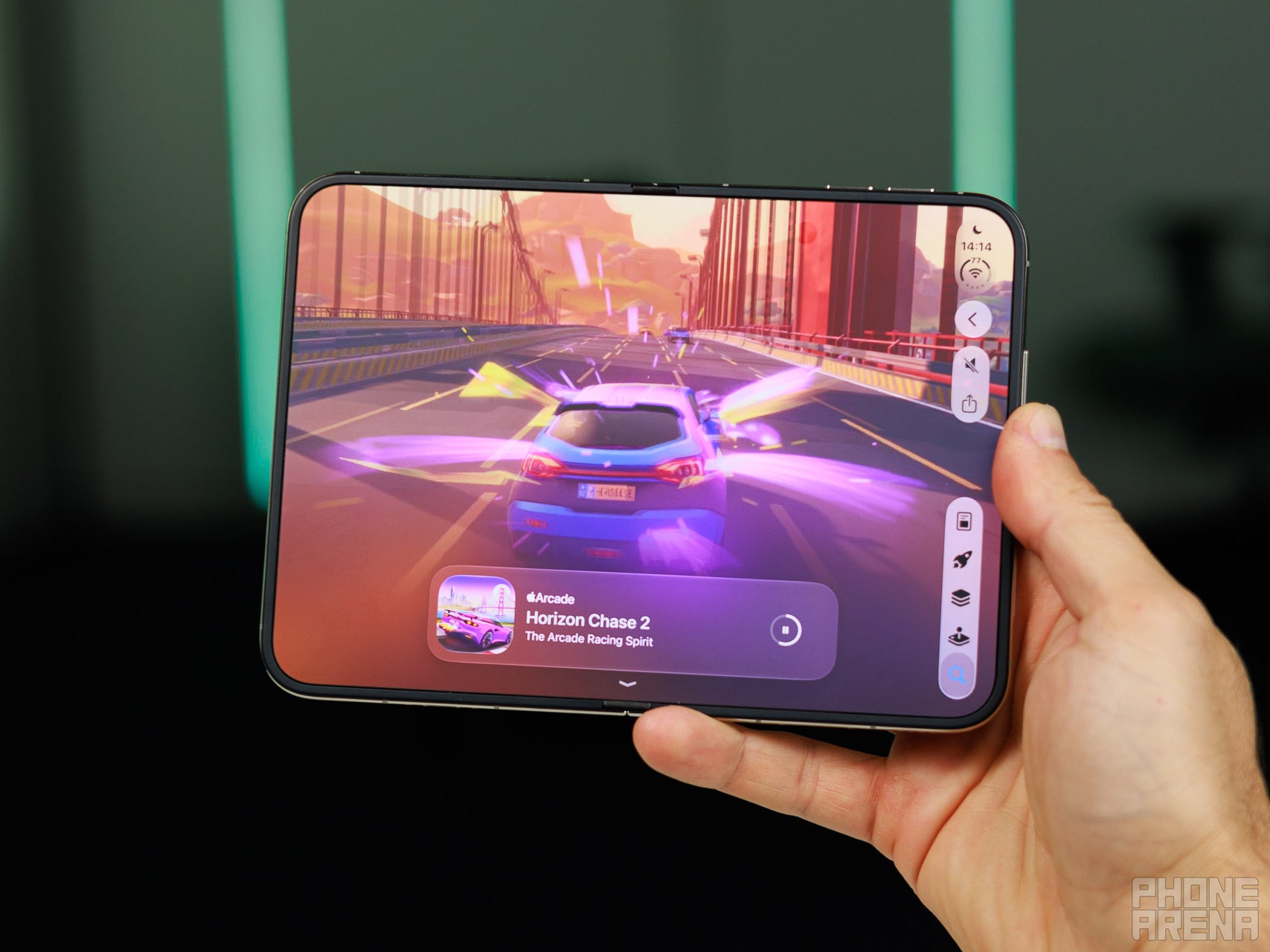
Gaming is so much more fun on an unfolded iPhone Duo. | Image by PhoneArena
Gaming is also much more enjoyable on the iPhone Duo, provided that the game you’re playing has been optimized for the phone. With a larger display, there’s a lot more room to render more of the game world. You see more, literally.
Poll
1 Votes
What's the best use case for the iPhone Duo's inner display?
FaceTime
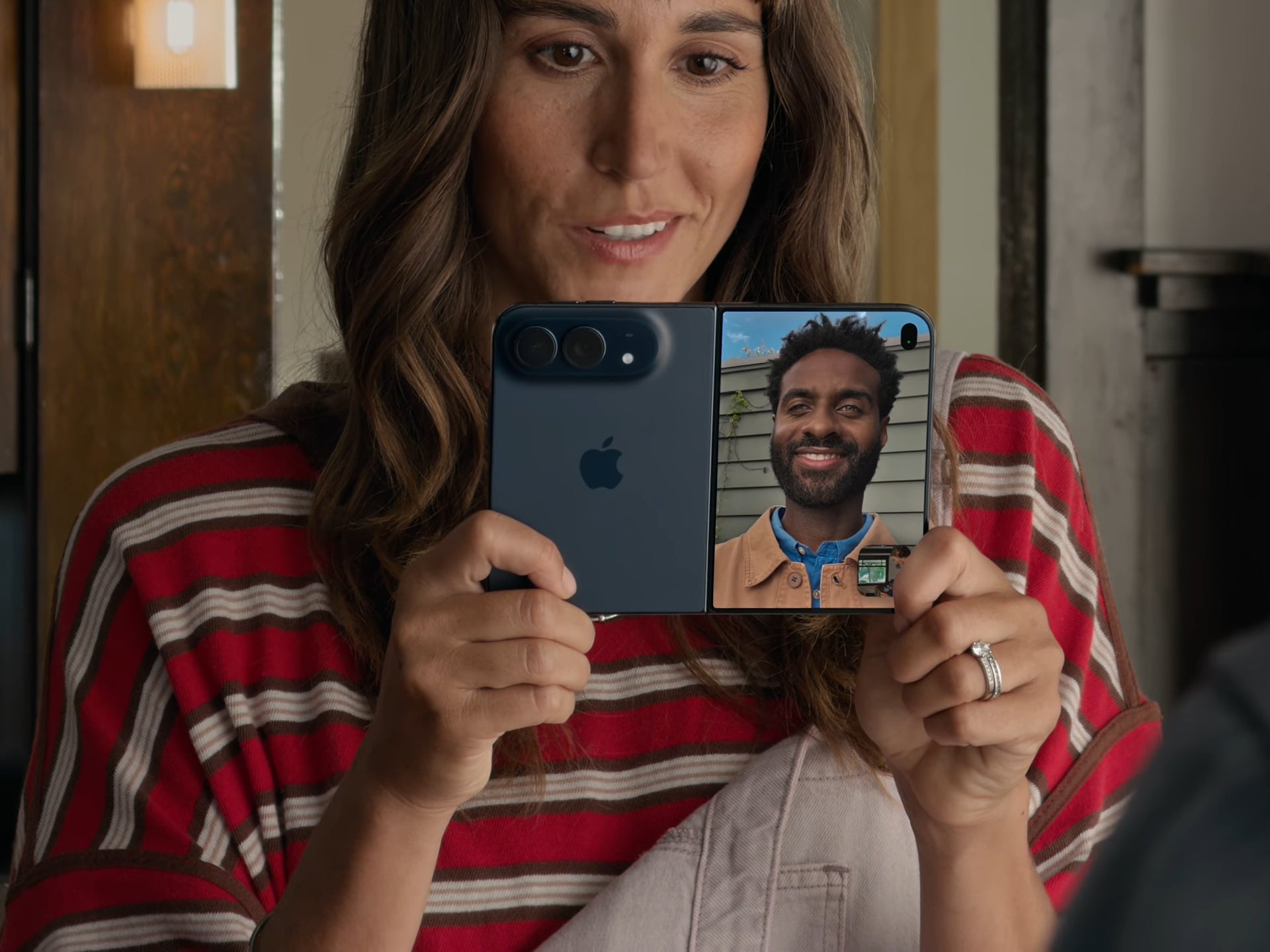
FaceTime on the iPhone Duo. | Image by Apple
FaceTime is much more versatile on the iPhone Duo when it’s unfolded. You can use the camera on either display for yourself while using the camera on the other display for a third person while both displays also show the incoming video feed.
The second camera can also be used to show your surroundings to the person you’re talking to. You can use the inner display to see both the person you’re speaking with and what you’re broadcasting in large windows. In addition, you can use the new Edge Light feature to light up the edges of the inner display to illuminate yourself in dark environments.
Taking photos
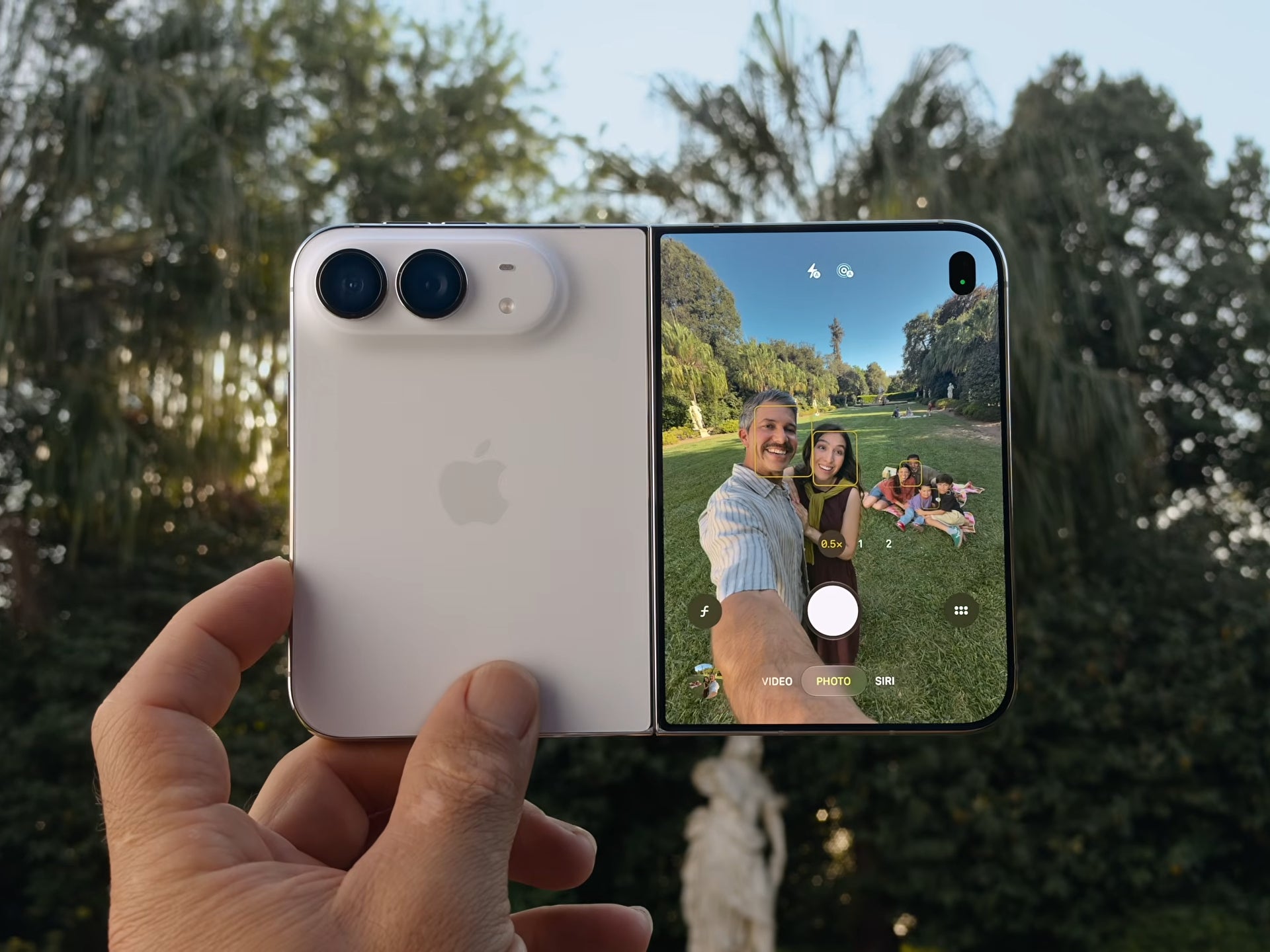
Taking photos on the iPhone Duo is very different to taking photos on a standard iPhone. | Image by Apple
Capturing photos is more fun with the iPhone Duo as the external display can be shown to the subject so that they can see what they look like. Apple also added the ability to play short cartoon animations on the external screen to grab children’s attention when taking a photo.
Launching apps when unfolding
Lastly, you can use the Shortcuts feature to configure your iPhone Duo to automatically launch an app or carry out another task whenever it’s unfolded or folded. For example, immediately launching the YouTube app when you unfold the phone. While I don’t see myself ever doing this, it might be something that you find interesting if you get a Duo.
Half folded iPhone Duo
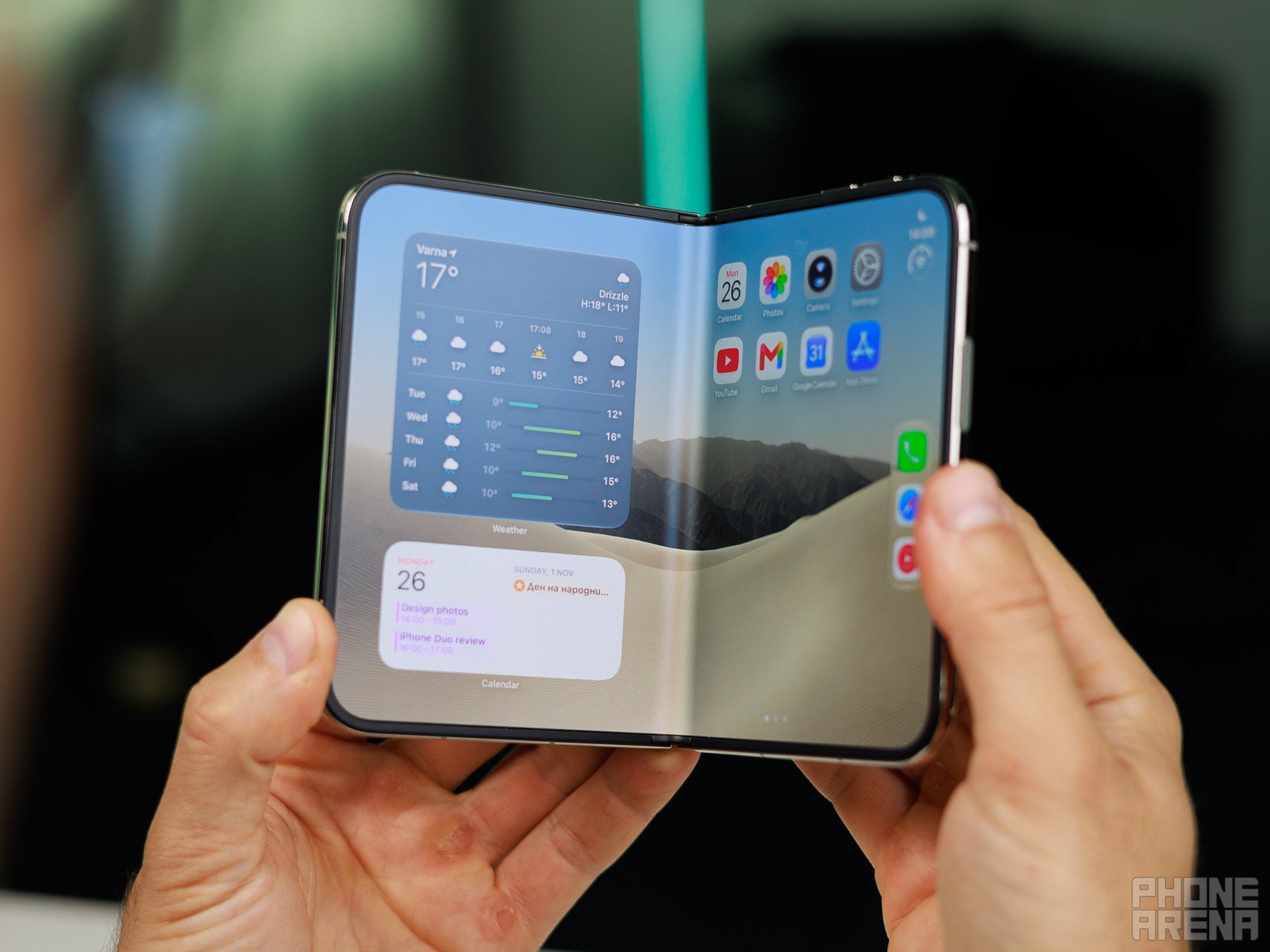
The iPhone Duo adapts when it's half folded. | Image by PhoneArena
The folded and unfolded states are the two most common types of use case cases for a foldable phone. Your iPhone Duo, however, is capable of a lot more. Let’s look at some of the things you can do with your iPhone Duo if you only fold it partially.
The seated configuration
You can prop up the iPhone Duo in the seated configuration. | Image by PhoneArena
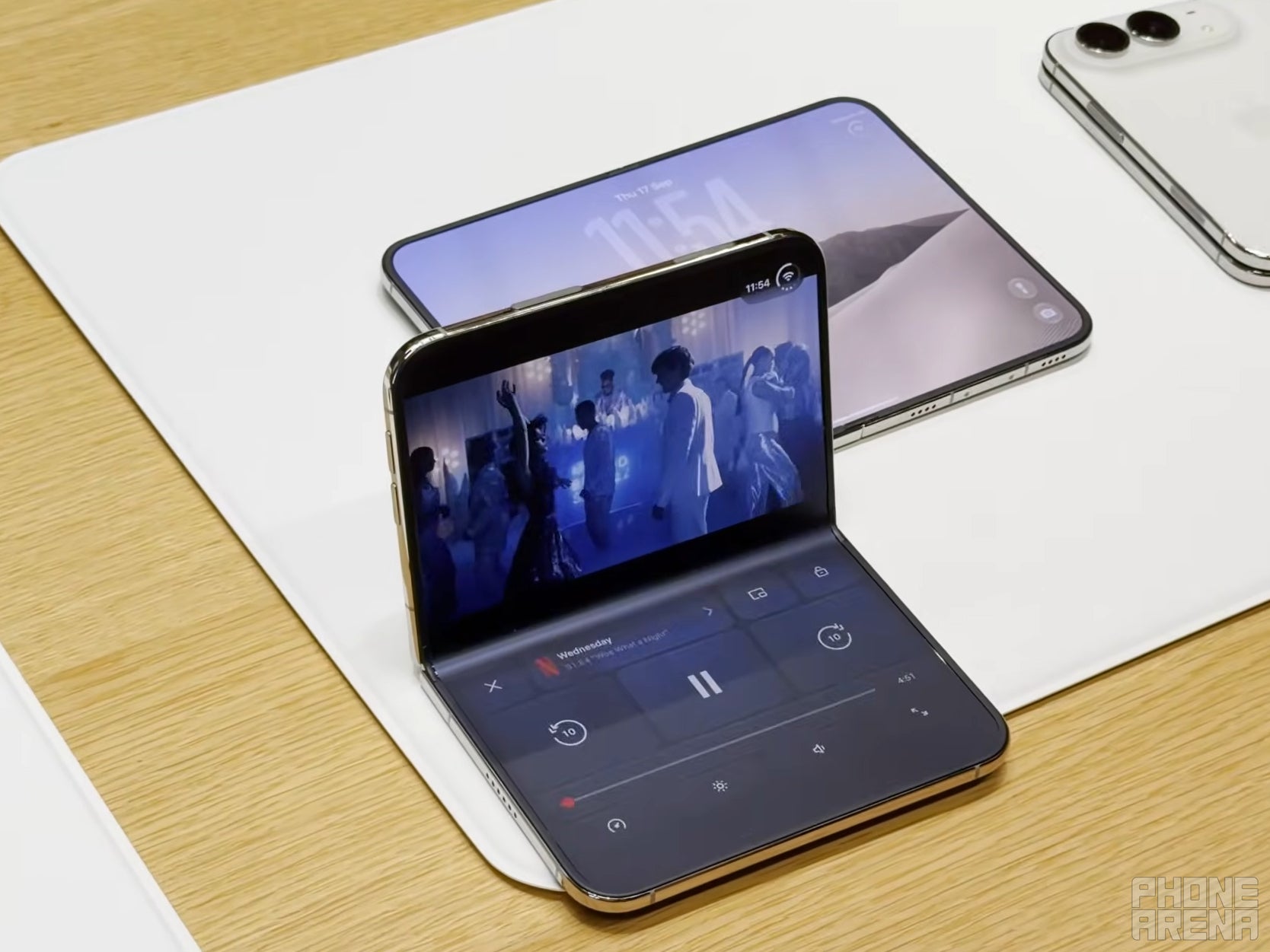
If you fold your iPhone Duo halfway, you can then put it on a surface like a miniature laptop. In this configuration, apps behave differently if they’re designed to. Apple actively wants developers to optimize their apps for this mode.
For example, Apple kept showing off video playback of the show Wednesday in this mode during its demonstrations. The raised display facing the user plays the episode while the display that is lying flat on a surface displays playback controls.
Of course, this mode also allows you to place your phone wherever you want when watching something on it. You don’t need to keep holding it or to lean it against something to keep it upright.
Folding the iPhone Duo partially
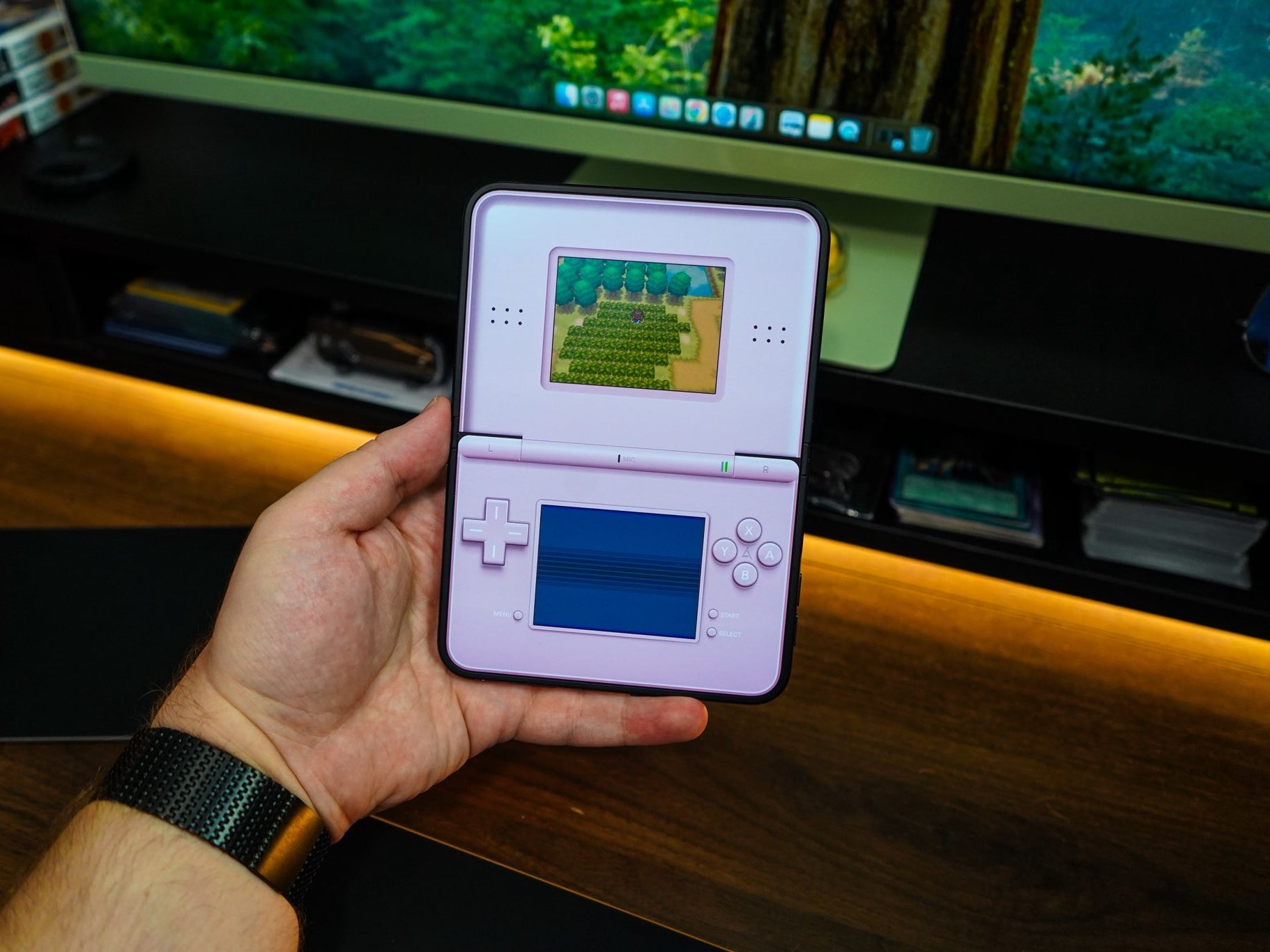
If you take the seated configuration and push the screen backwards a bit, you end up with a phone that looks a lot like a handheld video game console. Taking advantage of this, emulators for handhelds like the Nintendo DS and the Nintendo 3DS have come out on the Duo.
The entire DS is portrayed on the phone, with the lower display featuring buttons and the bottom screen and the upper display featuring the top screen and even fake speaker grills.
Similarly, you can position the iPhone Duo to make it a camera that doesn’t need a tripod or an object to lean against to stay upright. Apple even takes advantage of this, allowing you to place down the Duo like this with the camera open, prompting the Duo to keep a lookout for you posing, upon which it snaps a quick photo.
Tent mode, or StandBy mode
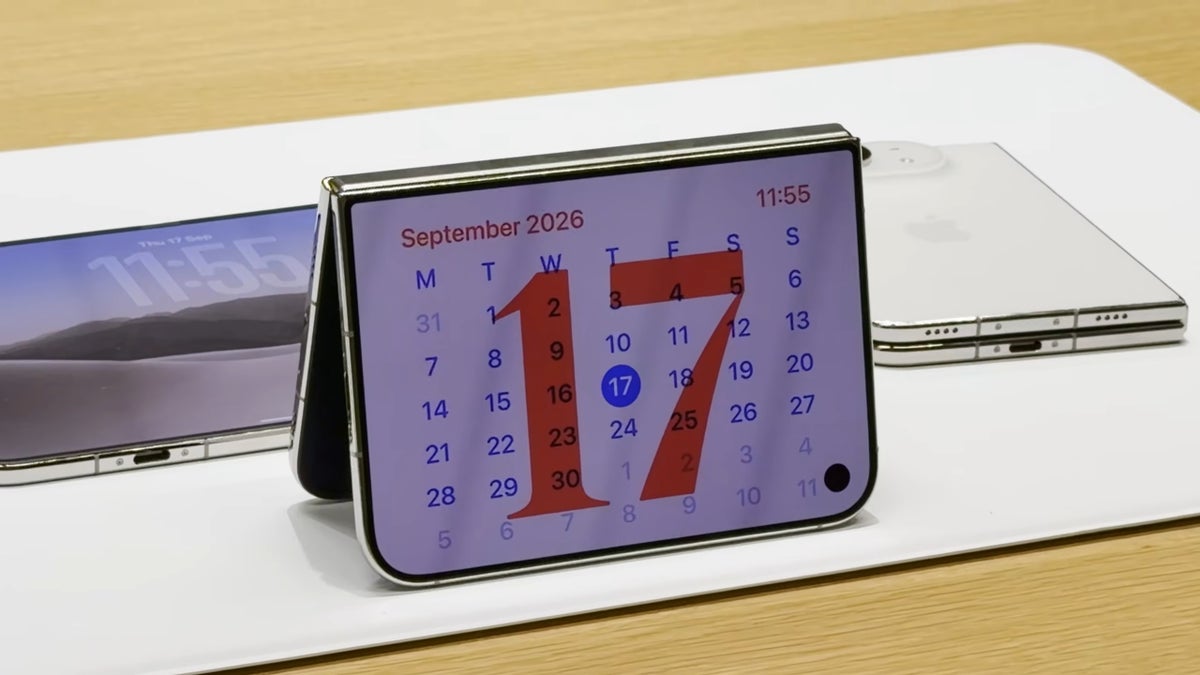
This is the iPhone Duo's StandBy mode, but it's called tent mode as well. | Image by PhoneArena
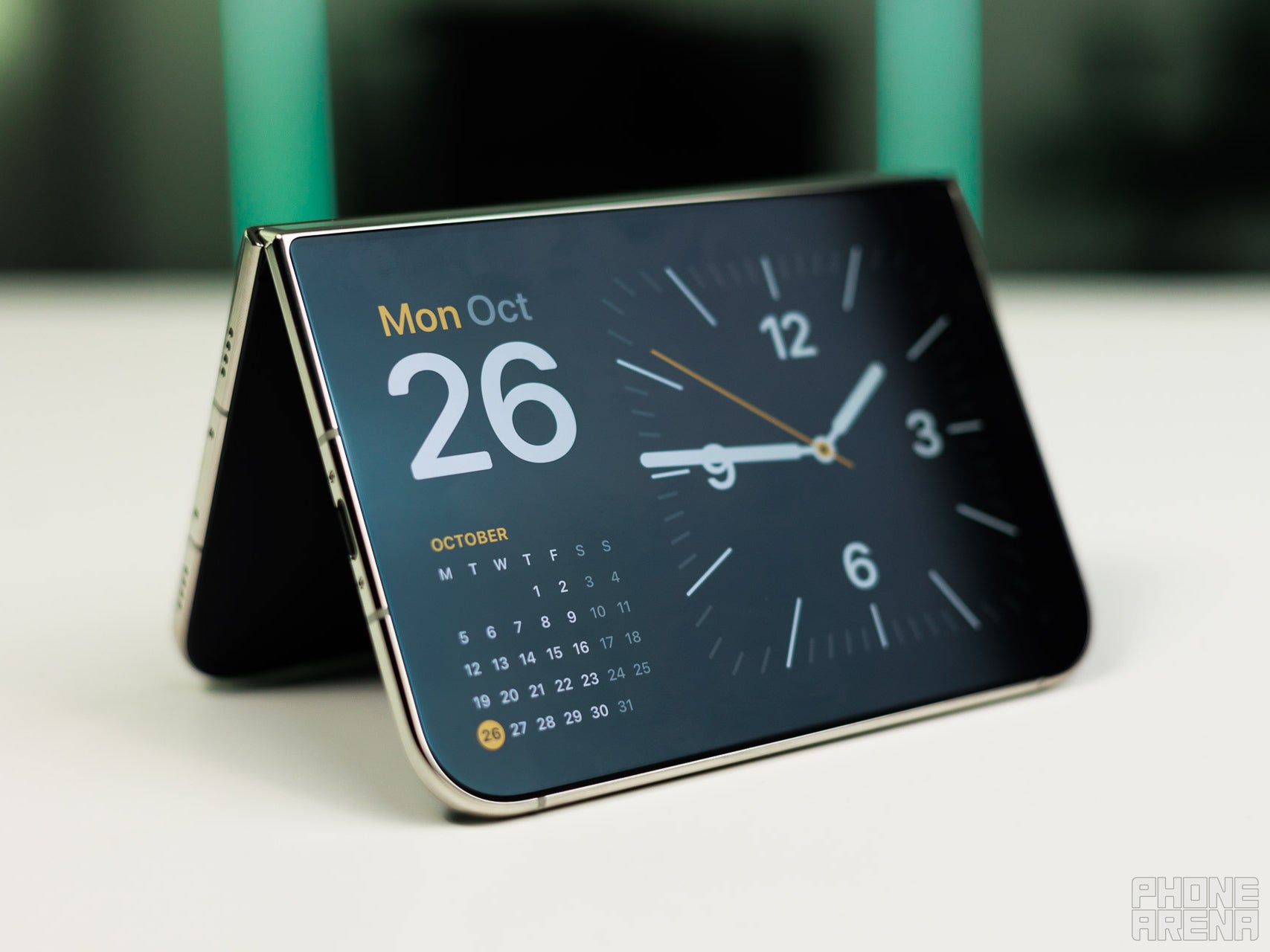
The iPhone Duo can be folded almost completely but still kept open and then propped up on its edges like a tent. Apple calls this the iPhone Duo’s StandBy mode.
In StandBy mode, the iPhone Duo can function as an alarm clock, a calendar, or an interactive digital photo frame. Perhaps more interestingly, however, the Duo can also function as a display for a live feed of important information.
Email notifications, Slack messages, and breaking news pop-ups can appear on the display for you to glance at every now and then. At night, the alarm clock can reduce blue tint to ensure that your sleep isn’t disturbed.
Book mode
It's like putting a half open book down. | Image by PhoneArena
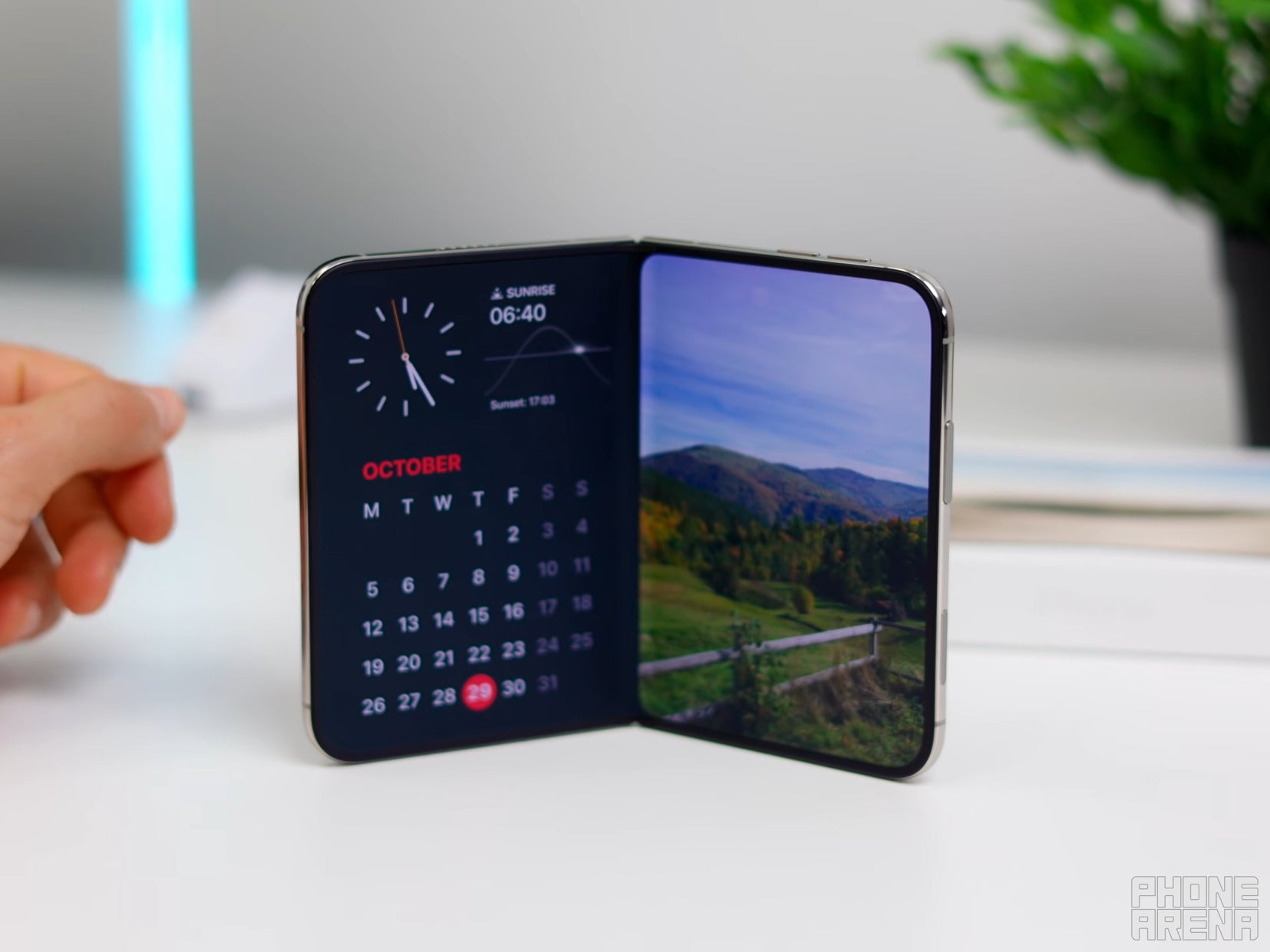
You can also partially fold your iPhone Duo and then make it stand up like a half-open book. Multitasking works in this mode as well, allowing you to prop up your phone anywhere and keep using it hands-free.
You could have a video call running on one side of the display and a recipe open on the other. Or you could have YouTube running on the left and a social media app open on the right, the inner display is your oyster.
Other uses for the folding iPhone Duo
The Delta emulator running on an iPhone Duo. | Image by Melih Gungor
Of course, Apple is still very new to foldable smartphones. While the iPhone Duo did ship with some clever and unique features, it can still go a long way to distinguish itself from the competition.
For example, Apple could make a big push for games designed specifically for the iPhone Duo. Nintendo DS emulators are awesome, but imagine what developers could make now with all of the processing power that the Duo has.
The company could also push for apps that make use of the Duo in genuinely helpful ways. Going back to the recipe mentioned above, imagine if the Duo could be in the aforementioned seated position, with the lower display showing the recipe preparation checklist and the upper display showing a video of how to go about making this dish.
Apple could also take notes from Google and add an interpreter mode that takes advantage of the folding design. Put the iPhone Duo between two people in the seated position and each person gets their own display to look at for a translation of what the other person is saying.
There are genuinely some amazing things that can be done with the iPhone Duo now that so many more people are giving foldables a try. I’ve already seen some really fun ideas in action. One that jumps to mind is opening the Duo like a wedding ring box, complete with poufy cushioning and a digital ring inside.
So don’t think of the iPhone Duo as just an iPhone that looks different. There are new dimensions in play here and you’ll be surprised by how they’re used in the coming years.
Abdullah loves smartphones, Virtual Reality, and audio gear. Though he covers a wide range of news his favorite is always when he gets to talk about the newest VR venture or when Apple sets the industry ablaze with another phenomenal release.
A discussion is a place, where people can voice their opinion, no matter if it
is positive, neutral or negative. However, when posting, one must stay true to the topic, and not just share some
random thoughts, which are not directly related to the matter.
Things that are NOT allowed:
Off-topic talk - you must stick to the subject of discussion
Offensive, hate speech - if you want to say something, say it politely
Spam/Advertisements - these posts are deleted
Multiple accounts - one person can have only one account
Impersonations and offensive nicknames - these accounts get banned
To help keep our community safe and free from spam, we apply temporary limits to newly created accounts:
New accounts created within the last 24 hours may experience restrictions on how frequently they can
post or comment.
These limits are in place as a precaution and will automatically lift.
Moderation is done by humans. We try to be as objective as possible and moderate with zero bias. If you think a
post should be moderated - please, report it.
Have a question about the rules or why you have been moderated/limited/banned? Please,
contact us.







Things that are NOT allowed:
To help keep our community safe and free from spam, we apply temporary limits to newly created accounts: