The $1,199 iPhone 18 Pro can be crashed with just one finger
Apple's latest update has a bizarre bug that instantly crashes the iPhone.
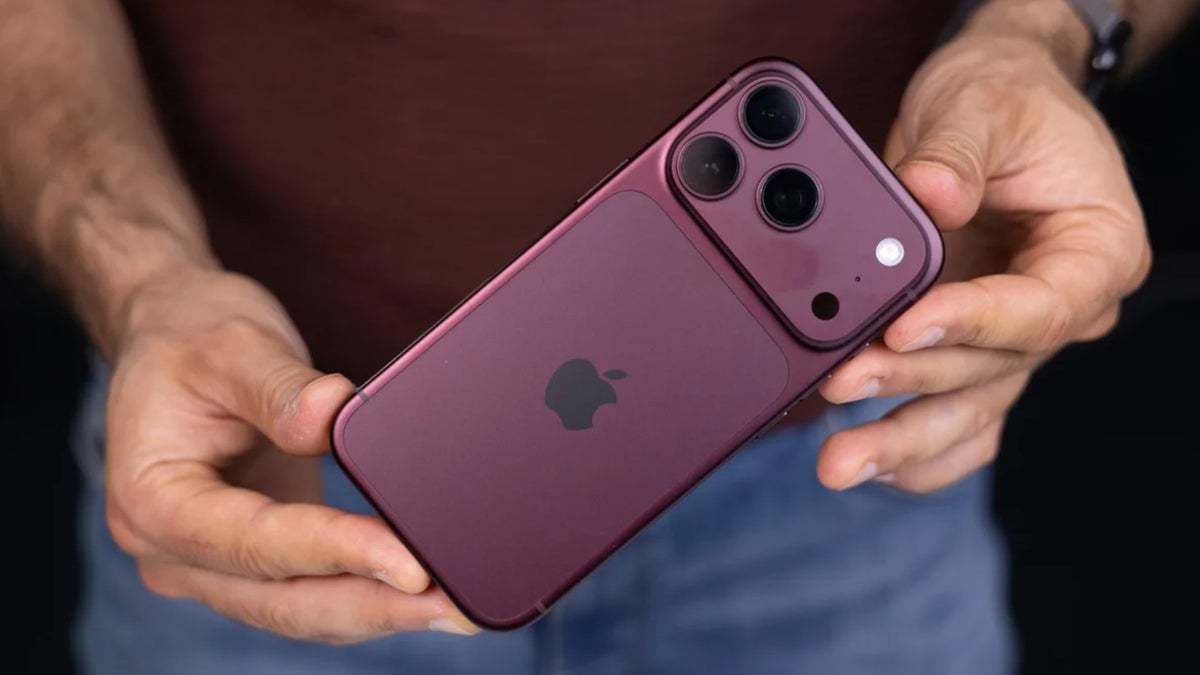
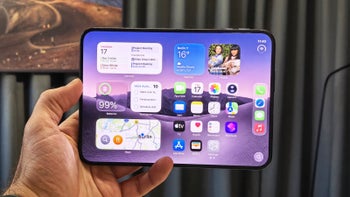
The iPhone 18 Pro. | Image by PhoneArena
The iPhone 18 Pro and iPhone 18 Pro Max are now globally available for purchase. However, contrary to Apple's expectations, many users have reported various bugs with them. While most of the reported issues have been addressed in the recently released iOS 27.0.1 update, one particular problem continues to haunt iPhone users.
The new iPhone 18 Pro series went on sale on September 18. As the device became available to users, some began experiencing a strange widget-related bug. Reportedly, moving a widget with just a single finger to a different Home Screen page and then placing it on top of another widget crashes the iPhone completely.
A popular tech creator, TechDroider, was among the first to report this issue, followed by many other reputable names like AnxiousHolly, Zollotech, and others. AnxiousHolly even mentioned that this is the worst iOS bug she has encountered in many years. Interestingly, almost all the reports are coming from the latest iPhone 18 Pro series, so at the moment it is unclear whether this bug is affecting older models.
We can also confirm that we were able to recreate the widget bug on the iPhone 18 Pro that we have in our office. Interestingly, we encountered two different outcomes while trying to reproduce the bug. In the first instance, everything happened similarly to what I mentioned above: the screen became totally unresponsive.
Rebooting the phone the normal way was not possible because we were not able to slide the power-off slider. We went through the hard reboot process, and thankfully, after the reboot, the touch started responding again.
When trying to reproduce the bug for the second time, a black screen appeared for a brief moment, and the iPhone redirected us to the lock screen.
As mentioned in the intro, users reported different sorts of problems on the latest iPhone models. These include problems related to Face ID, where the device was freezing and then restarting automatically when biometric authentication failed. Other reported issues were color artifacts on images captured at 2x under specific lighting conditions at f/1.8, and the touch becoming totally unresponsive when you swipe down the notification and control center at the same time.
Apple recently released the iOS 27.0.1 update, especially designed for the iPhone 18 Pro and iPhone 18 Pro Max, solving all three mentioned issues. Unfortunately, the widget-related bug has not been addressed in the latest iOS update. TechDroider mentions in its latest post on X that the problem still continues to occur even after downloading the latest iOS 27.0.1 update.
Moreover, if you are facing any of the three problems that Apple has reportedly addressed in the latest software update, then you should download the latest release right away. To do that, open the Settings app, choose General, then Software Update, and then finally tap Update Now.
Early reports suggest that the iPhone 18 Pro lineup has been selling quite well. The devices received more than seven million pre-orders in China alone, according to the highly trusted tipster Ice Universe and a Chinese outlet. These figures are, in fact, far better than what the iPhone 17 Pro models were able to achieve last year.
If Apple wants to make sure that its latest smartphones continue to sell like hot cakes worldwide, then it needs to quickly roll out a fix for the widget-related bug. Most users will likely not encounter this problem, as it requires you to do certain things; however, it is certainly not an issue that Apple can ignore, as it might damage the image of the latest iPhone.
The iPhone 18 Pro widget bug
The new iPhone 18 Pro series went on sale on September 18. As the device became available to users, some began experiencing a strange widget-related bug. Reportedly, moving a widget with just a single finger to a different Home Screen page and then placing it on top of another widget crashes the iPhone completely.
This Glitch Can FULLY CRASH the new iPhone 18 Pro
— TechDroider (@techdroider) September 27, 2026
New iOS glitch has been discovered which can make the iPhone completely UNRESPONSIVE and mess up the entire UI. Apple NEEDS to take action immediately and push a HOTFIX update ASAP.
This is not a minor visual bug. Your iPhone… pic.twitter.com/pFYqcnbnt9
A popular tech creator, TechDroider, was among the first to report this issue, followed by many other reputable names like AnxiousHolly, Zollotech, and others. AnxiousHolly even mentioned that this is the worst iOS bug she has encountered in many years. Interestingly, almost all the reports are coming from the latest iPhone 18 Pro series, so at the moment it is unclear whether this bug is affecting older models.
Are you facing any sort of issue with your iPhone 18 Pro?
3 Votes
Our experience with the bug
We can also confirm that we were able to recreate the widget bug on the iPhone 18 Pro that we have in our office. Interestingly, we encountered two different outcomes while trying to reproduce the bug. In the first instance, everything happened similarly to what I mentioned above: the screen became totally unresponsive.
Rebooting the phone the normal way was not possible because we were not able to slide the power-off slider. We went through the hard reboot process, and thankfully, after the reboot, the touch started responding again.
Another video of how the latest widget bug is affecting the iPhone 18 Pro. pic.twitter.com/2oAmla4Oii
— Aman Kumar (@AmanPhoneArena) September 29, 2026
When trying to reproduce the bug for the second time, a black screen appeared for a brief moment, and the iPhone redirected us to the lock screen.
The iPhone 18 Pro widget bug is really crazy.... Apple need to fix this ASAP. pic.twitter.com/M63gsor9hS
— Aman Kumar (@AmanPhoneArena) September 29, 2026
The latest iOS update did not resolve the problem
As mentioned in the intro, users reported different sorts of problems on the latest iPhone models. These include problems related to Face ID, where the device was freezing and then restarting automatically when biometric authentication failed. Other reported issues were color artifacts on images captured at 2x under specific lighting conditions at f/1.8, and the touch becoming totally unresponsive when you swipe down the notification and control center at the same time.
Moreover, if you are facing any of the three problems that Apple has reportedly addressed in the latest software update, then you should download the latest release right away. To do that, open the Settings app, choose General, then Software Update, and then finally tap Update Now.
Apple needs to roll out a fix ASAP
Early reports suggest that the iPhone 18 Pro lineup has been selling quite well. The devices received more than seven million pre-orders in China alone, according to the highly trusted tipster Ice Universe and a Chinese outlet. These figures are, in fact, far better than what the iPhone 17 Pro models were able to achieve last year.
You really can't miss out on these iPhone 18 series stories:


Popular stories

Latest News



![Another batch of Galaxy S26 series users in the US are getting a nice surprise today [UPDATED]](https://m-cdn.phonearena.com/images/article/183643-wide-two_350/Another-batch-of-Galaxy-S26-series-users-in-the-US-are-getting-a-nice-surprise-today-UPDATED.webp)
Things that are NOT allowed:
To help keep our community safe and free from spam, we apply temporary limits to newly created accounts: