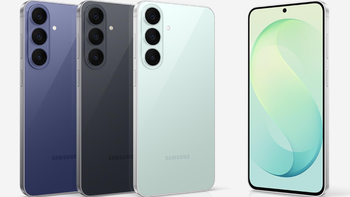
Owners of the Galaxy S26 series can now install One UI 9.5 on their phones under Samsung’s beta testing program. The update brings camera improvements and new privacy features, along with several smaller quality-of-life upgrades. However, a couple of major features, which fans expected based on One UI 9.5 leaks, aren’t yet included in the beta release.
The nifty upgrades in One UI 9.5 beta
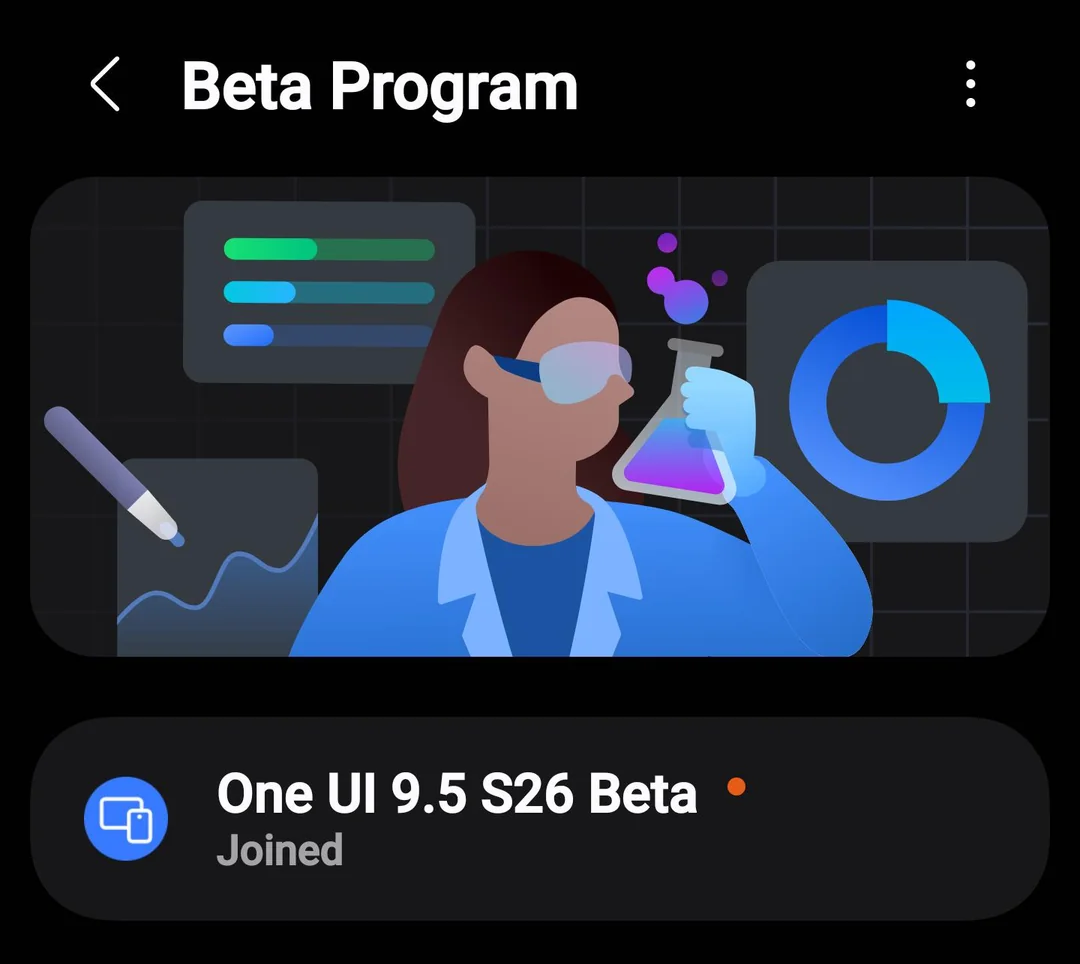
One UI 9.5 beta release. | Image by Reddit
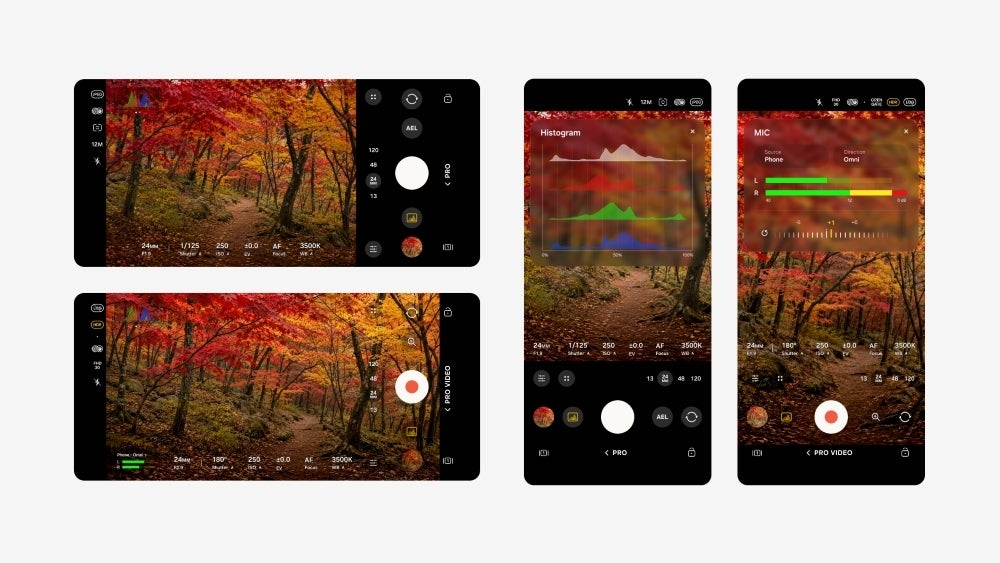
For the shutterbugs, One UI 9.5 provides more granular and flexible camera controls via Enhanced Pro and Pro Video modes. These controls are accessible via a redesigned settings panel. There’s also a new zoom slider next to the shutter button for higher zoom precision and accuracy.
Enhanced Pro and Pro Video modes. | Image by Samsung
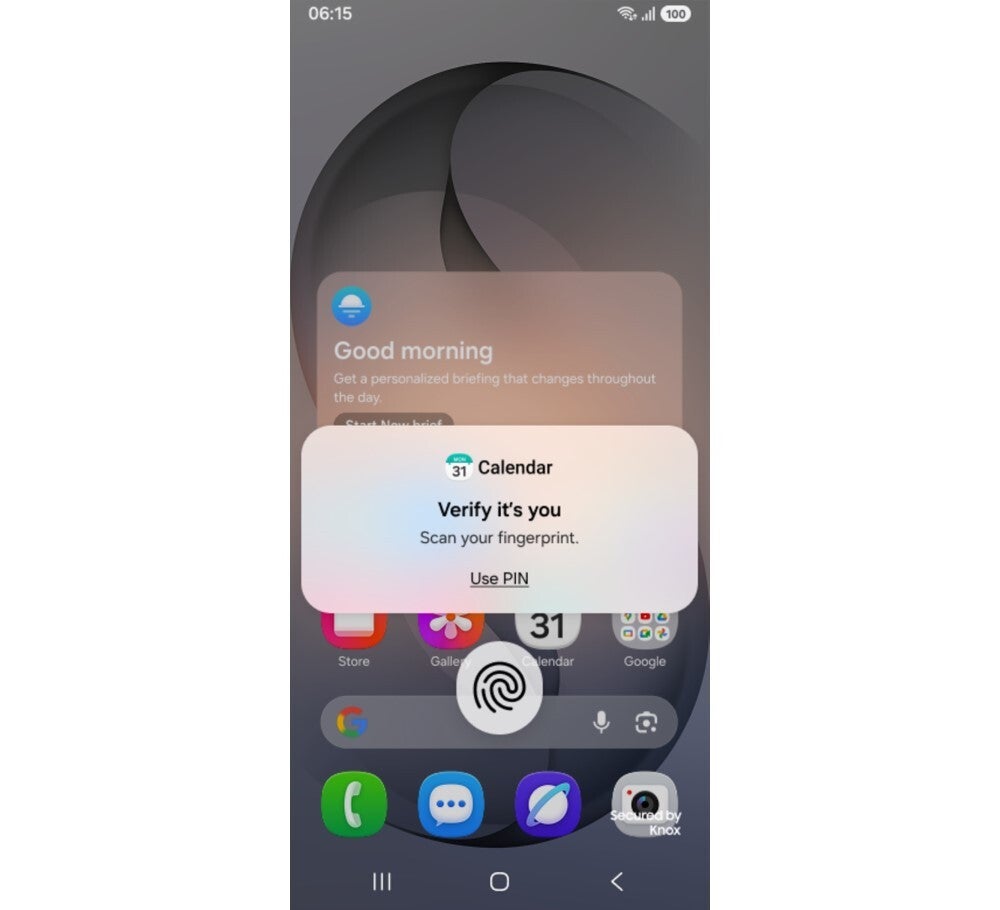
The other big upgrade is native app locking. With One UI 9.5, Samsung users will finally be able to lock any app on the device with biometric or PIN security. Private apps, when locked, will hide the content of their notifications and widgets.
App lock on One UI 9.5 | Image by Samsung
On the Galaxy S26 Ultra in particular, the privacy display feature will now automatically kick in and obscure the screen while you’re using locked apps, the secure folder, private gallery albums, and so on.
Several leaks leading up to this official announcement had promised a “tap to share” feature that lets users share contact info, links, and files just by tapping two Galaxy phones together. That feature isn’t listed in Samsung’s One UI 9.5 changelogs so far and may have been delayed for now.
Recommended For You
The same is true for an expected “rambler-like” feature in the keyboard app that intelligently cleans up speech filler when processing voice-to-text input.
The changelogs do list other smaller features focused on quality-of-life changes, including but not limited to:
Gratitude journal and medication tracker in Samsung Health
Fancy depth blur on the lock screen
New window snapping and tiling features in Samsung Dex.
New accessibility shortcuts
Brief pause when launching chosen apps to reduce mindless usage
Poll
0 Votes
Which feature do you want to see the most in One UI 9.5?
More features are likely on the way
To install One UI 9.5 on your Galaxy S26 series phone, you need to enroll into Samsung’s beta program first.
Before you proceed, note that this is a beta build of One UI 9.5, so you may run into hardware and software issues while testing it. It’s best to back up your phone before installing such updates because you may lose all your data.
Open the Members app, and tap “Beta Program” to join “One UI 9.5 S26 beta” by following the given instructions
Then go to Settings > Software Update > Download and Install to get the update. The update weighs over 3GB
As for One UI users, most are hoping that Samsung won’t restrict these useful new features to the Galaxy S line.
One UI user excited for the new features. | Image by Reddit
While Samsung users wait for the expected Rambler-like and Tap to Share features to roll out, both have already been available on Google Pixel phones for months.
Historically, Samsung’s first beta builds never include all the rumored features because the company gradually adds more features in later beta builds or stable releases. So future builds of this public beta may just include those two anticipated features before the official debut.
Faisal Rasool has been writing about mobile tech for the past ten years. His favorite cousin used to be a mobile technician and, as a kid, Faisal learned how to repair and tweak phones in his workshop. Faisal's first phone was the Samsung Galaxy Europa (released 2010). More Android smartphones followed it, including the Samsung Galaxy S4, the Galaxy S6, Huawei P8, and currently the Galaxy A56.
He's a life-long Android guy because he loves other open-source platforms. He's been covering such platforms for websites like How-To Geek, Android Headlines, Android Police, SlashGear, and now PhoneArena.
Faisal has a bachelor's in English literature and he likes to write stories and paint in his free time.
A discussion is a place, where people can voice their opinion, no matter if it
is positive, neutral or negative. However, when posting, one must stay true to the topic, and not just share some
random thoughts, which are not directly related to the matter.
Things that are NOT allowed:
Off-topic talk - you must stick to the subject of discussion
Offensive, hate speech - if you want to say something, say it politely
Spam/Advertisements - these posts are deleted
Multiple accounts - one person can have only one account
Impersonations and offensive nicknames - these accounts get banned
To help keep our community safe and free from spam, we apply temporary limits to newly created accounts:
New accounts created within the last 24 hours may experience restrictions on how frequently they can
post or comment.
These limits are in place as a precaution and will automatically lift.
Moderation is done by humans. We try to be as objective as possible and moderate with zero bias. If you think a
post should be moderated - please, report it.
Have a question about the rules or why you have been moderated/limited/banned? Please,
contact us.









Things that are NOT allowed:
To help keep our community safe and free from spam, we apply temporary limits to newly created accounts: