
Google Photos for Android gets redesign that has already been on iOS for five months
A change to the UI on the Google Photos app, seen on the iPhone version of the app since February, finally reaches Android phones.
Google Photos UI redesign matches iOS version after five months | Image by PhoneArena
Google has undocked the bottom bar on Google Photos for Android making it more like a floating pill. It might not seem like a huge deal, but now that it is no longer connected to the bottom of the screen, it doesn't block the content directly underneath the bar. So, with the new design, you can actually figure out what is behind the bottom bar.
What is on the new floating bottom bar for the Android version of Google Photos?
So what is on this bar? That's a good question, thanks for asking. It contains tabs for Photos, Collections, and Create. A circle to the right contains the icon for Gemini's AI-powered Ask Photos. That feature allows you to search your photo library. It can find photos based on descriptions, and answer questions about what is in any specific picture. You can even request all photos you took in Disney World, or the best photos you snapped at a theme park.
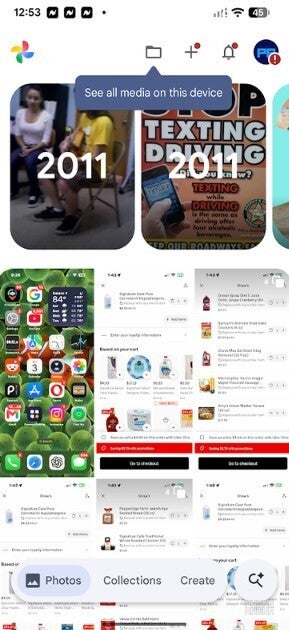
The Google Photos app for Android has a new floating bar on the bottom of the screen. | Image by PhoneArena
Another floating pill appears on top of the Google Photos for Android screen when you slowly scroll the app while in the Photos tab. This pill shows the day and date that the photos at the top of the screen were captured.
Other apps like Google Finance and Google Chat have the same floating bar at the bottom of the screen
If you prefer the traditional look, open the Google Photos app for Android and tap the three-dot menu in the upper right corner, which opens Photos view. Toggle on "Show dates in grid." The date the photos in each part of the grid were taken will appear in the center of that section of the grid without you having to scroll the screen to see it on the floating pill at the top of the display.
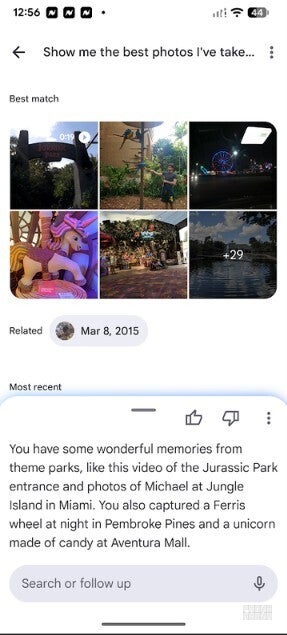
The Gemini AI Ask Photos icon will help you find photos using natural language. | Image by PhoneArena
The floating bottom bar is also seen in the Google Finance app and the Google Chat app. Interestingly, the floating bottom bar for Google Photos has been available on the Google Photos for iOS app since February.
Many will tell you that Google makes better versions of its apps on iOS instead of Android. Google also has no problem giving iPhone users first crack at a redesigned UI, as it did here with the Google Photos app. In fact, iPhone users got a nearly five-month head start with the floating bottom bar.
How to find out if you're running the right version of Google Photos on your Android device
Android users should see this update in version 7.82 of Google Photos after a server-side update. First, check to see which version of Google Photos is running on your Android phone. Go to Settings > Apps > See all apps. Scroll down to Photos and tap the listing. This takes you to the App info page for Google Photos.
Which platform runs Google apps better?
23 Votes
Android
65.22%
iOS
30.43%
Google apps run the same on both.
4.35%
Scroll down to the very bottom of the App info page to see the current build number of the Google Photos app on your phone. If it is version 7.82, and you don't have the floating bottom bar on Google Photos, try this. From the same App info page for Google Photos, tap on Force stop and return to the app later to see if the redesign has hit your phone.
You can use AI to do some cool things to the photos in your Google Photos library
I do have the new floating bottom bar on the Google Photos app installed on my Pixel 6 Pro, and on the Google Photos for iOS app on my iPhone 15 Pro Max. If you need to install Google Photos on your Android device (even though it is a default app on Android), simply tap on this link, which will take you to the Google Play Store.
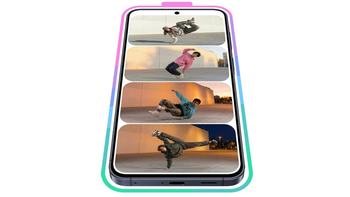
If you have an iPhone, click on this link in order to be sent to the App Store. There, you can install the iOS variant of Google Photos. If you like using AI tricks, hitting the Create tab on the floating bottom bar will allow you to turn a photo into a video, create a highlight video, turn yourself into a collectible figurine, transform a photo into a pen sketch, and more.


Popular stories


Latest News
Things that are NOT allowed:
To help keep our community safe and free from spam, we apply temporary limits to newly created accounts: