The Galaxy Buds have been known to suffer from overheating issues in hot weather since at least 2020, and a new app code breakdown is suggesting that Samsung may finally trust its own hardware to handle that heat. Although this is based on unreleased software, I’m hopeful, yet cautious, that my favorite buds to pair with the Galaxy S26 Ultra may just need to be put back in their case, unlike what Samsung’s support page says today.
The Galaxy Buds app suggests a new way to battle overheating
A new report covering an APK teardown of the Galaxy Buds app (v9.0.10.1724) found references to instructions on how to handle buds that are too hot, which contradict what Samsung’s support pages tell you to do.
According to what was found in the teardown, Galaxy Buds will turn themselves off for safety instead of beeping. Owners should then follow that by putting both earbuds in the case and waiting until they cool down. In contrast, Samsung’s US support pages currently advise not to put the earbuds in the case or wear them again until they’ve cooled down completely.
It should be noted that this is solely based on what was found in the app’s code and is not an official change. Even the report itself states that the code string could just be a mistake, and not something Samsung meant to include.
Recommended For You
Your Galaxy Buds start overheating. What's your move?
1 Votes
Why putting the buds back in the charging case was considered off-limits
Galaxy Buds beeping and overheating complaints date all the way back to 2020. For example, on Samsung’s Community forum, a 2022 Buds Live owner reported that the buds overheated once they were plugged in, and the response to that from a moderator was that they would need to be serviced.
Just like the case mentioned above, another Community forum thread addresses similar overheating issues with the 2024 Buds 3 Pro.
To understand what’s happening, know that lithium-ion batteries charge best when they are in temperatures that are roughly between 41 and 113 degrees Fahrenheit. Heat causes a battery to struggle with taking a charge, and long exposure wears the battery out sooner.
A closed case can trap heat in, and it sends charging current into the buds. This is why the “let them cool in open air” argument made sense.
However, the report’s unconfirmed theory is that newer buds may have circuitry that cuts the charging current once they pass a certain heat limit. For the user, this would mean they can put the buds back in the case when they feel hot.
What Galaxy Buds owners should do when encountering overheating issues
Samsung has not confirmed the changes in the app code. Thus what is currently on the support page is the official answer.
This would mean, keep your buds out in open air. Until Samsung says otherwise, that is the safe move.
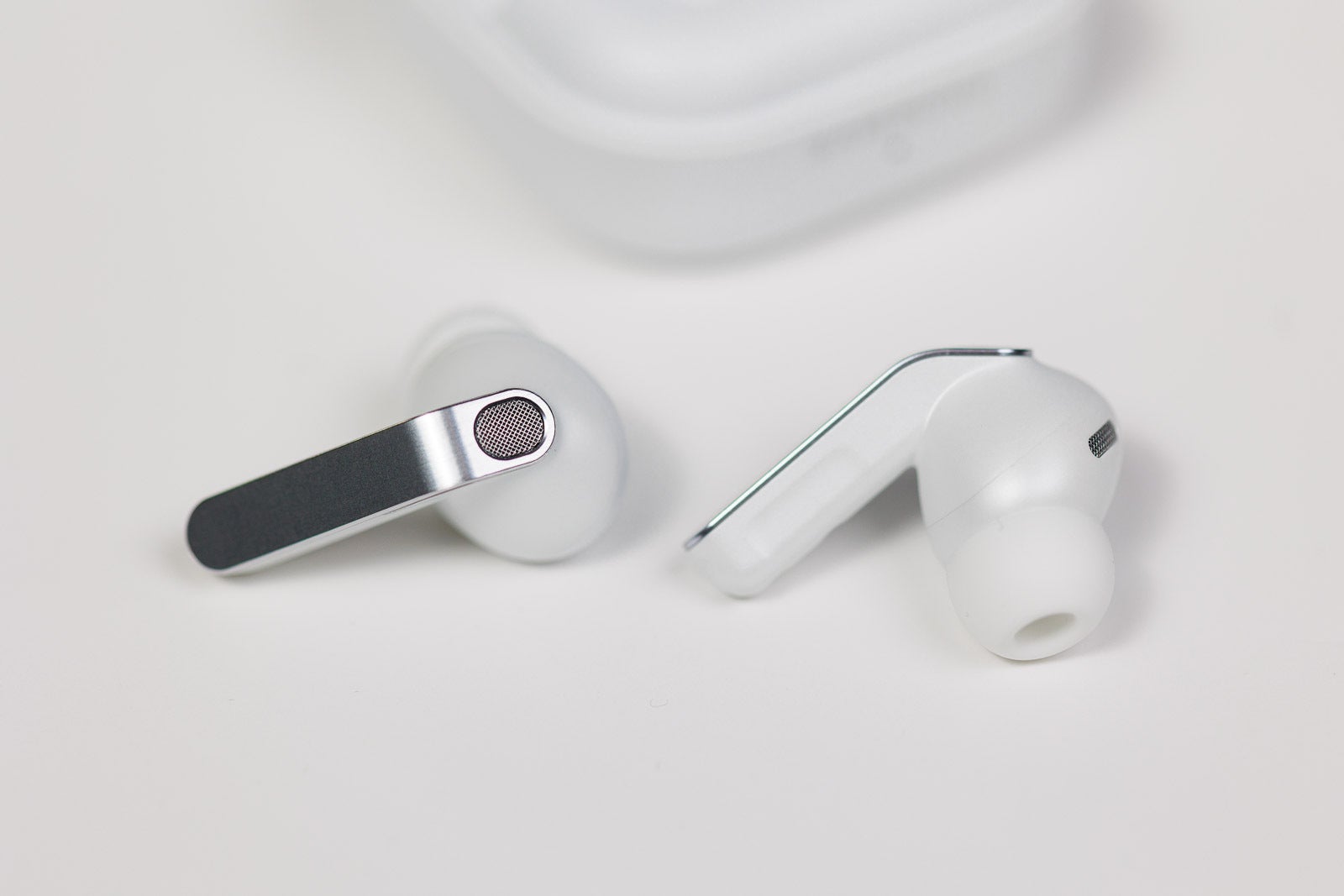
The Galaxy Buds 4 Pro, out of their case. | Image by PhoneArena
Are overheating buds a thing of the past?
We are operating under an assumption here, but we can hope the changes in the code mean Samsung is actively working on a solution. I would definitely pick having my buds shut down when they overheat, instead of beeping in my ear. But whatever the answer is, I would love for it to be reflected in the support pages to match what is in the code.
Johanna Romero is a Senior News Writer at PhoneArena, covering mobile technology news across Android, iOS, wearables, and the Google ecosystem she knows best. Drawing on 15 years in IT and tech support from 2007 to 2022, she brings a user-friendly eye for the practical features and lesser-known tricks readers care about. Google named her an official #TeamPixel member in 2022, and she also reviews the latest devices on her YouTube channel, JoJo the Techie.
A discussion is a place, where people can voice their opinion, no matter if it
is positive, neutral or negative. However, when posting, one must stay true to the topic, and not just share some
random thoughts, which are not directly related to the matter.
Things that are NOT allowed:
Off-topic talk - you must stick to the subject of discussion
Offensive, hate speech - if you want to say something, say it politely
Spam/Advertisements - these posts are deleted
Multiple accounts - one person can have only one account
Impersonations and offensive nicknames - these accounts get banned
To help keep our community safe and free from spam, we apply temporary limits to newly created accounts:
New accounts created within the last 24 hours may experience restrictions on how frequently they can
post or comment.
These limits are in place as a precaution and will automatically lift.
Moderation is done by humans. We try to be as objective as possible and moderate with zero bias. If you think a
post should be moderated - please, report it.
Have a question about the rules or why you have been moderated/limited/banned? Please,
contact us.












Things that are NOT allowed:
To help keep our community safe and free from spam, we apply temporary limits to newly created accounts: