Apple says that if your iPhone is lost or stolen, do this immediately
Not following Apple's recommendations if your iPhone is lost or stolen can make matters worse.
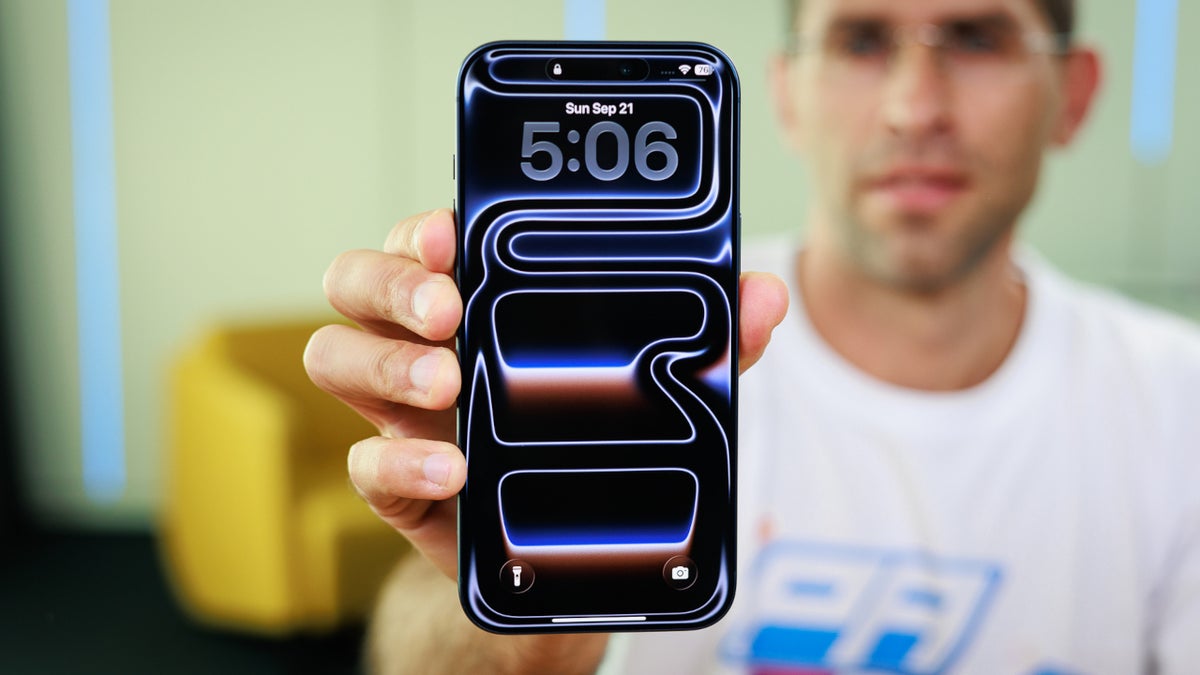
Apple warns iPhone users to do this if their devce is stolen | Image by PhoneArena
Apple has updated the support page that gives iPhone users specific instructions on what they need to do should their iPhones get stolen. Apple added a whole new section to the support page that warns iPhone users about sharing contact information on the Lock Screen of a lost phone. Some phones, once reported lost or stolen, give the user the option to add a phone number or a message containing contact information.
Apple says you should not put your contact info on the display of a lost or stolen device
Apple says not to put your phone number or contact info on the screen of your stolen device. The tech giant admits that having this info on the screen will help the person who finds your phone know how to get in touch with you, making it more likely that you will get it back.
If your iPhone is stolen and you see it on the Find My app, what would you do next?
87 Votes
Try to grab it myself
18.39%
Call the cops
63.22%
Get some pals to go with me and steal it back
8.05%
Forget it and buy a new one
10.34%
Once your iPhone or iPad is stolen or lost, go to iCloud.com/find, and under All Devices, select the missing iPhone or iPad, and choose "Mark as lost," and follow the directions. Do this as quickly as possible, since this action prevents the thief from accessing your device and making changes to your Apple Account.
Enable Stolen Device Protection on your iPhone
If you use Stolen Device Protection for your iPhone, Lost Mode can't be turned off without using Face ID or Touch ID. Thus, even if a person has your iPhone and knows your passcode, they will be locked out of your device.
However, if your iPhone was stolen, the thief could use your contact information to scam you into turning over personal information, including the credentials (usernames, passwords, and passcodes) used to open sensitive apps, such as those holding banking, investment, and credit card accounts.
Having your contact information on the screen of a stolen iPhone could allow a thief to use social engineering schemes to obtain personal data. This includes the use of a phishing scam in which you receive a text or call that looks as though it was sent from a company you do business with. The text or call threatens to turn off a service you would hate to see shut off, such as your phone service, or electricity, unless you make a bogus missed payment immediately.
To make this payment, you might be tricked into turning over personal data that can be used by the thief to break into apps. Once that occurs, the bad actor can change passwords and take over full control of sensitive apps and the accounts they hold.
Removing a lost or stolen iPhone from the Find My app is also not recommended by Apple
Apple also suggests that you don't remove a stolen or lost iPhone from the Find My app. Doing so removes Activation Lock, which securely stores your Apple ID on Apple's servers, linking it to your iPhone. It blocks unauthorized use by preventing a reset, factory-reset, or erased iPhone from being reactivated or used without entering your Apple ID password or device passcode.
Because this continues to lock an iPhone even after it has been factory reset, it makes a stolen iPhone useless to anyone but its true owner, which renders it worthless in a theft. If your iPhone or iPad is stolen, from Safari go to iCloud.com/find, and you will see where your device is on a map. Do not try to retrieve a stolen device yourself. Always call law enforcement.
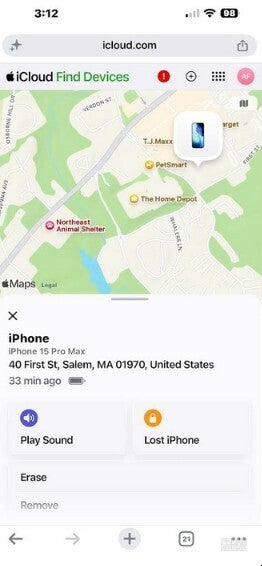
Tracking your iPhone using the Find My app. | Image by PhoneArena
From the map, not only can you see where your lost or stolen iPhone or iPad is, you can also have the device make a sound remotely. There are other options to consider, such as remotely locking the device, and if you think it is gone forever, remotely erasing it.
Report a lost or missing iPhone or iPad to the police
Always report a missing iPhone or iPad to law enforcement. You can obtain the serial number of the missing device by checking the original box that the product came in. Or, you can go online to the Apple ID website at appleid.apple.com. Select the Devices section, choose the missing device, and get the serial number.
Apple also suggests that if your iPhone has been stolen, you should alert your wireless provider. You can ask them to suspend your account and file a claim if you have device insurance from your wireless carrier. Considering the prevalence of "cramming," which occurs when a wireless salesman adds items to your account without your knowledge, it is possible that you might have such insurance covering your device even if you never asked for it.


Popular stories





Latest News






Things that are NOT allowed:
To help keep our community safe and free from spam, we apply temporary limits to newly created accounts: