Huawei MediaPad M3 Review
Introduction
Although tablets may not have had that big of a year in 2016 when compared to years past, plenty of really solid options were still released. Apple introduced a 9.7-inch model of the iPad Pro, Amazon refreshed the Fire HD 8, and Asus kicked out some incredibly solid products with the ZenPad Z8 and 3S 10. The hype and craze for tablets has been on a rather steady decline for some time now, but as you can see, that hasn’t stopped numerous manufacturers from continuing to offer great choices if you want a 7, 8, or 10-inch slate for consuming media and even getting some productivity work done.
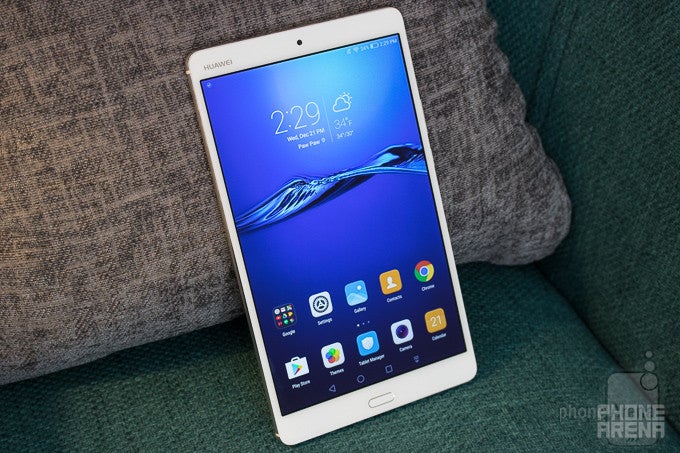
The MediaPad M3 is all about style, power, and value. Huawei has crafted an incredibly good-looking 8-inch tablet with the M3, and almost all of its specs are quite high-end as well. Numerous outlets are calling the M3 the best Android alternative to Apple’s iPad Mini 4, and while there’s no doubt that the MediaPad M3 looks promising on paper, does it truly live up to those claims?
In the box:
- Huawei MediaPad M3
- Screen protector
- USB-to-microUSB charging cable
- AC adapter
- microSD tray removal tool
- Quick start guide
- Warranty card
Design
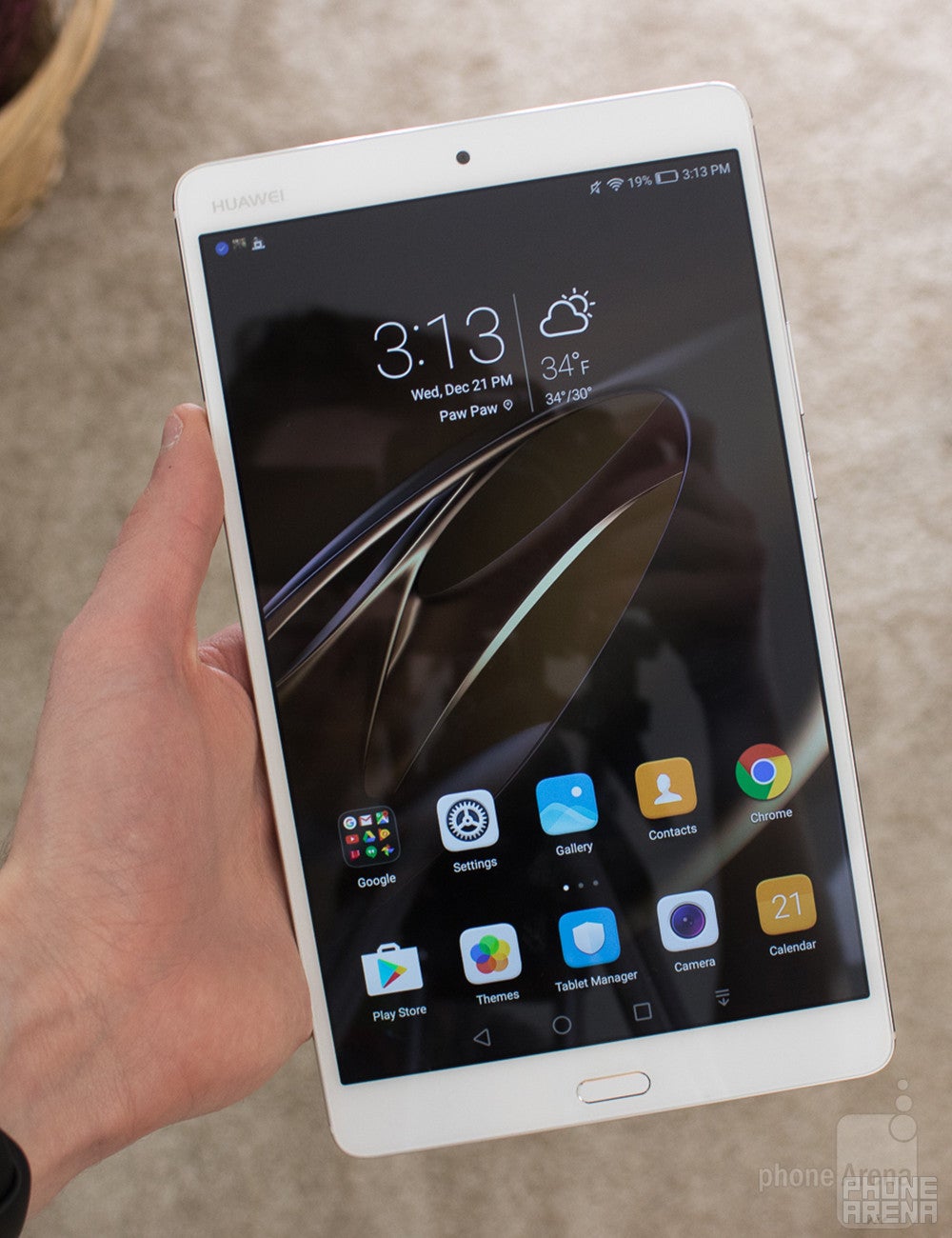
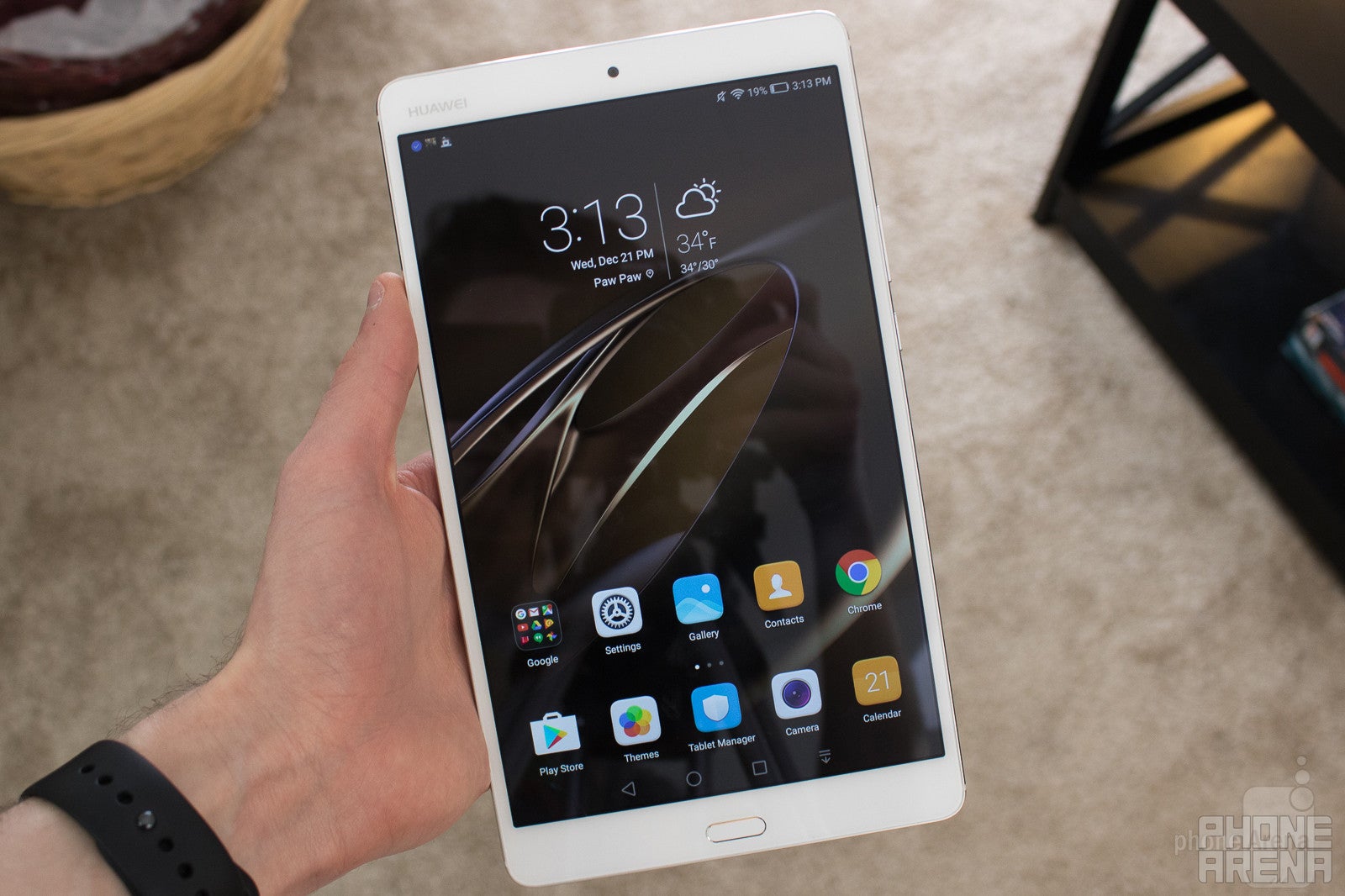
The tablet features an 8.4-inch display, and Huawei decided to stick with a 16:9 aspect ratio. While this does make the MediaPad M3 a bit taller than some of its competitors, it also makes it considerably narrower. It’s quite possible to grip the entirety of the M3 in one hand, and while you certainly won’t be able to use the device one-handed, it’s a testament to Huawei’s ability to cram so much power and tech into a rather compact design.
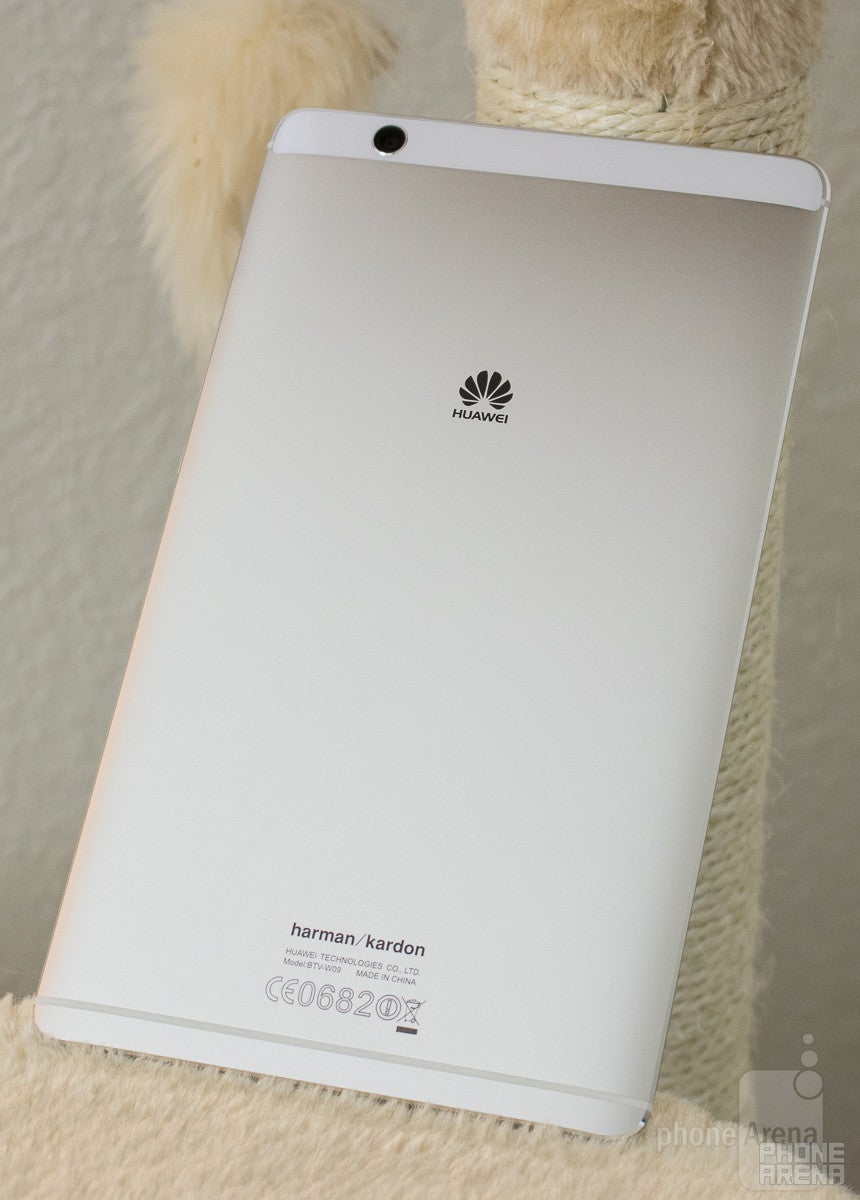
In fact, the phrase “cheaply made” isn’t even remotely associated with the M3. The tablet is crafted out of aluminum and glass, making for a product that feels premium and high-end. The back of the M3 is about 95-percent aluminum with a strip of glass across the top where the rear-facing camera lies. This creates for a look that’s somewhat reminiscent to that of the Nexus 6P, and it’s one that I hope Huawei sticks to for some time.
On-screen navigation buttons are used on the M3, but below the screen is where the tablet’s fingerprint sensor lives. Setting up the scanner upon first use was a very speedy process, and I never experienced any issues while using the scanner to unlock the tablet while testing it out. It’s very fast and accurate, and it really is a great addition to have.
Display
As I already mentioned above, the MediaMad M3 features an 8.4-inch display with an aspect ratio of 16:9. The 4:3 ratio is arguably better for tasks such as browsing the web and reading e-books, but the 16:9 one here on the M3 is still supreme for doing things like watching videos and playing some games.
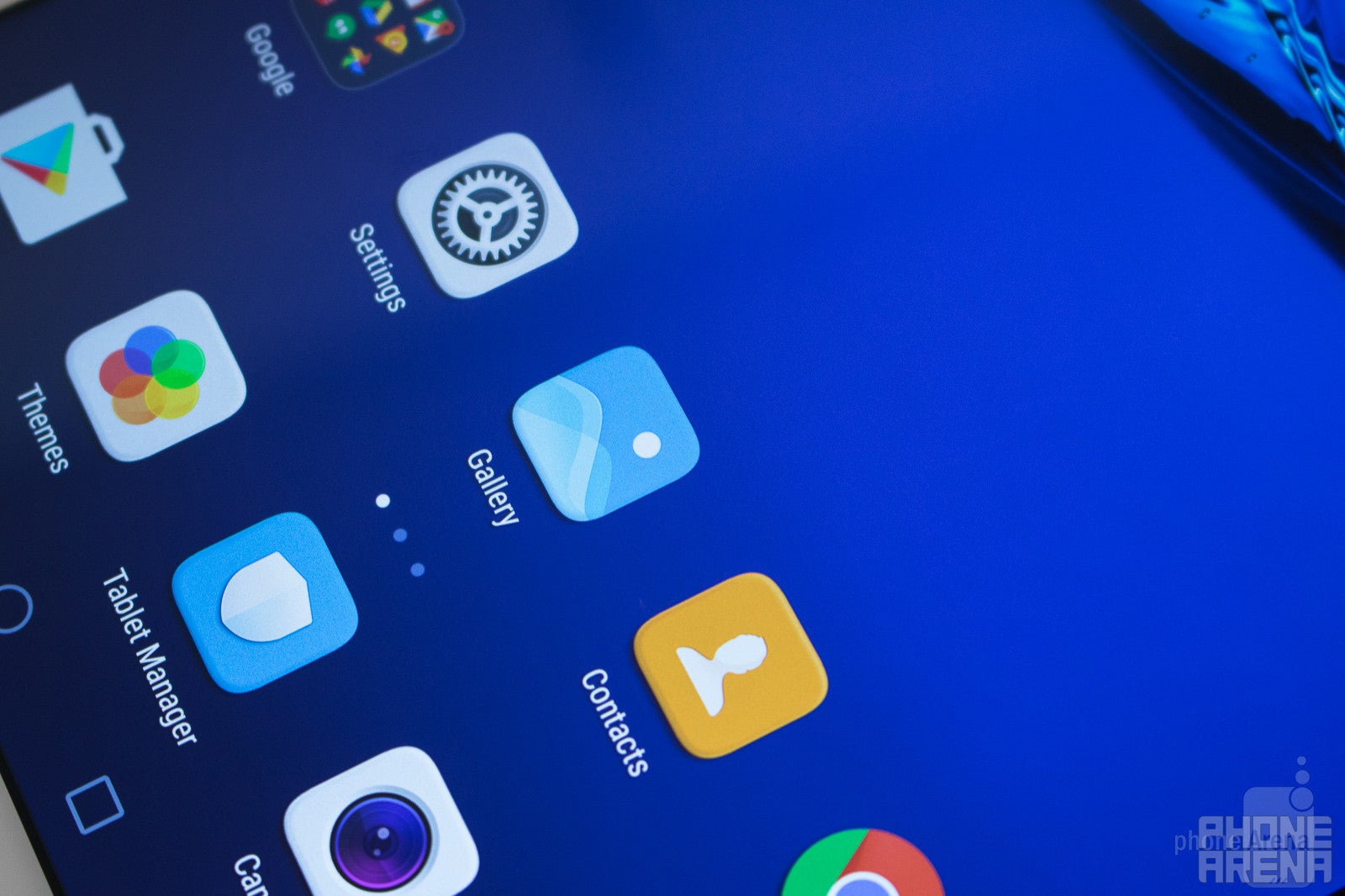
Huawei used an IPS LCD panel for the M3’s display, and it boasts an impressive resolution of 2560 x 1600. This creates for a count of 359 pixels-per-inch, and overall, I really don’t have any qualms with how the screen on the M3 looks. Colors are nice and vibrant, text is crisp, and whites are extremely stark. My only real complaint would be that the screen doesn’t get quite as bright as I would have liked, but seeing as how this is something you’re going to be using indoors the majority of the time, it shouldn’t prove to be that big of an issue.
Interface and Functionality
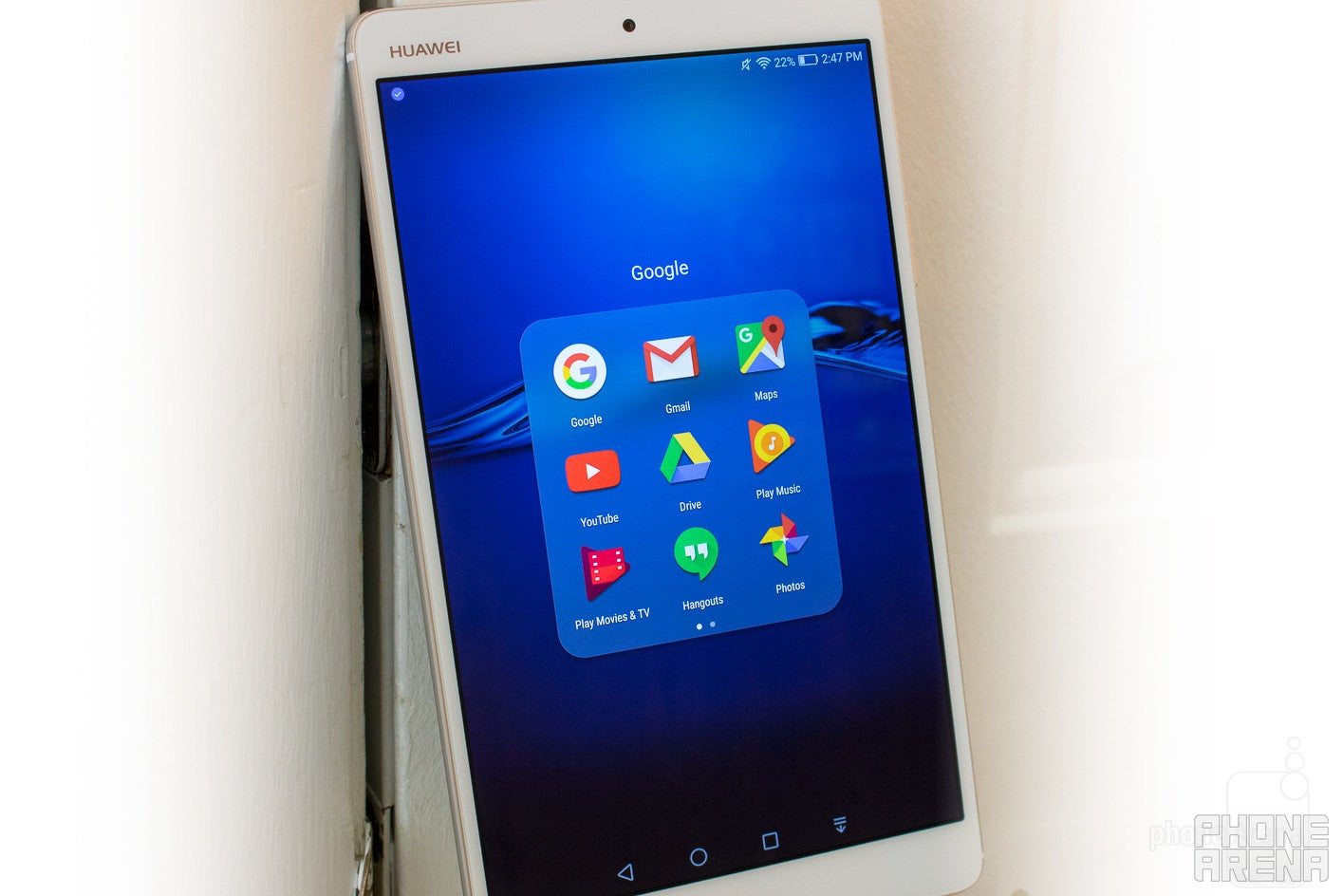
As you’ll see throughout this review, the Huawei MediaPad M3 is an overall solid tablet. However, one of its biggest weaknesses has to do with its interface. The tablet is running Android 6.0 Marshmallow with EMUI 4.1 layered over it, and that creates for a software situation that’s a bit less than ideal.
Processor and Memory
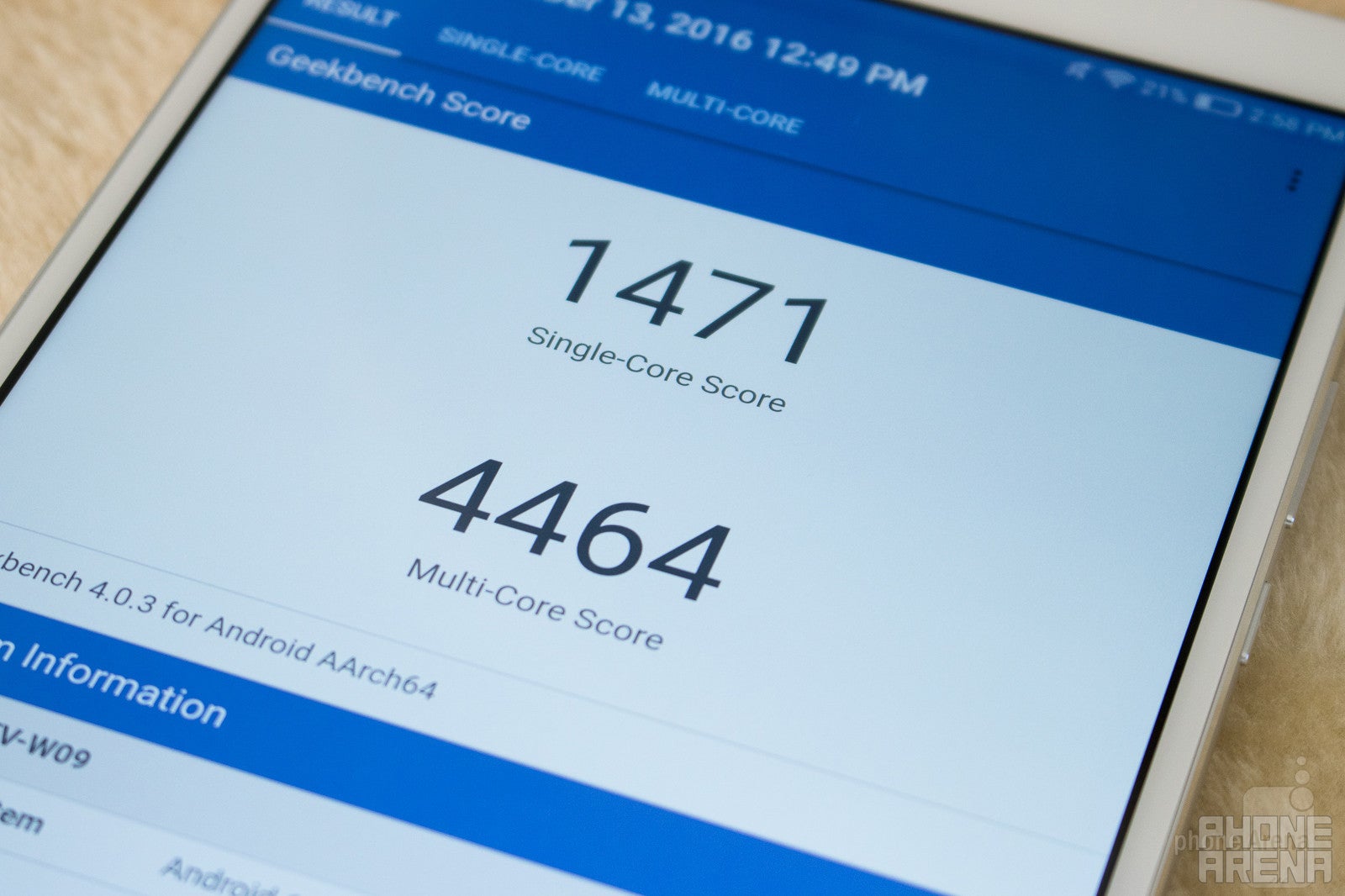
In regards to the processing package, we aren’t looking at the latest and greatest silicon from Qualcomm or MediaTek. Instead, the M3 boasts Huawei’s own HiSilicon Kirin 950 processor. The Kirin 950 is an octa-core chipset that’s clocked at 2.3GHz. The Mali-T880 MP4 makes up the GPU, and 4GB of RAM help to ensure that you can multi-task with ease.
As a whole, performance on the MediaPad M3 is very good. Apps open quickly, web browsing is smooth, and having numerous apps open at once don’t slow down the M3 at all. Basically, the M3 is exceptional when it comes to lightweight to average use. However, when it came time to really put the M3 through its paces, I was left feeling a bit confused.
Huawei’s MediaPad M3 is great at browsing the web, using apps such as Facebook, Twitter, Amazon, etc., and streaming 1440p video on YouTube. I also downloaded and played Mortal Combat X and Modern Combat 5, and while both games were certainly playable, the performance of them seemed a bit lacking when compared to the Asus ZenPad 3S 10 that I previously reviewed. It took quite a bit longer for these games to actually open up on the MediaPad M3, and numerous in-game animations appeared noticeably slower and more jittery than I was expecting. This was definitely disappointing considering how high the M3 scored in its benchmark tests, and my guess would be that, while the Kirin 950 certainly is a very powerful processing package on its own, it’s not properly optimized for as many apps and games as it should be. This is still a fast tablet for most use cases, but there are certain situations here and there where the MediaPad M3 feels quite a bit slower than it should. And, unfortunately, those situations do detract quite a bit from the joy of using the tablet.
Connectivity
On the connectivity side of things, the MediaPad M3 is fairly well-stocked. Wi-Fi bands 802.11 a/b/g/n/ac are all supported, as well as Bluetooth 4.1, and GPS. There are certain models of the M3 that support 3G and LTE networks, but the model that’s being sold here in the US does not support such connectivity options.
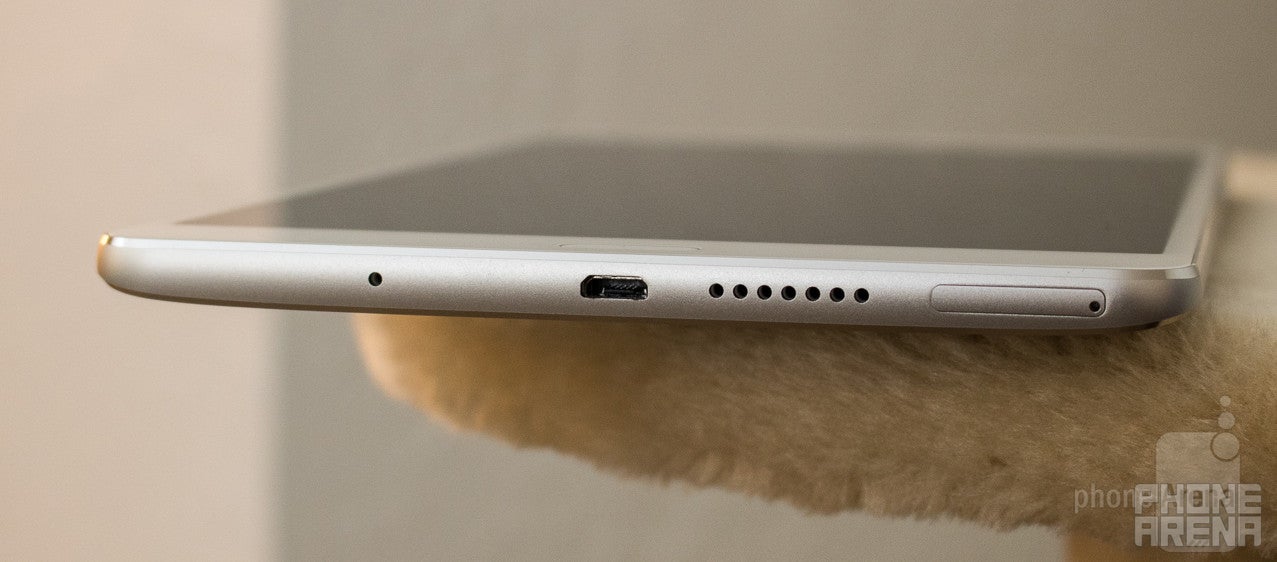
The one downside for the M3’s connectivity options is its lack of USB Type-C. There isn’t necessarily anything wrong with microUSB, but with Type-C becoming more and more prevalent in our world, using a device in late 2016 with a microUSB port does feel a bit outdated.
Cameras
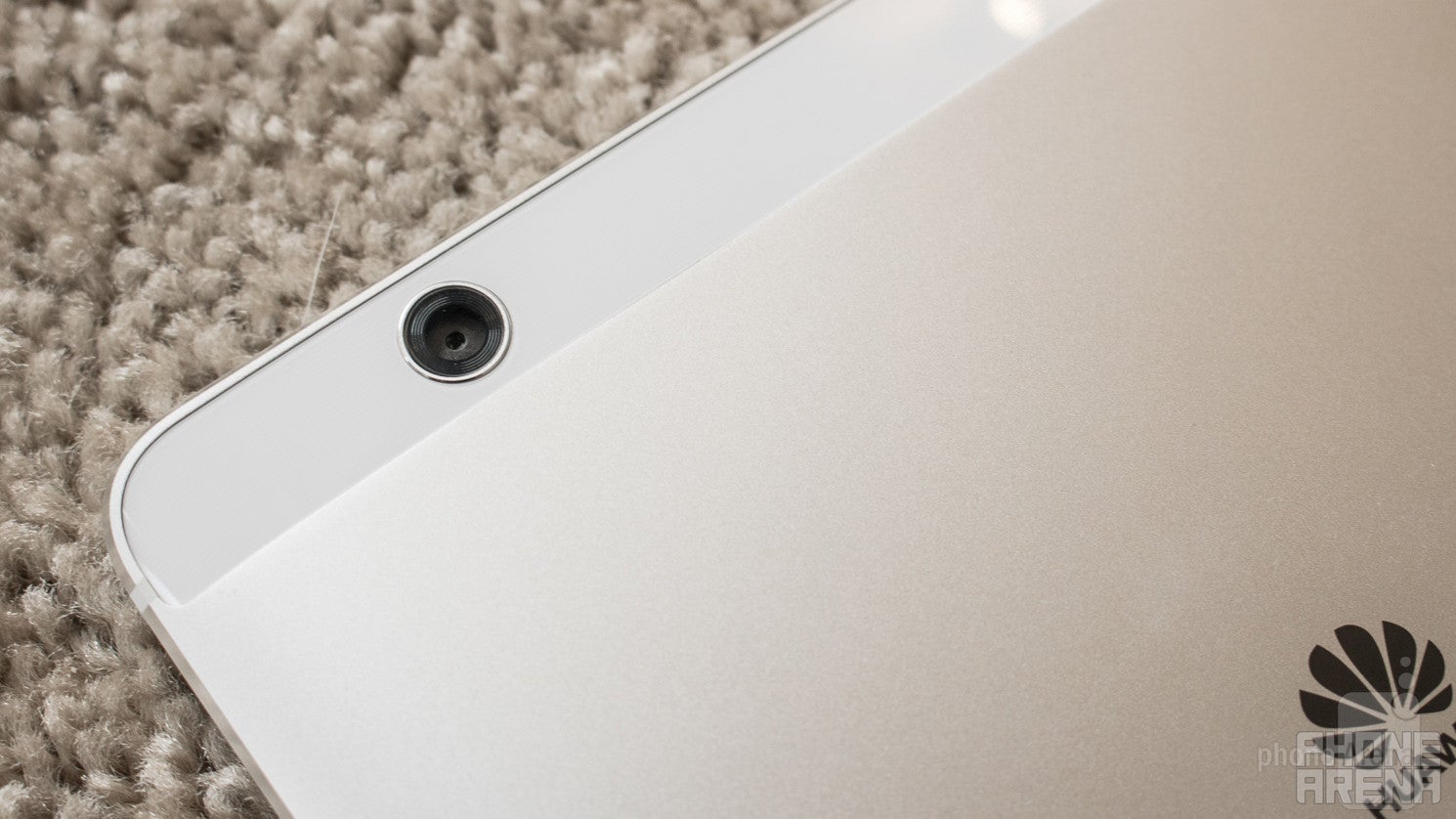
This is the third tablet that I’ve reviewed this year, and with the other two devices I’ve previously reviewed, I’ve given this little preface - I have not and still do not understand the need for cameras on tablets. I’ve never actually found myself needing to use one, but since we’re professionals here, it’s only right that we still give cameras on tablets the full review treatment as well.
In the case of the MediaPad M3, we’re looking at an 8MP sensor for both the rear and front-facing camera. The camera app itself is a bit reminiscent to the one found on iOS, but there are quite a bit more settings to play around with here. Swiping to the left brings up all of your settings for the camera, including options for adding a countdown timer, audio control, adjusting the resolution of your photos, and more. Additionally, swiping to the right will showcase all of the various shooting modes that are included, such as Pro Photo, Beauty, Video, Pro Video, HDR, Panorama, Time-Lapse, Document Scan, and more.
Camera interface
Image Quality
So, just what kind of photos is the MediaPad M3 capable of?
The MediaPad M3 kicks out considerably better photos than what Asus’s ZenPad 3S 10 was capable of, but that doesn’t necessarily mean that this is a good camera. I was able to capture some photos that turned out looking fairly nice, but there were others I took that ended up looking like an oil-painting. With ample lighting conditions and a steady hand, it is possible to capture passable photos on the M3 that are fine for uploading to social media. However, as soon as the lights start to go down, the already ho-hum quality gets considerably worse.
Moving over to the front-facing camera, this is a perfectly suitable camera for Snapchat, Instagram, etc. Details are fairly sharp thanks to the 8MP image quality, and while you’ll likely get overall better results from the front-facing shooter on your smartphone, it will suffice if you’re in a pinch and absolutely have to capture a selfie.
Huawei MediaPad M3 sample images
Video Quality
Switching over to video quality, we’re met with more of the same. The resolution is capped at 1080p Full HD, and while the video doesn’t look great, it’s also far from the worst that I’ve seen for a tablet in this similar price range. Highlights are fairly balanced when shooting video and autofocus is also fairly quick. Details are just fine, and similar to the image quality, problems really start to arise when light creeps out of your shot. Darker areas in your video are quick to create a lot of digital noise, and this right here is the primary pain point for videos on the M3.
In short, while it will get the job done if you absolutely do insist on recording video with your tablet, results will likely be far better with your smartphone.
Multimedia
However, as you know, a screen and its multimedia experience is only as good as the speakers that accompany it. Huawei partnered with Harman Kardon to create the best possible audio experience for the M3, and for the most part, that partnership pays off.
The MediaPad M3 features stereo audio thanks to dual speakers that are positioned on both the top and bottom of the tablet, and after some extensive listening sessions with the M3, I can safely say that this is a very solid audio setup. The dual-speaker system on the M3 gets ridiculously loud, and while I greatly appreciate the ample volume that’s present here, turning the volume settings up to the max does deteriorate the overall sound quality as a whole. Higher volume results in the M3’s speakers sounding a bit dirty and not as clean as I would like, meaning that these speakers definitely favor loudness as opposed to overall quality.
Battery Life
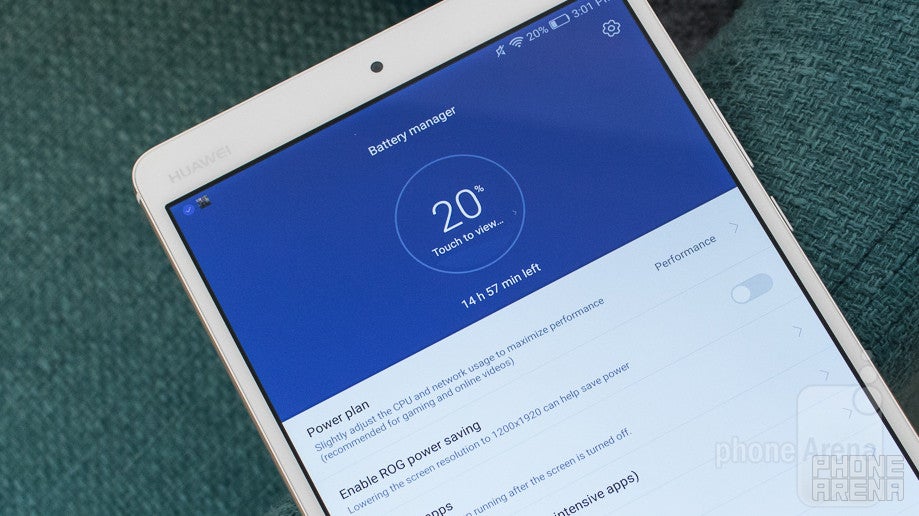
Last but certainly not least, let’s talk about battery life. Huawei packed in a 5,100 mAh unit into the MediaPad M3, and it results in a pretty solid setup. Heavy and continuous usage on the M3 will result in a screen-on time of around 4 and 1/2 hours, whereas more subdued and normal use should see the M3 squeaking out just under 9 hours of use without needing to top up.
Conclusion
With all of that said, what’s the final word on the Huawei MediaPad M3?
There’s no doubt at all the Huawei has crafted a good-looking tablet. The construction of the MediaPad M3 is one of the better ones you can find for a device in its class, and its dimensions keep it both thin and lightweight at the same time.
In addition to the M3’s build, the display and audio setup is also very well-executed. Sound quality does tend to get a bit harsh when listening at higher volumes, but aside from that one qualm, the multimedia experience is fantastic on the aptly-named MediaPad.
As for the software experience, EMUI 4.1 is not a good skin for Android. Some of the tweaks that Huawei’s made are beneficial to the overall user experience, but the vast majority of the changes feel as if they were made for the worse. While a lot of this will be resolved once the MediaPad M3 gets the update to Android 7/EMUI 5.0, no official word from Huawei as to when this update will actually take place does create for a bit of uncertainty for the future of the tablet’s software.
Bundle all of that together, and you get a hefty handful of pros and cons with the Huawei MediaPad M3. There isn’t any doubt in my mind that this is a great little tablet for multimedia consumption, and while the price of $299 with 32GB of storage is a solid value ($349 for 64GB), there are other options out there for either the same or a bit less money that offer a more well-rounded experience.
Samsung’s Galaxy Tab S2 is currently selling for just $249, and while it is a year older than the MediaPad M3, it’s still considered to be one of the best Android tablets around. And, if you’re willing to spend $100 extra, the 32GB variant of the Apple iPad Mini 4 retails for $399. As a matter of fact, the still great iPad Mini 2 is currently being sold at $269 from Apple, so that continues to be a great budget option for a tablet.
The Huawei MediaPad M3 is not a bad tablet, in fact, it’s a really great choice if you want a well-built device for browsing the web and watching movies, but until it gets some much needed software tweaks, I’d suggest looking elsewhere for a more refined experience.



Popular stories
Latest News



Things that are NOT allowed:
To help keep our community safe and free from spam, we apply temporary limits to newly created accounts: