Every product we review or recommend is thoroughly tested by our in-house experts in real-world conditions, following our
review methodology
and
ethics statement
to ensure honest, independent, and data-driven results.
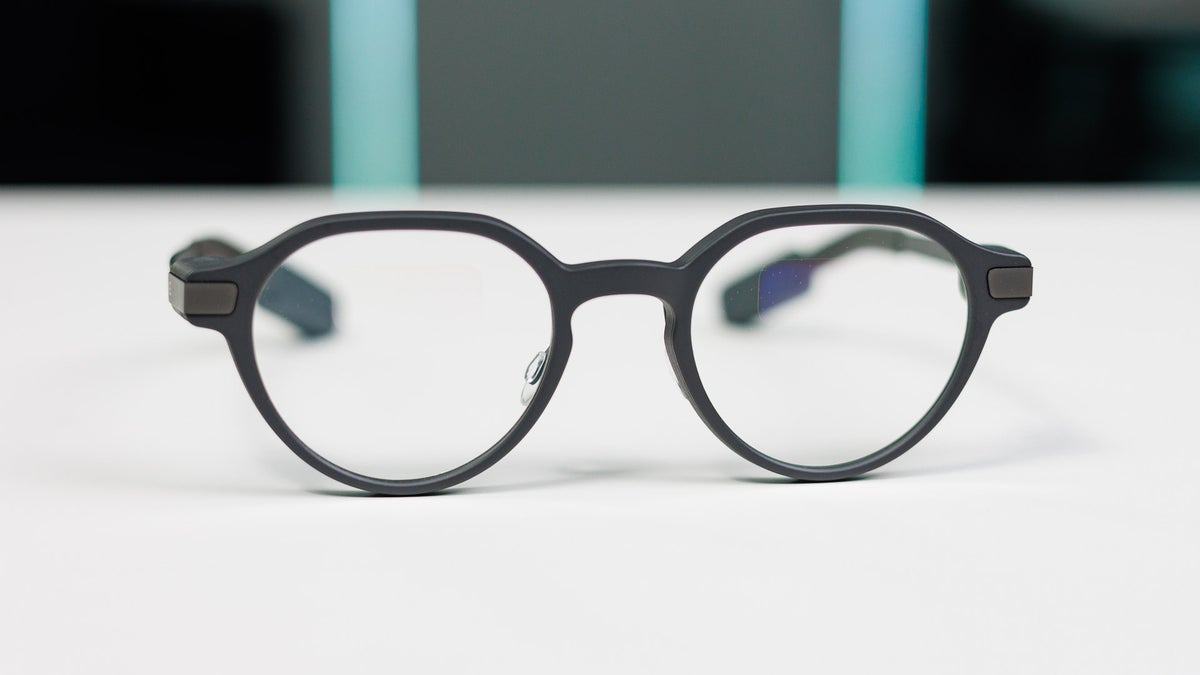
Incredible lightweight design! | Image by PhoneArena
The Even G2 are Even Realities’ latest in what I like to call true AR glasses. They don’t try to immerse you in full virtual reality, their aim isn’t to be a portable monitor, and they aren’t just smart specs capable of quick Q&A sessions. Instead, they aim to augment your reality in a way that meaningfully enriches it, without getting too much in the way.
Right off the bat, the Even G2s are incredibly impressive: they offer third-party support via their own app store, they’re productivity-oriented, and their design is just immaculate. But that creates a very interesting identity crisis, because the G2s can very easily become a professional-grade tool that fails to meet standard consumer expectations.
When you factor in the large asking price and the current state of the software experience, it is easy to become hesitant. But the key detail I want you to keep in mind is that regardless of the details, the Even G2s could very well mark the first major step in the direction of true AR glasses.
Specs
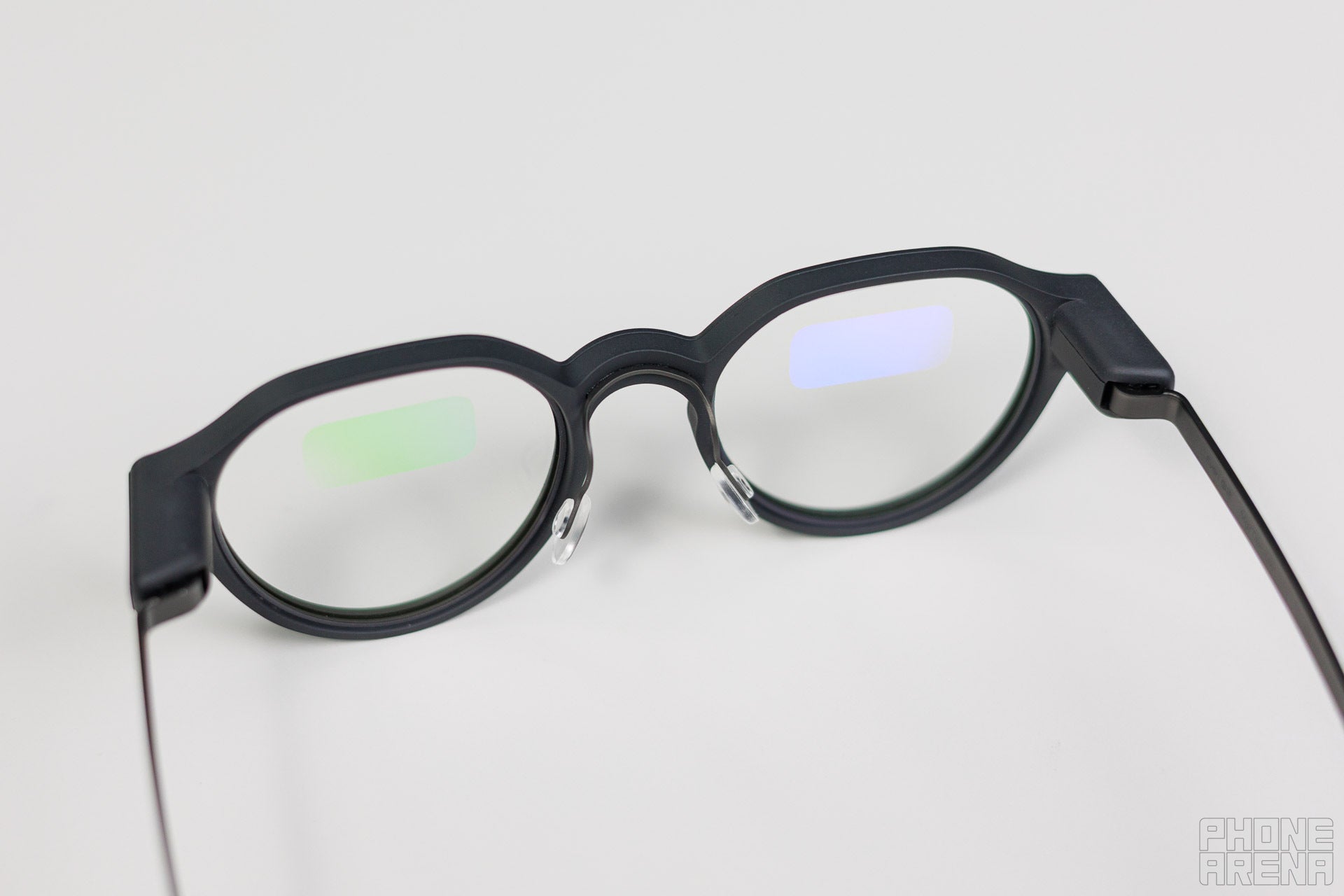
You can almost make the screen out on this one. | Image by PhoneArena
The exact specs of the Even G2s haven’t been officially disclosed by Even Realities. That being said, we do know quite a bit about what the specs come equipped with and what they’re made from. Here’s a neat overview:
Frame: Magnesium alloy, with titanium alloy for the part that rests on the user’s temple
Glass: 98% passthrough, UV protection, anti-reflective, and anti-fingerprint coatings
Screen: 640x350 Micro LED display at 60Hz, capable of 1200 nits of brightness; FoV 24.5°
Battery: 192 mAh on the glasses, while the charging case offers 2,000 mAh
Voice: Four microphones
Connectivity: Bluetooth 5.4
Input: Touch-sensitive side panels
Protection: IP65 rating, meaning the G2s are dust-proof and offer splash protection
CPU, RAM and storage are undisclosed
No specific standalone OS
Even if you might be a bit concerned about the last two points, rest assured. The G2s have enough horsepower to work at a reasonable, responsive pace and to offer quite the creative canvas for third-party developers.
Recommended For You
The one detail worth discussing is Storage, and honestly - there’s just not that much to store. Most of what ends up on the glasses is text in the form of notes or tasks. Beyond that, while the G2s support voice input for conversation mode with AI, recording or two-way translations, they act only as a medium between the speaker and your phone, where all the magic happens.
See, the glasses can hear and understand you, but there’s no actual recording of what you are saying as a hard file - only a transcript gets saved on your device. Being a text document, it takes up practically nothing - mere kilobytes of space, so there’s no real cause for concern over storage capacity here.
On that note, it’s rather impressive, because the connection is so efficient that most of the processes seem seamless, making you think that these specs must be quite beefy. It seems Even Realities specializes in quick transfer of data and its analysis which feels almost momentary.
If you are curious about the exact differences between the previous G1 model and the latest G2s, here’s the TL;DR:
Slight bump in resolution
Higher refresh rate
A bit brighter
Slightly higher FoV
Bluetooth upgrade
Battery life improvement for the specs and case
Water and dust resistance rating
Two additional microphones
Third-party app support with a dedicated storefront
No camera or speakers across either model
At a glance, it may seem like the G2s are just a neat little upgrade over the G1s, but the introduction of a dedicated app store is a game changer. This allows users to extend the glasses’ functionality beyond what they shipped with, but it is exclusive only to the G2s at the time of writing.
Design and unboxing
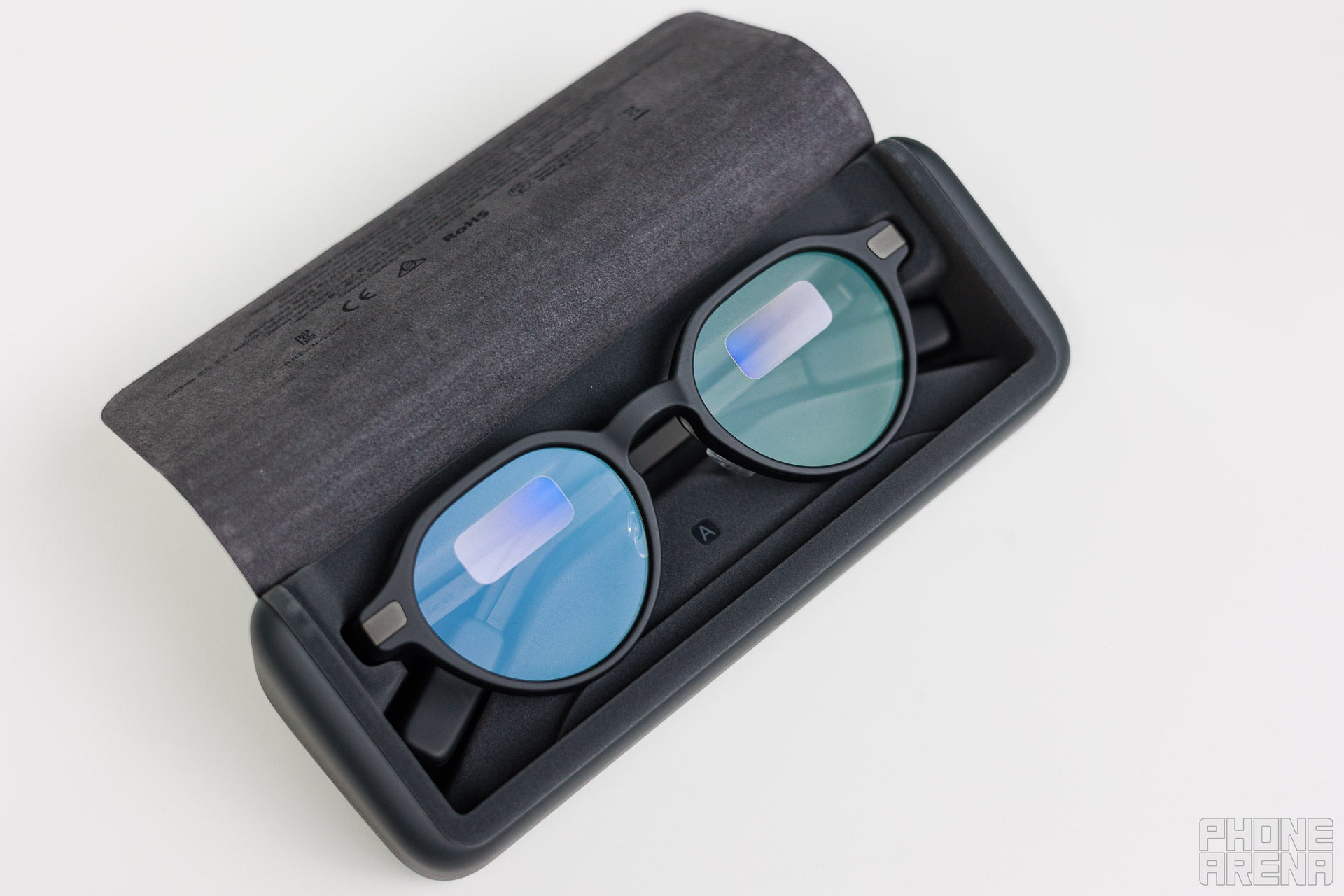
The charging case feels secure and premium as well. | Image by PhoneArena
The Even G2 comes in two models - neatly called A and B - but they differ solely in design. A brings vintage vibes with its oval shapes, and you can see what the B variant is all about in our photos, since that’s the one we received. Either model can come in:
Grey - the classic dark, which is what we have
Brown 1 - light brown, reminiscent of wood and copper
Brown 2 - a darker hue with accents of Amber
Green - which gives off massive Lovecraft vibes
The G2s come in an intricately designed box and the unboxing experience is really enjoyable. During the process you’ll uncover:
The specs
Cleaning cloth
Charging cable
Paper inserts
The glasses themselves are quite impressive when you first take them out of the box, because they feel super light and well made. My first thought was “How did they cram a computer or display in here?!”.
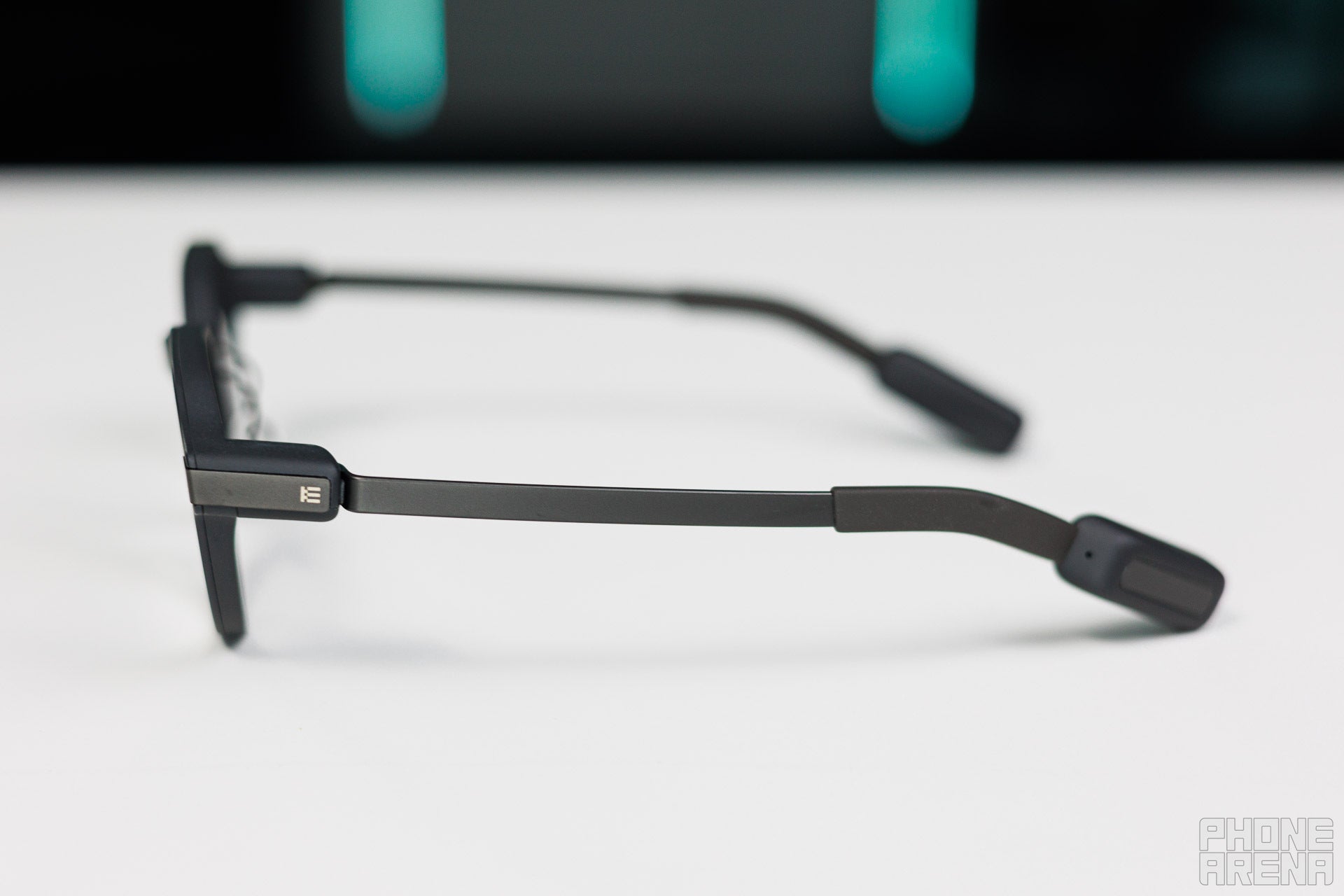
These AR glasses are designed to be comfortable and worn worry-free throughout the day. The best part is that they truly look like normal spectacles from a distance, especially when you add the shade clip-on.
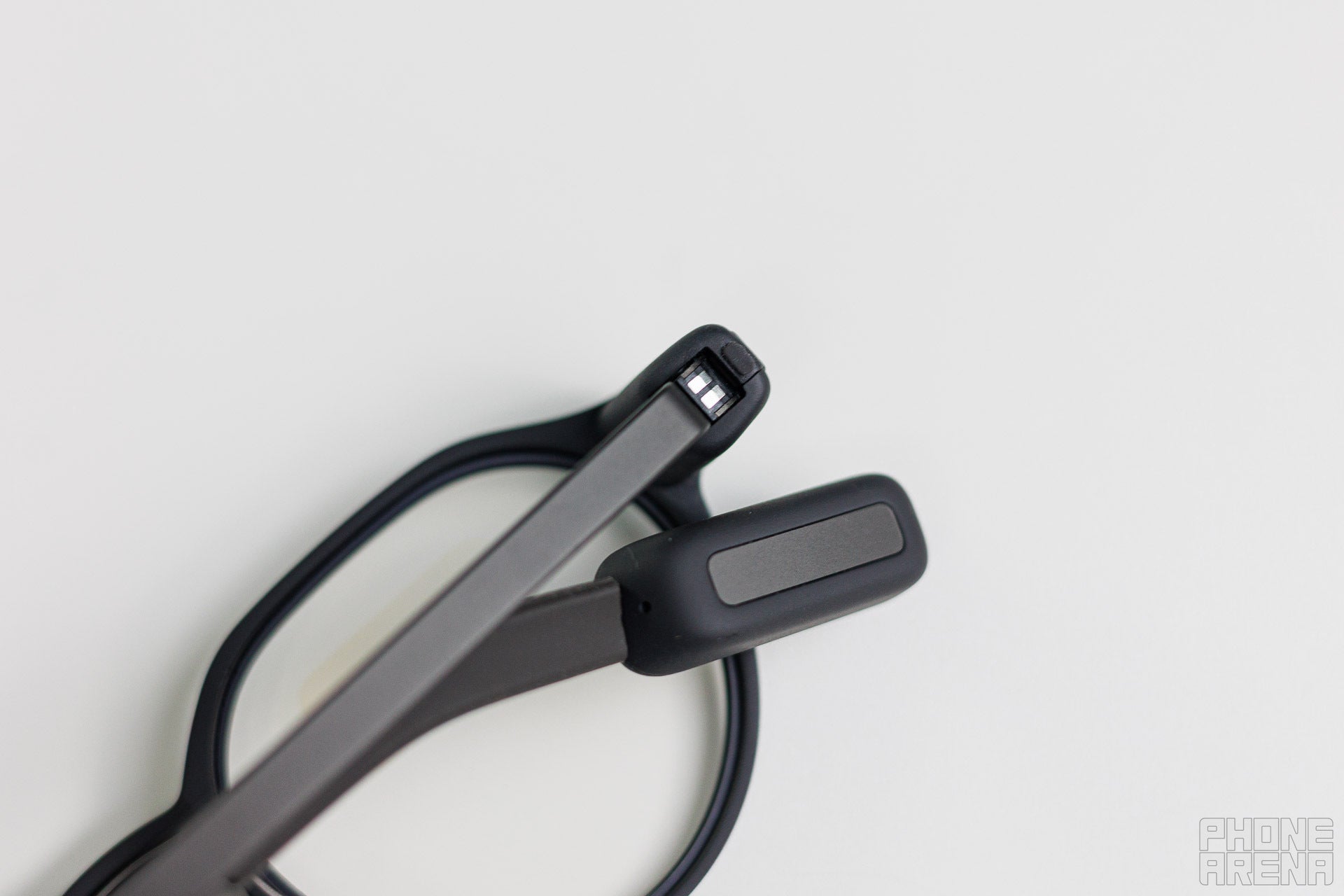
The frame itself is made from a magnesium alloy, which isn’t my favorite material, but Even Realities did go for titanium for the parts that connect to the wearer’s temples. The hinge on the G2s is patented as a "screwless" design, and once you notice it, it really makes you nod to yourself and say “Cool!” out loud.
Like with most premium smart specs, nosepads are adjustable for extra comfort. The glasses, as listed on the spec sheet, come with UV protection, so you can wear them outside on a sunny day worry-free, and the IP rating means that light rain should not ruin them. Taking them for a swim is out of the question, as is washing them in the sink without letting them dry off completely, so keep that in mind.
The anti-fingerprint coating is quite impressive as well. My fingers get greasy pretty quickly, so I expected to disprove this claim, but to my surprise I couldn’t leave noticeable fingerprints on the lenses during testing.
The Even G2s start at $599 and are noticeably made with care and consideration. Even Realities offers a number of optional add-ons for them too:
Single vision prescription lenses add-on starts at $159
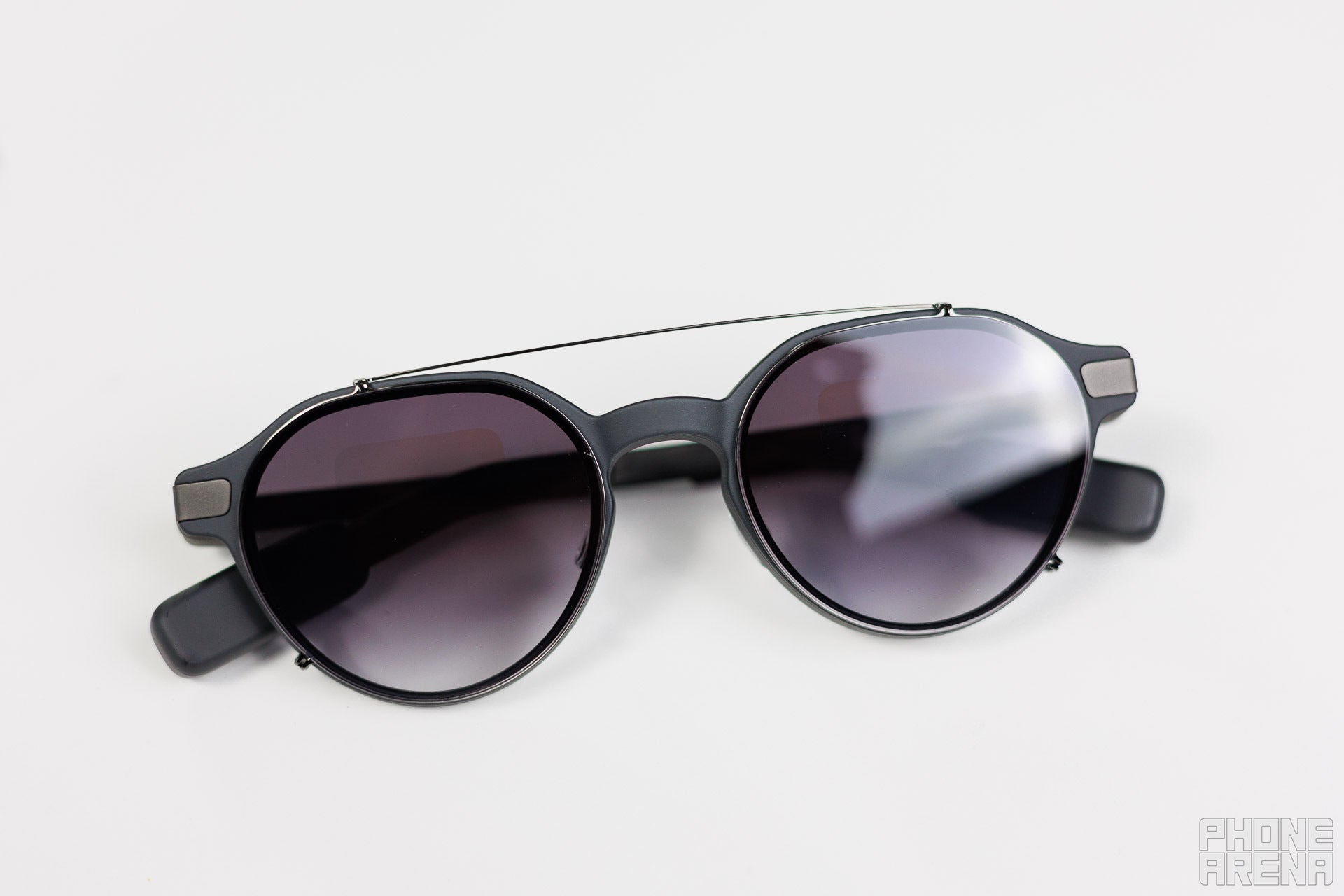
A clip that turns the specs into shades will cost you an additional $149, available in Grey, Green or Brown
The G2 chain is essentially a stainless-steel lanyard that will cost you $79
And the company is offering the Even R1 health-tracking smart ring for $249, though it doesn’t seem to unlock any specific extra features on the G2s specifically
While it is very refreshing to see a company offering their AR glasses with a well-made case that recharges them over time for free, I must admit that the prices on some of these are quite spicy.
As part of our review unit, we received the shade clip in Grey and it is also very well made, though I always feel like I’m going to scratch the glass of the specs when I take it off. When you have it on, it works like a charm and I can easily get accustomed to wearing the G2s instead of my dedicated sunglasses.
I would have loved to see a way to attach the clip’s case to the charging case, however. To be clear: the glasses with the clip on fit the charging case just fine. But if you’d like to take the clip off and store it safely, it means carrying one extra storage solution.
Screen and setup
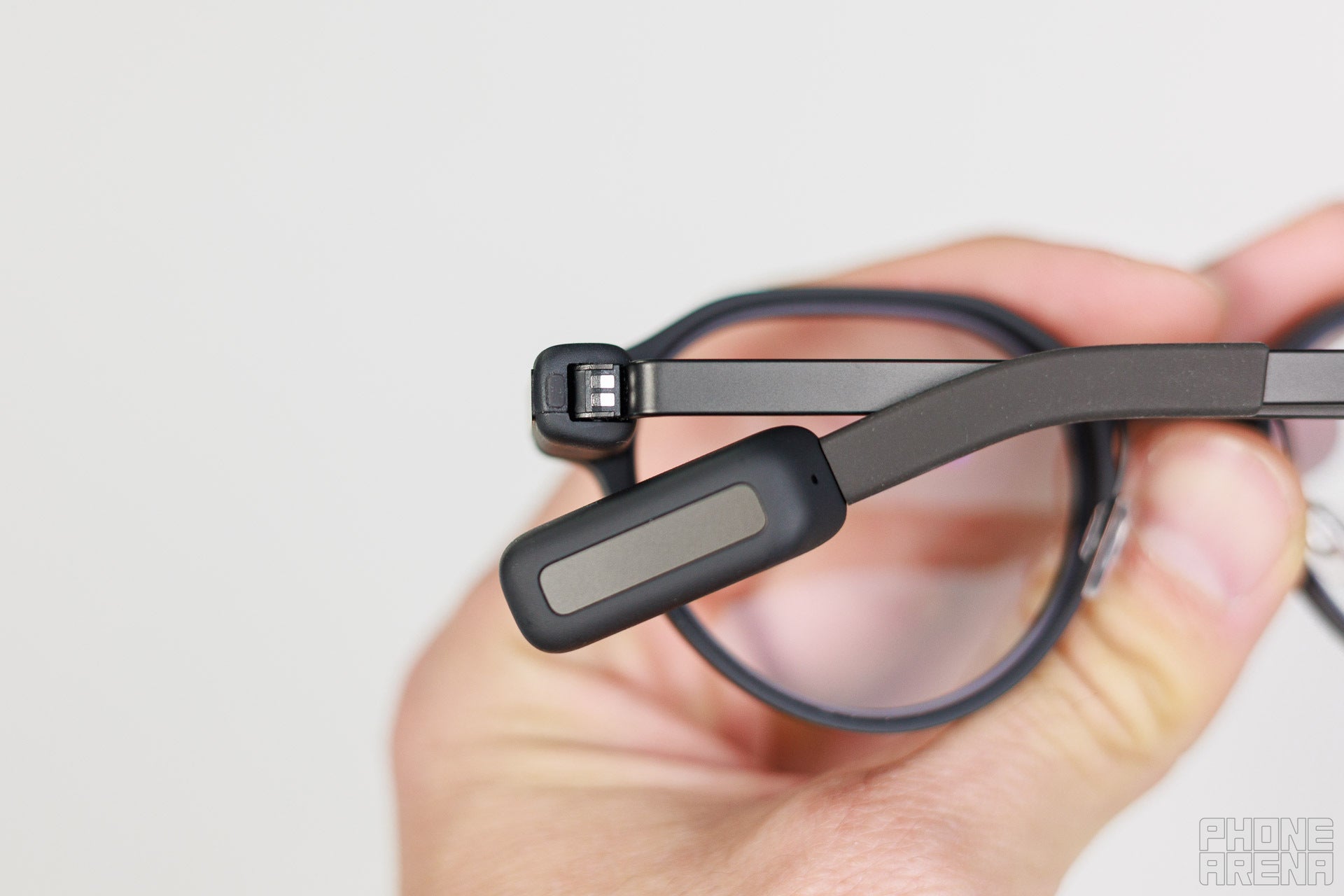
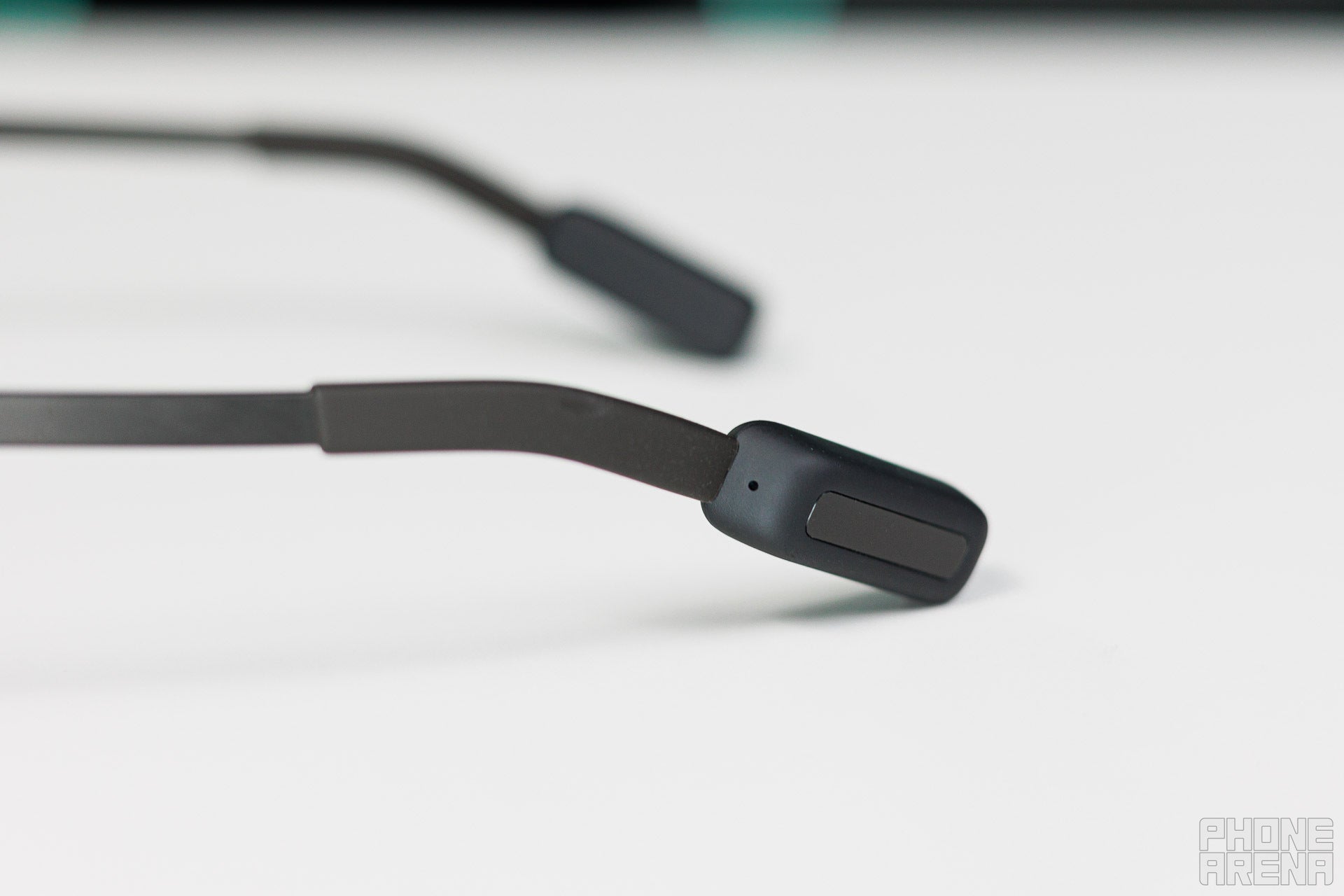
These are the touch pads used for navigation. | Image by PhoneArena
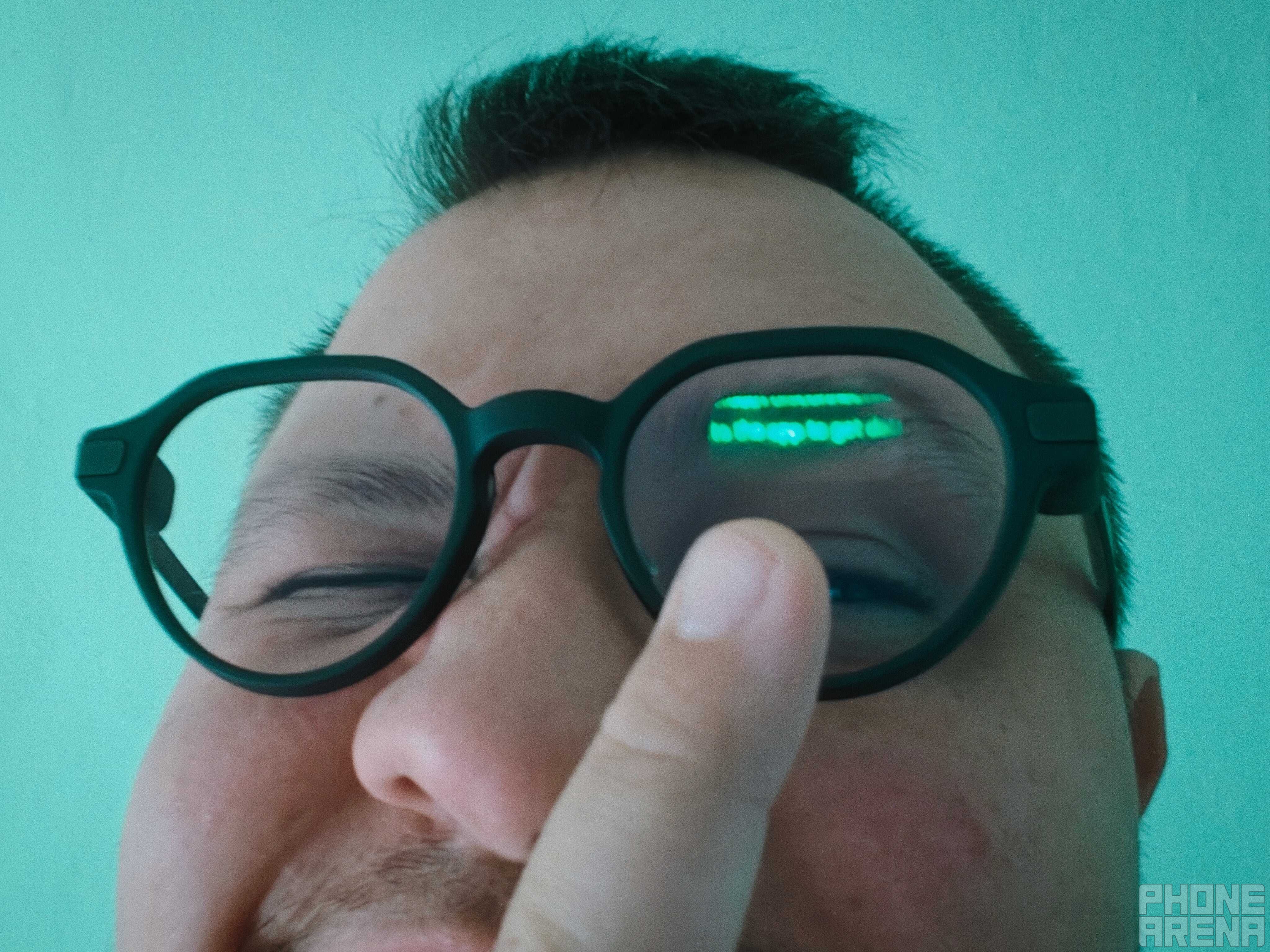
After you download the Even Realities app and set the G2s up - which is a pretty straightforward task - and you’ve put them on, you’ll need to double tap the touch-panel on either side to wake them up. If you’d like, you could also set the app to automatically wake the specs up for you if you look up above a certain angle.
Once the glasses are awake, you’ll be greeted by the monochromatic, green-tinted Micro LED display. It has a 640x350 resolution, but all the content it displays looks crisp and clear. It’s also barely visible to anyone looking at you while you have them on, though they might notice a slight glare.
This is visible only under a certain angle, which is great. | Image by PhoneArena
The G2’s screen is positioned closer to the center of your field of vision and a bit higher up than on other AR glasses I’ve reviewed, which means that you’ll be able to see more of the real world, even when interacting with the specs. The app allows you to fine-tune the positioning, though only vertically.
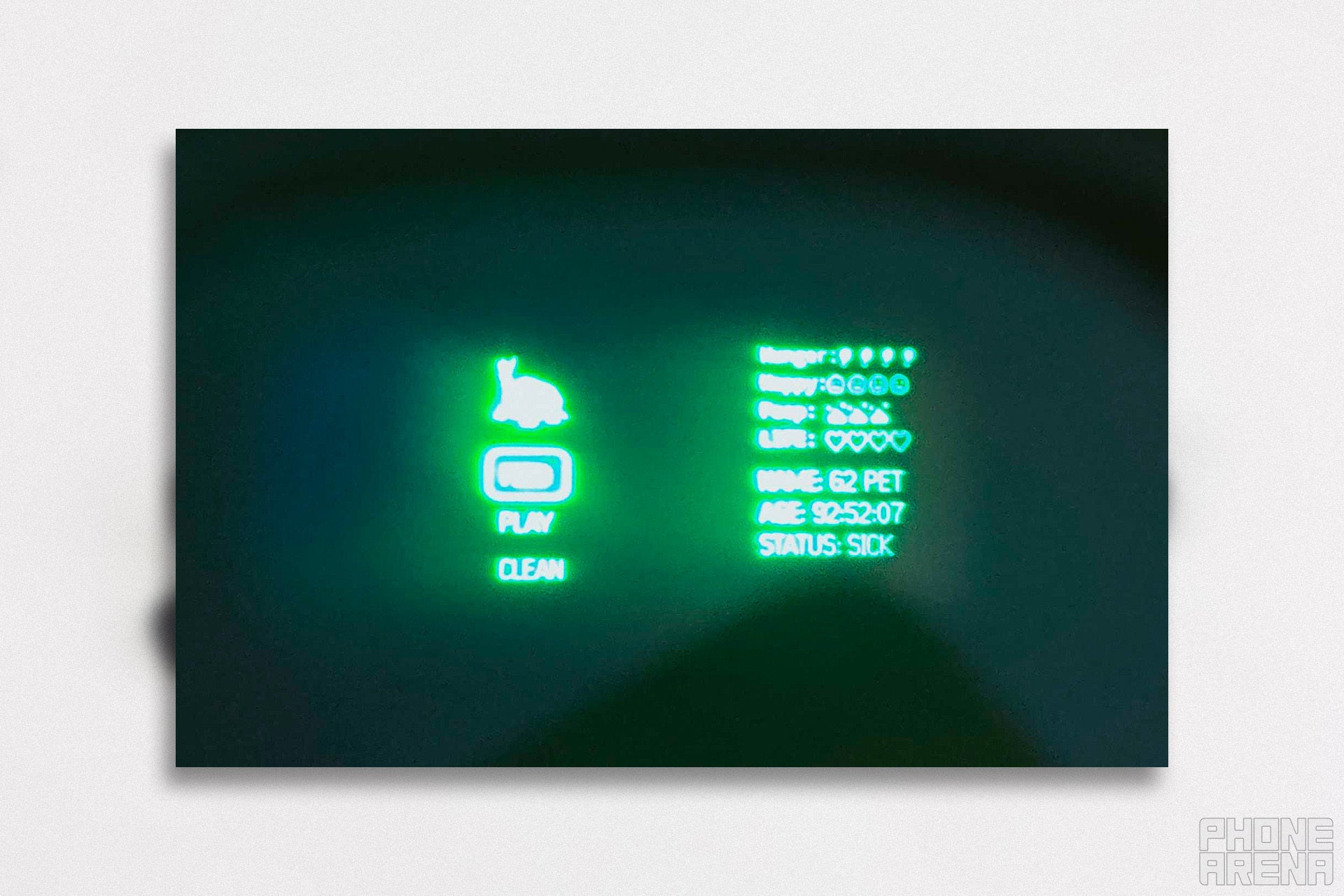
This is the best photo I could take of the screen. | Image by PhoneArena
Despite its small size, the display comfortably fits a reasonable amount of information. Reading content feels natural, and I was pleasantly surprised that I could switch my vision’s focus between the display and the real world effortlessly, without any noticeable side effects like getting dizzy, regardless if I was stationary or moving - at least for short bursts. Then again, this isn’t really the type of product that you would use continuously for long periods of time.
The screen can get impressively bright, but I could clearly see the display outdoors in daylight, even at around 50% brightness. Controlling said screen happens in two ways: either through voice, saying “Hey Even” or via gestures such as tapping, sliding and holding the touch-sensitive panels on either side of the frame.
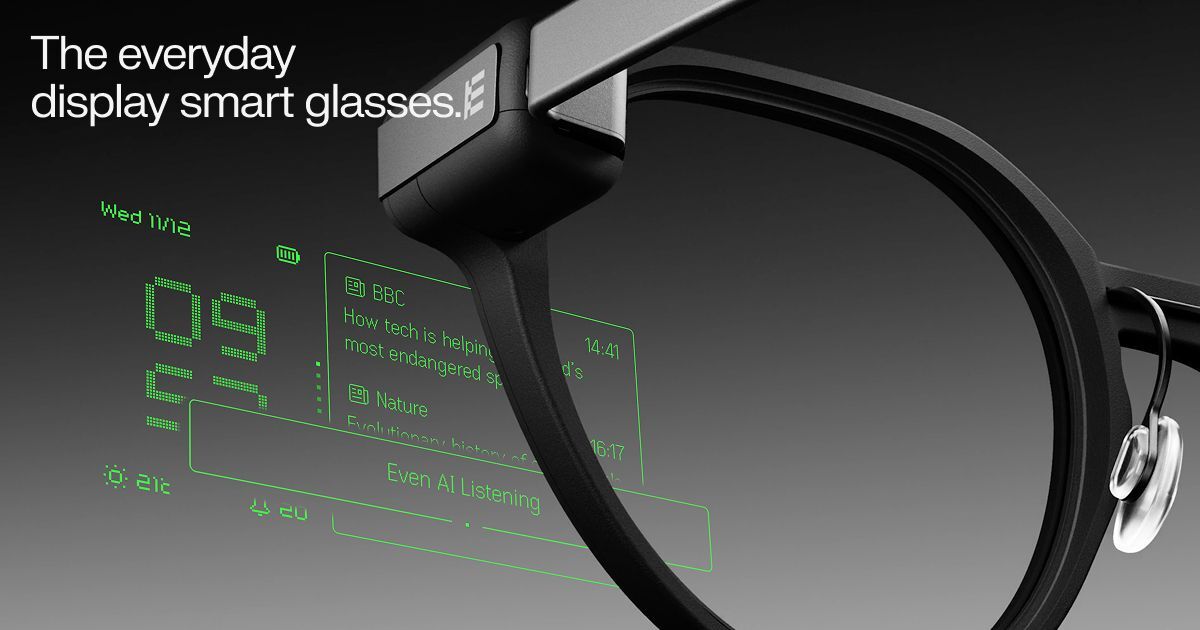
The first thing you see on the display is the Dashboard, effectively acting as your homescreen. From here, you’ll be able to navigate menus, open and close apps and review your chosen widgets.
You can also use voice commands, but only to ask questions or open specific apps - not for UI navigation. This means that if you say “Go up” the highlighted menu option won’t move accordingly, but if you say “Hey Even, open Notes” then the G2s will bring up the Notes app for you right away.
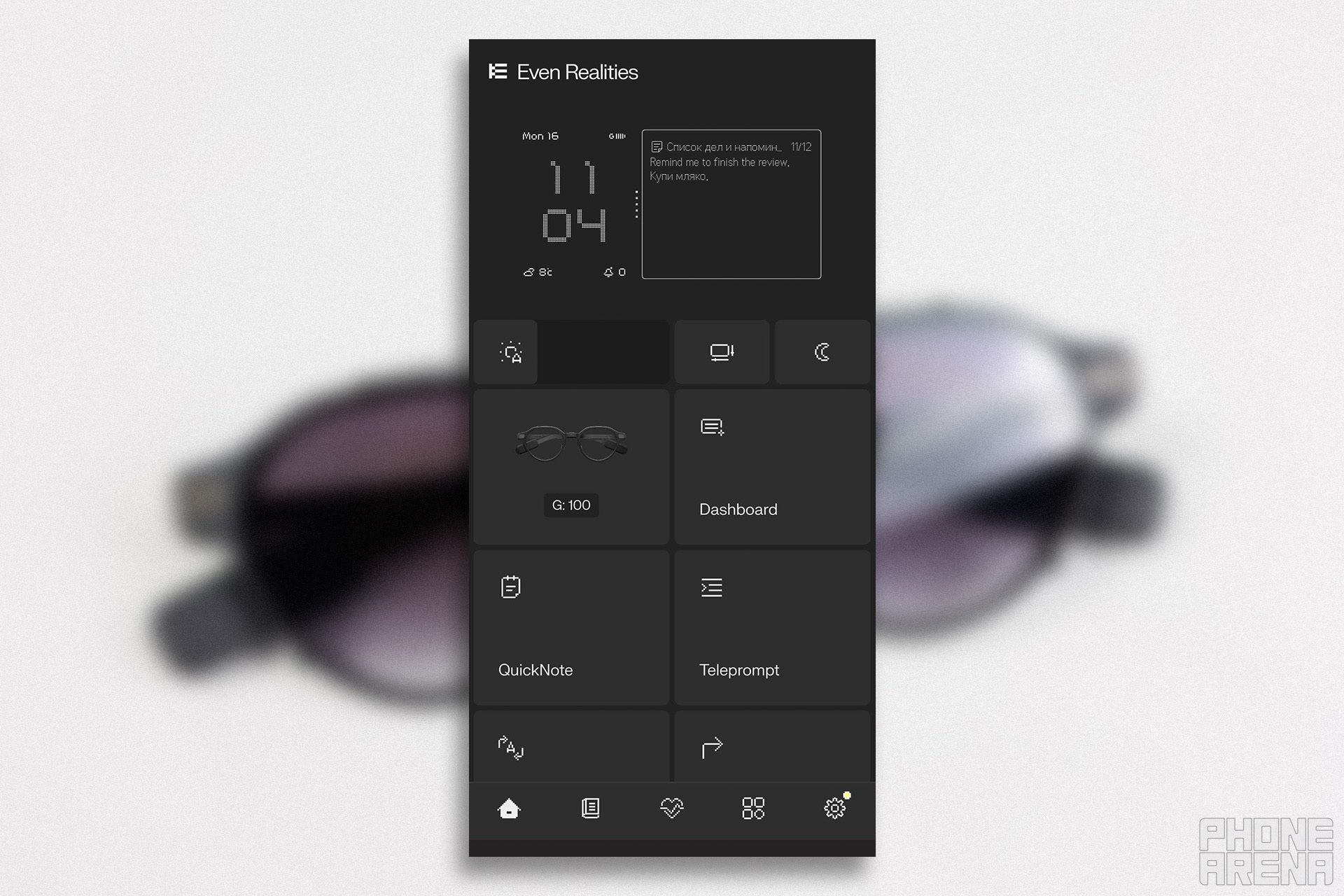
The Dashboard in the Even Realities app. | Image by PhoneArena
The Dashboard itself displays:
Date and time
Battery level
Weather
Notification count, mirroring your phone
To the right you have a pane, where you can feature selected widgets. You can install more from the store, but the ones that come pre-installed are:
News
Stocks
Calendar
Tasks
While I found it very neat that the Calendar feature automatically syncs with your phone’s main calendar app, I was disappointed that the same didn’t hold true for Notes or Tasks, as those must be set up from the app.
From the home screen, you can tap and hold to bring up the menu. The specs’ pre-installed apps live here, and this is where any downloaded apps will appear once you’ve set them up.
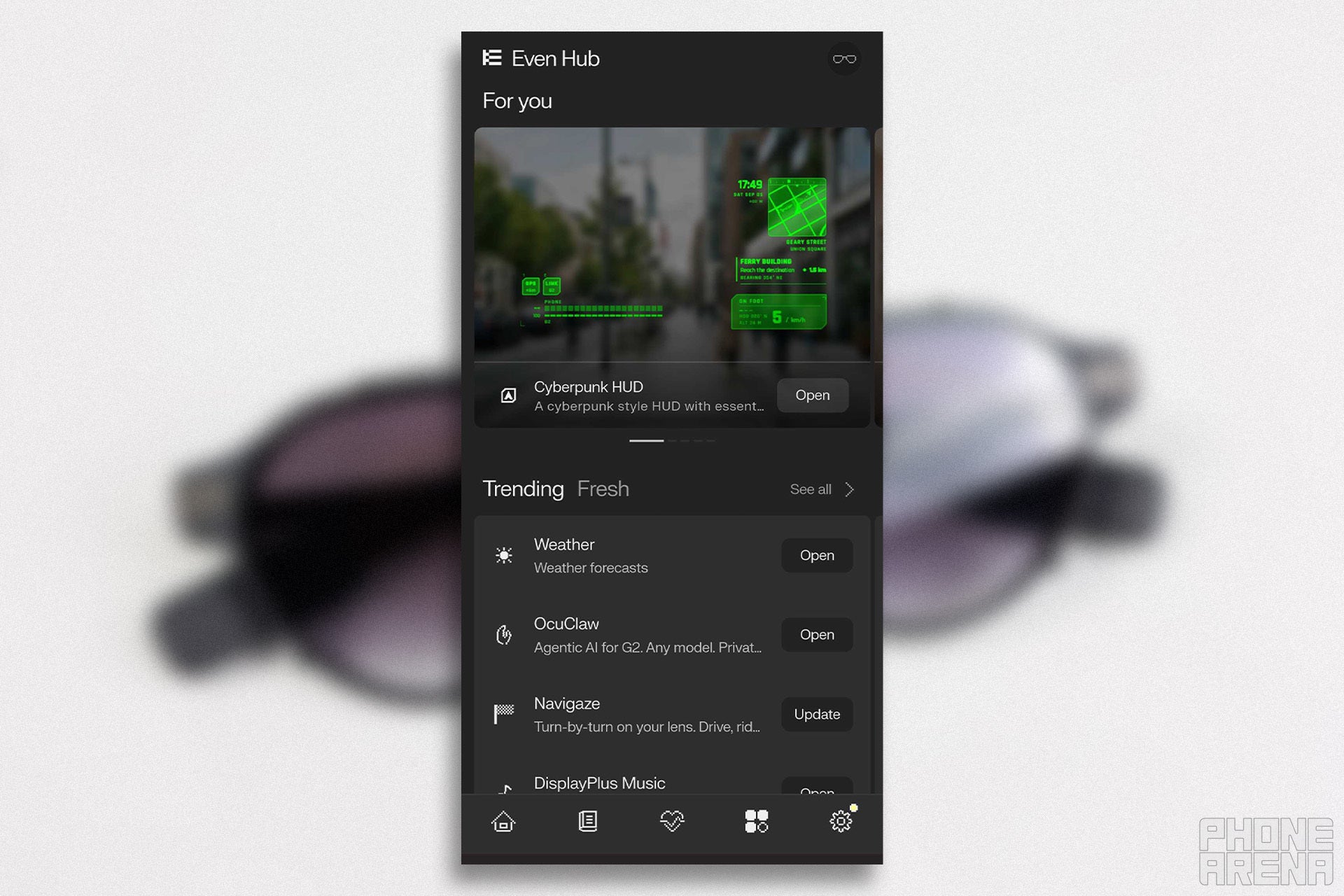
The real fun starts here! | Image by PhoneArena
And you should absolutely prioritize doing that, because Even Hub - the dedicated app store of the G2s - is by far the best feature of the model. The store is open to third parties, so anyone can apply for a license and develop something cool. I couldn’t help but grin the first time I browsed the store, because it is filled with really useful add-ons and some genuinely fun stuff. Here’s a list of my favorites:
A music player to control your tunes (there’s also a Spotify player)
eBook reader - not the best way to read, but absolutely makes sense
An awesome news app called Mirai’s AR Radio, brimming with character
Pager support via Beeper
Support for various AI tools that let you monitor and control your existing projects
A virtual pet you can take care of on the side
Chess that you command via voice input
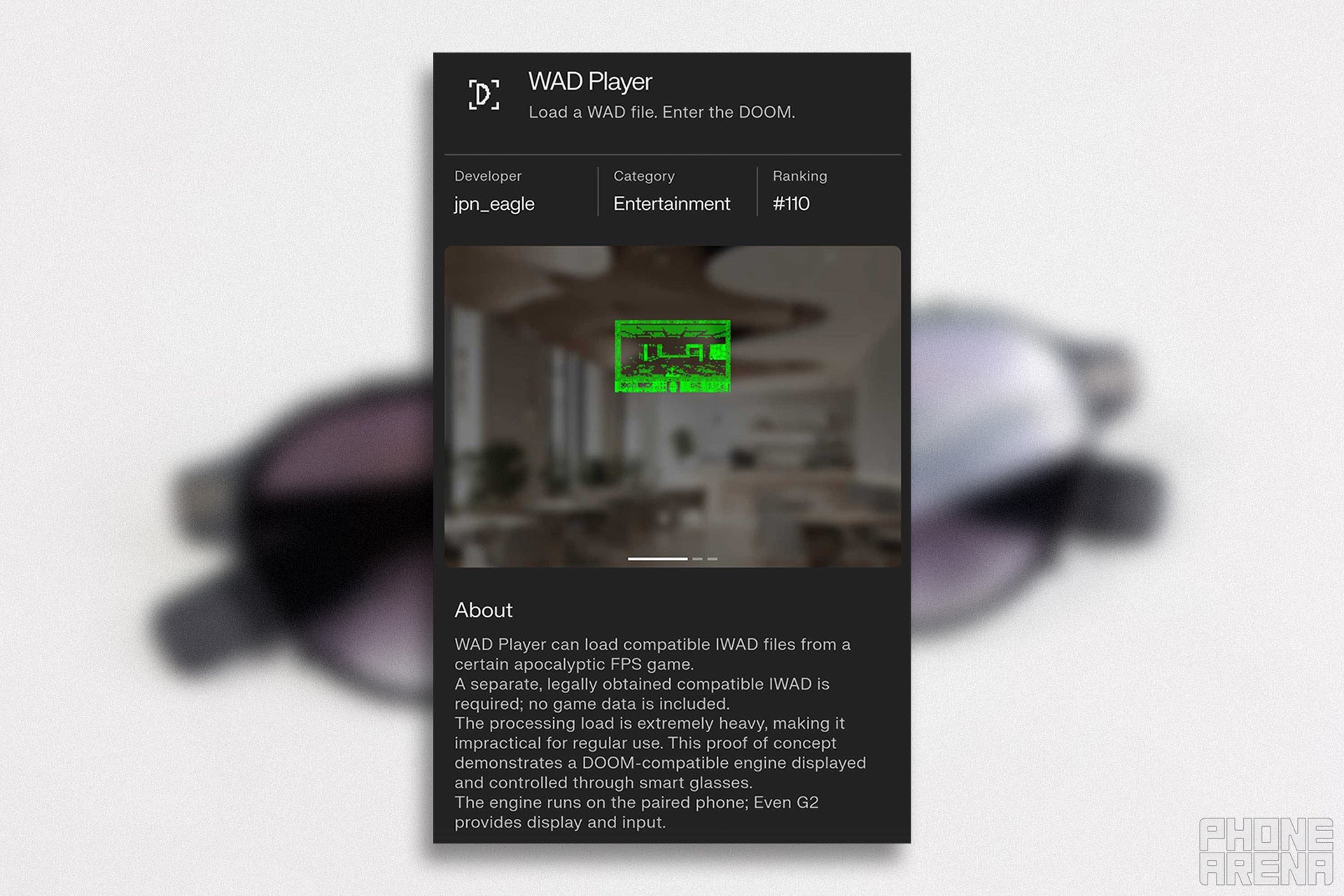
And, of course, a port of the original Doom in the form of a .wad player
Best way to play Doom in 2026? | Image by PhoneArena
Some of these showcase real passion and creativity, reminding me of the early days of the Apple App Store or even the modern Pebble Store. There are some that aim to add genuine functionality to the G2s, while others are just fun - like an app to simulate the Matrix Code Rain in front of your face for the vibes.
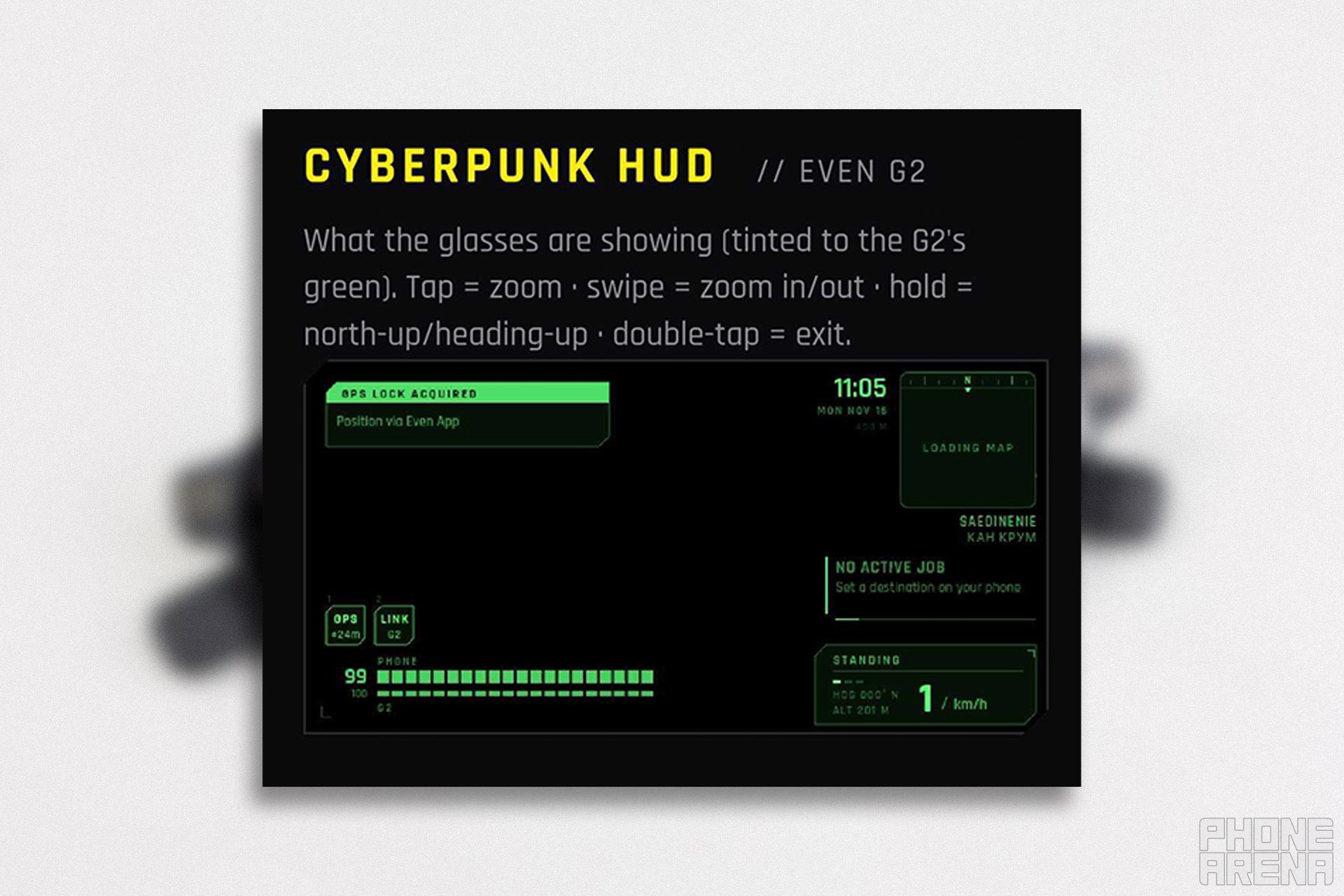
One particular app stood out to me, called Cyberpunk HUD. I took a liking to it because it’s a prime example of the type of design I’m hoping that AR glasses adopt in the future. Basically, all the info is framed around the user’s vision, leaving the central field clear for actual real-world observation. In tandem with the G2’s screen, it doesn’t make for an ideal example, because the concept is limited by the size of the G2’s screen, but it is still a wonderful proof of concept for a product I hope to see in real life someday.
Now this is more like it. | Image by PhoneArena
While the store is open to third parties, it isn’t open-source. If you’d like to get your app on there, you’d have to register and submit your creation for review before it gets published. But from what I’m seeing, Even Realities is being rather reasonable with the entire process, judging by what has been published thus far.
I can’t stress this enough: the true magic of the G2s lies in this open ecosystem, which makes the subsequent navigation hurdles all the more frustrating.
Software and input
Taps or voice? | Image by PhoneArena
Menu navigation feels snappy when it works, but interactions don’t always feel intuitive. On the one hand, you’ll have to memorize all gestures required to work with the specs. While the app does let you customize them, it treats each gesture as a specific input type, so only one action can be assigned to a predetermined set of gestures.
On the other hand, I felt like the specs misinterpreted my input a lot. I found myself in apps I was unable to navigate away from all too often, with the specs continuously moving me back and forth between the menus. See, some devs can pre-assign specific gestures to work with their app, but that may clash with your customized input, leading to contradictions that the specs simply can’t handle. Luckily, you can close apps from your phone as well.
Even when input is registered properly, opening and closing apps feels slow and clunky. Every time you open an app for the first time, you need to do so from your phone to agree with terms and provide permissions. And each time you’d like to close an app from the specs, it asks you if you’d like to save any changes and it defaults the cursor position to no, creating the need for two extra inputs.
All this friction creates a feeling of slow navigation which can become frustrating when you just want to use the G2s for something quick. I can’t say that it constantly happens, but when it happens you really notice it.
It is really impressive how much they managed to cram in the G2s. | Image by PhoneArena
The G2s are, however, good listeners, being able to take notes, transcribe voice input or open apps on command. While this doesn’t directly resolve the issue with navigation, it does alleviate some of the frustration.
It also raises one of the model’s biggest missed opportunities as well though: no built-in speakers. While this is a privacy win, it is also awkward for you, as you end up talking to your glasses only for them to respond via text. In practical terms, this means that you can’t have a back-and-forth verbal conversation with the glasses’ AI, and you can only read any responses it generates.
To be clear, I did have expectations here: I thought that so long as I had my earbuds on and connected, I would be able to hear the glasses, but that’s just not the case. No matter the situation: you can talk, but you can’t listen back.
I think that this turns into a true design oversight once you factor in how amazing the G2s are at comprehension. Whether you're translating something or taking notes, and no matter the language I tested with, the specs reacted impressively fast and had a 100% accuracy rate, even when I challenged them with complex phrasing or abrupt changes in language.
Another privacy win here: nothing is being recorded. Translation happens on your device, and your glasses simply display a transcript, a copy of which is saved on your phone. The caveat? You can’t review anything beyond notes from the specs themselves - you need your phone for that.
Workflow and the Even Realities app
The screwless design is really impressive. | Image by PhoneArena
As I experimented with the G2s, I found that this is the biggest hurdle a user must overcome to truly adapt the model into their daily life: the app and your phone are essential to the experience here. Here’s a few examples of what I mean:
You can take notes, but that’s all there are: notations. If you want to turn them into tasks or add them to the Notes widget, you have to use your phone.
To set up tasks to begin with, you need to do so from your phone.
Want to use navigation on the specs? You have to add locations to the app ahead of time, and it does not pick up data automatically from a dedicated app like Google Maps.
You can take an extensive voice memo, but you can’t add it to the teleprompter to read later without using the app on your phone.
I can provide more examples, but the core theme remains: I wish there was a way to do all of this solely using the G2s, without the constant need for the app.
This became a huge letdown for me, because I believe that AR glasses work best when they enable me to reach for my phone less. With the G2s, I still had to actively manage the process from my phone. I can understand browsing an app store to preload features, but taking down a note and turning it into a task should be something I can do hands-free if I have the G2s on.
Entire workflows I'd envisioned using the G2s for fell apart during testing. It just makes sense for me to be able to ramble out a script and then ask the glasses to add the transcript to the teleprompter and have that ready for later.
The experience made me feel like I was paying a premium to use more complex versions of features I already had on my phone. Considering I am wearing expensive AR glasses, I expected to be able to get more done without the need to reach for extra electronics. But since I’ve already taken out my phone, I could’ve just as easily used its recording app to generate a transcript that I can manually copy and paste into any device with teleprompter functionality.
The excessive reliance on the Even Realities app just creates needless friction between the user and the G2s. And that’s a real shame, because it is very easy to see how the functionally impressive features of the glasses could enable a professional to achieve extraordinary results, yet the model seems to struggle the most with fulfilling basic consumer needs.
I also uncovered an issue with the Maps feature, which I’ve reported to the devs. With my unit, routes take forever to load up, and after they do, just a single sharp turn of my head is enough to put me off course, and I’d have to start the process from my phone from scratch.
This means I couldn’t properly test the feature, though I was assured that routes should take just a few seconds to upload. They are investigating my report, and I’ll make sure to update the review if I hear back from them. But safe to say: don’t take my experience as the basis for your expectations.
Even AI and the need for safeguards
Not only listening, but responding | Image by Even Realities
Beyond that, because it is 2026, the G2s also come with Even AI: a prebuilt AI assistant. After interacting with it, it feels more like a Q&A-style fact-checker, but without the capability to see, since the G2s don’t have a camera (another privacy win, honestly). When you ask a question, the assistant simply provides a neat summary for you on screen, which is good enough for most things on the go.
I do have a major concern here though, because Even AI doesn’t have any safeguards - you can literally ask it anything, and it will happily respond with specifics. You can even ask for details, and it won’t shy away from providing. While I do understand that these specs lean closer to pro-grade equipment, I still think that some reasonable limitations must be introduced, at the very least - as an option in Settings.
Imagine you’re using the G2s for work, perhaps to get quick overviews and jot down notes. Regardless of what you use them for, they’d seem like a really cool gizmo to any kid who catches sight of them. If said kid gets hold of your glasses, they could ask Even AI all sorts of inappropriate questions, and there’s no way to stop it from answering. Since the glasses don’t have speakers, you wouldn’t hear any of it. You might not even realize what happened until you review your transcripts later.
I asked Even Realities about their future plans regarding Even AI, and this is what they had to say:
We acknowledge that there are currently no safeguards due to customer feedback and customer different viewpoints. This is something that we are taking a closer look at, and we will provide customized settings for this in future software updates.
Even realities, November 12, 2026
Tech manufacturers need to be conscious of details such as these, because humanity isn’t designed to live in a bubble, and we must be collectively responsible for our social circles, but I won't digress further.
Overall, the software experience is a mixed bag as of the time of writing. The absolute inability for the G2s to speak back to the wearer, the lack of a SFW-mode for its AI model, and excessive reliance on the user’s phone left a bad taste in my mouth. At the same time, Even Realities’ prowess is evident, so I hope that many improvements will be introduced down the line.
Yet the key factor still remains: the asking price is real today and based on what you are getting, not on the potential of what it could become.
Battery
The specs are advertised to last at least two days, but in my testing, I think they can last way longer, depending on the type of user you are. Even during my extensive testing, where I was frantically downloading apps just to try them out, the glasses barely got down to 50%. And then they made that back in no time thanks to the charging case.
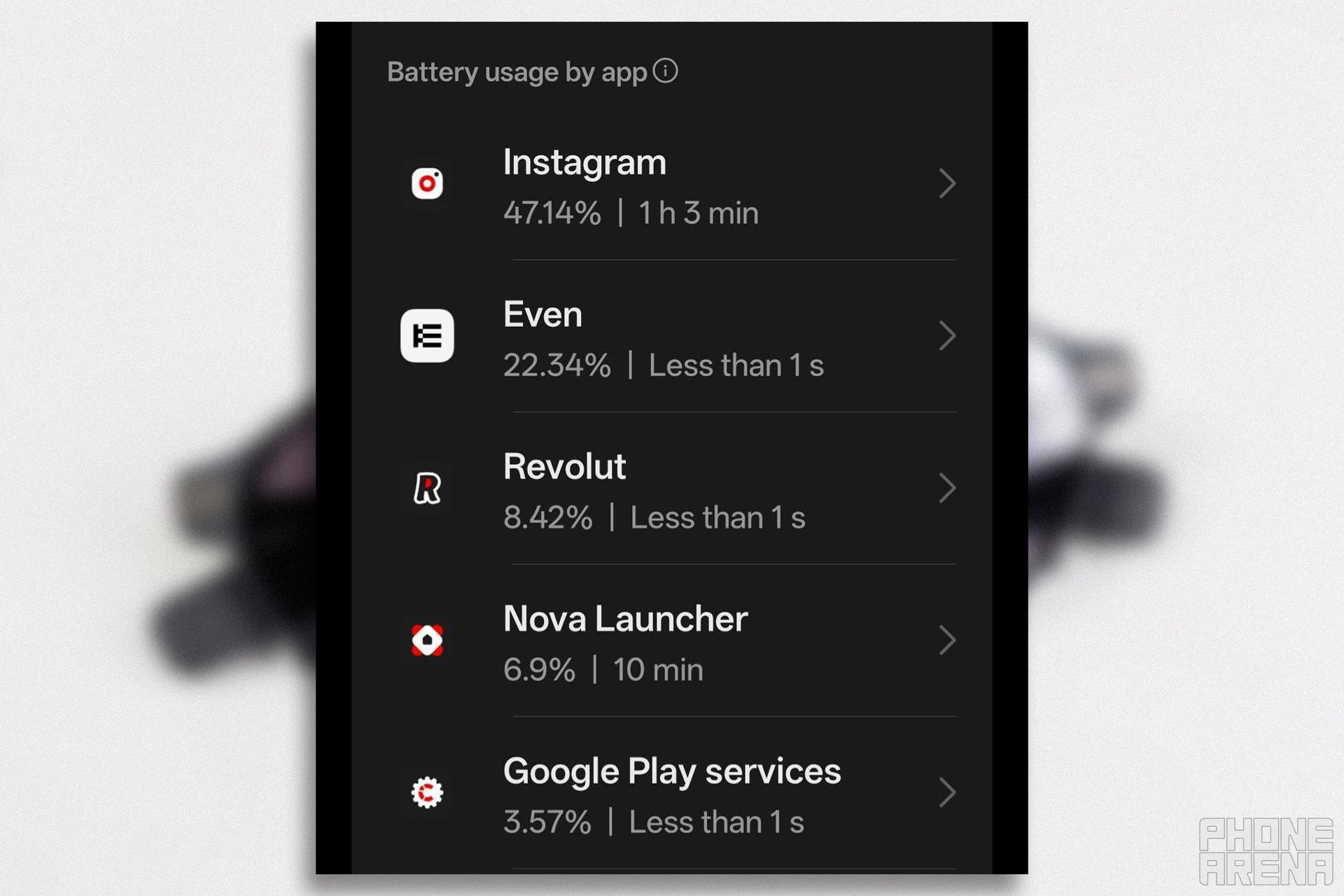
While this is really impressive, I did notice a huge battery-related issue: the Even Realities app is draining my phone’s battery massively, even when I’m not actively using the glasses.
It seems like the G2s, even when tucked away in their case, occasionally wake up to establish a connection, so they can have it prepped if you need them. While this is great on paper, it might contribute to the larger battery drain issue.
Battery report from the day after I noticed the issue. | Image by PhoneArena
The Bluetooth connection with these specs is actually two connections - one to L (left) and one to R (right), a callback to the designs of early-gen Bluetooth earbuds. This isn’t out of the ordinary for smart specs, but I couldn’t help but notice that the Bluetooth connection remained live at all times and never timed out, to the point where my phone asked me if I wanted to limit the app to prevent “excessive drain”.
For the record, my daily driver is the OnePlus 13 and for me it’s absolutely a two-day phone. One of the hardest things I’ve had to do with this phone is to drain its battery to 0% for calibration, because it was a genuine challenge to do. Ergo, the Even Realities app must really be grilling it in order for both me and the phone to notice.
While I do have theories on what might be going on, I must admit that they are just that - uninformed guesses, since I’m not intricately familiar with the way the connection between the glasses and my phone works.
Connectivity optimizations via updates are certainly on the table, and I am confident that Even Realities will be able to tackle this issue as soon as they figure out why it is happening. That being said, it is a bit disappointing for the current state of the app.
The G2s offer outstanding battery life, which is great, but the impact of that effectively gets diminished via the passive battery drain on your phone since the glasses rely on the app to provide their full feature set. So in this case, it kind of doesn’t matter if the specs or the phone reach 0% first, because if the G2s have juice when your phone doesn’t, they won’t be able to do much for you.
Final verdict
The G2s absolutely bring the cool factor. | Image by PhoneArena
The Even G2s are undoubtedly among the most premium products on the AR market, especially if you’d like to get some add-ons for them. At the same time, I can’t honestly say that the experience matches the expectations that such a high asking price sets.
Even if, theoretically, Even Realities managed to address every single issue and make the G2s their best version tomorrow, I still wouldn’t be able to recommend them to you. But it’s not why you’d think
Not because this is a bad product - far from it - but because its value depends heavily on what you intend to use it for. Not everyone will be able to make the best of the G2s. While they do offer some consumer-oriented features, after trying them out for myself, I think that the G2s are closer to pro-grade in many aspects.
Creators and presenters will be able to make excellent use of the G2’s impressive voice-to-text and teleprompter capabilities. Frequent travelers or interpreters will highly appreciate the accurate and immediate translation features. Developers and enthusiasts could benefit from numerous other features like the app Hub or AI task trackers.
Ultimately, anyone with a productive mindset could use an at-a-glance overview of their schedule, tasks and the ability to make notes on the spot.
Poll
2 Votes
Should a product be mostly optimized on launch?
Personally, I love the build quality, the app store - the fact that it is open to third-party development - and the concept of the screen, but that is not enough for me. The inability to come up with full workflows that I can execute completely and solely on the G2s is the biggest dealbreaker for me, as I believe that most of everything else I’ve brought up is patchable, so long as Even Realities decides to do so.
And here lies my other concern - I’m not sure where Even Realities wants to take this product moving forward. It’s here, it is capable, and it could be used for many things, but that also makes it difficult to gauge what types of users could count on support for their specific needs down the line.
But that’s just me. To gauge if the G2s will be worth it for you, you have to carefully consider how you can entwine their feature set into your personal or professional life. No matter what the case may be, though, you’ll have to factor in the need to use your phone as a companion device to the specs.
AR enthusiasts and everyday techies are a harder sell. While they will absolutely appreciate the lightweight design, the neat screen and creative app store releases, if we consider the G2s from a purely entertainment perspective - there’s not much on offer.
Yes, there are games and means of browsing social media like Reddit, but they are closer to creative efforts than viable solutions. In short: taking out your phone will be easier and more beneficial to most tech fans.
Should you buy the Even G2?
The G2s get me really hyped up for the G3s! | Image by PhoneArena
The G2s left me with an excellent first impression, but after I dove deeper, I was left wanting more. Yet it's difficult to not get charmed by them. Even though they’re not perfect, the G2s are a notable step towards a true AR experience, and I honestly can’t wait to see what comes next.
You should buy them if: You’ve carefully considered the G2’s feature set and decided that you can meaningfully integrate it into your life. That recommendation goes double if you are interested in developing apps for the G2’s Hub. If privacy is a concern for you, then the glasses should be on your radar. Just keep in mind that at the time of writing, the G2s are oftentimes better at extending your phone’s capabilities rather than replacing them.
You should NOT buy them if: You value entertainment and social features more than productivity. If being able to verbally communicate with an AI assistant or being able to show it things to receive momentary guidance is critical for you, the G2s shouldn’t be your first pick.
Stan, also known as Stako, is a smartphone enthusiast who loves exploring the limits of Android customization. His journey with mobile tech began with the Nokia 5110 and evolved with devices like the BlackBerry 9350 Curve and Samsung Galaxy A4. Despite his love for Android, he holds equal respect for Apple, considering the iPhone 4s as a significant milestone in mobile tech. Stan started his writing career early, contributing to MetalWorld, and harbors a passion for creative writing. Beyond smartphones, he's interested in photography, design, composition, and gaming, often preferring solo projects to hone his objective thinking. He's also an avid student of open-source technology and consoles, with a special fondness for the Pebble Watch, Arduboy, and Playdate.
A discussion is a place, where people can voice their opinion, no matter if it
is positive, neutral or negative. However, when posting, one must stay true to the topic, and not just share some
random thoughts, which are not directly related to the matter.
Things that are NOT allowed:
Off-topic talk - you must stick to the subject of discussion
Offensive, hate speech - if you want to say something, say it politely
Spam/Advertisements - these posts are deleted
Multiple accounts - one person can have only one account
Impersonations and offensive nicknames - these accounts get banned
To help keep our community safe and free from spam, we apply temporary limits to newly created accounts:
New accounts created within the last 24 hours may experience restrictions on how frequently they can
post or comment.
These limits are in place as a precaution and will automatically lift.
Moderation is done by humans. We try to be as objective as possible and moderate with zero bias. If you think a
post should be moderated - please, report it.
Have a question about the rules or why you have been moderated/limited/banned? Please,
contact us.







Things that are NOT allowed:
To help keep our community safe and free from spam, we apply temporary limits to newly created accounts: